
Managing Card Reasons is available from the Admin App. It is possible to add new card reasons, edit existing ones, or remove those that are no longer needed.
On multi-tenant systems, special attention must be paid to the tenant field. If the tenant is not defined, the card reason is treated as general and used across all tenants in the cluster. For this reason, superusers are not allowed to modify general card reasons. Only admin users can update these entries under the “No tenant” tab. On single-tenant systems, superusers can view and manage data only within their own tenant.
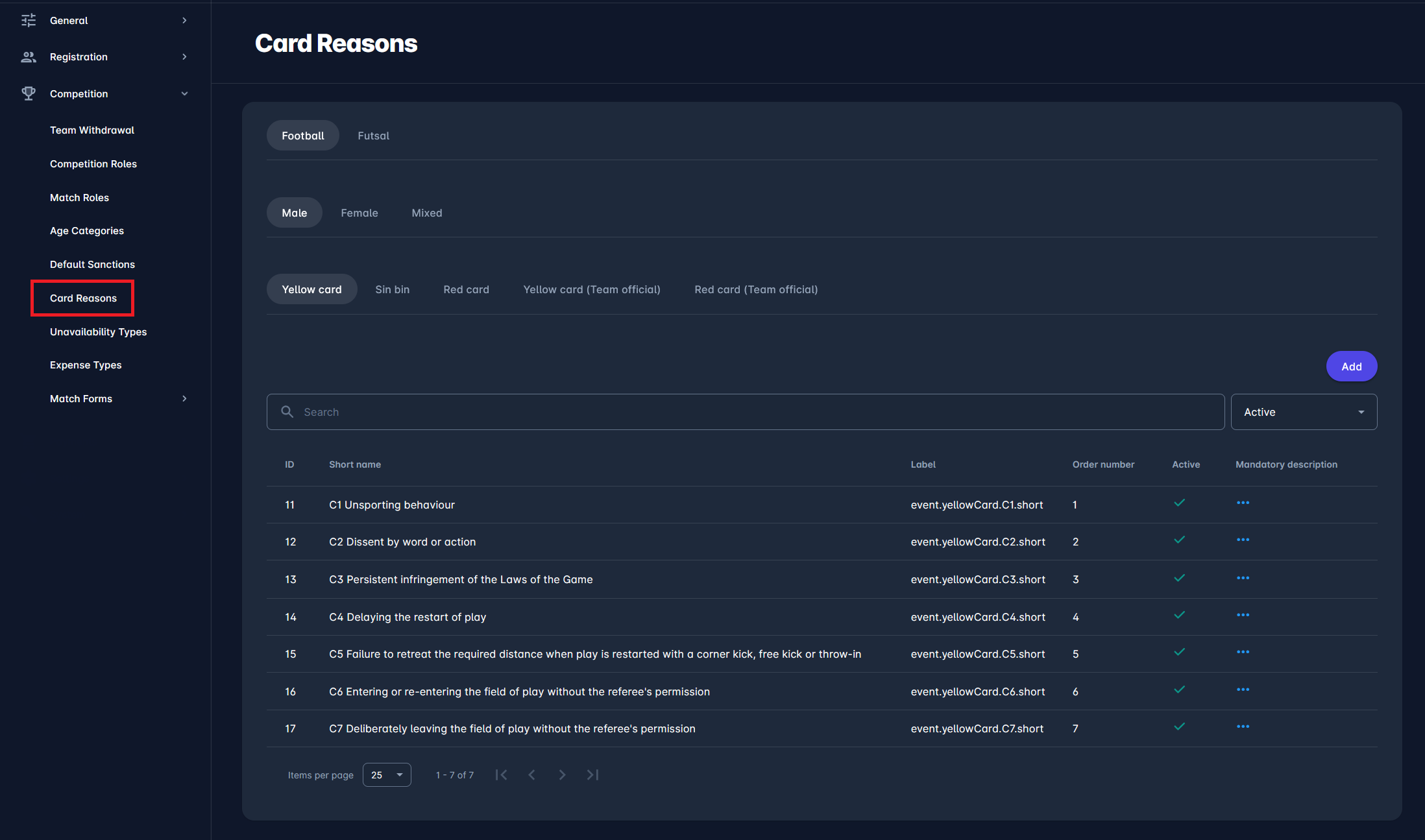
Card reasons can be filtered and viewed by discipline (Football or Futsal), gender (Male, Female, Mixed), and card type. Card types are organized into tabs and include Yellow card, Red card, Sin bin, and Team officials cards, depending on the selected discipline.
The overview screen displays a searchable list of card reasons, with key information including ID, short name, label, order number, active status, and whether a mandatory description is required. The order number defines how card reasons are displayed in match-related workflows.
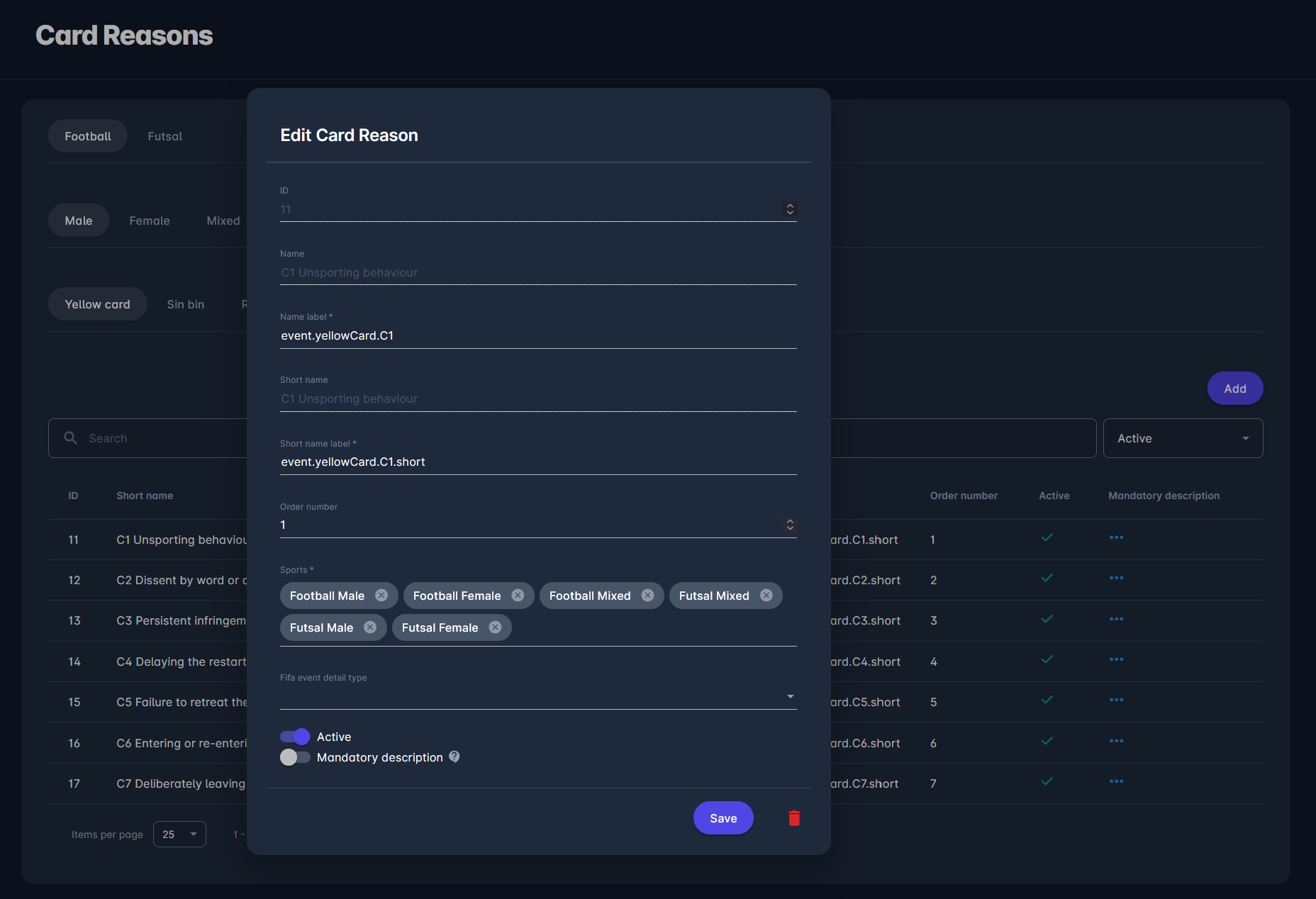
When adding or editing a card reason, administrators can define its name and short name, translation labels, display order, applicable sports and categories, and, where relevant, the FIFA event detail type. Each card reason can be activated or deactivated, and it can be configured to require a mandatory description when selected during match events.
If the mandatory description is enabled, users won't be able to set the match to PLAYED status until the card match event with this reason has a description entered.