To create a National Team registration:
-
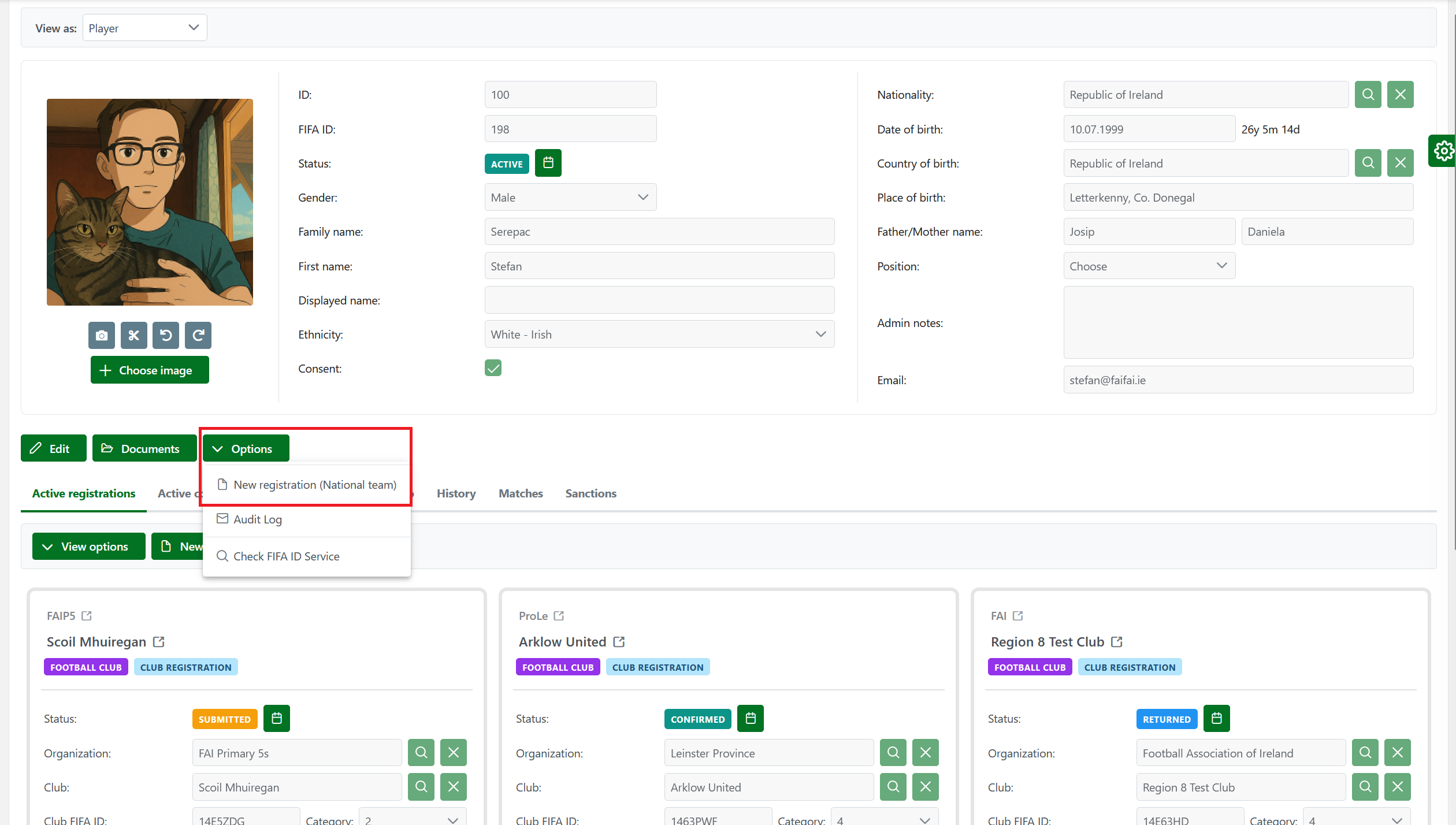
Select the profile of the Player for the national team registration
-
Click the Options → New registration (National team) button
-
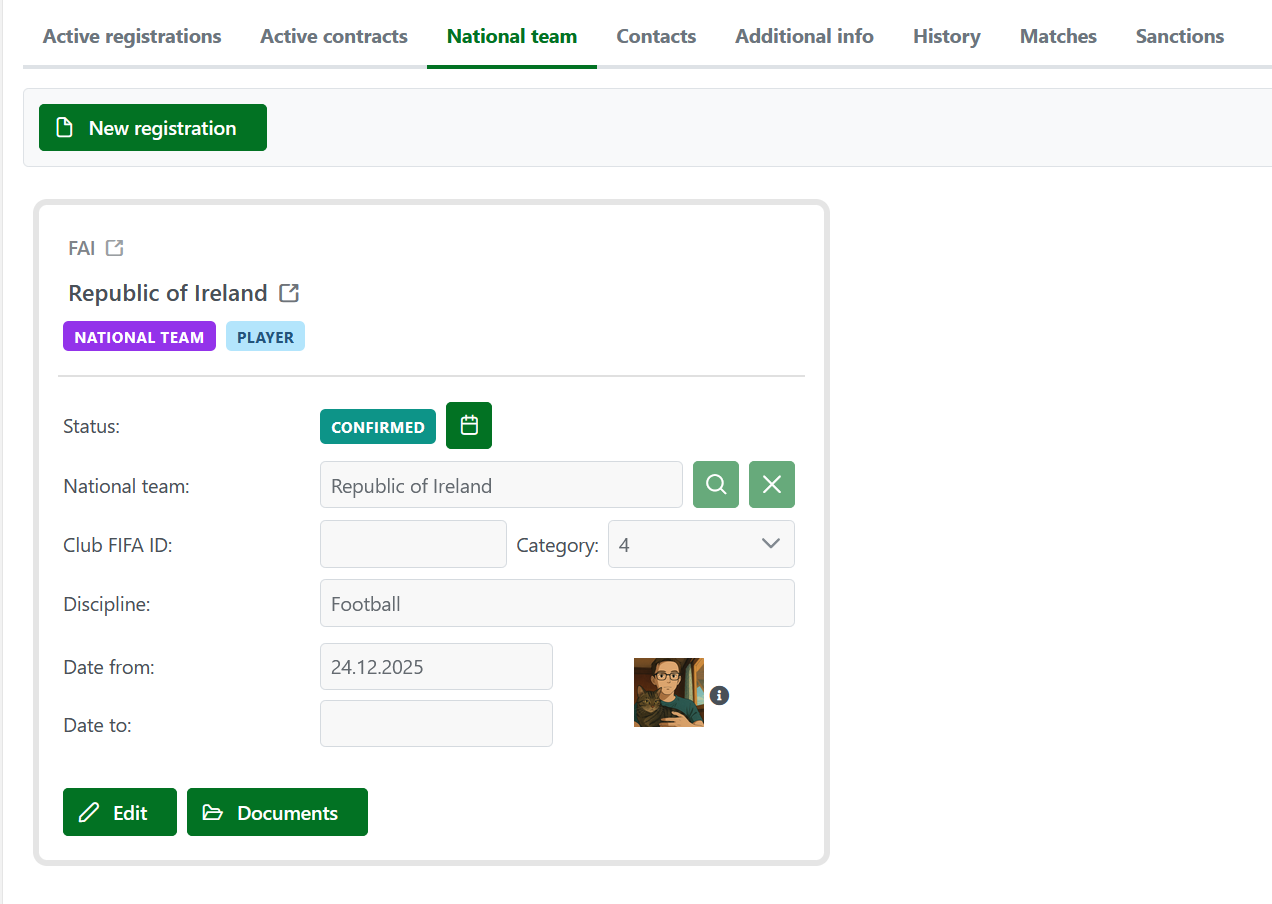
The system now displays the National Team tab, which includes fields for creating national team registrations.
All National team registrations are now visible under the National team tab on the player’s profile.
The "National team" tab is shown on the screen only if:
-
A person has a national team registration of a particular type,
-
or if the creation of a national team registration is requested.
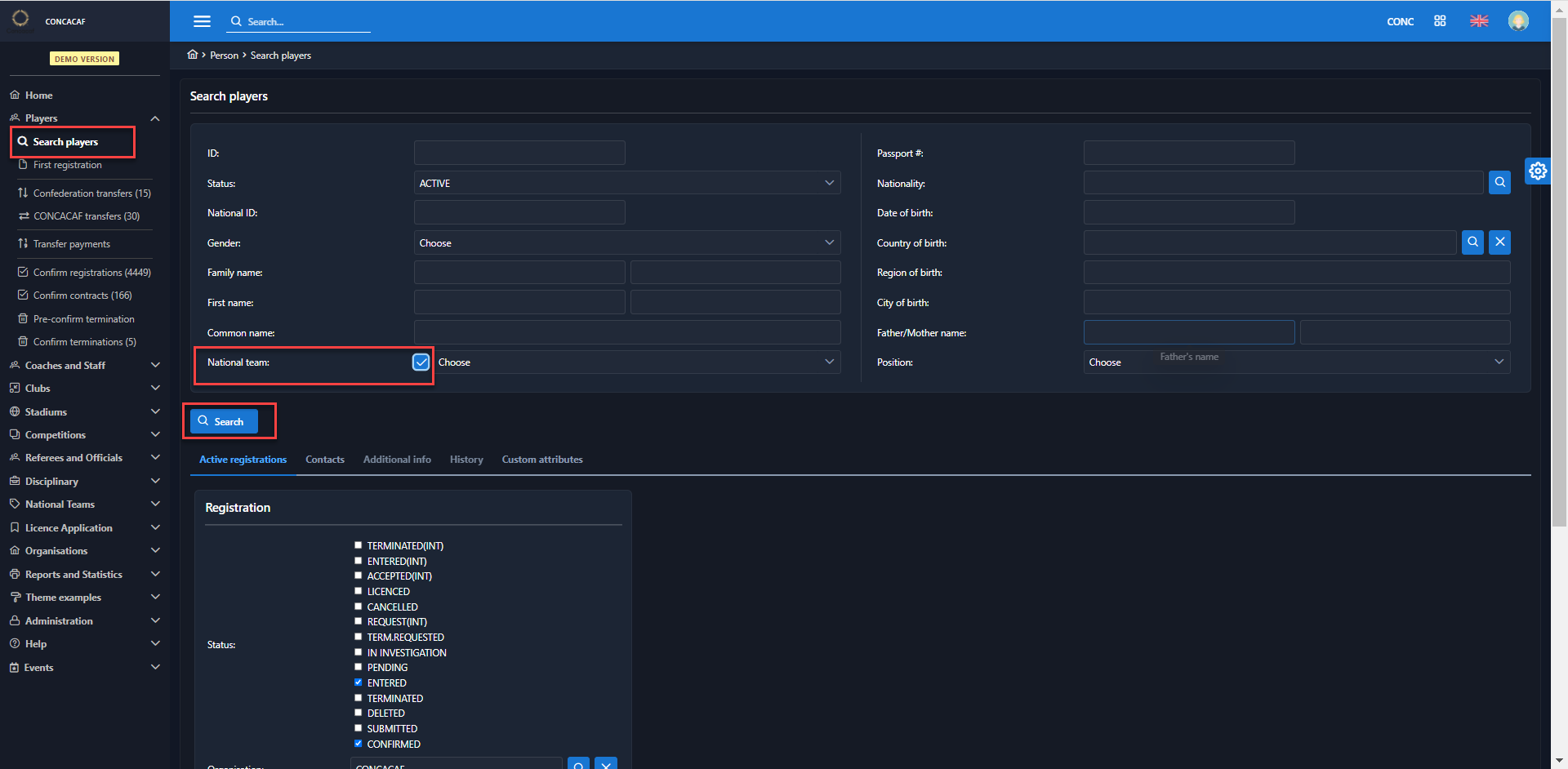
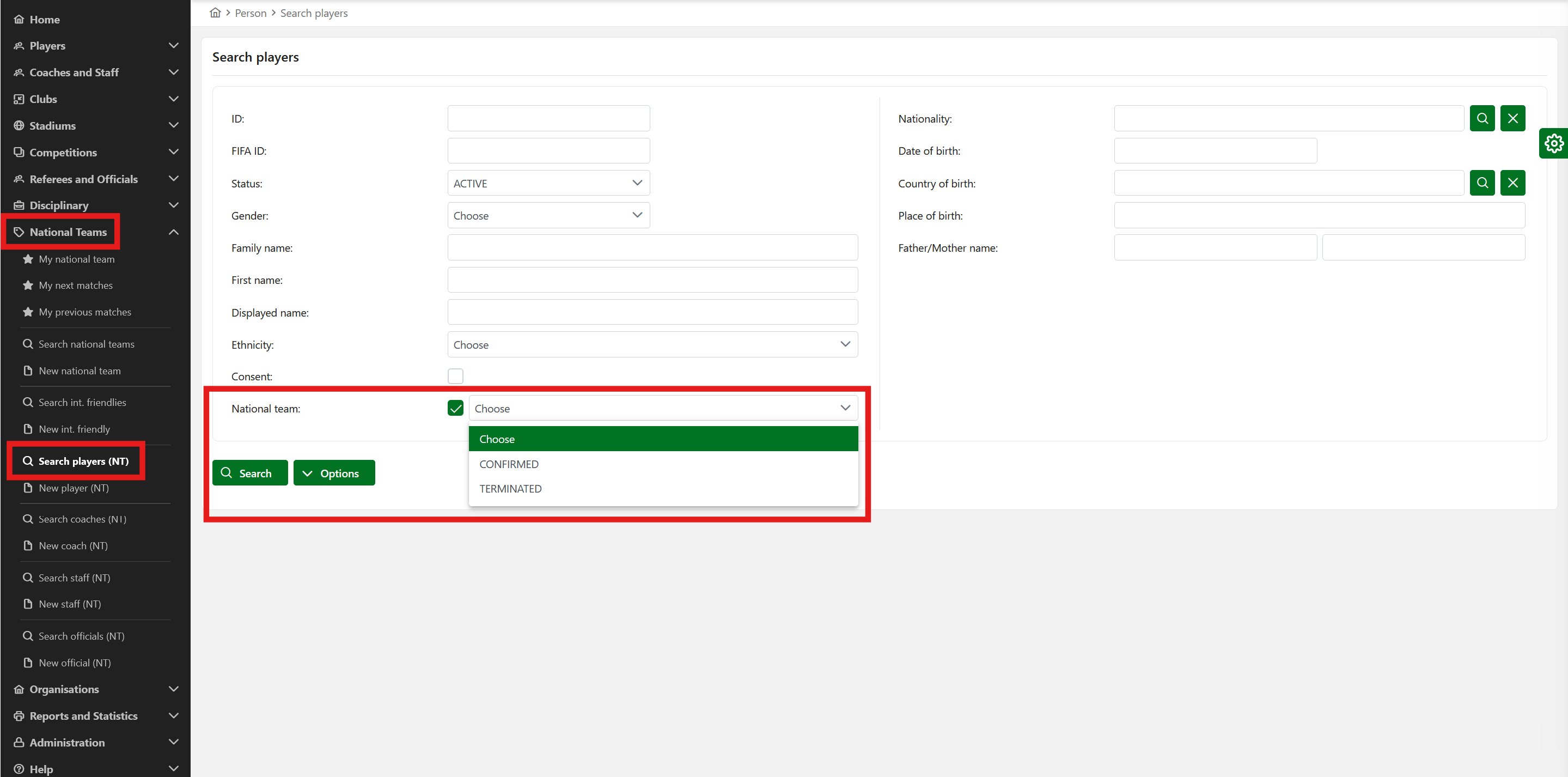
National Team-registered players are searchable via the National Teams → Search players (NT) console. To search, check the National Team checkbox and, optionally, filter the players by their registration status.
Since most persons within the system are not involved with the national team, the national team tab is hidden for them.
▶ This feature is helpful for users whose national team has been selected for national team registration, as a person's nationality determines their registration.
Saving a new national team registration sets the status automatically to CONFIRMED.
▶ Information on national team registration is removed from the person's profile, but the input fields are still retained in search mode to allow searching for national team-registered persons.