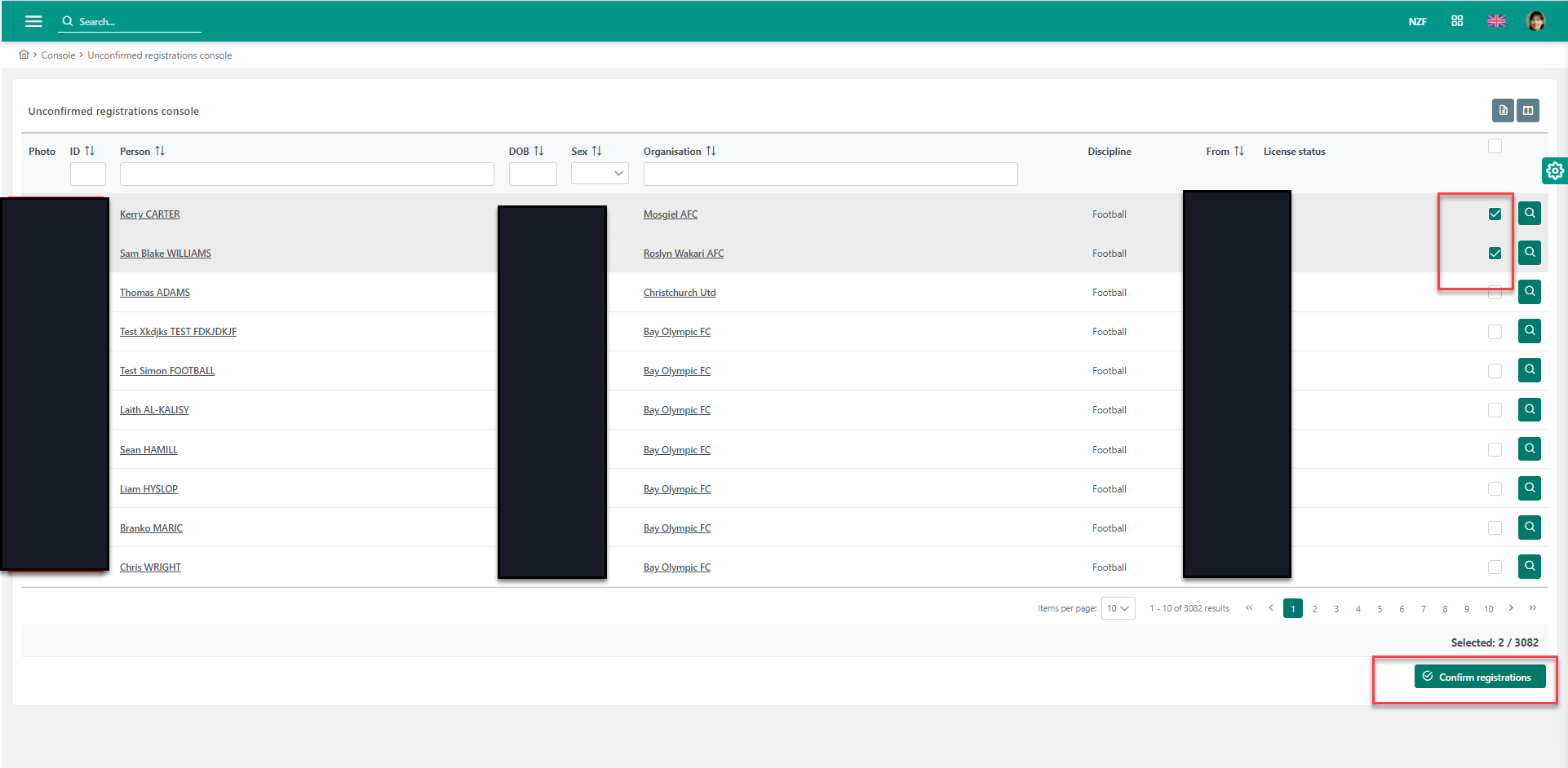
If you are the person responsible for confirmation of new registrations, please follow these steps:
-
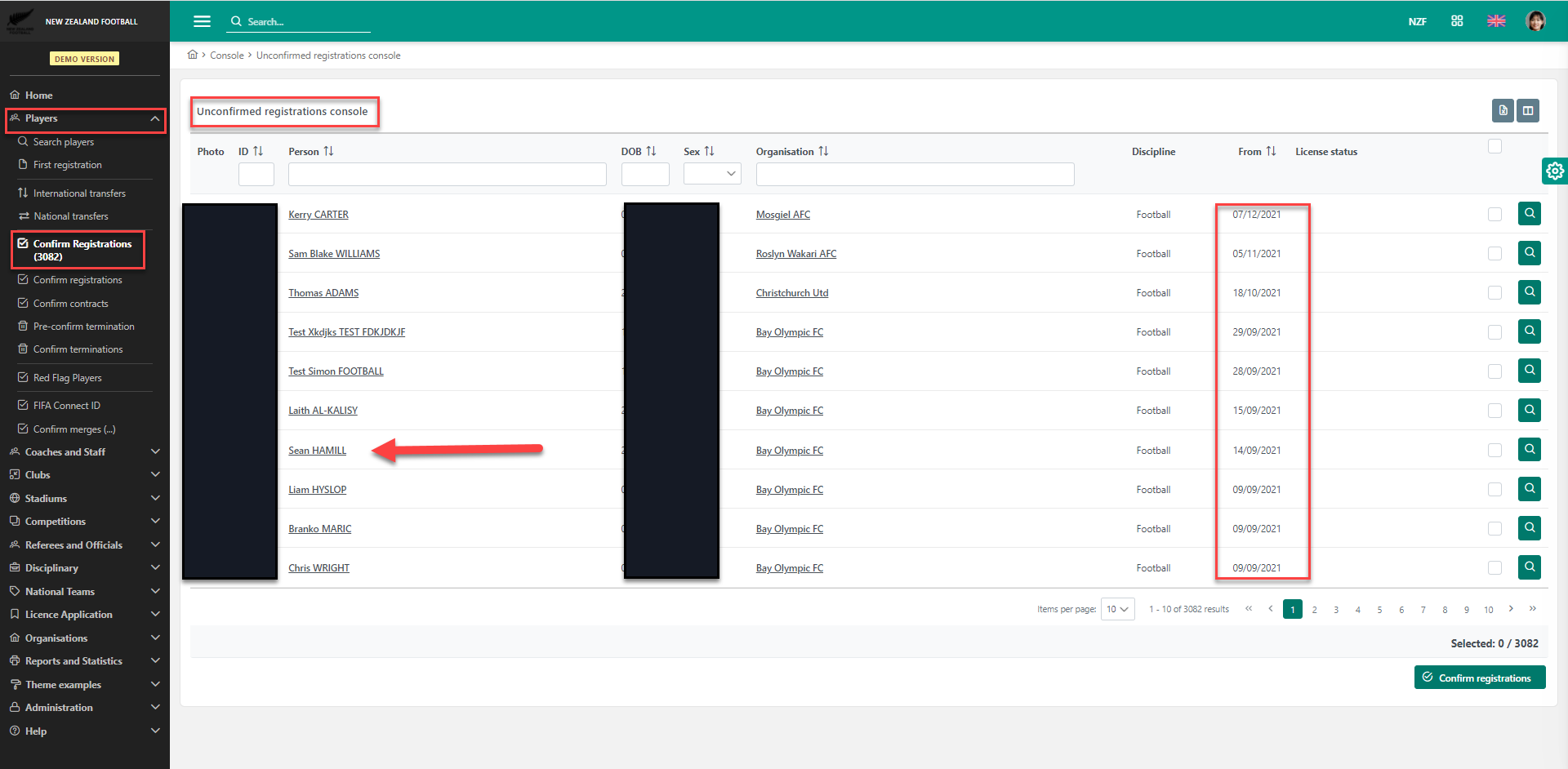
On the left menu, select Players > Confirm registrations
-
The system automatically generates a list of players awaiting confirmation in your region
-
Click to select any player; this action opens the player's details for your review
-
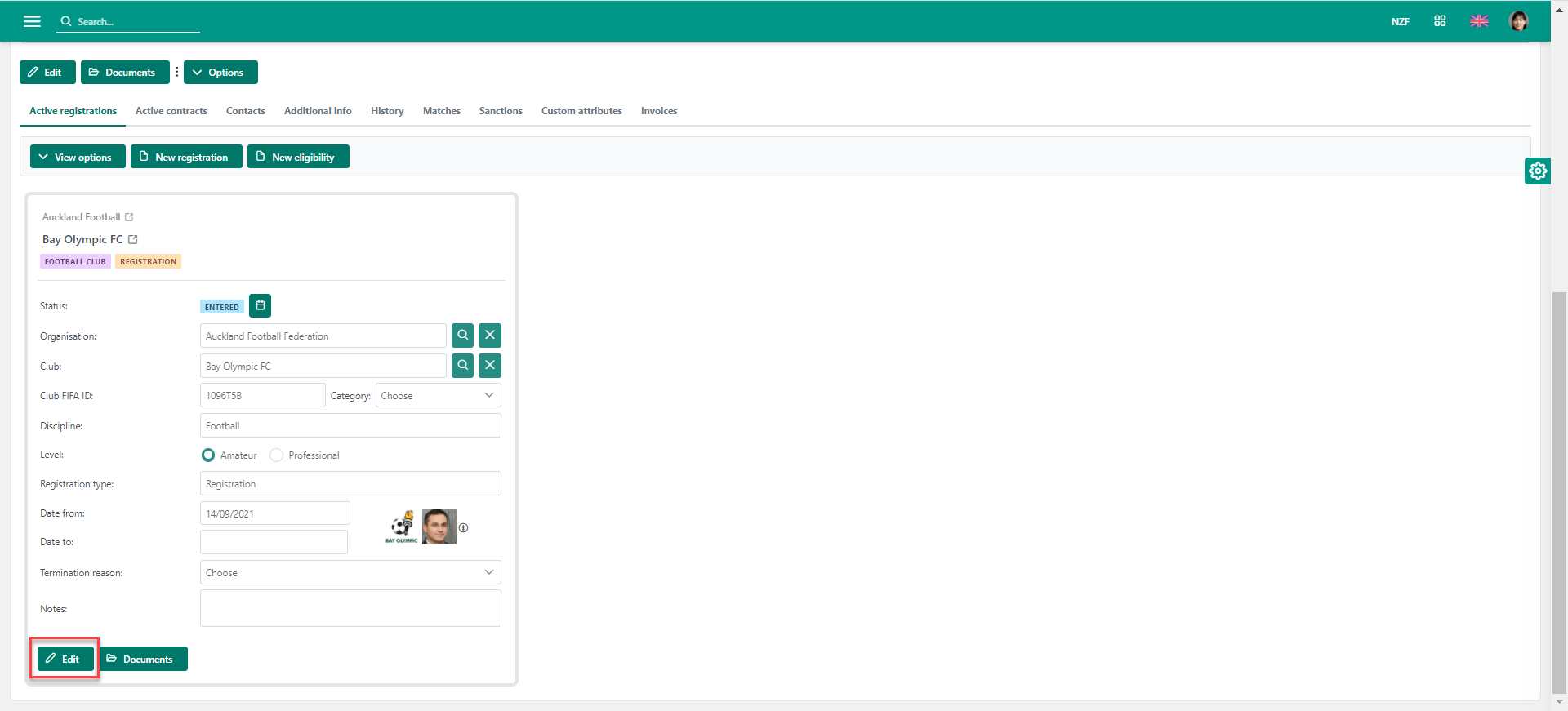
Inspect all uploaded documents and verify that the information is complete
-
If complete, hit the Edit button on the active registration tab
-
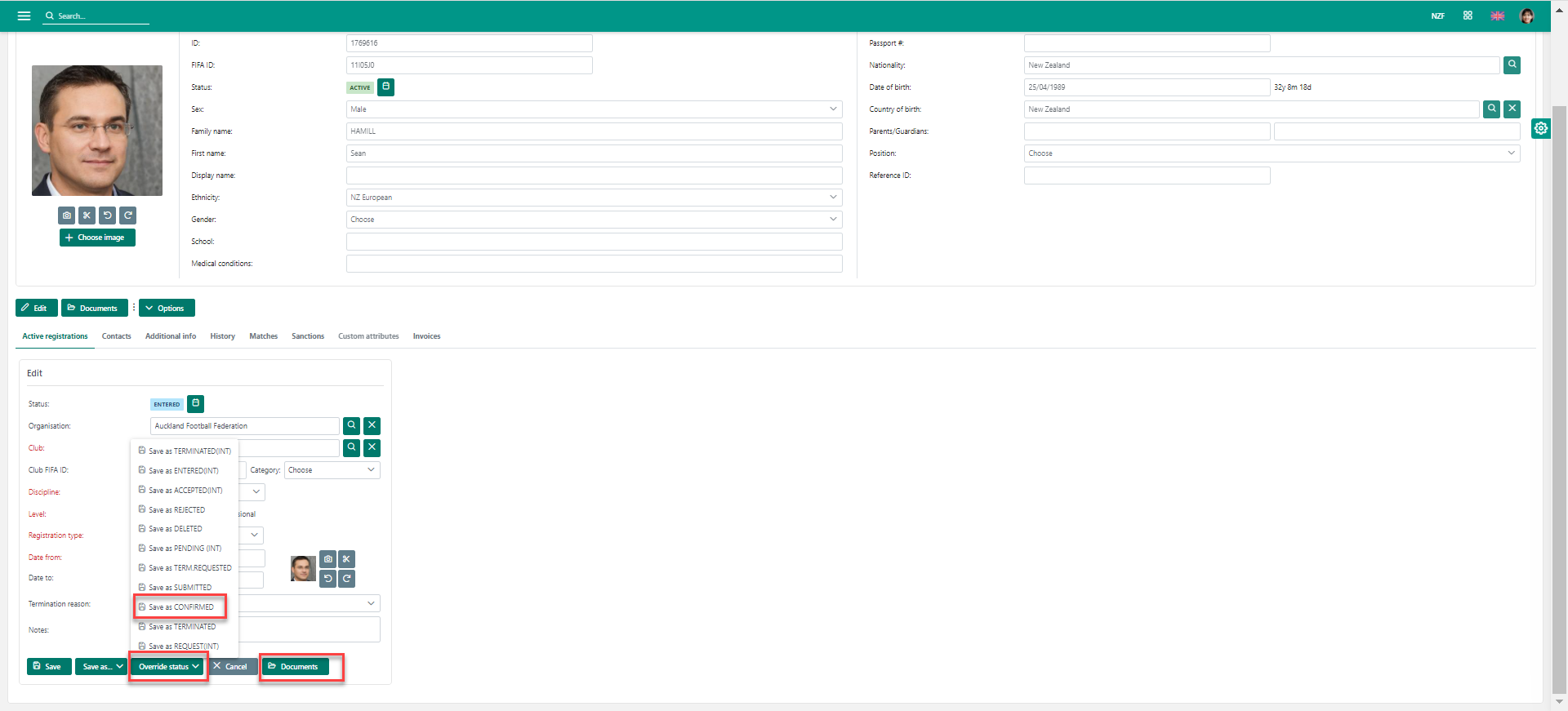
Click ☑ Save as Confirmed option to complete the confirmation process
Please note that some tenants on the Confirm registration tab can select multiple registrations at a time and confirm them in a single action by hitting the Confirm registrations button.