
To access the Support tools, navigate to Admin App.
Access to the Admin App is available to authorized users (Superusers) via a direct link by adding /appadmin to your COMET homepage address, e.g., http://comet.concacaf.com/appadmin or http://comet.irishfa.com/appadmin.
From here, you can set the support Ticket Types.
To add/edit a Support Ticket Type:
-
Access the COMET Admin App (by adding /appadmin to your COMET homepage address)
-
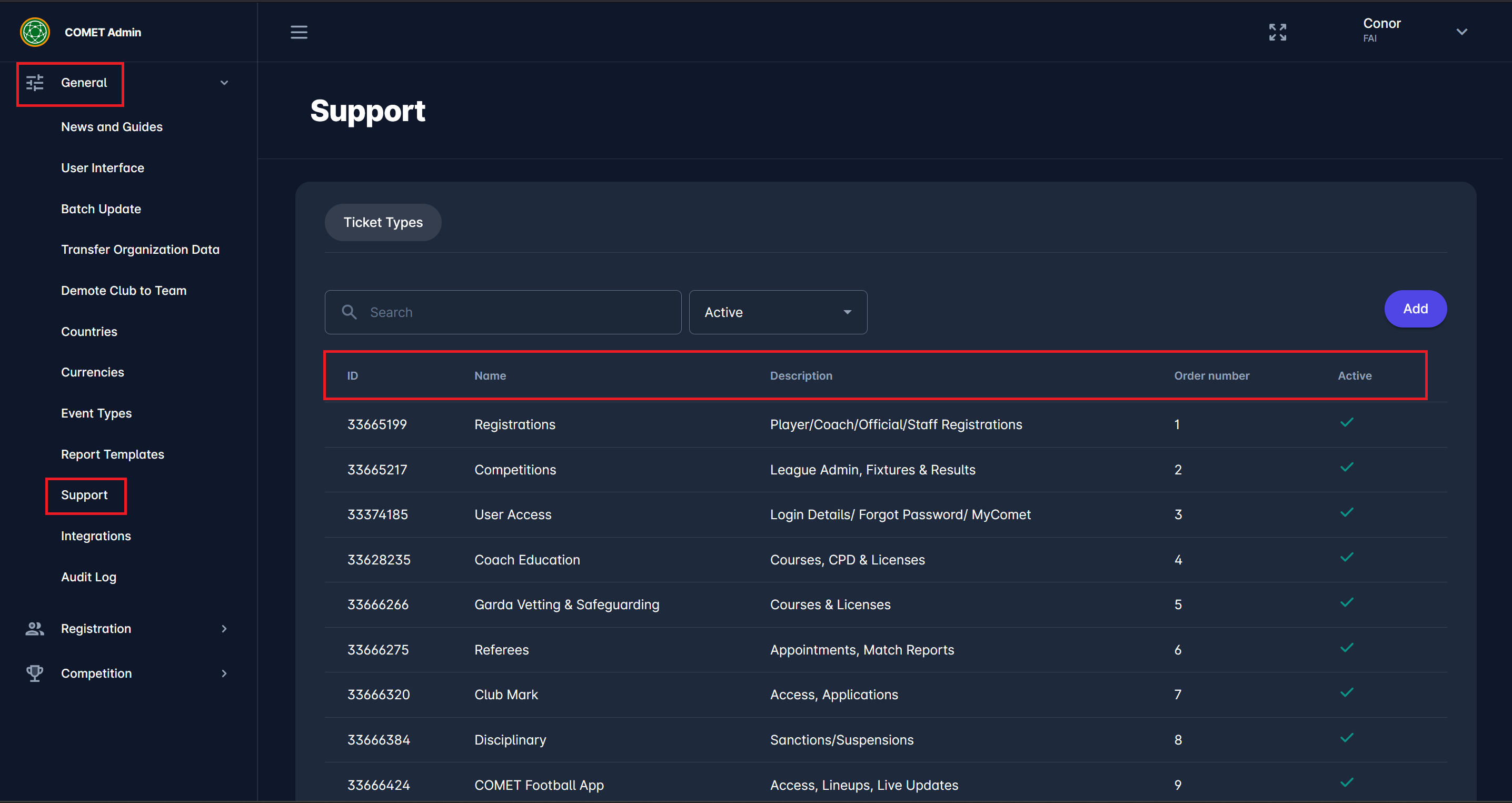
Select General → Support on the left nav-bar
-
The list of all ticket types from your tenant is displayed. The list consists of the following details:
-
ID
-
Name
-
Desciption
-
Order number
-
Active
-
-
Click on the Add button in the top right corner of the window to add a new entity.
-
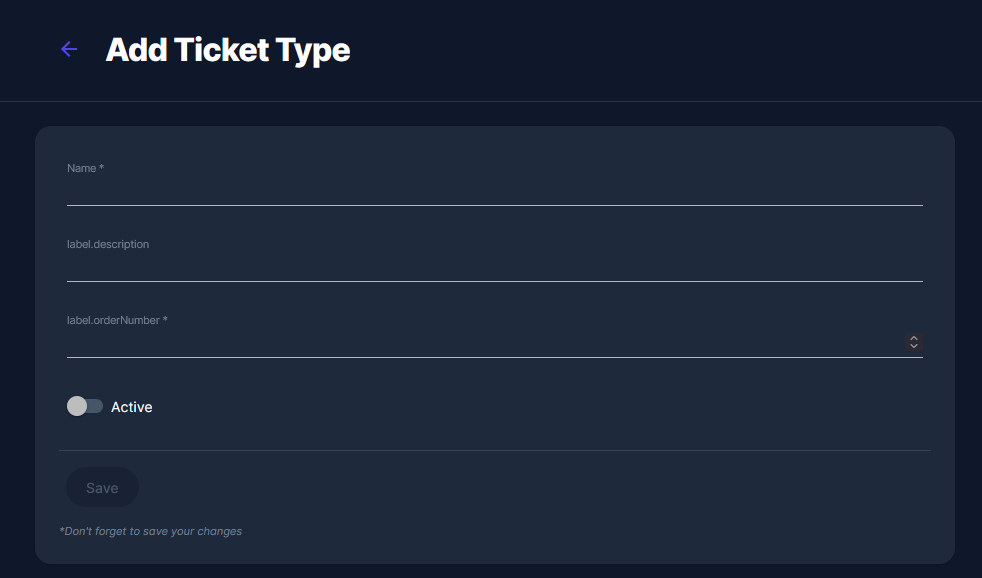
This opens the Add Ticket Type dialog, allowing you to enter the ticket type details.
-
Fill in the information about a ticket type:
-
Name (obligatory field)
-
Description
-
Order Number (obligatory field)
-
Select whether this ticket type is active by changing the switch's status.
-
-
Once you have entered all the data, press the Save button
-
To edit an existing ticket type, click on the ticket type from the list to open a dialog
Active support ticket types can be used to categorize and later search through incoming tickets in the Support module.