
This tool helps you clean up duplicate organizations in your COMET database. You can do this for a Club, a Facility (i.e., Stadium), or any other organization (i.e., Association).
You can access this tool in the COMET Admin App (add /appadmin to your Comet homepage address) → General → Transfer Organization Data menu.
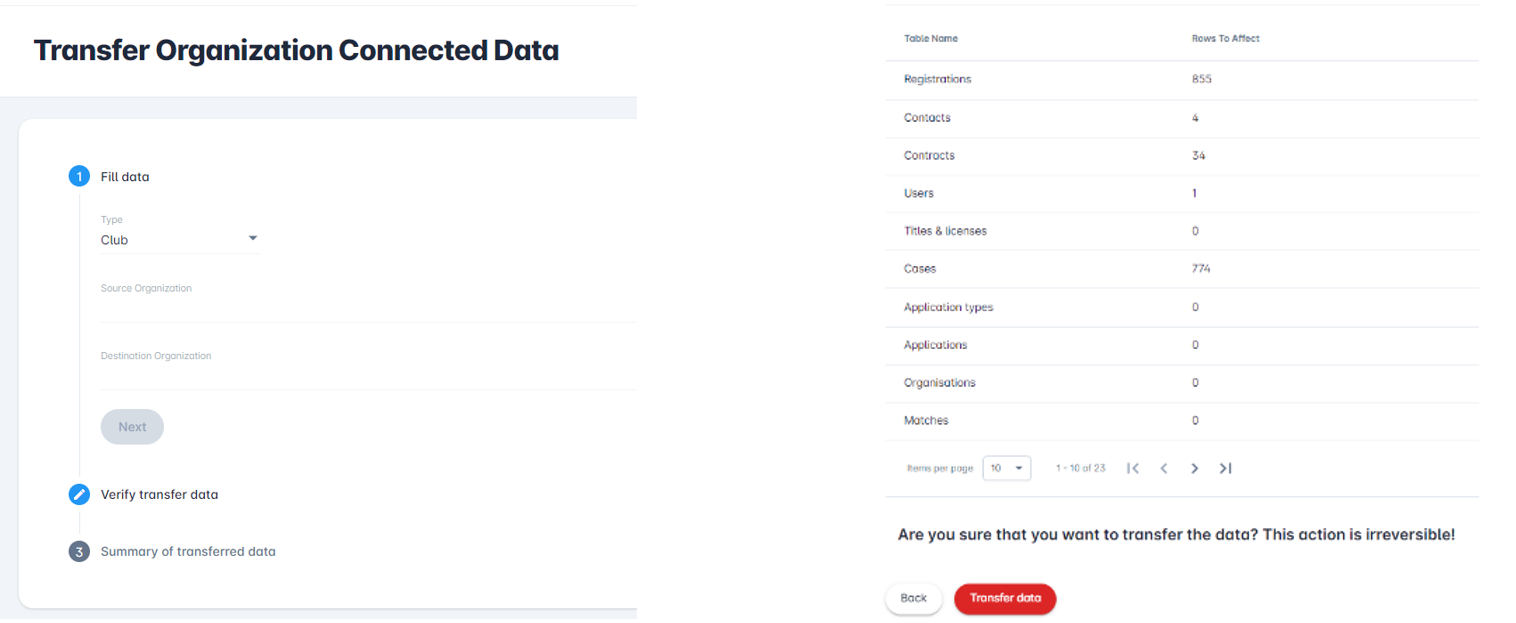
As you walk through the steps, you will see a summary of the information that will be transferred from Source to Destination, to consolidate everything under Destination. The final step (if appropriate) would be to delete the Source organization completely, using the existing COMET UI options.
This feature becomes increasingly important as FIFA seeks to consolidate and clean up data from all member associations ahead of the launch of the Clearing House.
Be mindful when using any Administration app functionalities, since many actions are irreversible.
To successfully transfer organization data, follow the steps below.
Step 1: Fill in the data
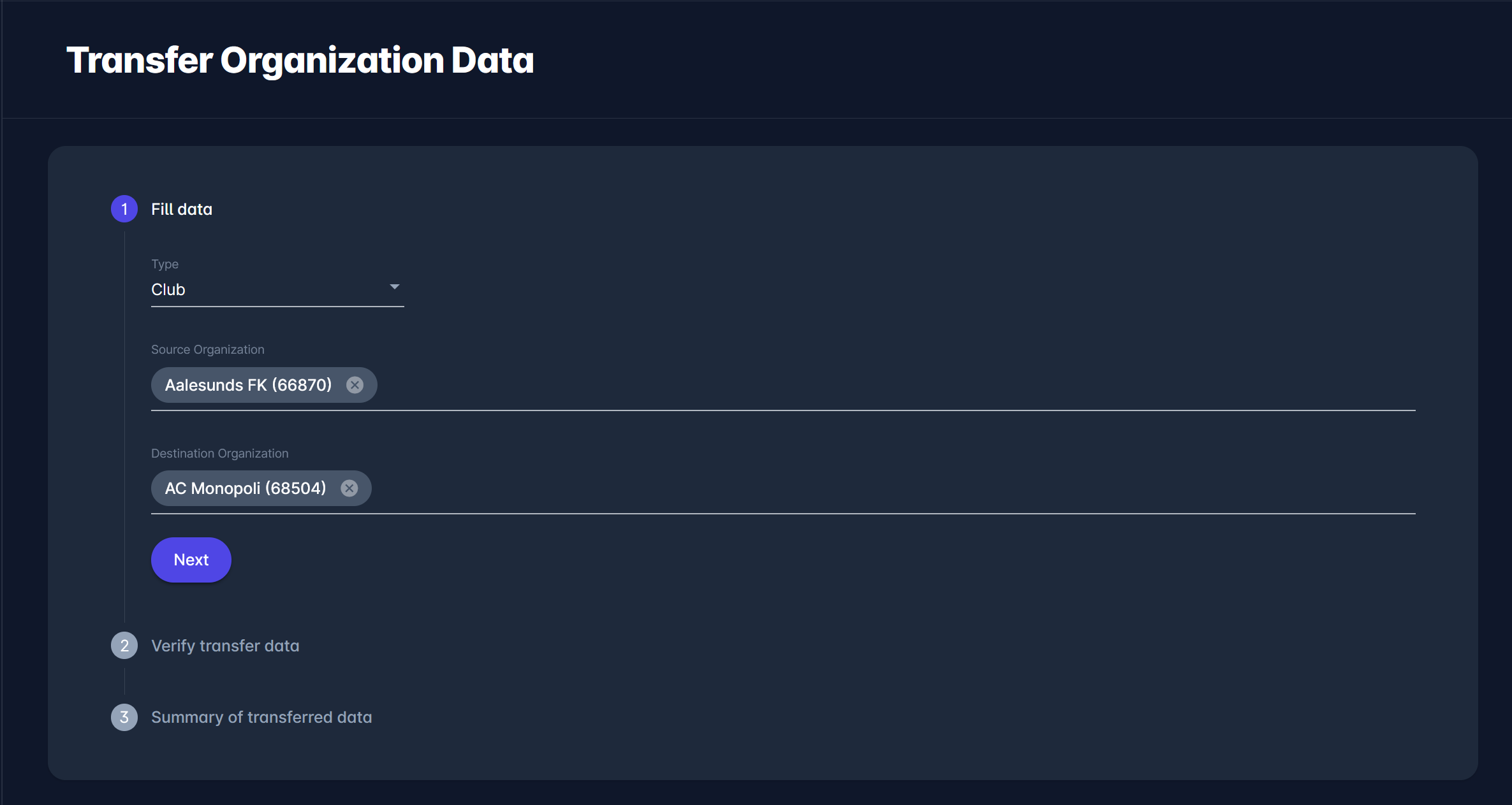
Select the following:
-
Type - select from Club, Facility, or Association
-
Source Organization - select the source organization from the list of available organizations of each category
-
Destination Organization - select the destination organization from the list of available organizations of each category
After all fields have been filled out, click the Next button to proceed to the second step.
Step 2: Verify transfer data
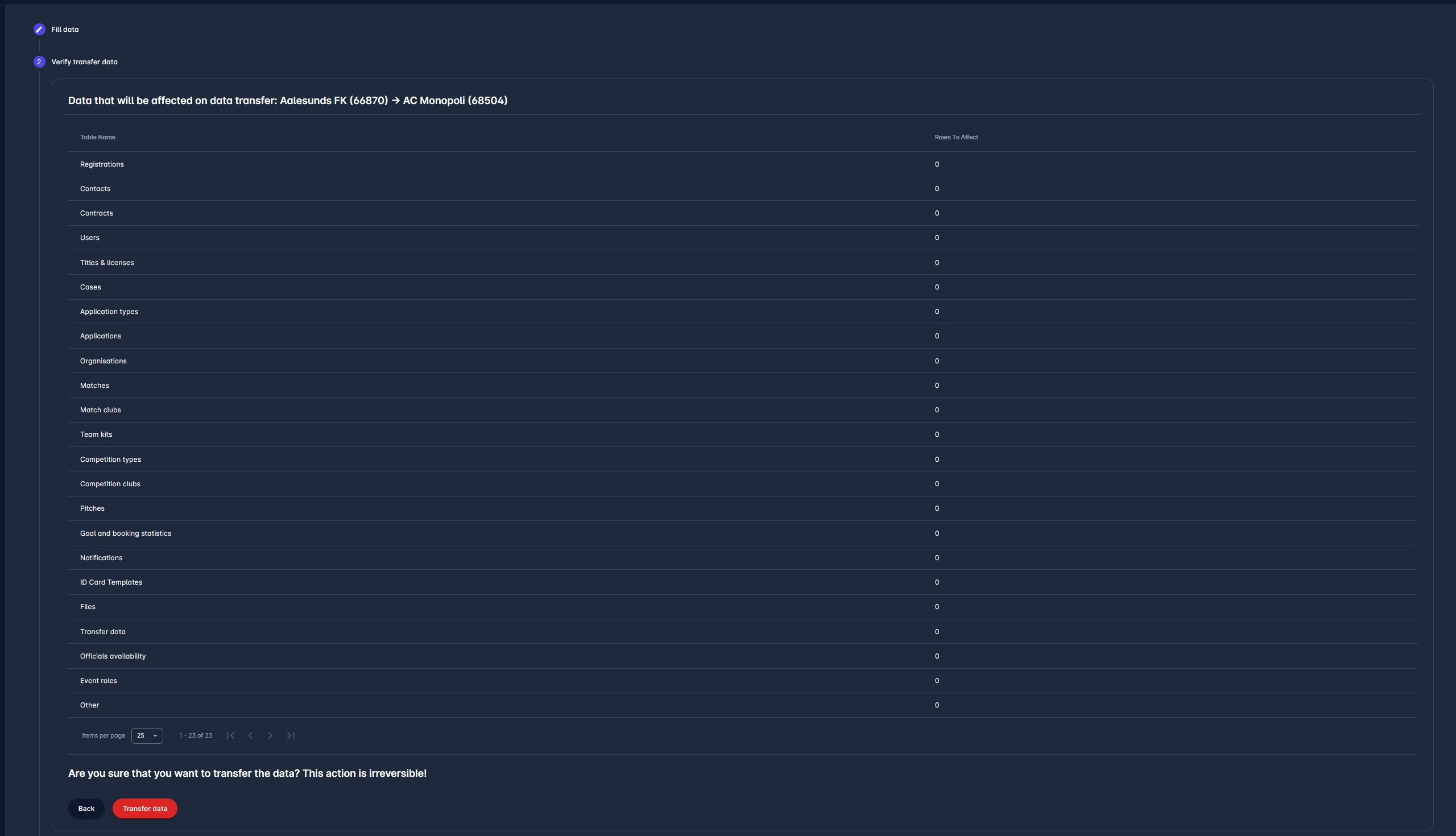
In this step, you can preview all the data that will be affected during the data transfer. If you are sure that this is the action you want to perform, click the Transfer data button to proceed.
Step 3: Summary of transferred data
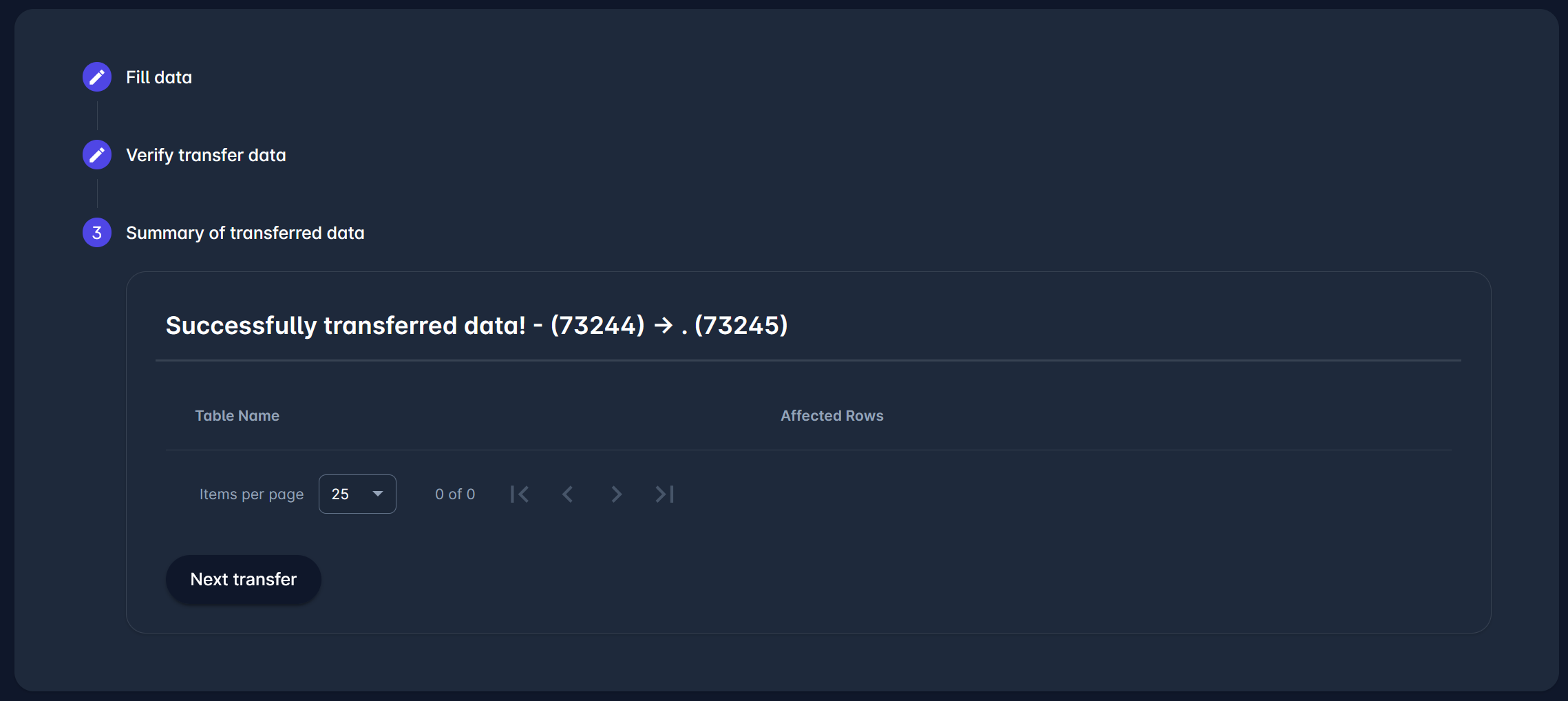
The third and last step gives you the summary of the transferred data. In the example above, the summary is empty because no rows were affected by this data transfer. Otherwise, in this step, you would’ve been able to see all the changes that were made.
If you wish to continue onto the next data transfer, click on the Next transfer button.