
Webhooks allow COMET to automatically send information or updates to other systems when specific events occur. They are a simple way for applications to “talk” to each other and keep data synchronized across platforms.
For example, you can use webhooks to notify an external system when a participant is confirmed for a course, or when another important event occurs in COMET.
Webhooks send automated messages to a predefined URL (endpoint) whenever a specific event occurs. Each message includes event details in a structured format (payload) so the receiving system can process it automatically.
Configuration
Webhooks can be configured in the Admin App under General → Integrations → Webhooks.
Here, administrators can view all existing webhook configurations and create new ones.
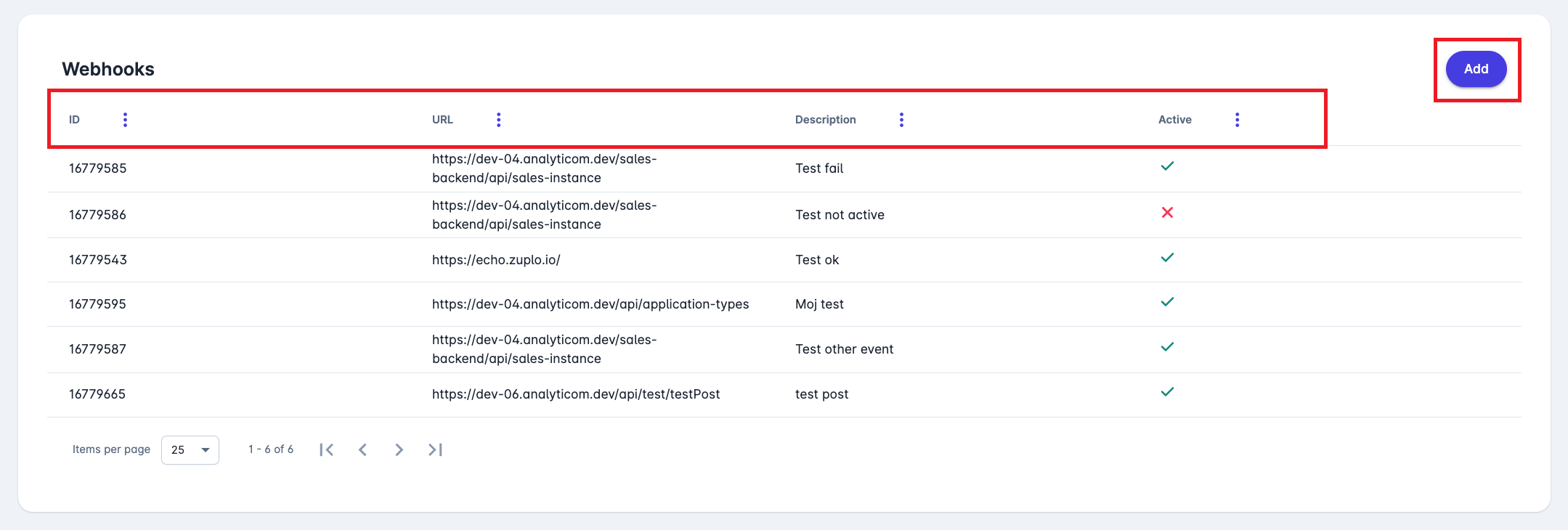
Webhooks List
In the Webhooks list view, you can see:
-
ID – unique identifier of the webhook
-
URL – the destination address where data will be sent
-
Description – short description of the webhook
-
Active – indicates if the webhook is currently enabled or disabled
Click Add to create a new webhook, or select an existing one to edit.
Manage Webhook
When managing a webhook, the configuration consists of several fields:
-
ID - autogenerated value
-
URL – required field where the event data will be published.
-
Description – an optional field to describe the purpose of the webhook.
-
Events – defines which event types will trigger the webhook (e.g.,
EventParticipant.confirm). -
Active – toggle to enable or disable the webhook.
Once saved, COMET will automatically send a webhook to the defined URL whenever the selected event occurs.
Example
Suppose you define a webhook as follows:
-
URL:
https://echo.zuplo.io/ -
Event:
EventParticipant.confirm -
Active: Yes
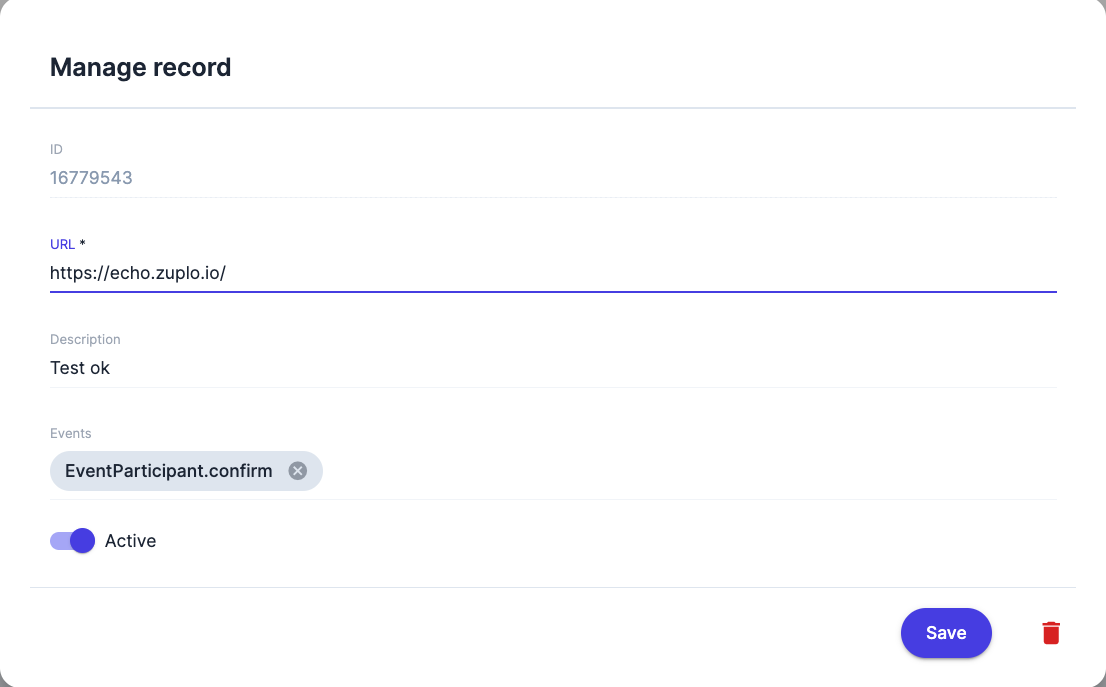
This means that whenever a participant is confirmed on a course, whether via payment, direct approval, or a corrective status update, COMET will create a Webhook Request and send an event message to the specified URL.
Each event generates:
-
a Webhook Request (containing the event data), and
-
an Async Task, which ensures reliable delivery via COMET’s internal message queue.
Security
Webhook requests are digitally signed to verify that messages truly originate from COMET:
-
Each webhook request is signed using COMET’s private key.
-
The receiving system (a third party) verifies the signature using COMET’s public key.
-
If the signature is valid, the receiver can safely trust the message.
The public key can be accessed from: Admin App → General → Integrations → Webhooks.
The digital signature is generated from the HTTP request body and a timestamp.
Both the request signature and timestamp are included in the request header.
All key pairs are encrypted and securely stored in the database.