
Store Items can belong to different types of entities (such as Membership, Merchandise, Event, Donation) that can be purchased in a store by members. As a Workspace Admin, you are able to define and configure Item Types that can be chosen on each Item when a new item for the Store is being created.
To create an Item Type:
-
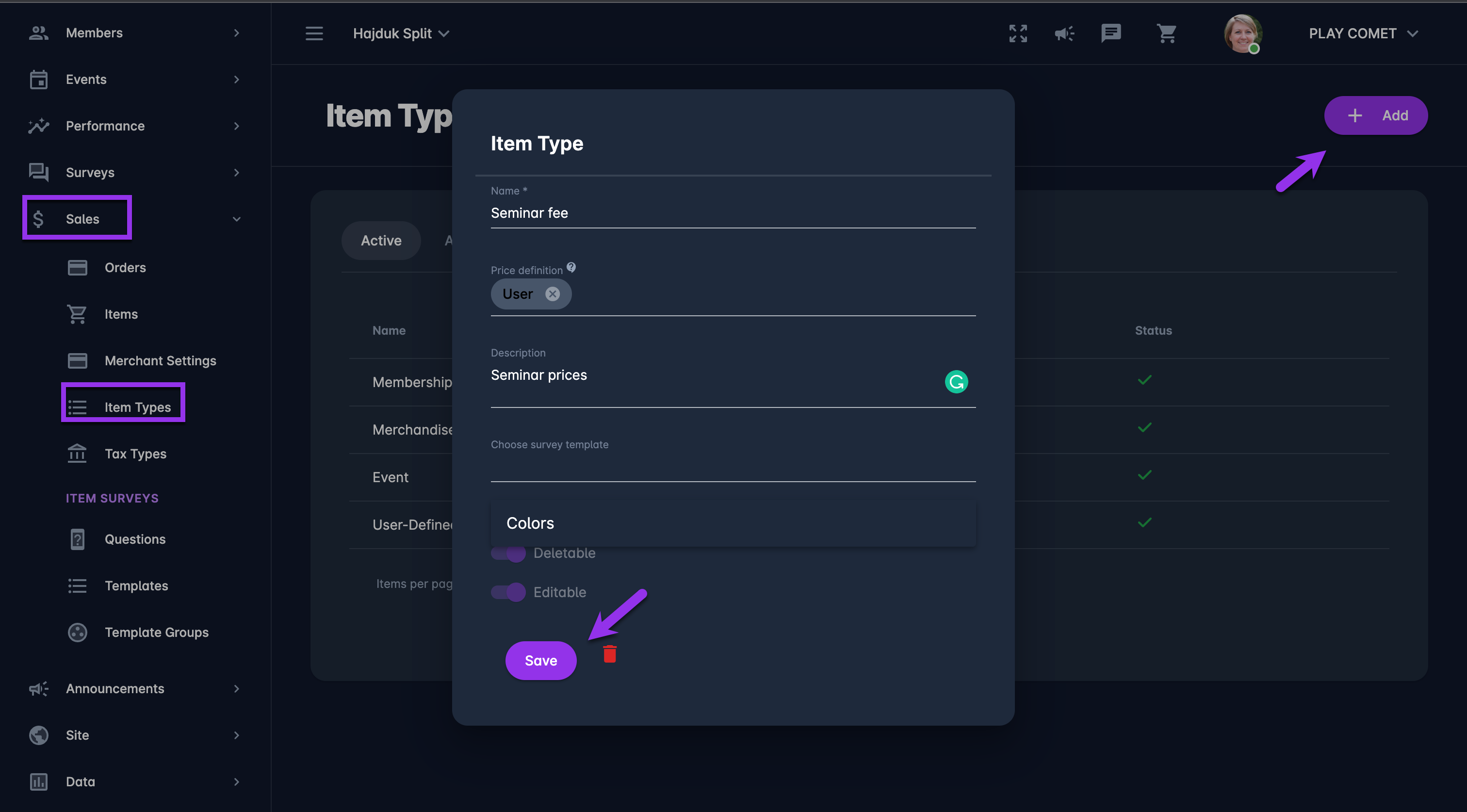
On the left nav-bar select 💲Sales → Item Types
-
This opens the Item Types menu which contains the list of item types that have been defined for you workspace. The Item Types menu consists of the following tabs:
-
Active
-
All
-
-
Hit ➕ Add button in the upper right corner to create a new item type
-
This opens a New Item Type pop-up window to fill in the item details
-
Fill in the pop-up window:
-
Name
-
Price definition - needs to be chosen from a drop-down list
-
Merchant - the Merchant (Club) defines the price
-
User - the User defines the price, used for Donations
-
-
Description
-
Survey template - if needed, you can choose a predefined set of questions that the COMET Play Member needs to answer. Please check the following link for more details on this topic:
-
Select if the item type entity is:
-
Active/ Inactive - inactive item types will be displayed in All tab
-
Deletable
-
Editable
-
-
-
Once you have entered all the data press 💾 the Save button
To edit an Item Type
-
Access the Item Types menu
-
Click on the Item Type from this list
-
This opens an Item Type pop-up window for editing details
-
Enter the necessary changes
-
Once you have entered all the data press 💾 the Save button