
Templates Groups are designed as thematic units which are used to logically group and organize measurement types in measurement results.
Created measurement types and Templates Groups can be used in Templates; templates are forms of grouped measurement types that are stored in the system and reused for different measurements.
-
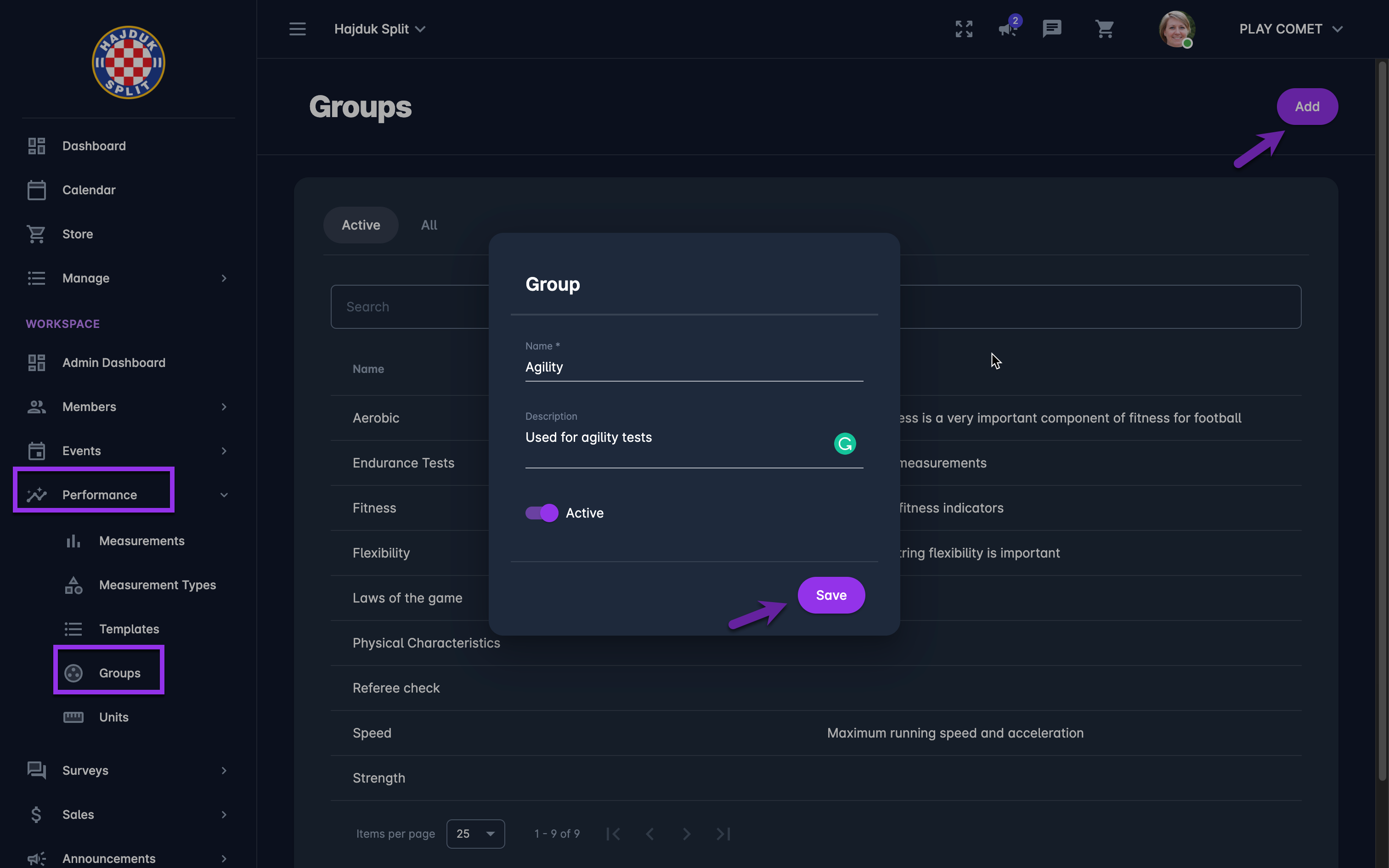
Select 💠 Template Groups under the Performance menu on the left nav-bar
-
The list of all created Template Groups is displayed with two tabs Active*/ All, the list consists of the following details:
-
Name
-
Description
-
Default value status
-
The search box (use the search box to search the groups that are entered in the system)
-
Create a new Template Group:
-
Click on the ➕ Add button in the top right corner to create a Group
-
This opens a Template Group dialog to fill in the details:
-
Name
-
Description
-
Switch-on button:
-
Active /Inactive - *only groups that are set as active can be used on a course; inactive groups are just displayed on the All tab
-
-
-
Once you have entered all the data press 💾 the Save button
Created survey groups are stored in the system and:
-
can be used on the measuments
-
can be (re)used for templates