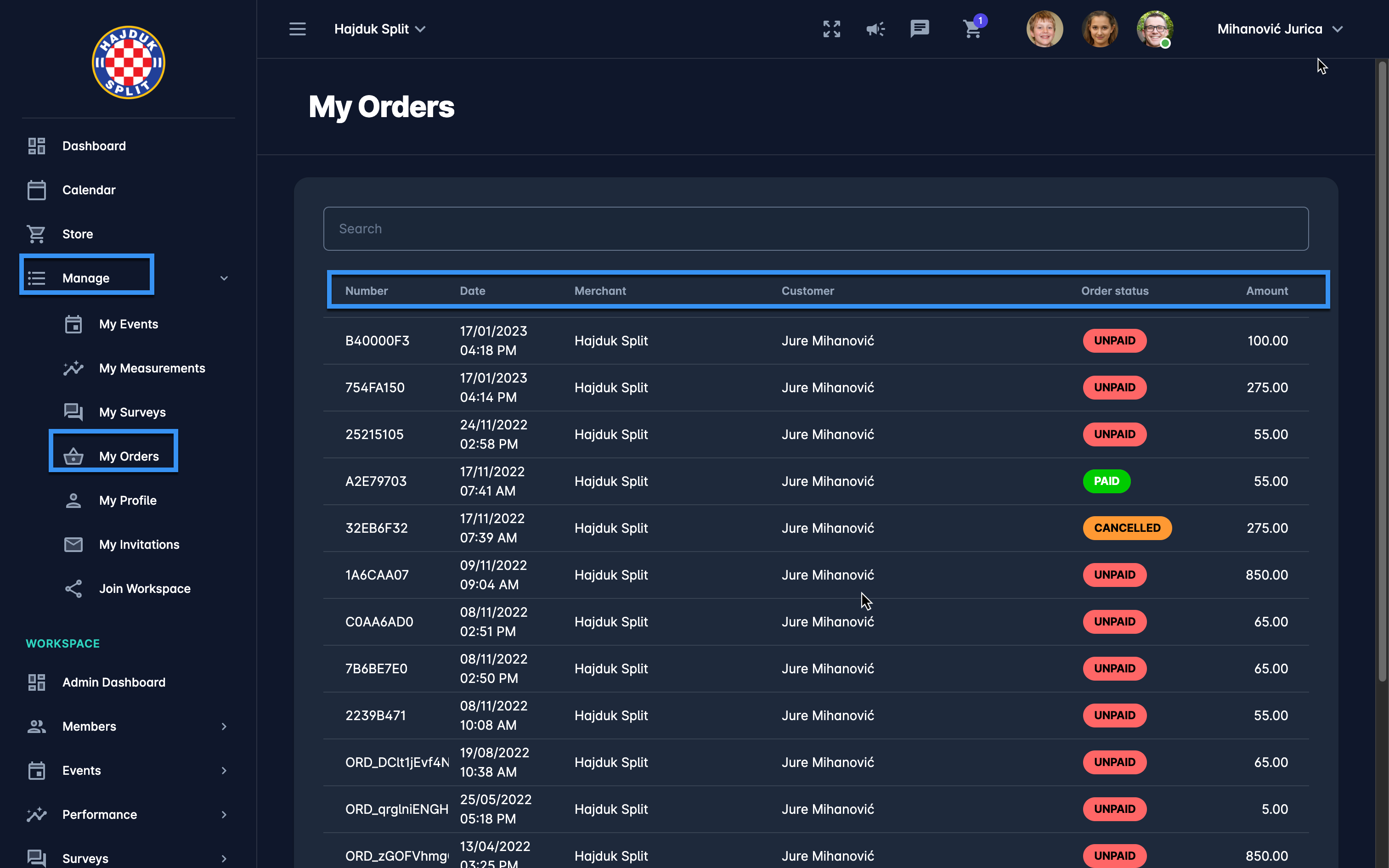
My Orders menu displays the list of all orders, i.e. all items that were purchased from your workspace profile with the indication of payment status:
-
PAID
-
UNPAID
-
CANCELLED
-
PARTIALLY PAID
To manage your orders:
-
On the left nav bar open the Dashboard or select 🟰 Manage menu → My Orders
-
This opens the list of all your orders with the following information:
-
Number
-
Date
-
Merchant (Workspace)
-
Customer (User profile)
-
Order Status
-
The search box (use the search box to search through your orders)
-
-
A click on the order from the list will redirect you to the Order details page. On this page, you are able to check all the details of the order, purchased item, and payment detail or to proceed with the non-manual payment option (if you have changed your mind).