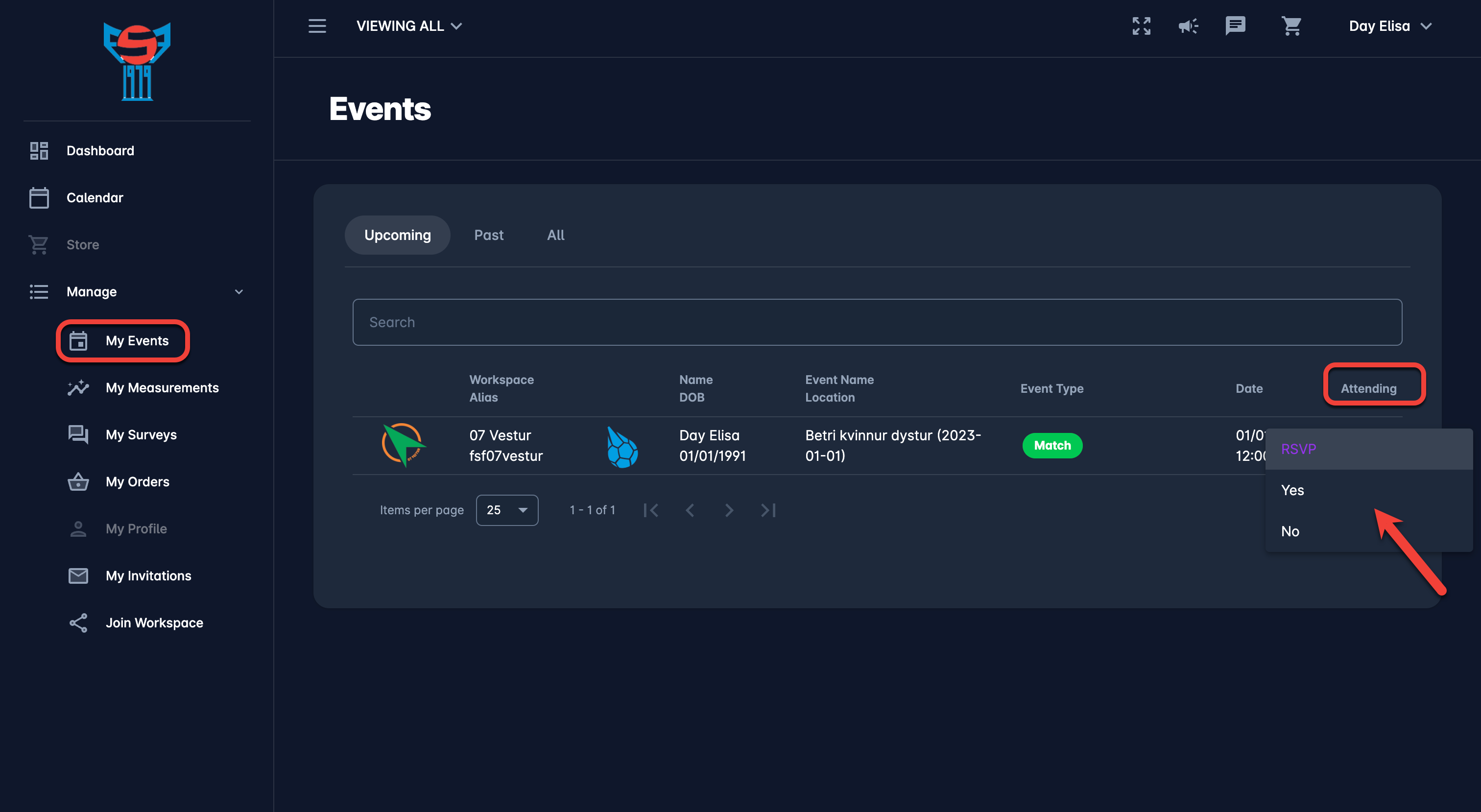
Once you have been added as a participant to an event, such as training session, you will be required to indicate whether you will be attending or not. Initially your attendance status is RSVP, and you can answer by entering Yes (Attending) or No (Not Attending).
Events that you have been added to and that you need to respond to, will be listed in the My Events Menu and will be indicated on your Dashboard.
To submit whether you will be attending (RSVP):
-
On the left menu open the Dashboard or select 🟰 Manage menu → 🗓️ My Events
-
Open the events which have status pending RSVP
-
Hit the RSVP dialog (in the attending column) to select the attendance for the future event
-
Choose the attendance option (Yes or No)