
To adjust your Security Settings:
-
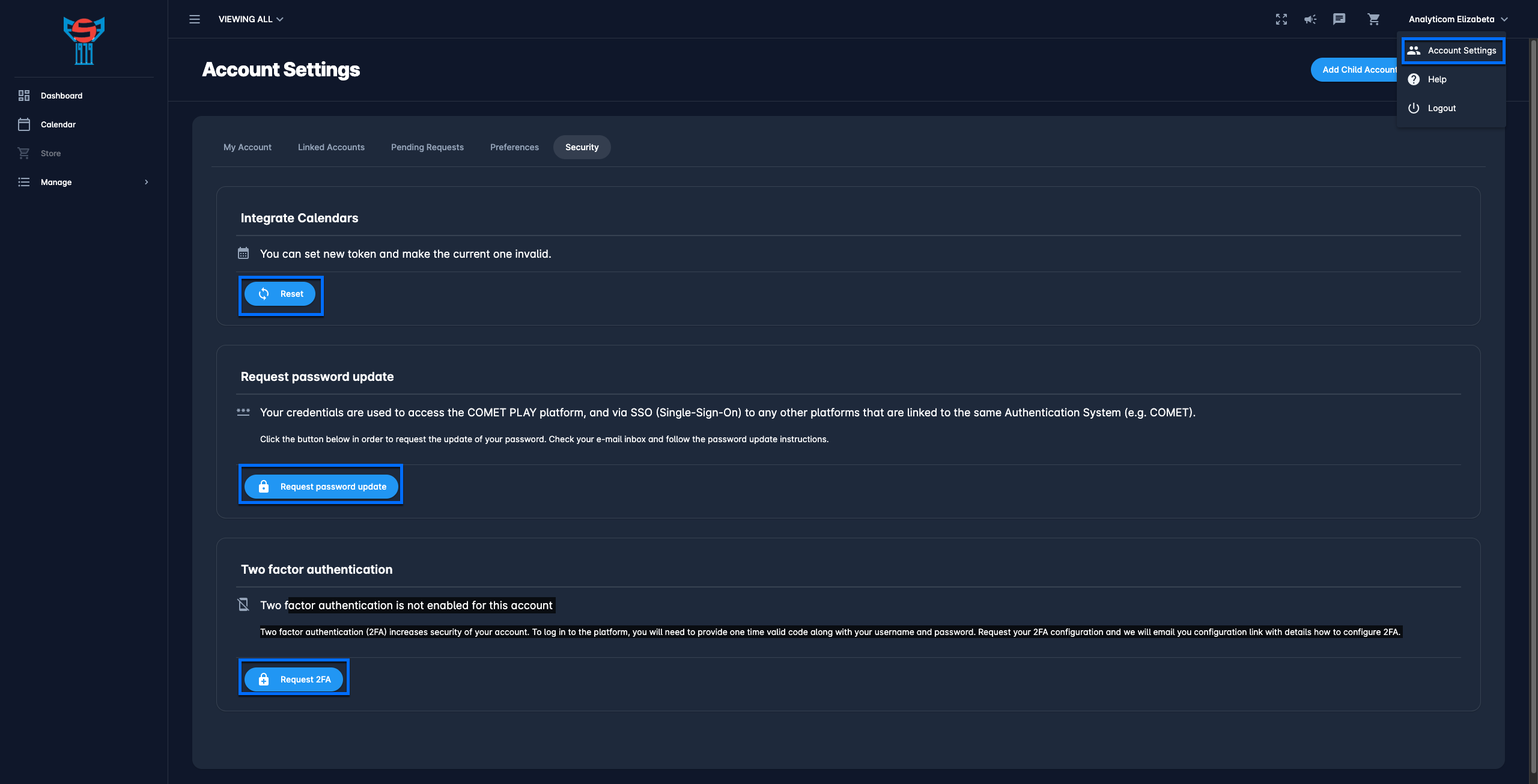
Click your name button in the upper right corner of the COMET Play Toolbar
-
A Switch button raises a modal to choose between administrative features (please take into account that his list is defined based on the roles/ permission that you have)
-
Hit the Account Settings button
-
On the Account Setting menu is displayed, hit the Security tab
-
The security tab provides the possibility to control COMET Play security features:
-
Integrate calendars → You can set a new calendar token and make the current one invalid → Hit the 🔃 Reset button. This option is relevant for users that sync their COMET calendar with their personal calendar (e.g. Google Calendars or Outlook)
-
Request password update → Hit the 🔒 Request password update button to receive the password update instruction in your e-mail
-
Request Two-factor authentication → Hit the 🔒 Request 2FA button to receive the configuration link with details on how to configure 2FA.
-
Two-factor authentication
COMET Play offers 2FA; two-factor authentication increases the security of your account. To log in to the platform, you will need to provide a one-time valid code along with your username and password.
To enable your 2FA configuration:
-
Click your name button in the upper right corner of the COMET Play Toolbar
-
A Switch button raises a modal to choose between administrative features → hit the Account Settings button
-
Access the Security Tab
-
Hit the 🔒 Request 2FA button
-
The email with your configuration link with details on how to configure 2FA will be sent
-
Open your email and click on the link to start two 2FA process
-
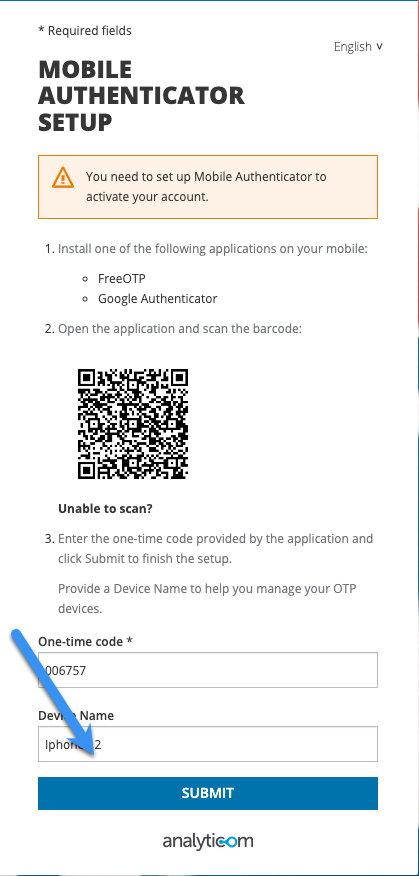
You need to set up Mobile Authenticator to activate your account → Install one of the following applications on your mobile:
-
FreeOTP
-
Google Authenticator
-
-
Open the application and scan the barcode
-
Enter the one-time code provided by the application and click Submit to finish the setup.
-
Provide a Device Name to help you manage your OTP devices.
-
Hit the SUBMIT button
The Two-factor authentication (2FA) is set up.