
According to FIFA regulations, when a player is transferred to another club abroad, the releasing club's association must issue and provide the Player's passport.
"The registering association is obliged to provide the club with which the player is registered with a player passport containing the relevant details of the player. The player passport shall indicate the club(s) with which the player has been registered since the season of his 12th birthday. If a birthday falls between seasons, the player passport shall indicate the club with which he was registered during the season following his birthday. "
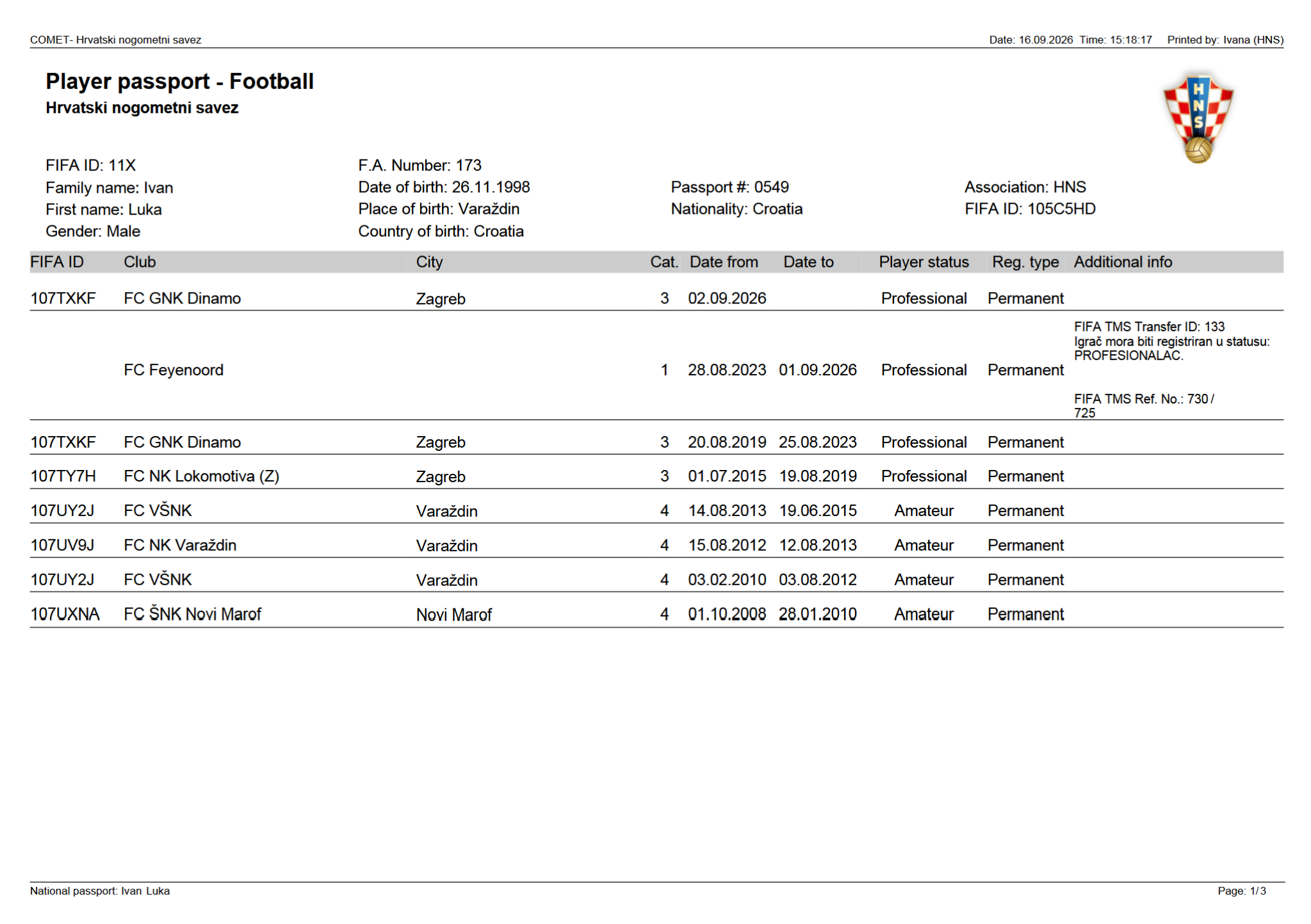
A player passport is essentially a report that is generated in the COMET system, and it includes the history of player registrations (that have been entered in the system). Two standardized passport types in PDF format are available: the FIFA Player Passport and the National Player Passport.
Passport Types
FIFA Player Passport
The FIFA Player Passport covers domestic, official registrations for players who were 12 years of age or older at the time of registration (non-child registrations). This format follows FIFA's standard requirements and for each player contains exactly the same registrations as available in the Electronic Player Passport (EPP).
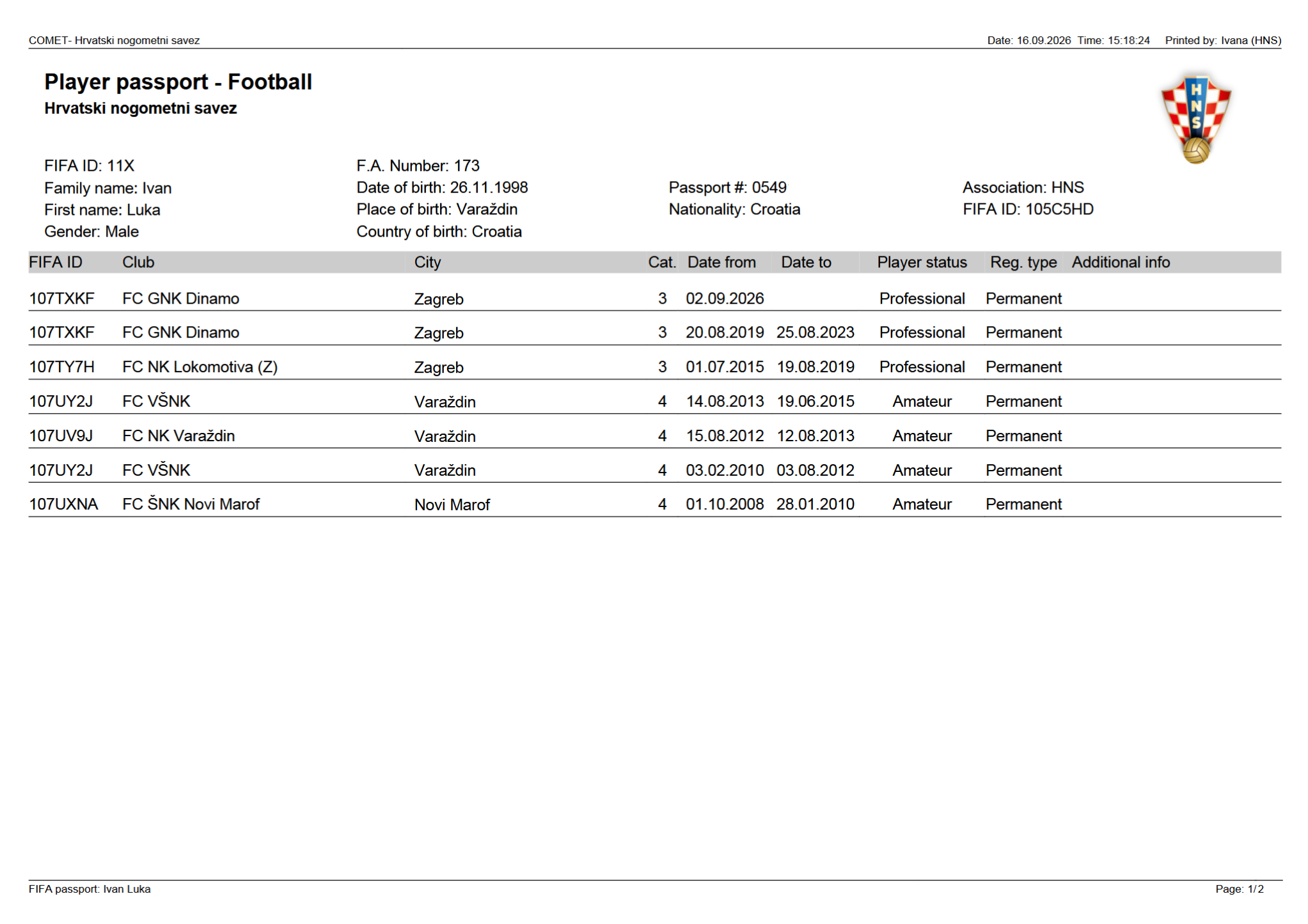
National Player Passport
In addition to FIFA Player Passport, each COMET Tenant can also configure the National Player Passport PDF for internal purposes. This version contains all registrations from the FIFA version, plus in addition one ore more of the following (excluded from the FIFA version):
-
Foreign Countries – includes registrations with clubs outside the association's country
-
Under 12 – includes registrations from before the player's 12th birthday
-
Unofficial Registrations – includes unofficial player registrations
If none of the options above are selected, the National Player Passport option will not be available for printing, as it would produce the same output as the FIFA passport.
To configure the National Player Passport system parameter, please open a support ticket.
Accessing the Player Passport
In COMET
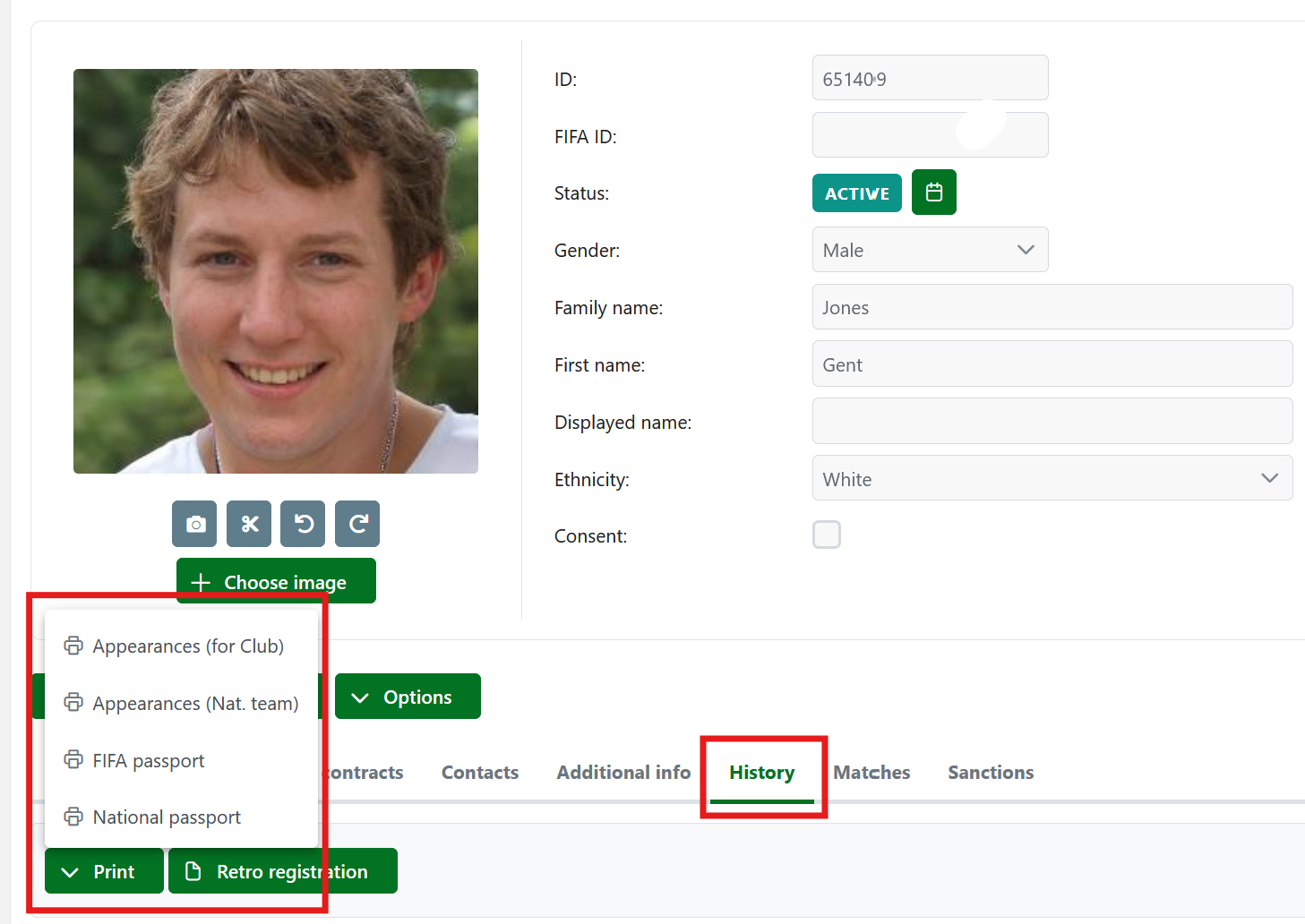
The Player passport can be accessed and printed from the Player's history tab:
-
Access the History tab on the Player's profile/ record
-
Click on the Print button
-
Click on the Passport button
In MyCOMET
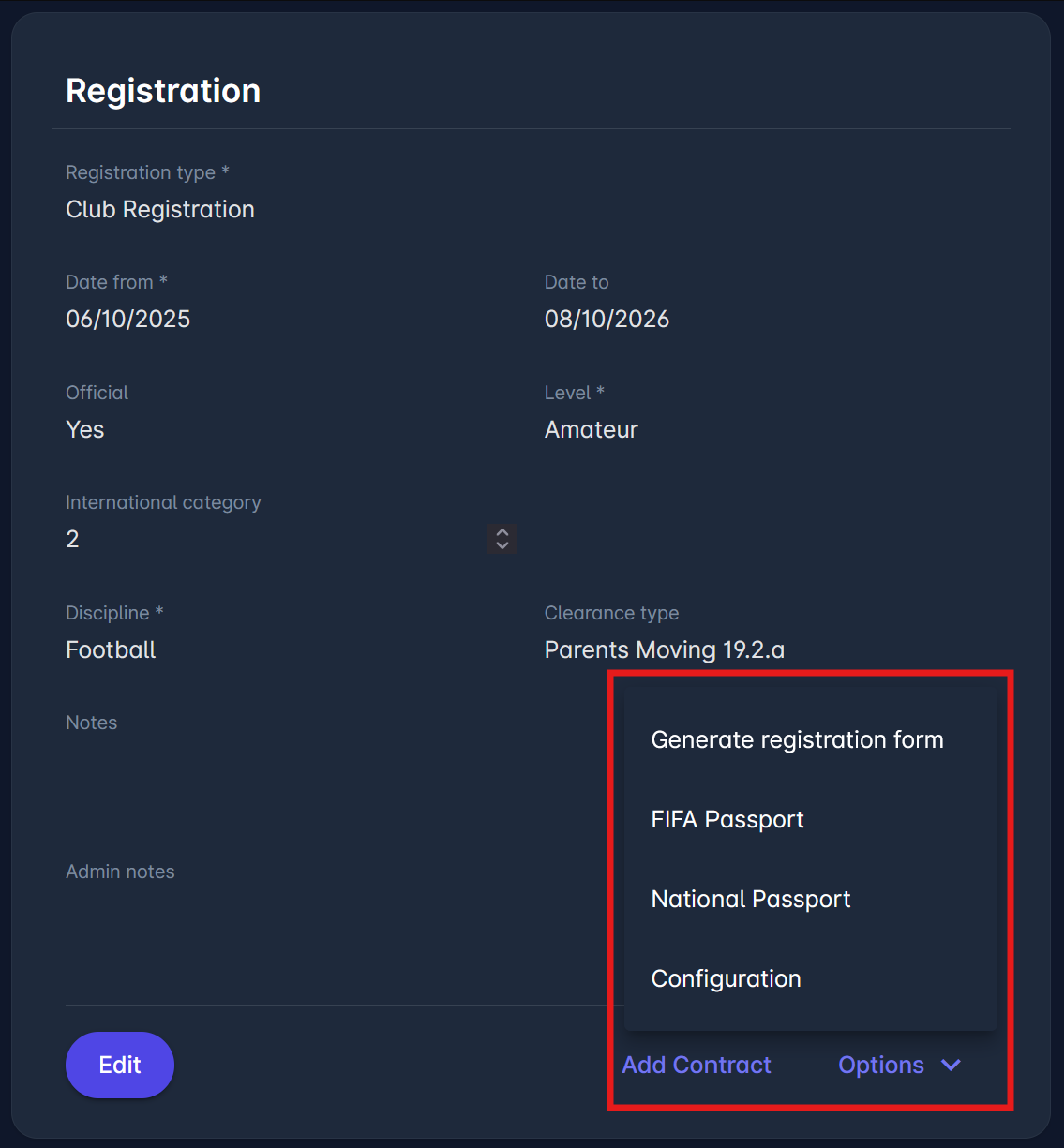
In the MyCOMET participant portal, the passport print options are available under the Options menu in the player registration detail view.
The FIFA Player Passport does not include unofficial player registrations. These can appear in the National Player Passport if the Unofficial Registrations option is enabled in the system parameter.
Authorizations
By default, generating PDF player passports is available Superusers, Person Admins, Player Administrators and Administrators of International Affairs - for all players that have at least one player registration under their organization.
The Player Passports Public system parameter extends this access further. When enabled, it also allows Club Managers and Club Registration Managers to print player passports for players that have at least one registration under their club.
To configure the Player Passports Public system parameter, please open a support ticket.