
Templates are predefined sets of questions and groups stored in the system for reuse across different courses or competition items. These features optimize payment administration processes, as some item survey forms may be repetitive.
-
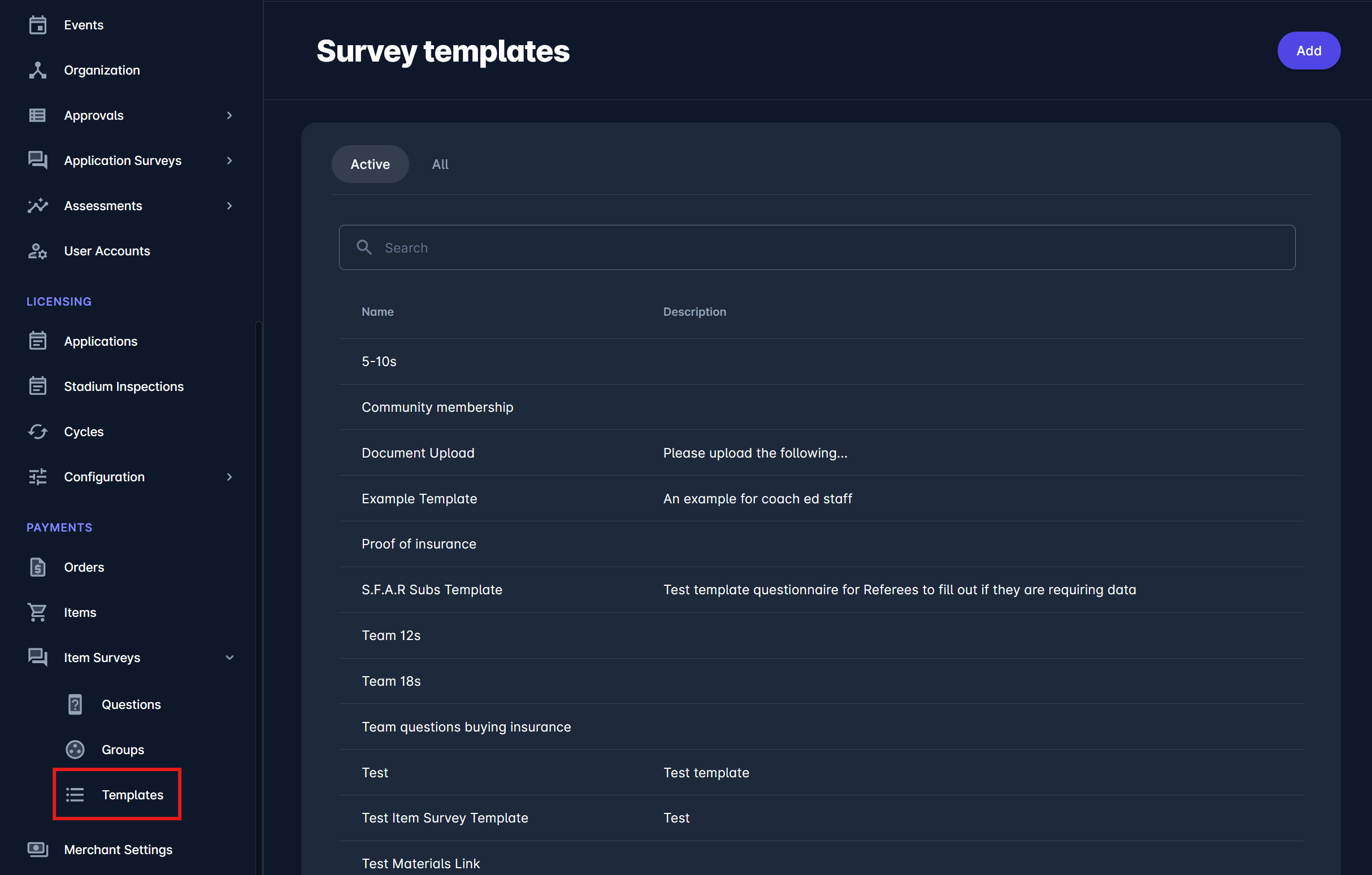
Select 📑 Templates under the Item Surveys menu on the left nav-bar
-
The list of all created Templates is displayed with two tabs: Active/All.
The list consists of the following details:-
Name
-
Description
-
The search box (use the search box to search the survey templates entered in the system)
-
Create a new Template:
-
Click on the ➕ Add button in the top right corner to create a Template
-
This opens an Item Survey Template dialog to fill in the details:
-
ABOUT TAB:
-
Name
-
Description
-
Active/Inactive switch on button - only templates that are set as active can be used on a course/competition/item
-
Once you have filled in the data, click the Next button
-
-
CONFIGURATION TAB:
-
Select the question(s) for your template
-
Select the template group for each question
-
-
-
Once you have selected all the questions for your template, click the Save button
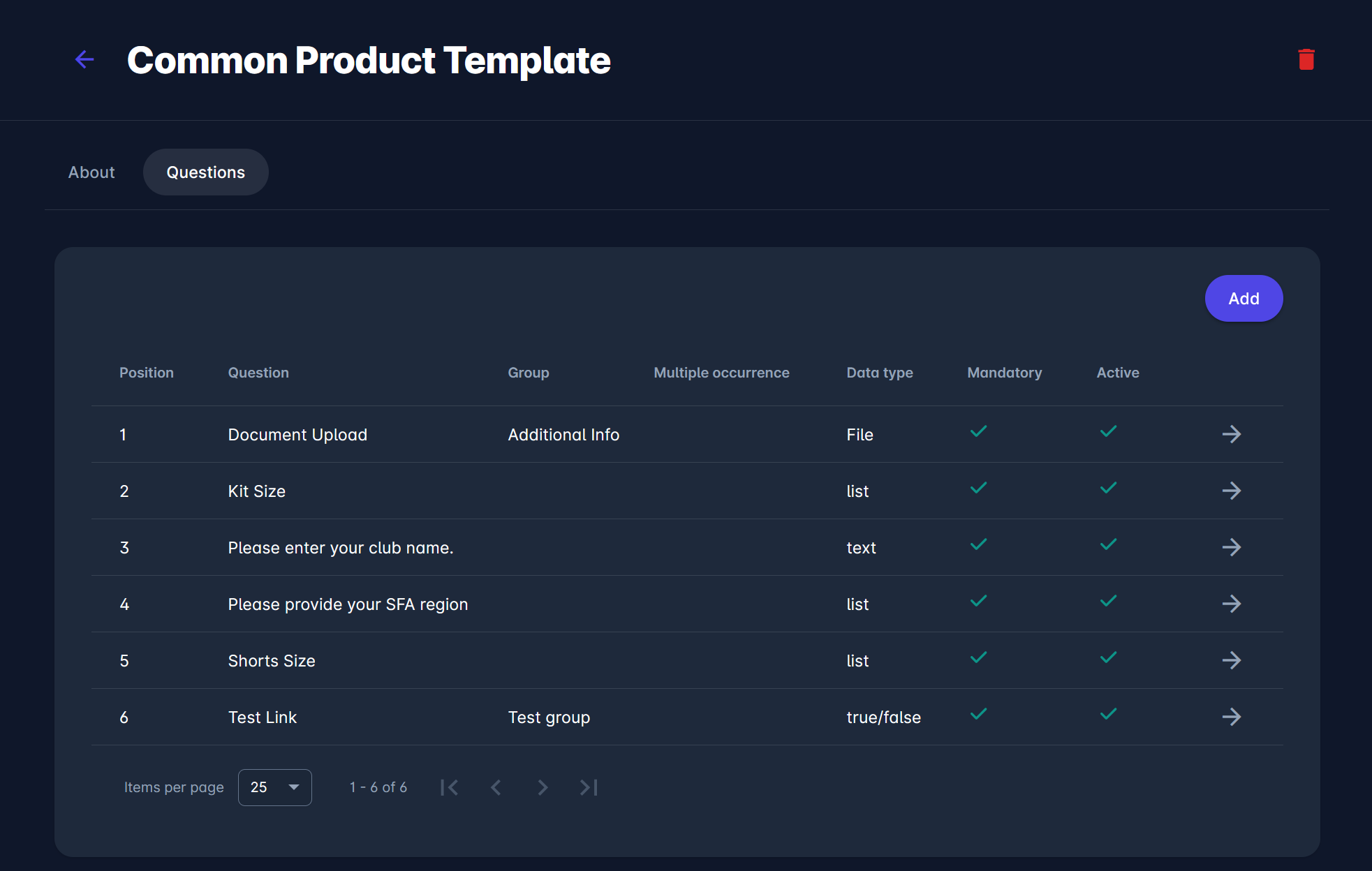
Created Item Survey Templates are stored in the system and can be (re)used on the item configuration.