
When creating a New Cycle or editing the existing one, Licensing Administrators can control the number of Clubs in the Licence Cycle. The Max Number of Participants is defined on the Details Tab on the Cycle Page.
This feature enables you to have full control of the applications to your cycle, meaning once the maximum number of clubs is reached, the possibility of further application is blocked.
Regardless of the Application Type selected for the Licensing, the club is marked as booked (its place for the cycle is taken/reserved) once its status is set to APPROVED or it is in one of the subsequent statuses: CONFIRMED, PASSED, or FAILED.
For example:
-
For Pay after approval and Just Apply (with Approval) application types, the club will not reserve its “spot” for the licensing immediately when they apply, as their status is initially set to SUBMITTED. Once the Licensing Admin approves the application (sets it to APPROVED/CONFIRMED), their place will be booked.
-
For Just Apply (without Approval) and Just Pay application types, the club applicant will automatically reserve their “spot” when they apply for the licensing, as their status is initially set to CONFIRMED.
-
For the Pay Later application type, the club applicant will automatically reserve their “spot” when they apply for the licensing, as its status is initially set to APPROVED.
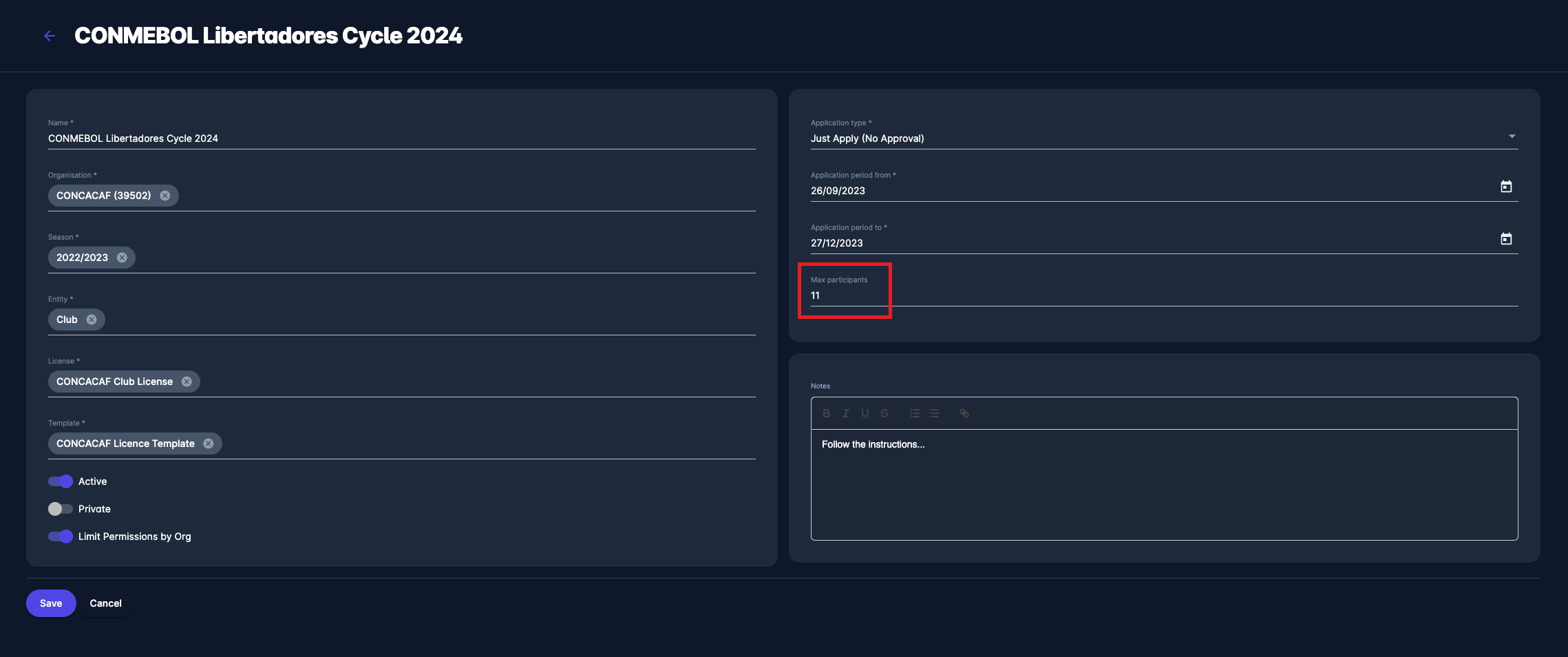
This feature enables you to have full control of the applications in your cycle, meaning once the maximum number of clubs is reached, the possibility of further applications is blocked.
The number of applications is not limited if this field is left blank.
All licensing-related payments will be blocked for other club applicants if the cycle spots are booked.
Information about the booked places is displayed on the license cycle list.