
Competition Admins and Managers can create and manage competitions organized as Parent and Child competitions (competition elements). This is often used when the competition needs to be organized in phases (e.g., groups, playoffs) and when the data settings of the parent competition need to be transferred or copied to its competition elements (Child competitions).
Parent competitions serve as the superordinate competition to which other competition elements or child competitions are added.
Create Parent Competition
-
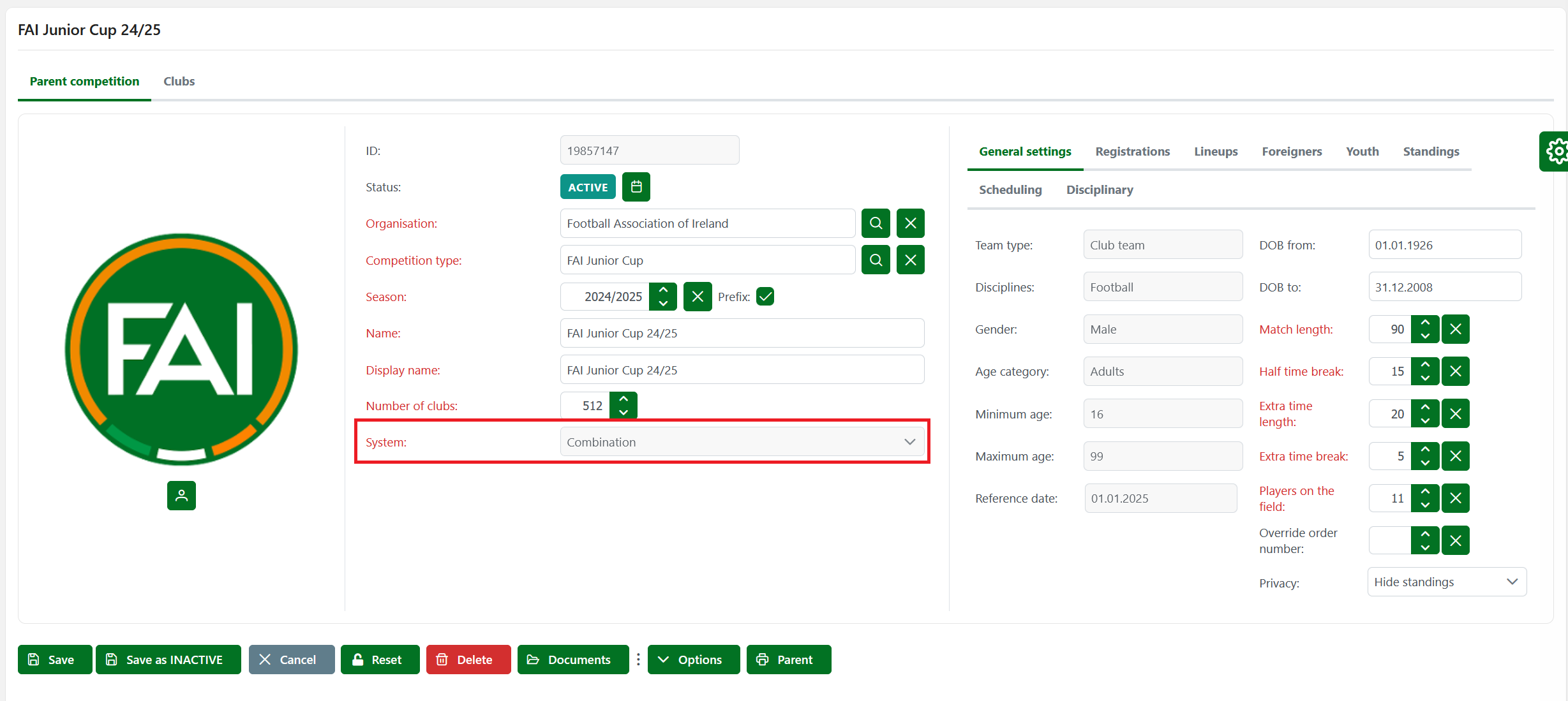
Open the New Competition menu
-
Select a competition system "Combination".
-
Once you have completed all the mandatory fields, hit the Save button.
Add Competition Elements
-
Reach the Competition elements panel from the Parent Competition screen
-
Hit the ➕ Icon button to add a new competition element
-
This opens a New competition screen with the settings data from the Parent competition
-
Once you have completed all the mandatory fields, hit the 💾 Save button.
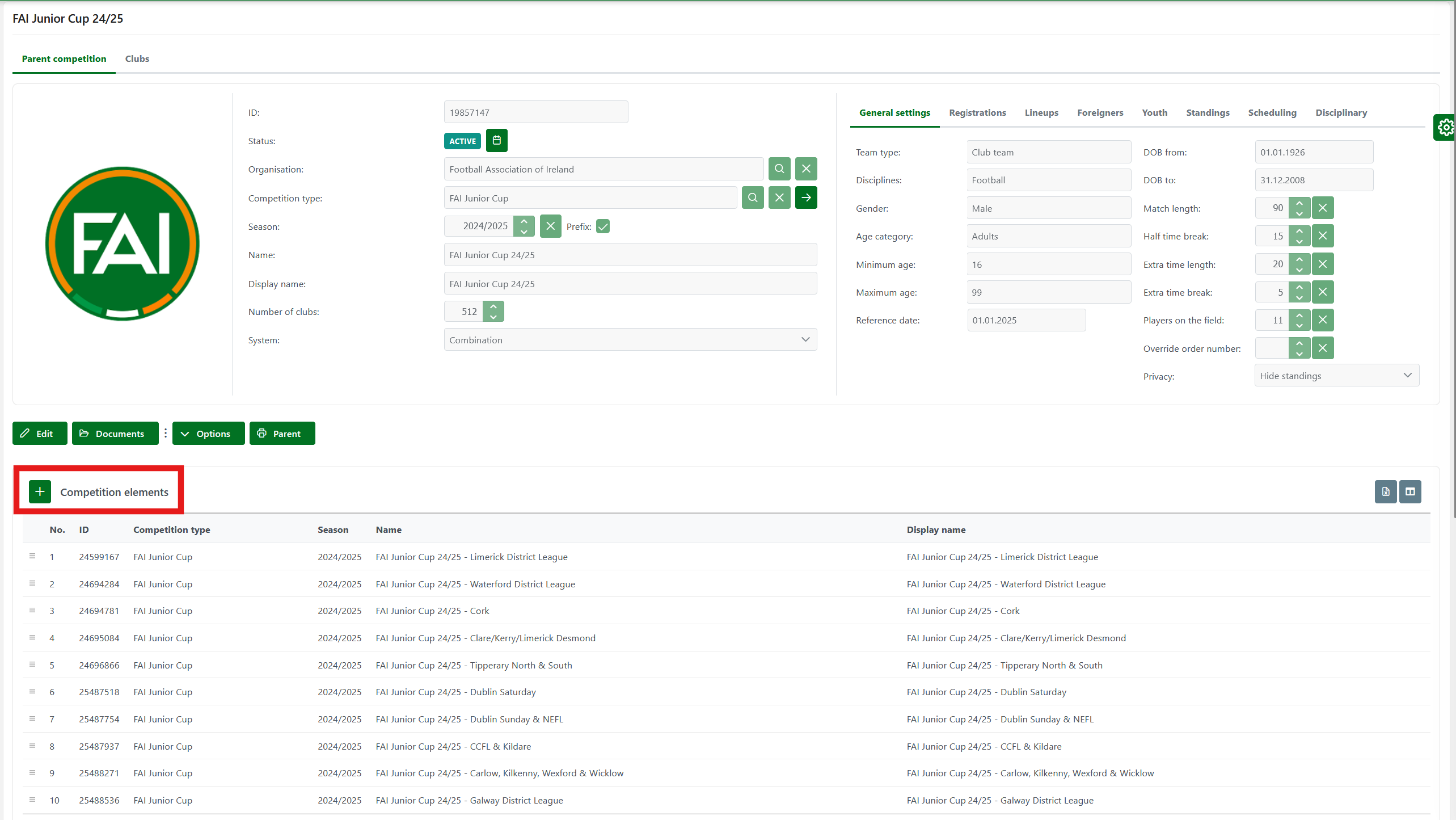
You can rearrange competition elements from the Parent Competition Screen.
Add Parent Competition to Element
Although this should not be a regular course of action, in the case where a specific competition was created and started before its parent competition was established, you can still add the Parent Competition to the already created Competition Element from the Competition Element screen.
Please ensure that you have already created a Competition that will be selected as the “Parent” before proceeding.
To add Parent Competition to the Competition Element:
-
Reach the Competition page
-
Hit the✏️ Edit button
-
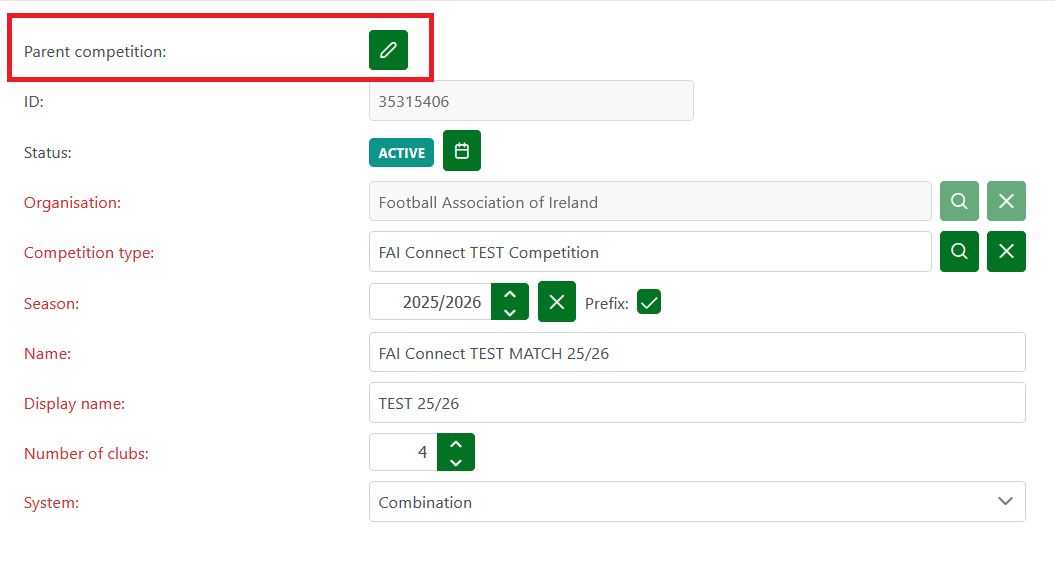
In edit mode, the Parent competition field is enabled
-
Select the Competition from the system
-
Hit the 💾 Save button.
Please take into account that to add a Parent competition to the Competition element:
-
A competition system with the Combination selected needs to be created
-
The competition type in Parent and Child competition needs to be the same
-
The number of teams in Child Competition needs to be less than or equal to the number of teams in Parent Competition
-
All competitions in this process need to be in status ACTIVE