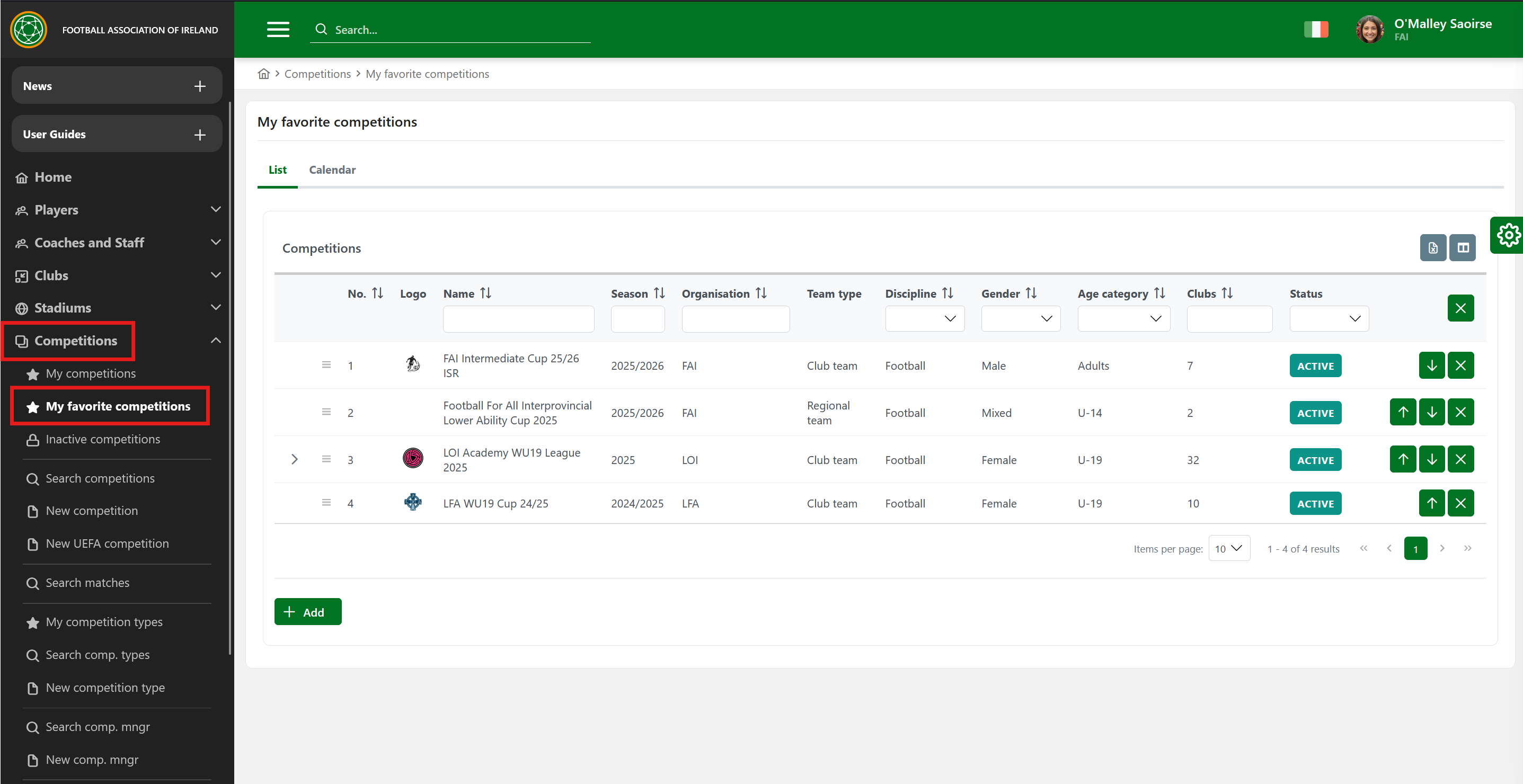
My Favorite Competitions is a menu located under the "Competitions" sub-menu group, which provides quick access to your shortlisted (favorite) competitions.
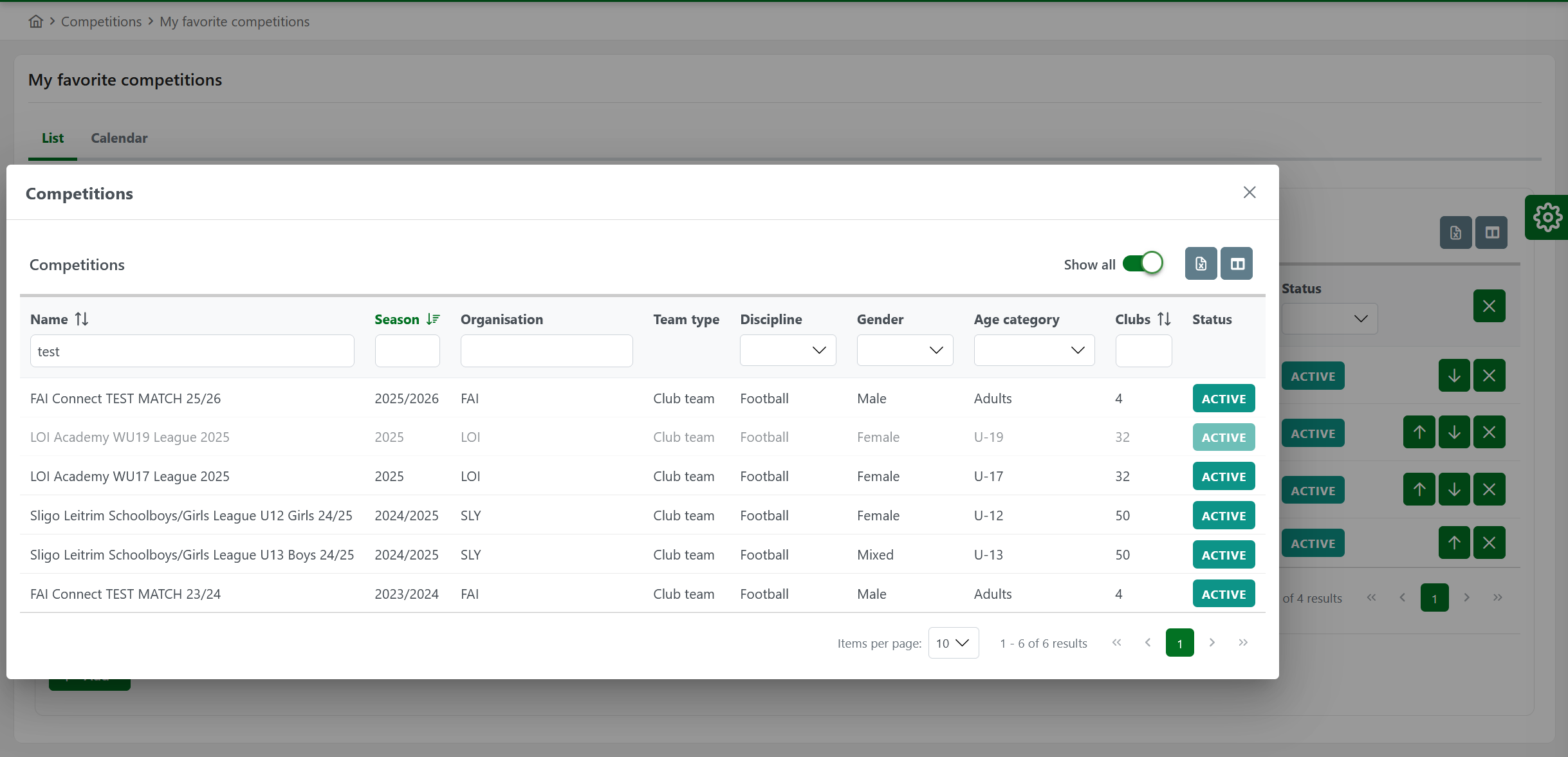
Add Competitions to Favorites
-
Click the Add button to get the list of all competitions
-
The list of such Competitions shows up in a pop-up dialog
-
Each Competition you click is added to the list of your favorites.
-
The pop-up dialog is not closed on selecting Competition, which allows you to select as many Competitions as desired.
Order Favorite Competitions
You can keep the list of your favorite competitions in any order you desire.
Up and Down Buttons
You can use the Move up and Move down buttons to change the position of some Competition in the list by one place.
This is especially handy for changing the order of competitions on different pages (ie, moving a competition from the second page to the first page).
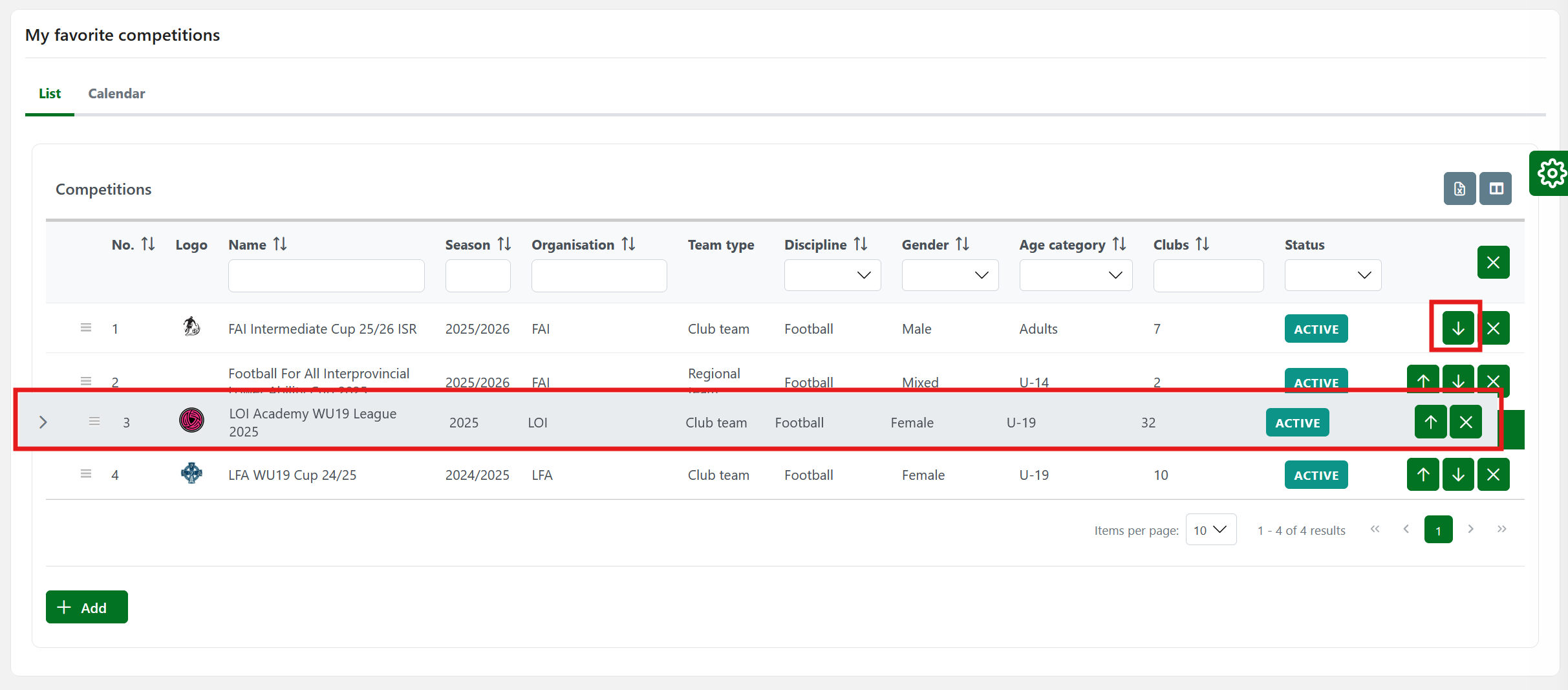
Drag and Drop
-
You can click anywhere on the row and drag it to the desired position in your list of favorite Competitions.
-
This feature is emphasized with a column that contains a "drag handle" icon for each row.
Although this kind of move allows a change of position by more than one place, it is possible to do it only on the current page.
Removing Competition from the List of Favorites
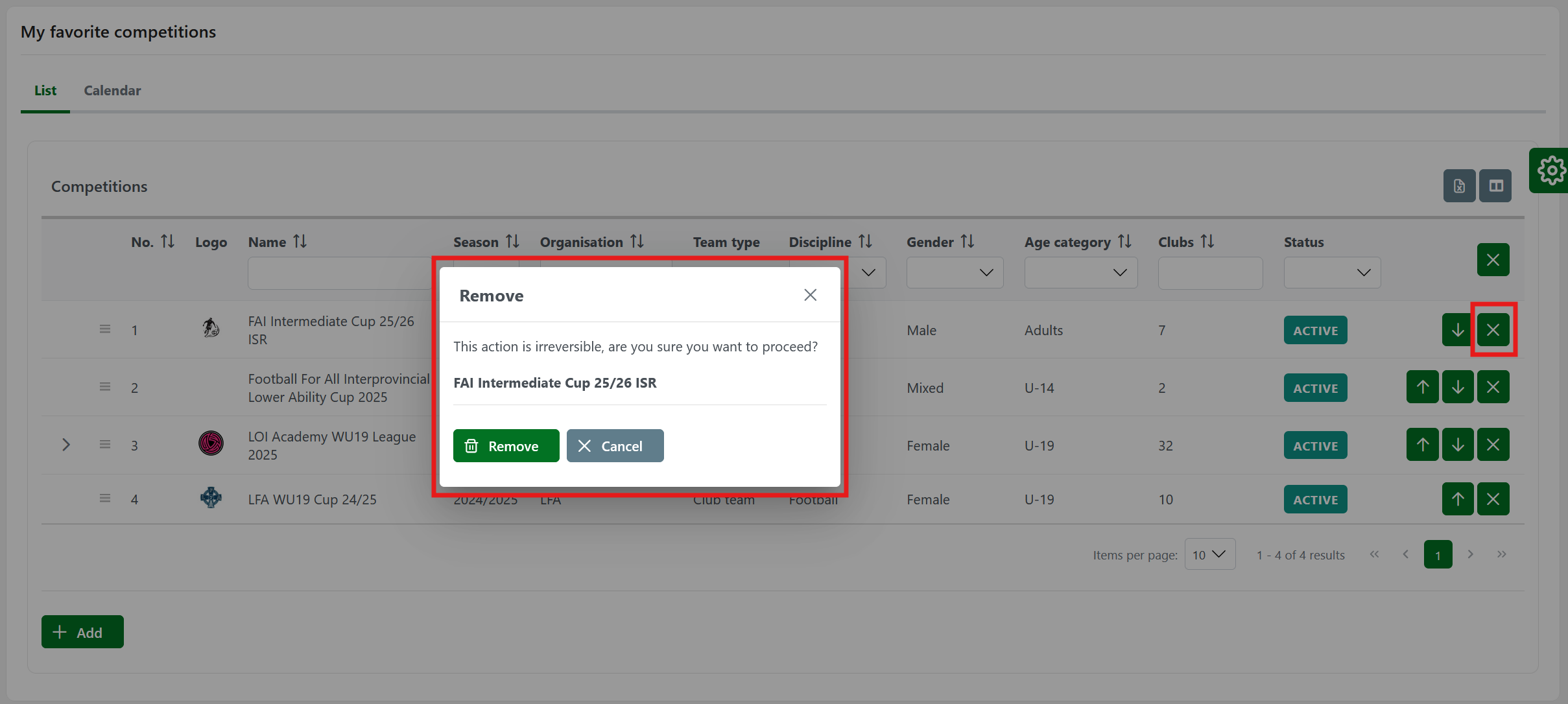
You can remove any individual competition from your list of favorites by clicking the X Remove button located in the last column.
-
Chose your competition
-
Hit the X Button
-
The pop-up window will appear with the Warning notification about the information that will be deleted.
-
Hit the Remove Button to confirm the action.
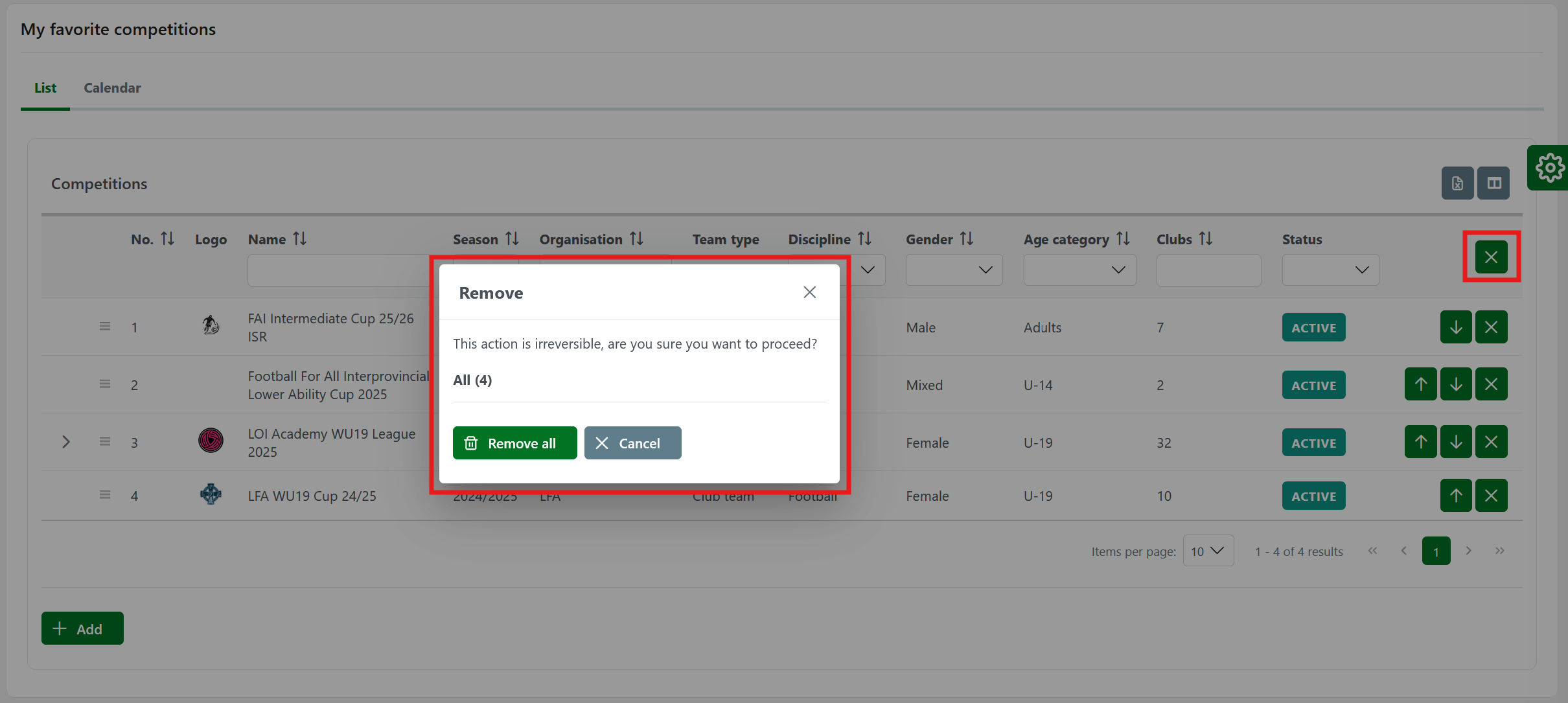
Moreover, you can entirely clear the list of your favorites. The Remove all button is located in the header of the last column.
-
Go to My favorite competitions menu
-
Hit the 🇽 button in the header of the last column.
-
The pop-up window will appear with the Warning notification about the information that will be deleted. Hit the Remove Button to confirm the action.
Calendar Feature
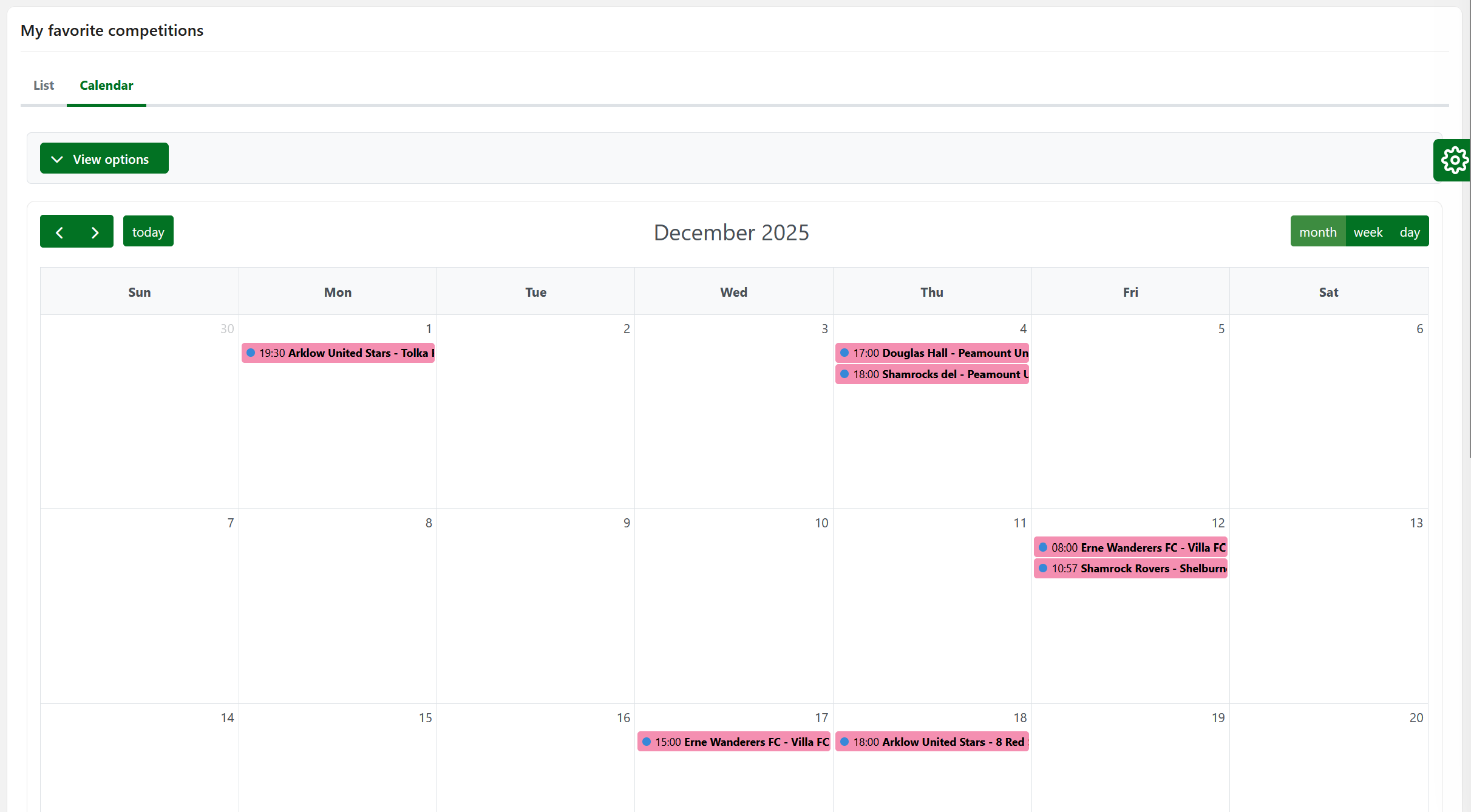
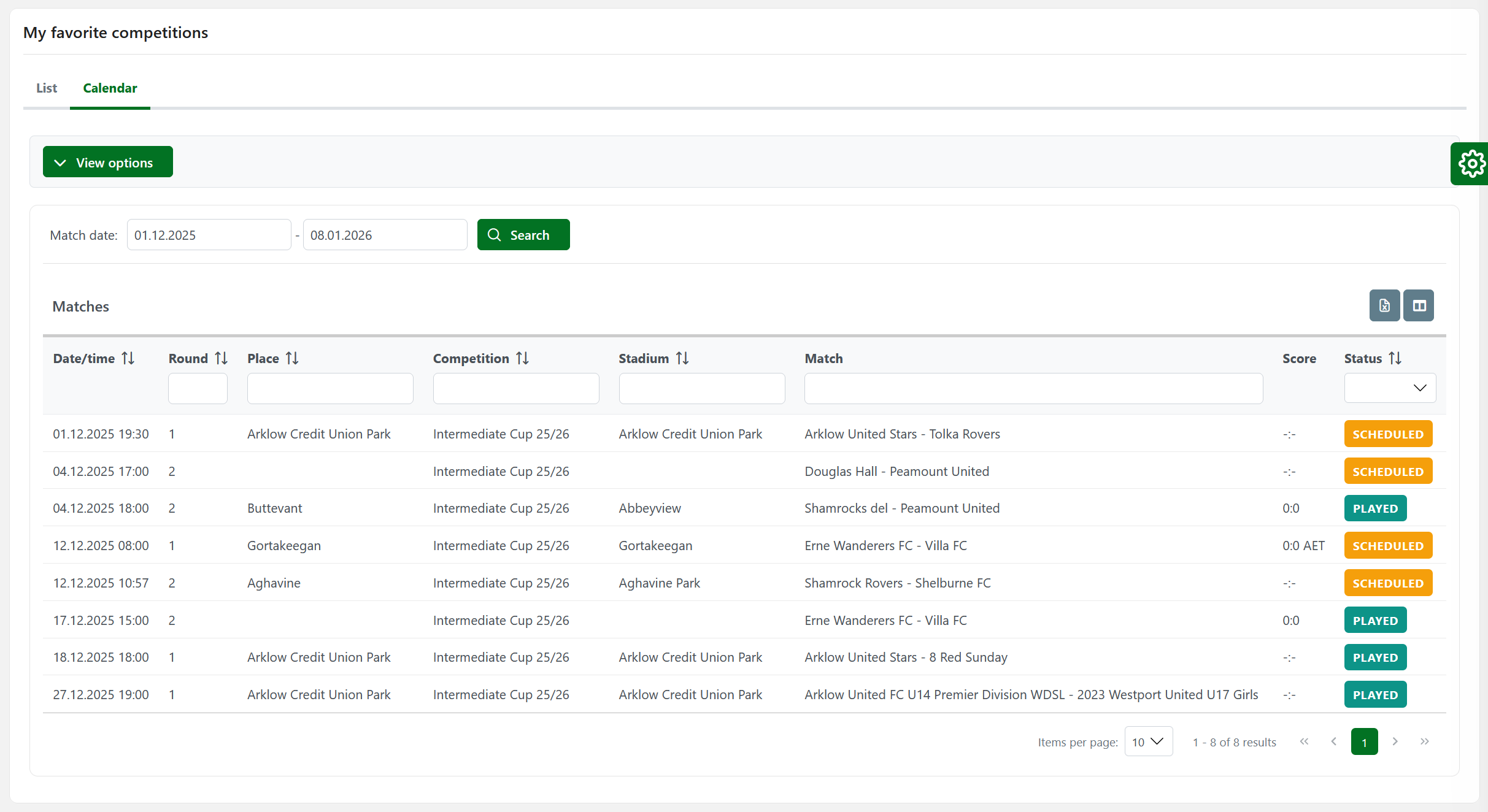
A Calendar Tab allows you to view matches of Your Favorite Competitions in calendar or grid view.
To choose between calendar or grid view, click on the View as button and select:
-
Calendar view
-
Or grid view