
The Where to Watch feature allows Competition Admins and Managers to inform all public users where they can watch a match. When a Streaming Source and Streaming URL are defined on the match, users of the COMET LIVE apps get a direct link to the stream (e.g., on YouTube, Twitch, or TikTok).
Streaming Sources Configuration
Each Streaming Source consists of the following data:
-
Name – name of the streaming platform shown to users (e.g., YouTube)
-
URL Prefix – every Streaming URL added for this source must start with this prefix (e.g., https://www.youtube.com)
-
Icon – shown next to the streaming link in COMET LIVE and COMET Football apps. If no icon is defined, the default TV icon is used.
To define streaming sources for your organization, please open a support ticket.
If no Streaming Source is defined for your organization, the streaming option is not displayed on the match.
Adding a Streaming Source to a Match
The Streaming Source can be added by users authorized to edit the match schedule data (see Match Data Edit Authorizations):
-
MyCOMET – in the Schedule panel of the match Info tab, click Edit and select the Streaming Source. The Streaming URL is pre-filled with the selected source's URL prefix and needs to be completed with the link to the specific stream.
-
COMET Football app – on the Match Info screen, tap Add Streaming URL. For step-by-step instructions, please check the Where to Watch article.
Presentation in COMET LIVE
Matches lists
On the Matches, Live, and Favorites screens, every match with a defined Streaming Source displays the icon of that source next to the match result.
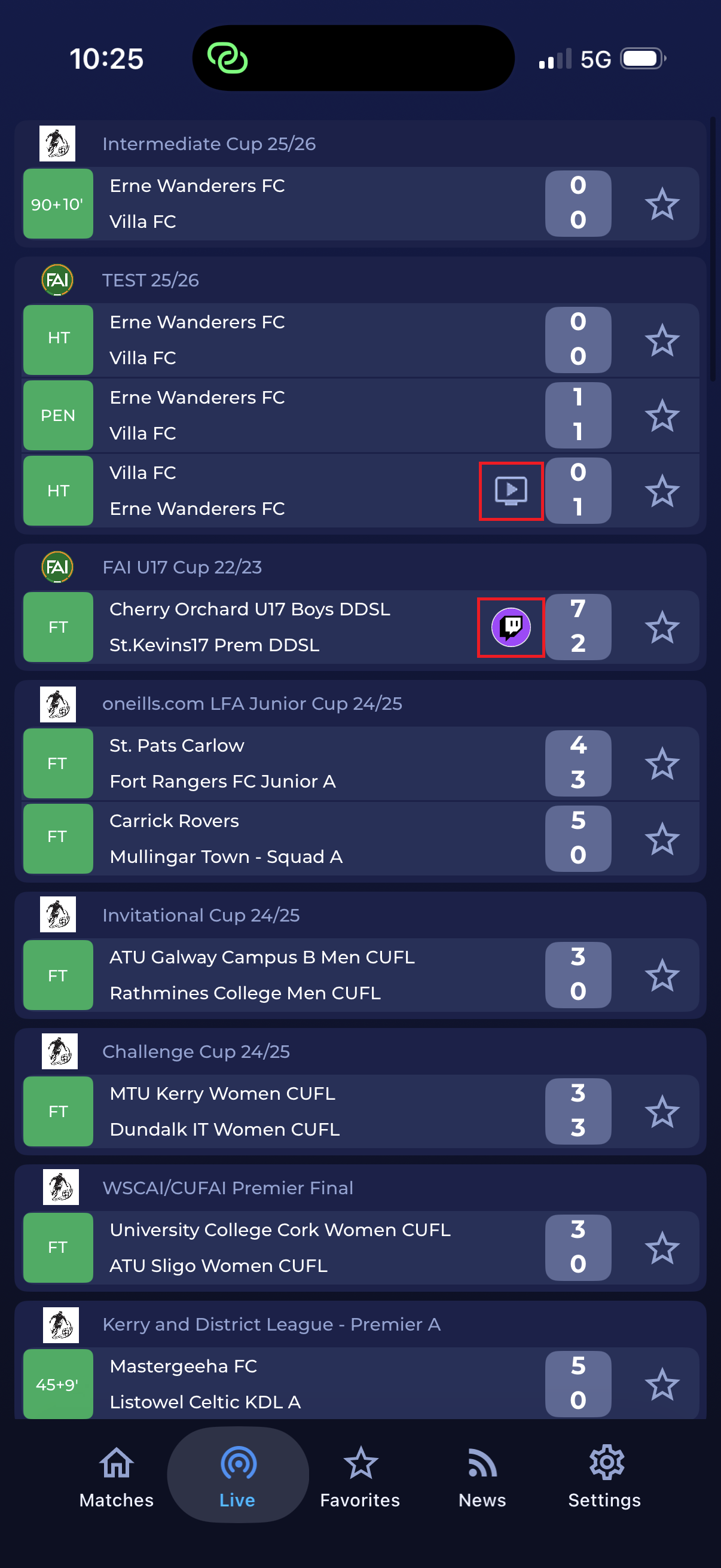
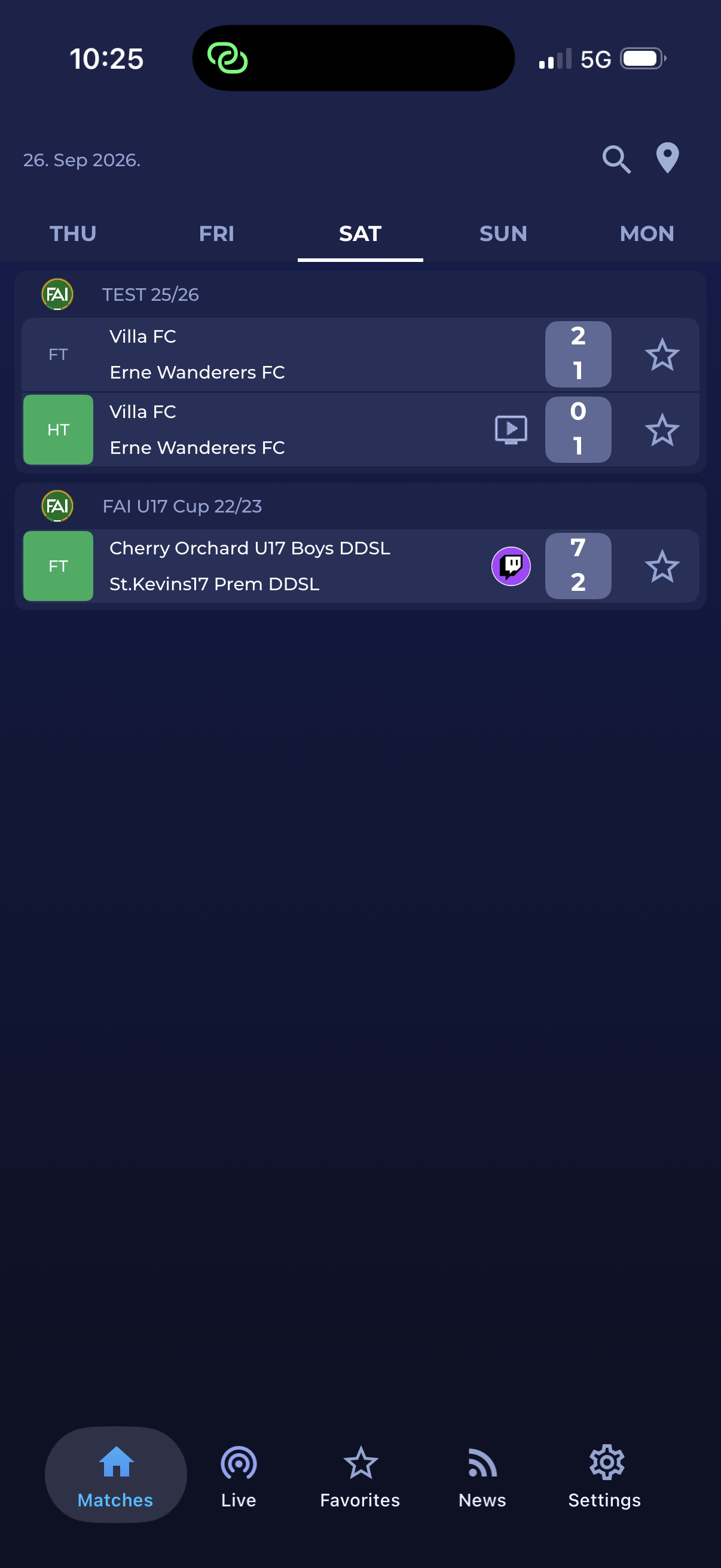
Match details
On the match details screen, the streaming source icon and the Watch here link are displayed below the match result.
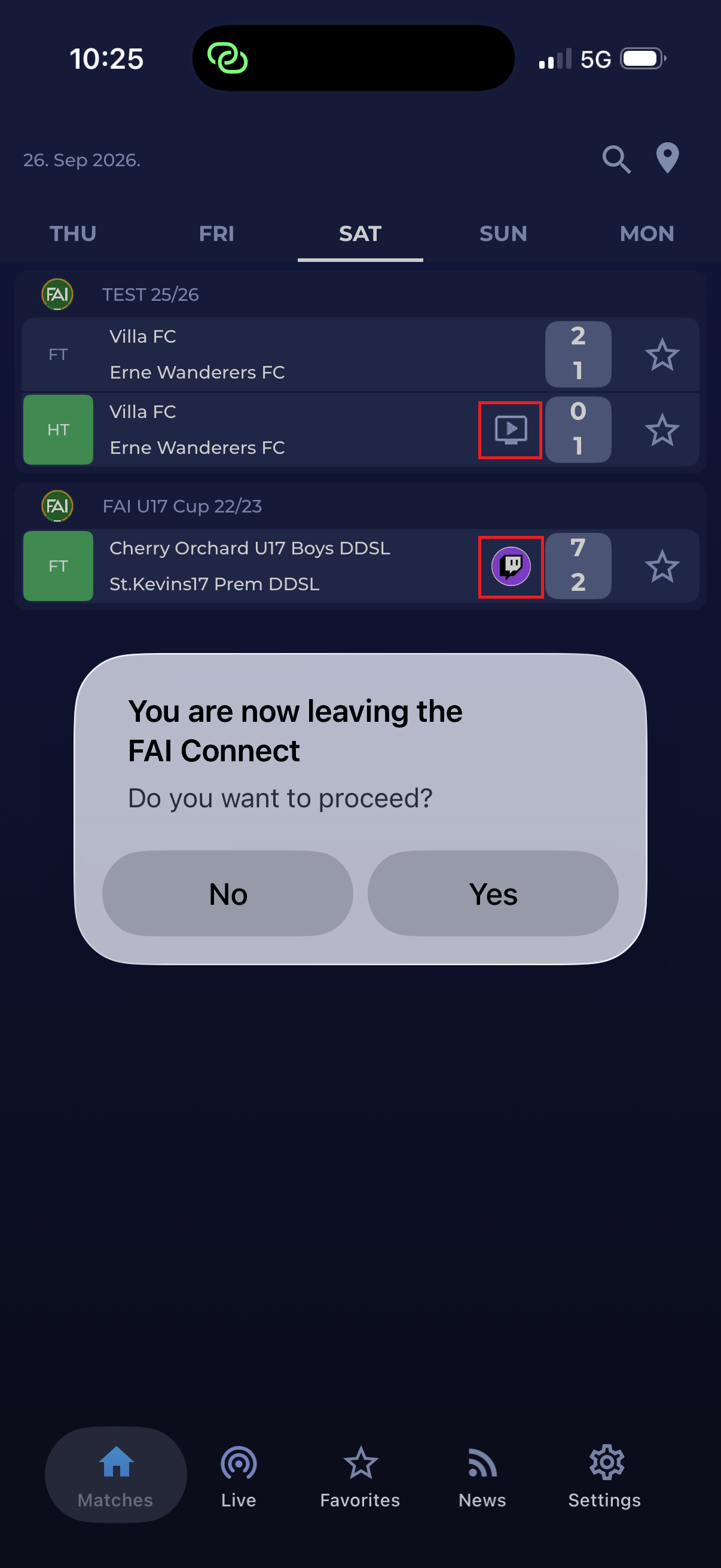
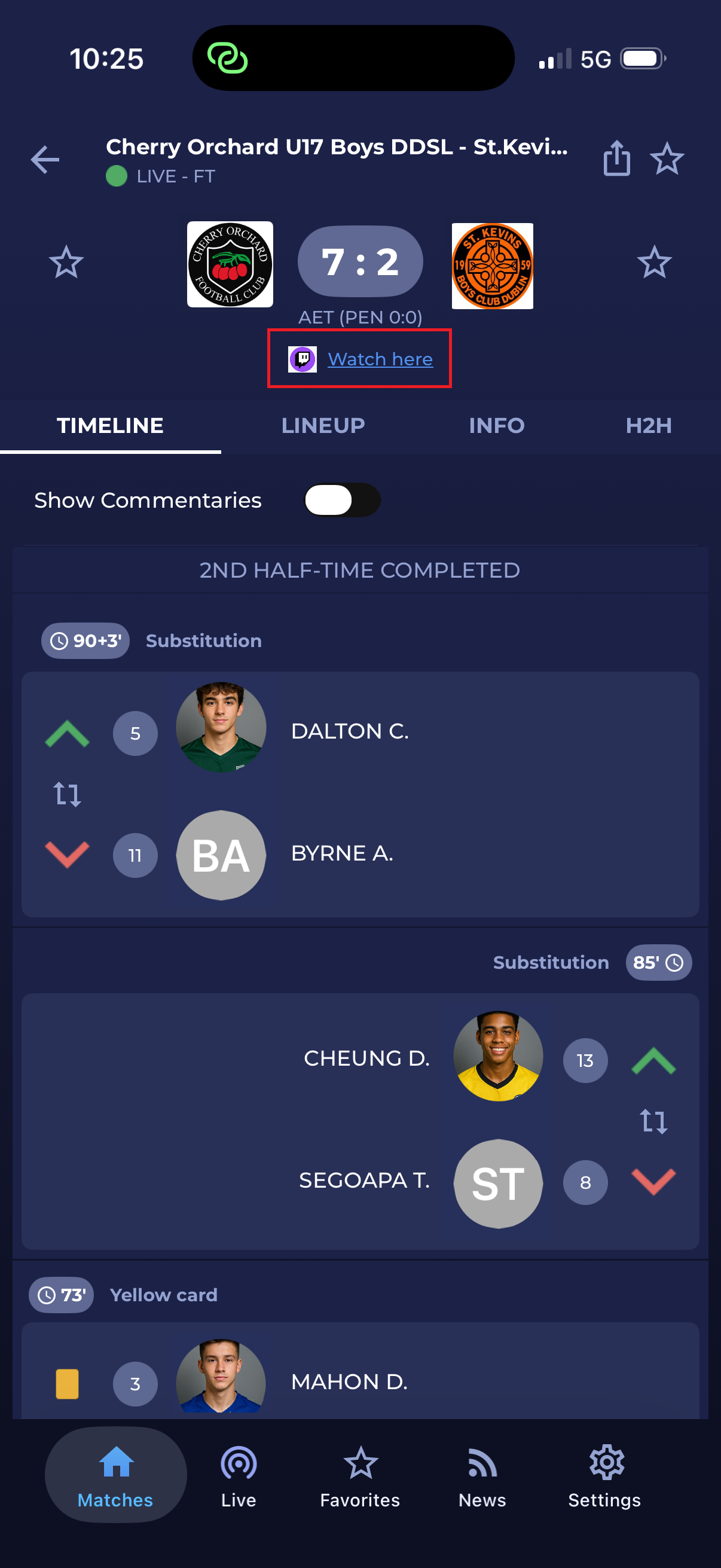
Tapping the icon or the Watch here link opens a confirmation dialog informing the user that they are leaving the app. A tap on Yes opens the stream in the respective app (e.g., YouTube, Twitch), or in the web browser if the app is not installed on the device.