The Sanction Types module is used to define and manage all disciplinary measures that can be applied within the system. These configurations determine how sanctions behave and how they are later used in disciplinary processes.
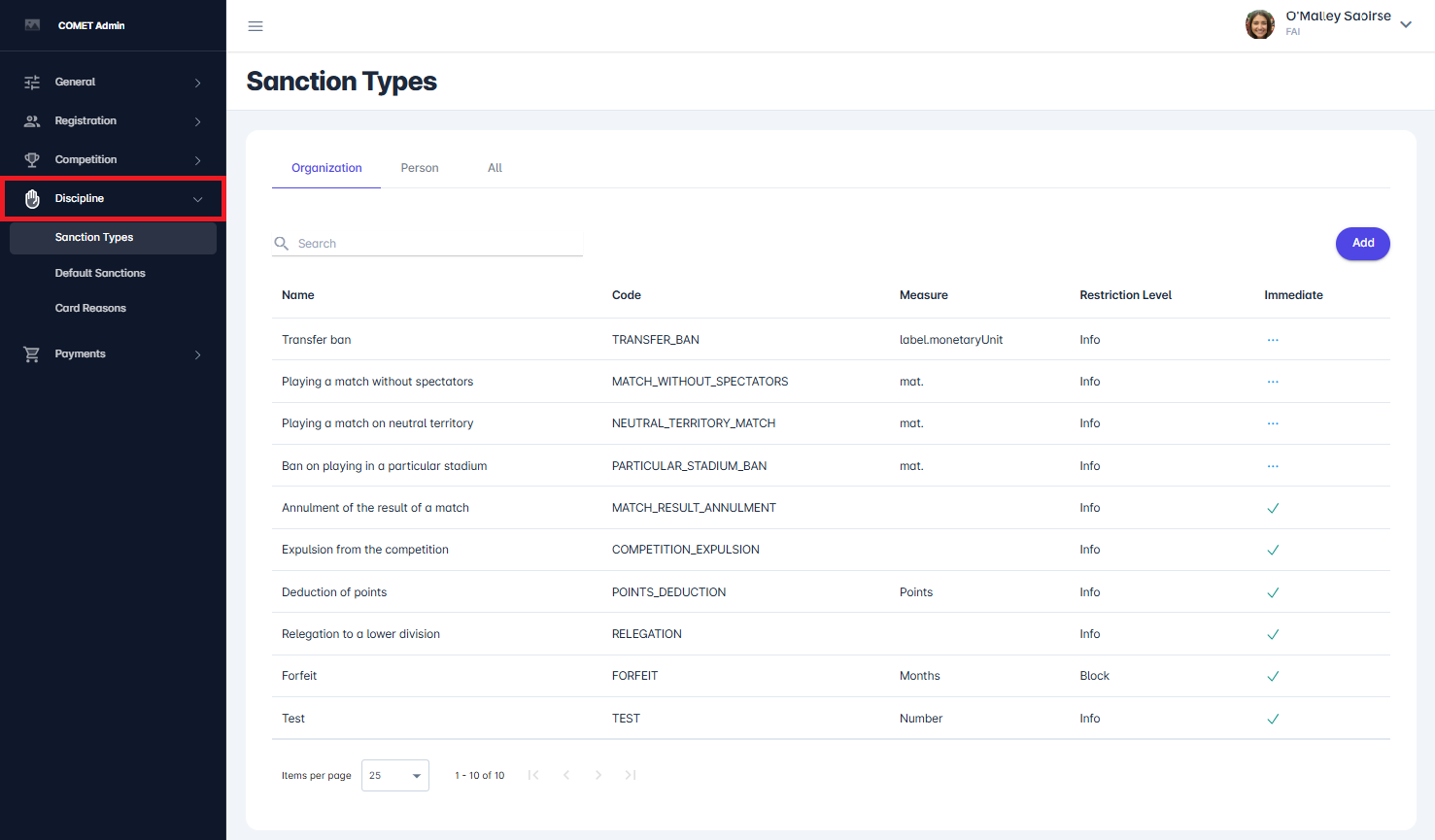
Sanction Types can be accessed via COMET Admin → Discipline → Sanction Types.
Tabs and Entity Scope
Sanction Types are organized into three tabs:
-
Organization
-
Person
-
All
Each tab displays sanction types related to the selected entity. When switching between tabs, the list updates accordingly.
As shown in the interface (see image above), selecting a tab automatically filters the data and defines the context for adding new sanction types.
When creating a new sanction type, the Entity field is automatically prefilled based on the selected tab and cannot be modified.
List View
The list view provides an overview of all configured sanction types for the selected entity.
The following columns are displayed:
-
Name – descriptive name of the sanction type
-
Code – unique system identifier
-
Measure – unit used for the sanction (e.g., matches, months, points, monetary units)
-
Restriction Level – severity level of the sanction
-
Immediate – indicates whether the sanction is immediate
Adding a New Sanction Type
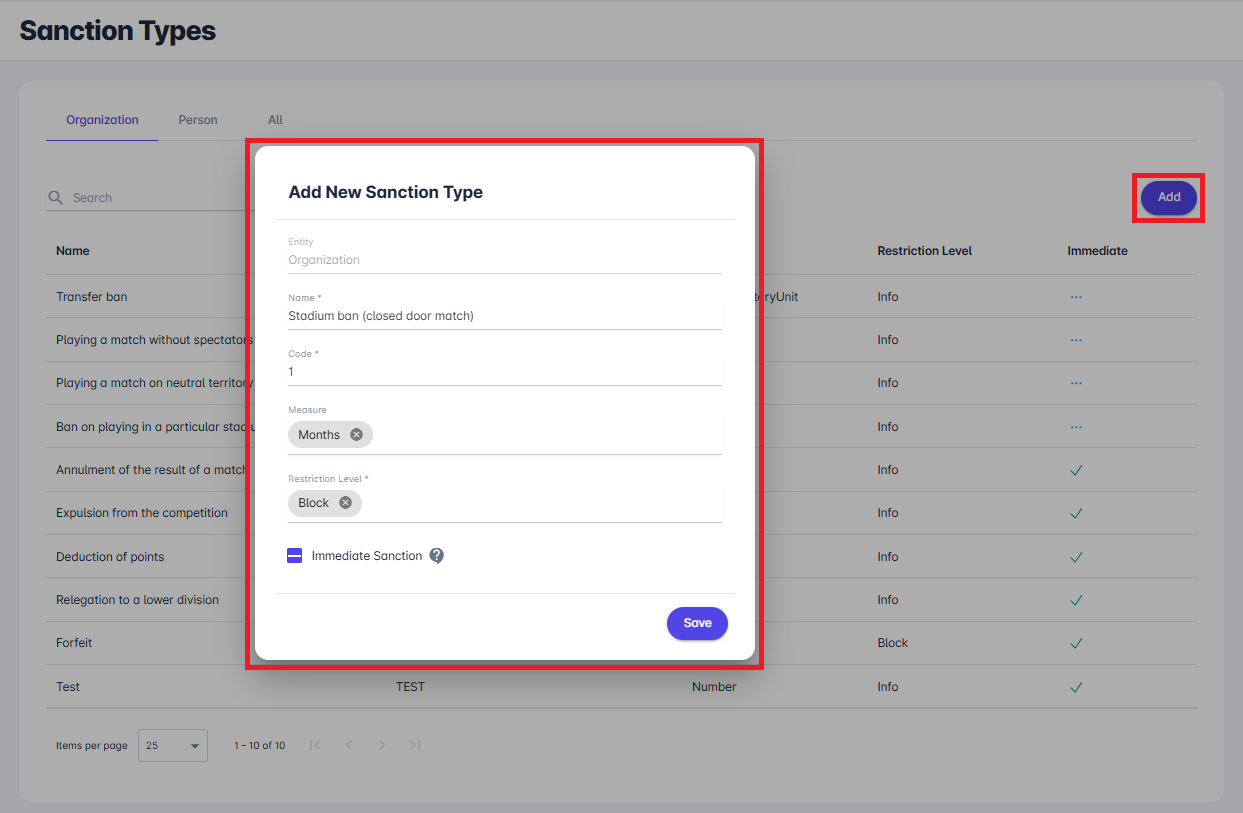
To create a new sanction type, click the Add button. This opens the Add New Sanction Type dialog.
The following fields must be defined:
-
Name – name of the sanction type
-
Code – unique identifier used by the system
-
Measure – select a measure from the drop-down
-
Restriction Level – defines the severity of the sanction, select from the drop-down:
-
Info - there will be an info/hint on lineups, player/offical can be added
-
Warning - there will be an red info/hint on lineups, player/offical can be added
-
Block - there will be an red info/hint on lineups, player/offical cannot be added
-
-
Immediate Sanction – determines sanction behavior
The Measure drop-down is predefined with the sanction measures available in your Tenant's current database.
If the Immediate Sanction check is enabled, the sanction is automatically closed and never becomes active.
After entering all required data, click Save to create the sanction type.
Edit and Delete a Sanction Type
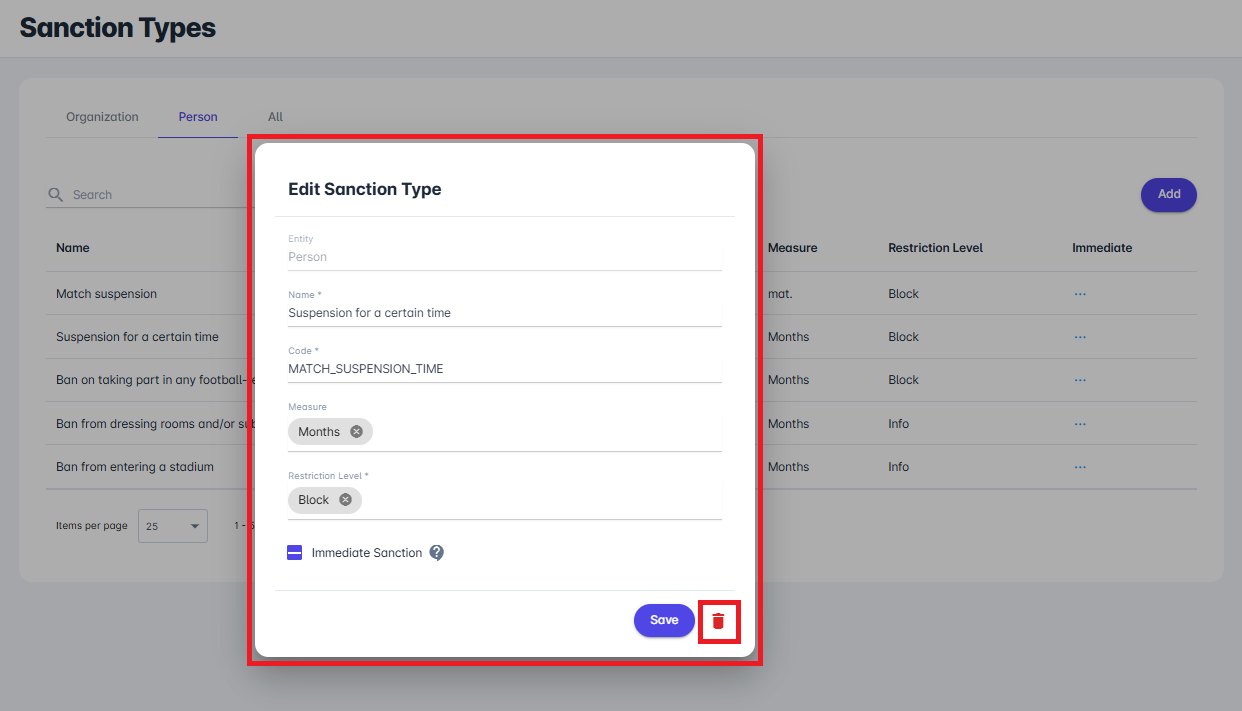
Existing sanction types can be modified by clicking on a record in the list, which opens the Edit Sanction Type dialog.
Within this dialog, all configurable fields (such as Name, Code, Measure, Restriction Level, and Immediate flag) can be updated as needed. After making changes, click Save to apply them.
To delete a sanction type, use the delete (trash) icon located in the bottom right corner of the dialog. This action permanently removes the selected sanction type from the system.