
To confirm the lineup, ensure that you have entered the minimum/maximum number of players and team officials in your competition settings in COMET.
To confirm the lineup:
-
Click The Three dots icon → "Set to CONFIRMED" at the bottom of your list of persons added to the lineup.
-
Optionally, enter the reason or description for changing the line-up status and tap the ✔️ checkmark to confirm the change.
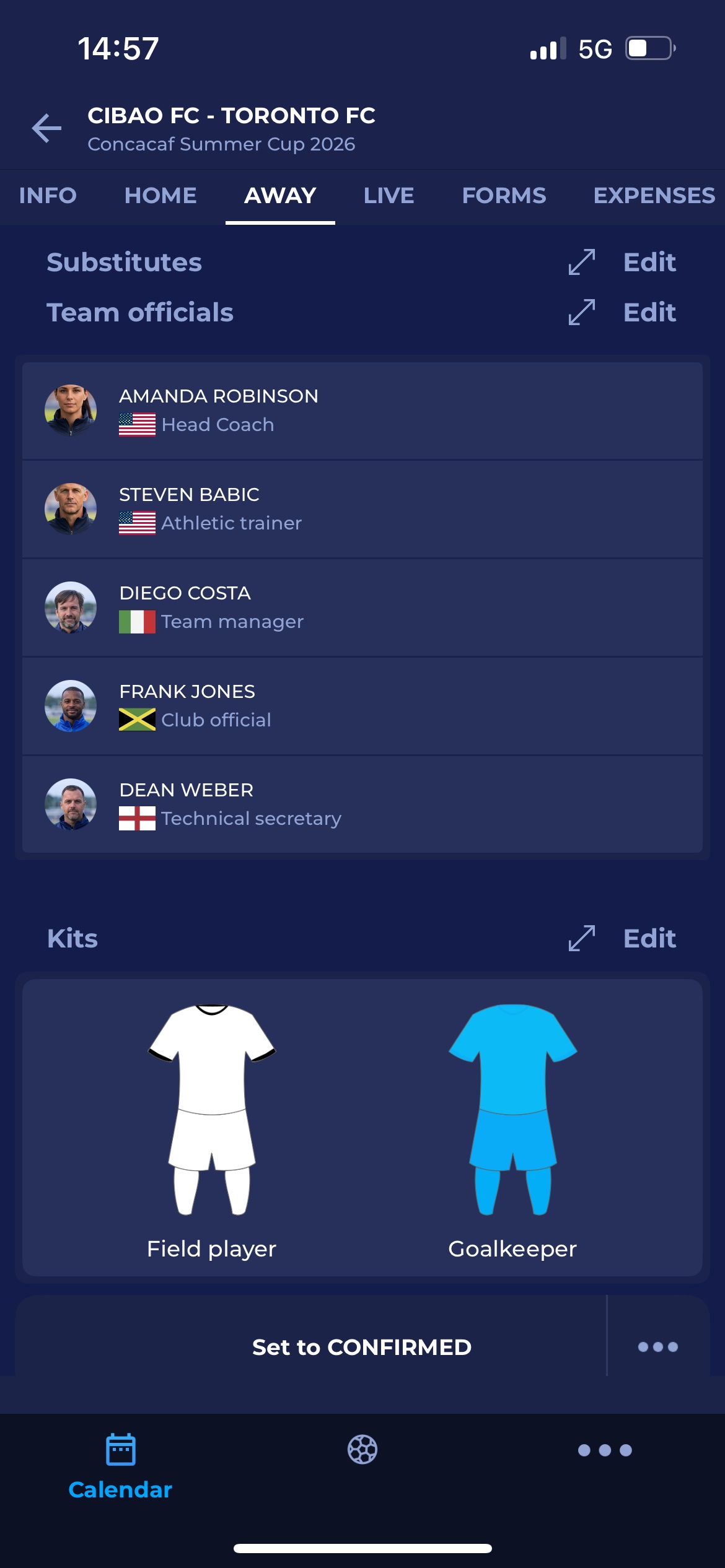
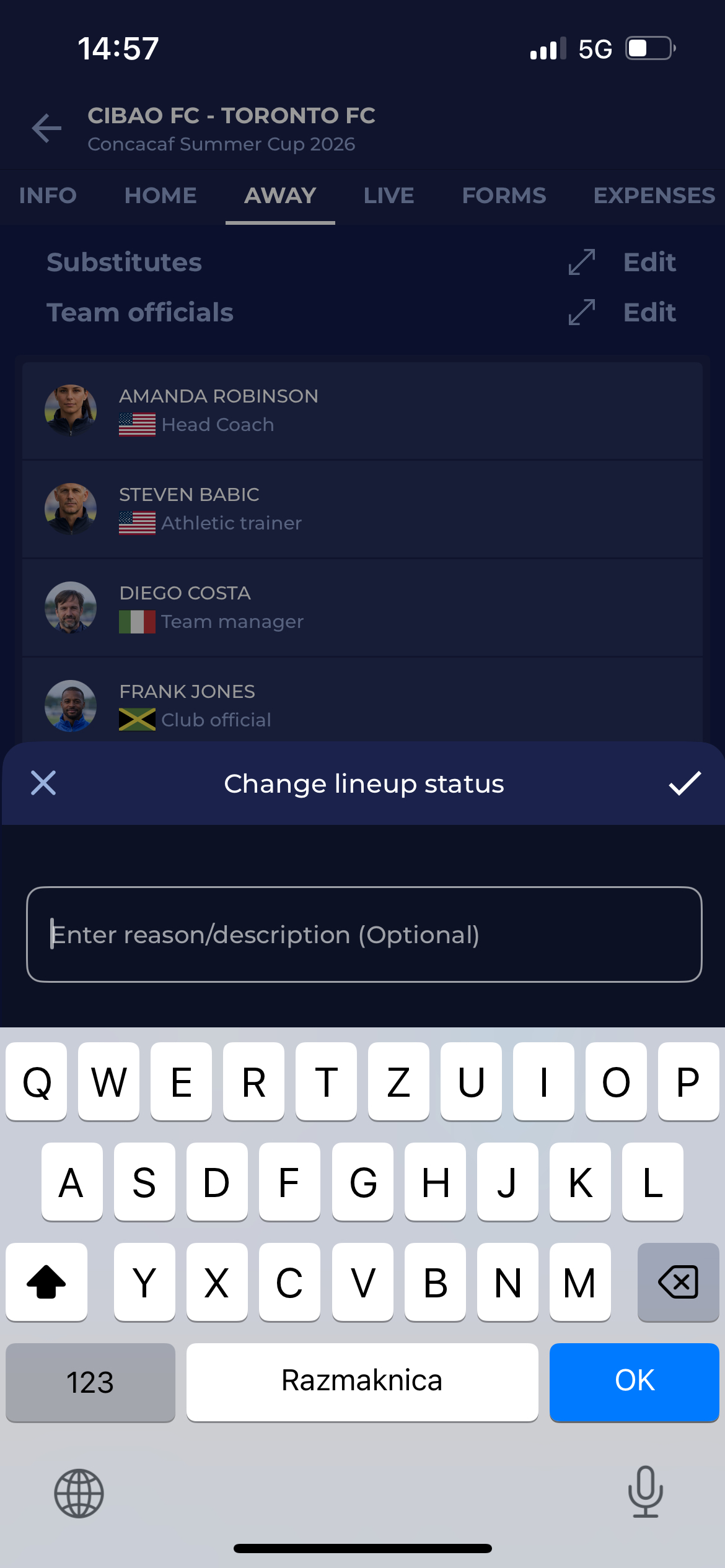
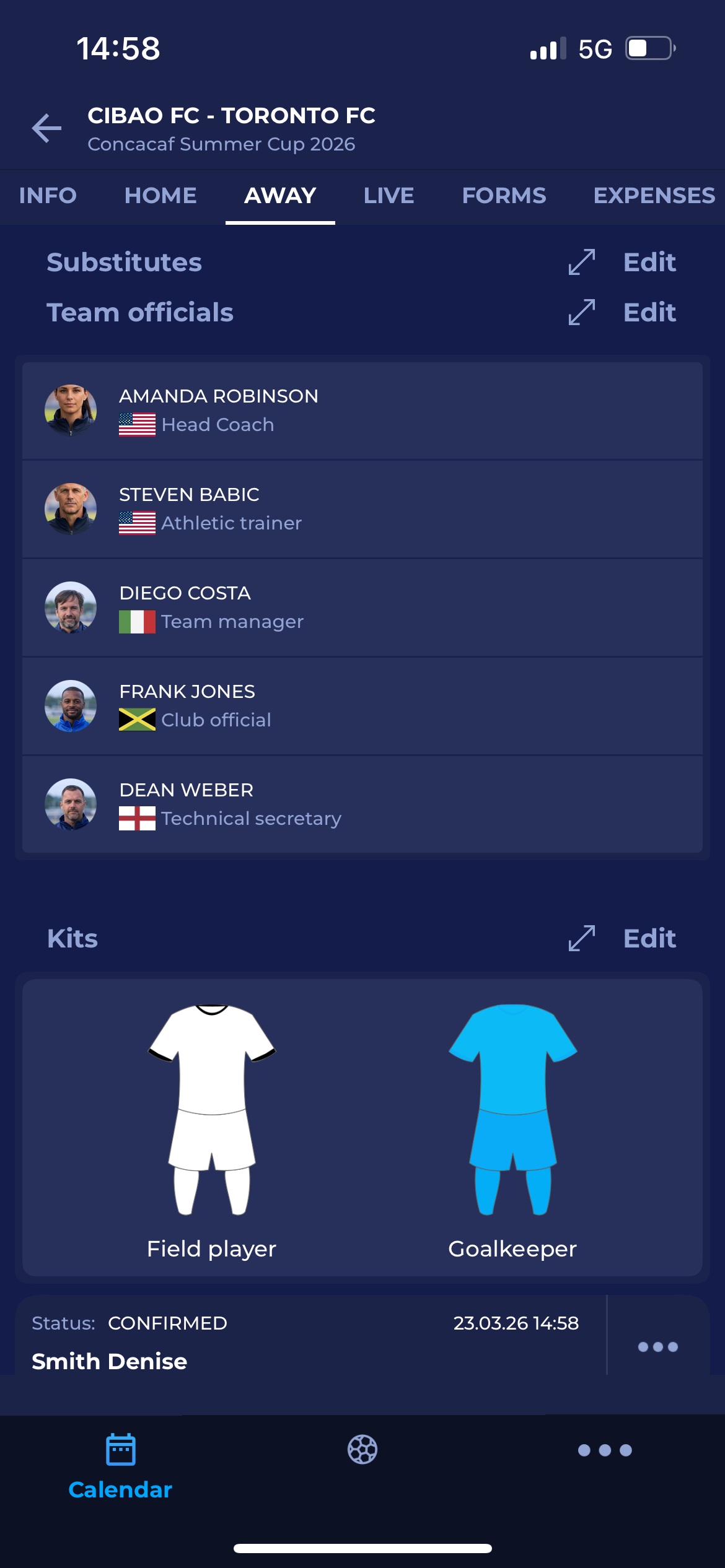
-
Once you have CONFIRMED the lineup, you will see the lineup status at the bottom of the screen, as shown in the image above.