
To access the Match Info screen, tap the match on the My Matches screen or choose the match from the Competitions menu.
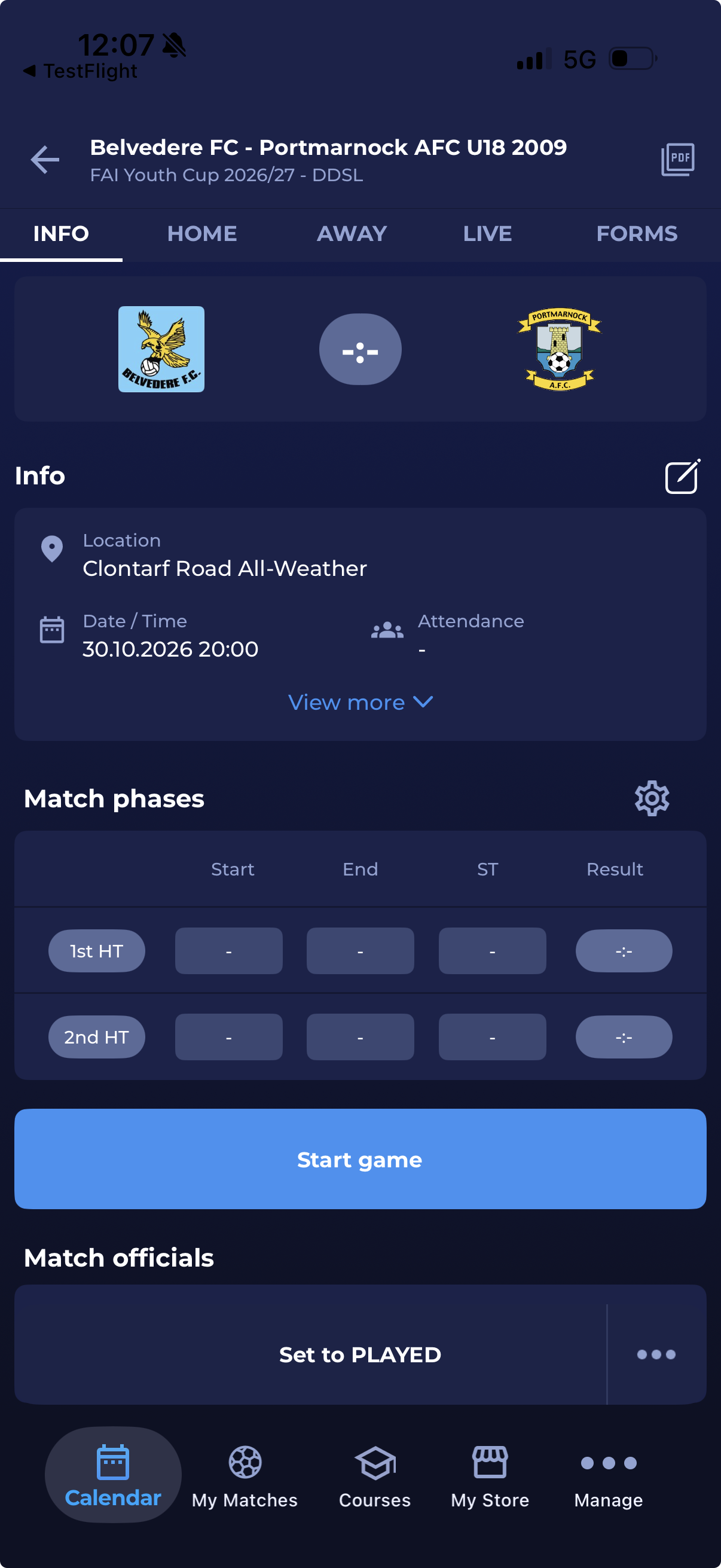
The Match Info screen consists of the following data:
-
Match results panel
-
Location of the Match
-
Match date and Time
-
Attendance
-
Match phases panel
-
Match officials panel
Please note that this screen displays the list of data available within the set of permissions assigned to your user role.
Info panel
The Info panel shows Location, Date / Time, and Attendance by default.
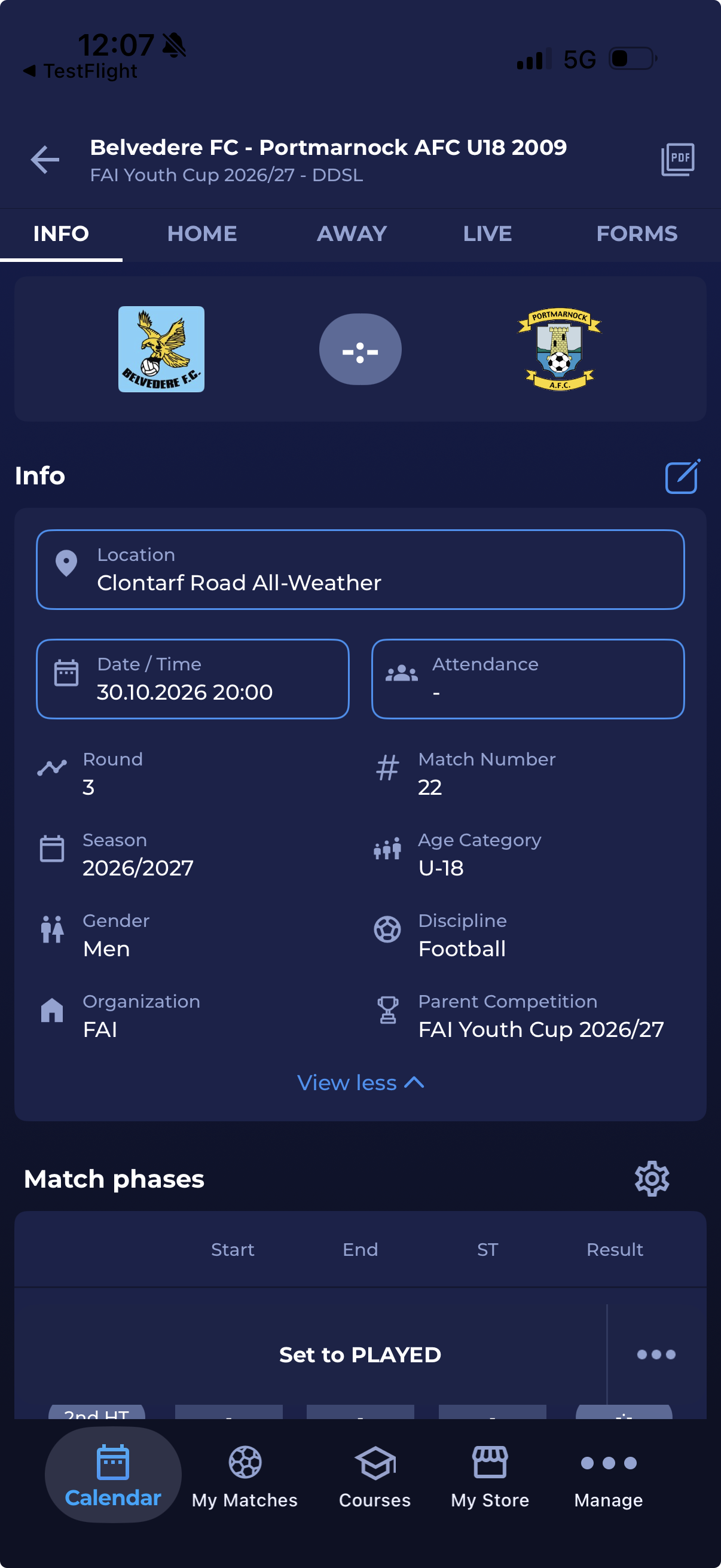
Tap View more to also see:
-
Round
-
Match Number
-
Season
-
Age Category
-
Gender
-
Discipline
-
Organization
-
Parent Competition
Tap View less to collapse the panel.
Edit match info
Depending on your permissions, you can edit the following fields from the Info panel:
-
Location - if you have permission to edit the match location. See Match Location.
-
Date / Time - if you have permission to edit the match date and time.
-
Attendance - if you have permission to edit match events.
Tap the Edit icon in the Info panel. The fields you can edit are outlined. Fields you do not have permission to edit are read-only.
Match tabs
The HOME, AWAY and LIVE tabs are shown only if your user role is allowed to view them.
From the Live Tab, you can add Match Commentaries.
From the Forms Tab, you can manage Match Forms.