
With the launch of the Live Match Commentaries Functionality, Comet Football apps (both Android and iOS versions) allow authorized users to write textual comments and add images and links/ videos regarding match-related events before, during, or after the match.
Here are the steps required to Add Match Live Commentary from your mobile device:
-
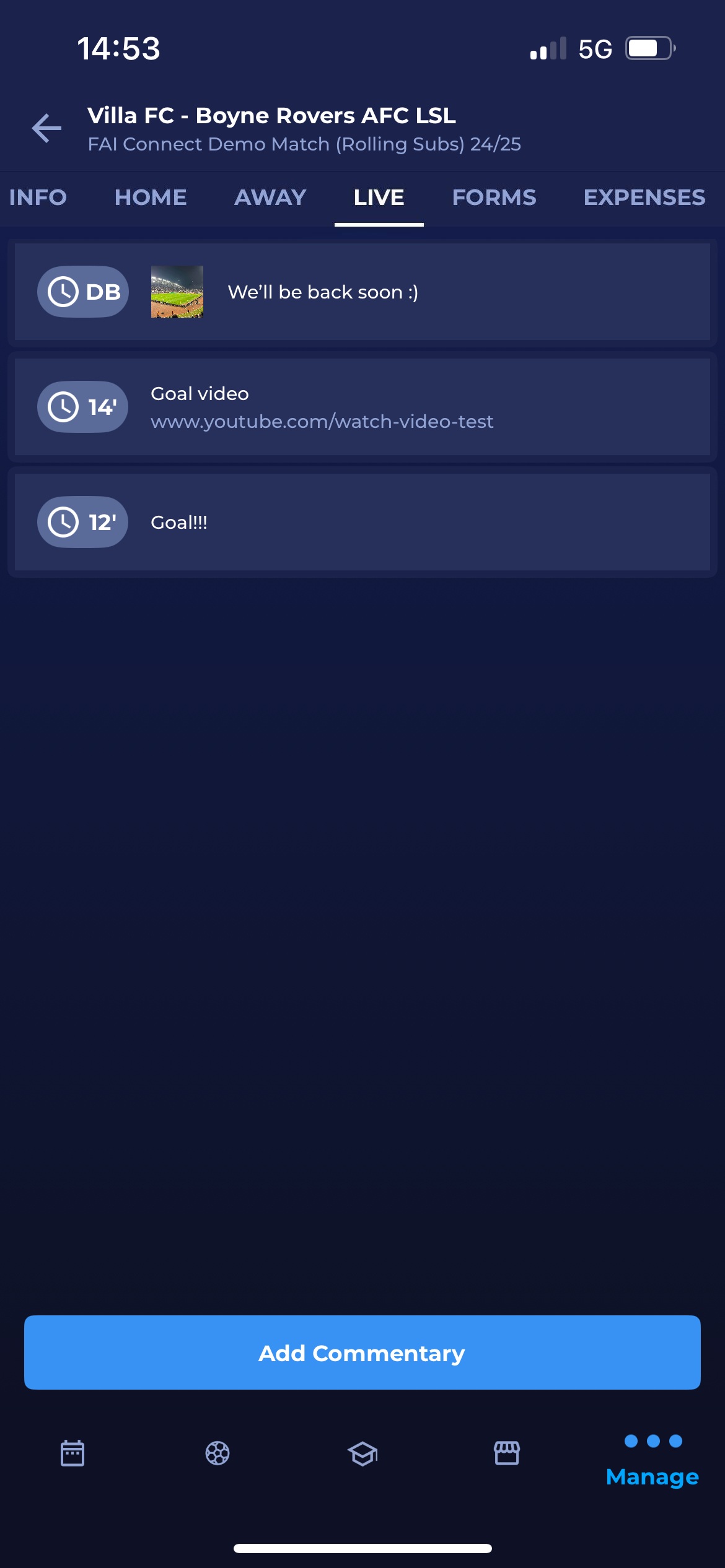
Click the Live tab
-
On the Live tab, the list of live commentaries will be displayed
-
Hit the Add Commentary button at the bottom of the screen
-
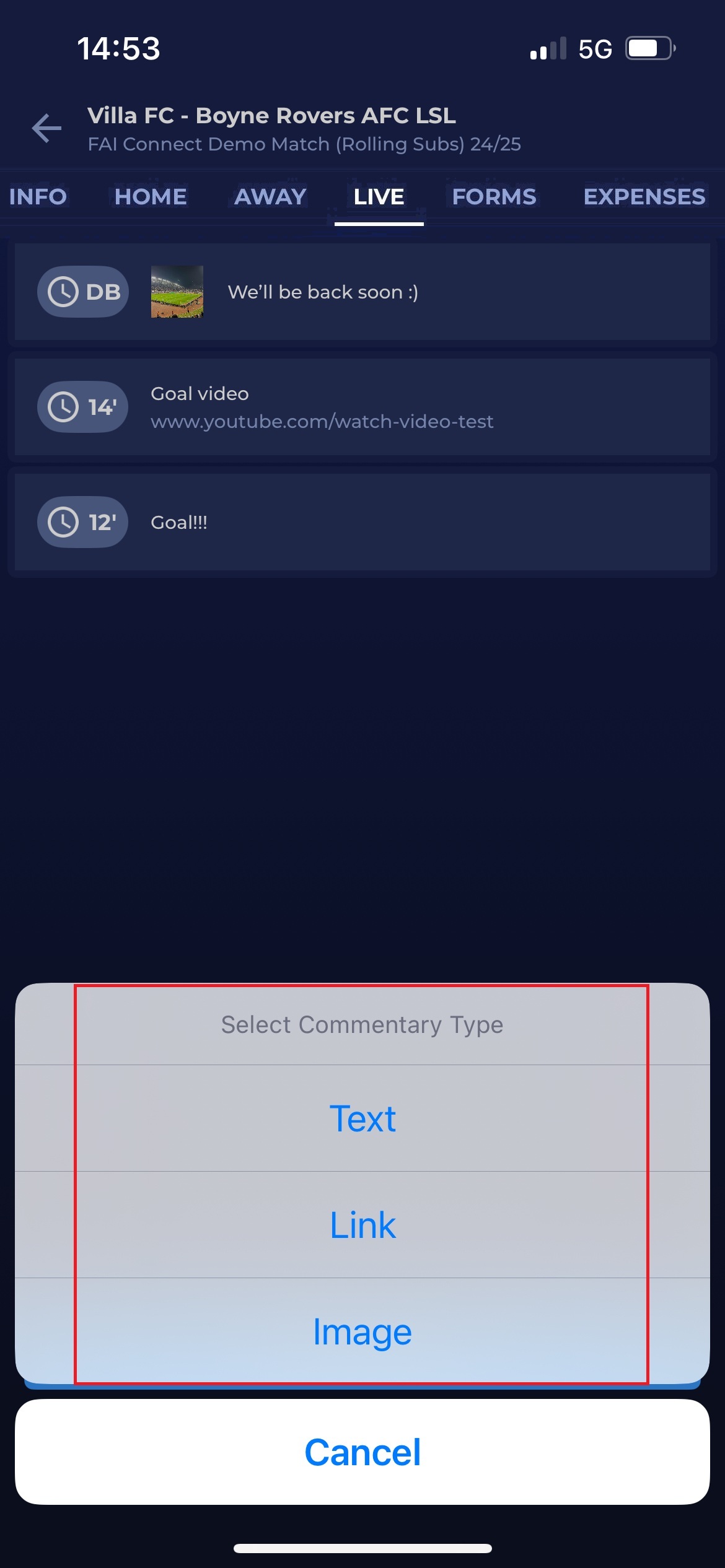
Select the Commentary Type, and choose between:
-
Text
-
Image
-
Link
-
-
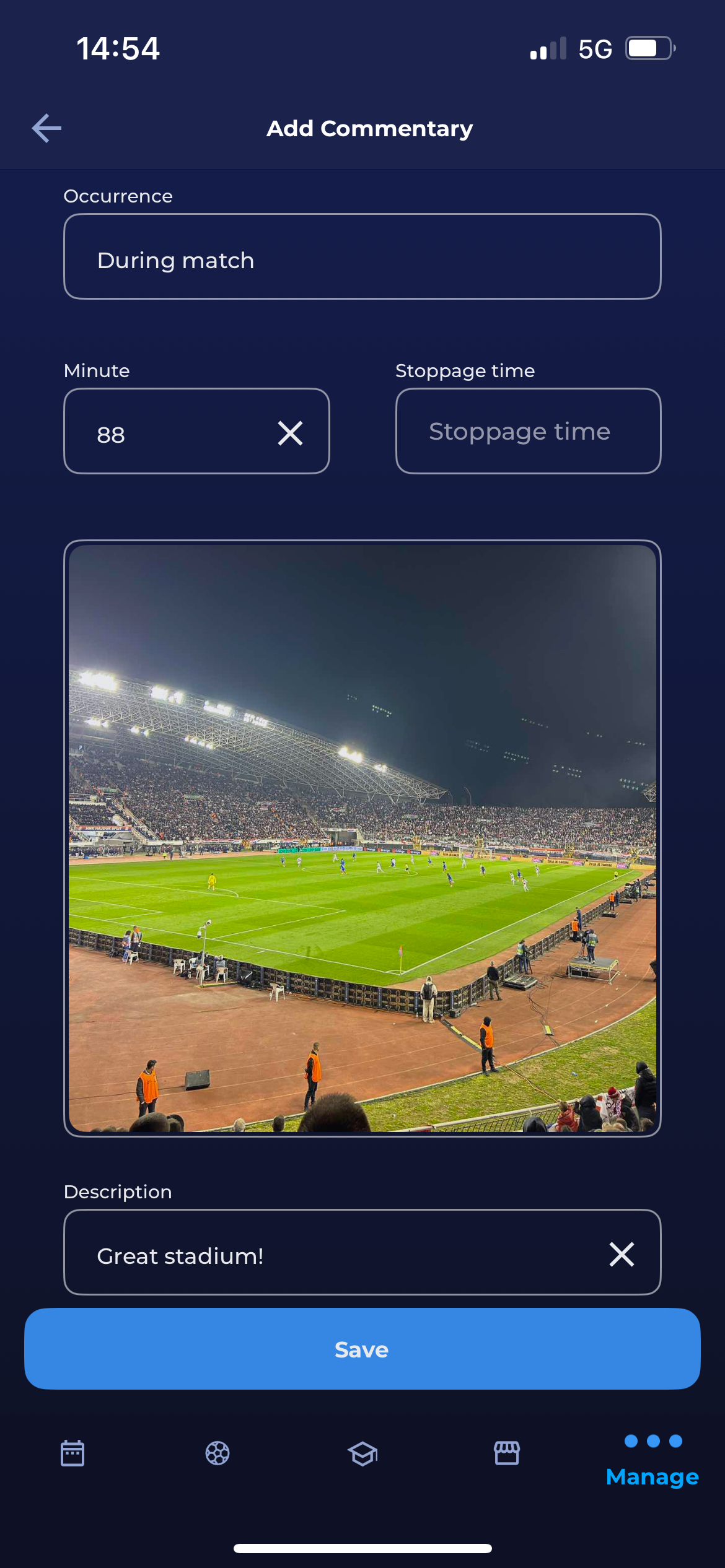
Select the Commentary occurrence, choose between:
-
During the match
-
Before the match
-
During the break
-
After the match
-
-
Insert the Minute/ Stoppage Time (in case commentary is entered for the time during the match)
-
Insert the text of the Commentary
-
In case the image is selected as the type, you will be able to choose the source of your photo:
-
Browse → opens the files on your device to search for
-
Choose From Gallery → opens your Photo Gallery
-
Take a photo → redirects you to the camera
-
Once the image is selected, you edit it directly on this dialog
-
-
-
In case the link is selected as the type, you will need to insert the link of the video, which will be displayed
Please note that added commentaries will be displayed in COMET Live Mobile Apps (if enabled).
To add Live Commentaries from the MyCOMET Desktop App, please check the instructions: Live Match Commentaries | Adding Live Commentaries