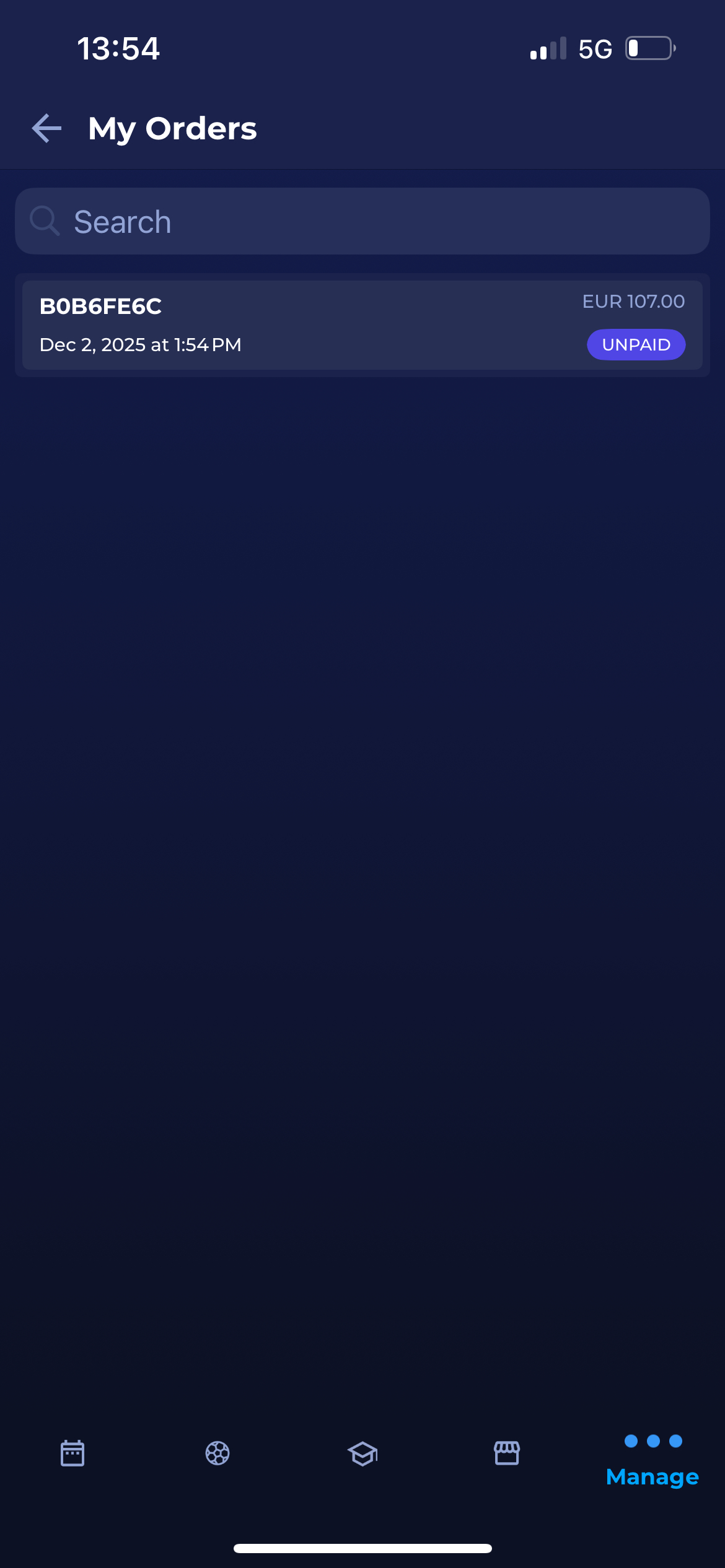
My Orders page displays the list of all orders, i.e., all items that you have purchased from your profile, with the indication of payment status:
-
PAID
-
UNPAID
-
CANCELLED
-
PARTIALLY PAID
To manage your orders:
-
Choose Manage on the bottom right of your screen
-
Hit the My Orders button
-
This opens the list of all your orders with the following information:
-
Number
-
Date
-
Amount
-
Order Status
-
The search box (use the search box to search through your orders)
-
-
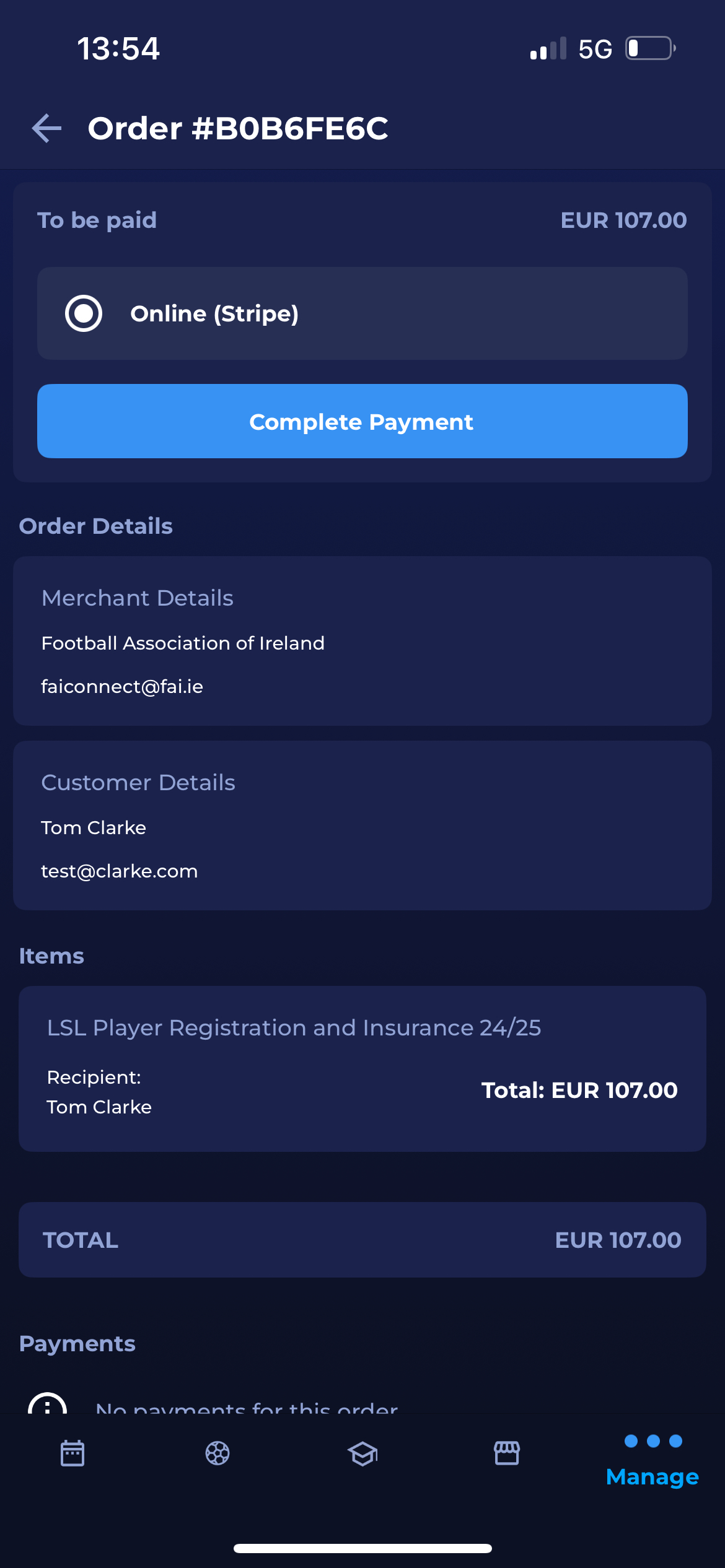
Clicking on an order from the list will redirect you to the Order Details page. On this page, you can check all the details of your order, including the purchased item and payment details, or proceed with the non-manual payment option (if you have changed your mind).