
My Calendar in COMET Football displays a view of all events relevant to the User, such as Matches (for Clubs, Referees, and Match Officials), Events/Events (for Event Participants), Trainings (for Club Roles or Players as participants), and Unavailability Periods (for Referees and Officials) in a monthly view.
A click on any event will redirect the App to the detailed view of the Event (Match, Training, Event, or Unavailability). This view is available not only in the COMET Football Mobile Apps but also on the web version (MyCOMET platform).
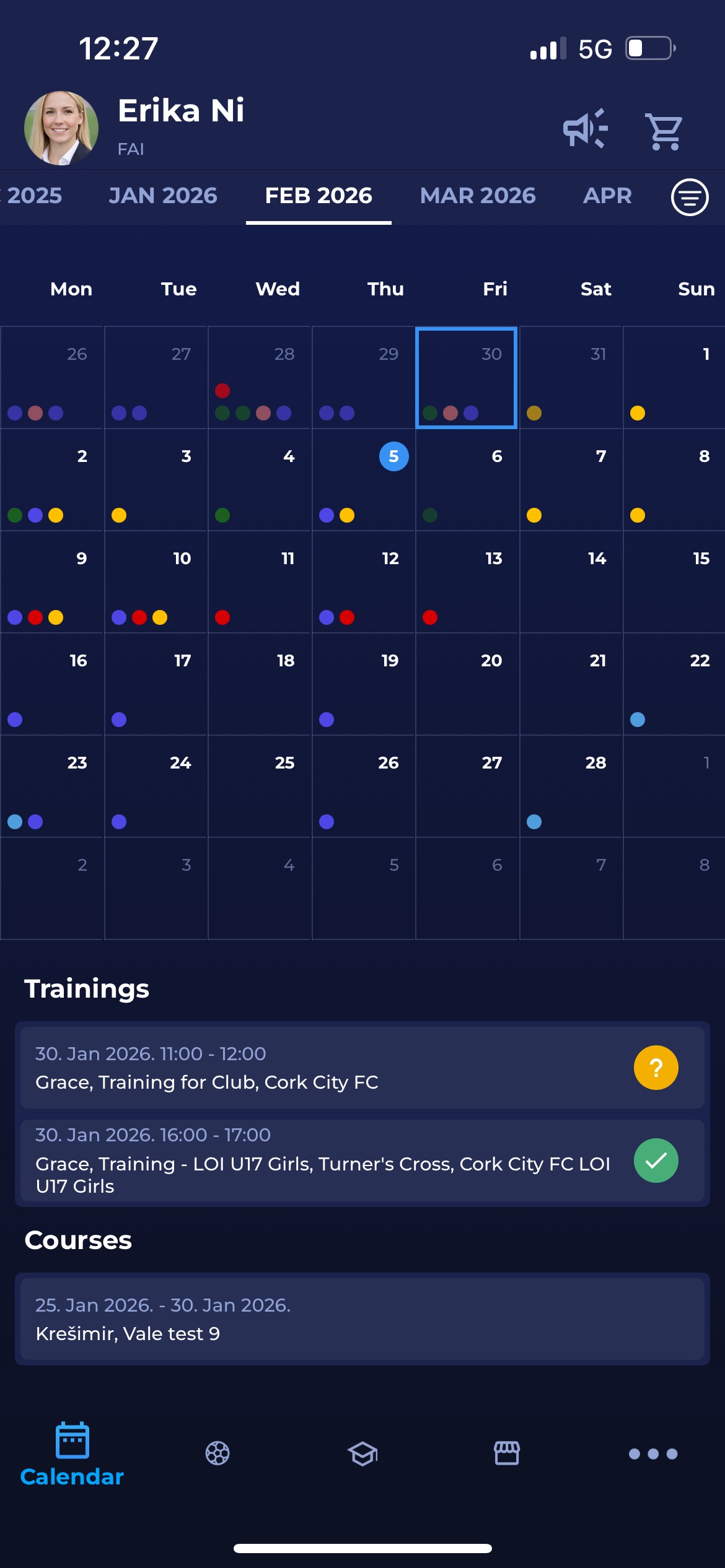
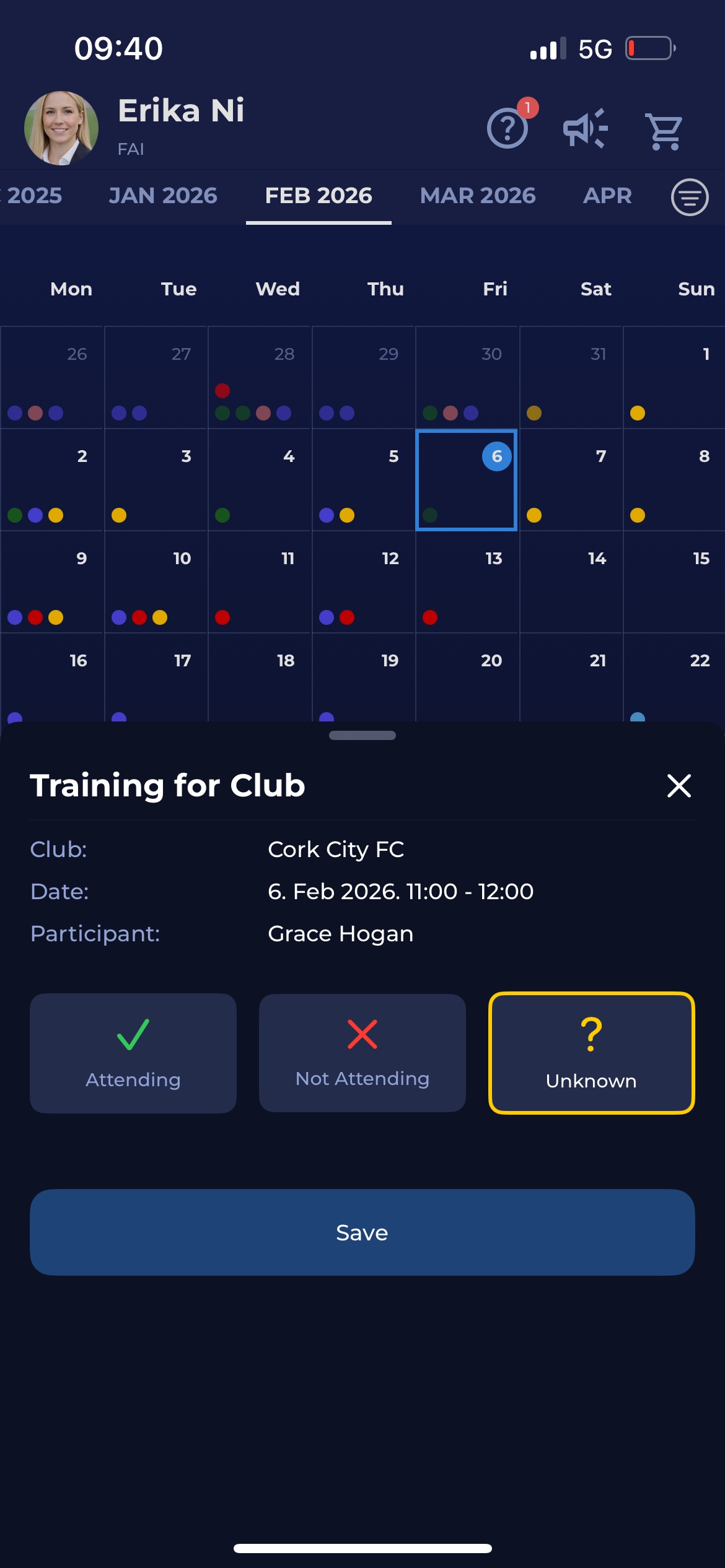
To access the calendar and manage the displayed information
-
On the bottom command bar, hit the 🗓️ Calendar tab
-
On the Calendar header, you can navigate through months of the year by scrolling to the selected month.
-
Tap the filter icon next to the 🔍 Search bar to filter the event types in your calendar by type: matches, trainings, events, unavailabilities, or show all types.
-
Moreover, you can filter the events by the Organization or Personal events (if applicable)
-
A tap on a calendar day displays the events for that day. If any of the events require a response, you can respond directly from the calendar by tapping the event.
-
A click on the event will redirect you to the Event detail page (Event, Competition, Match, Unavailability)
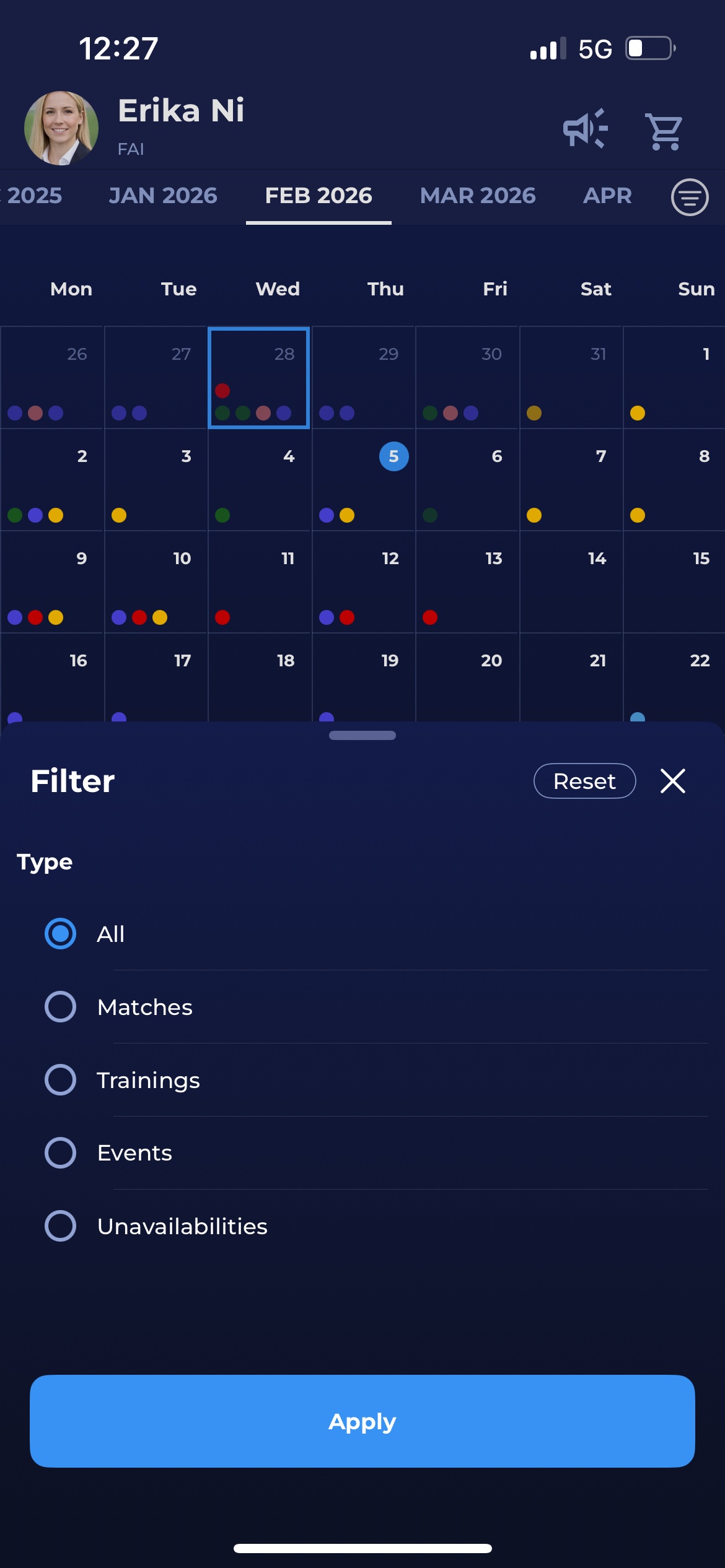
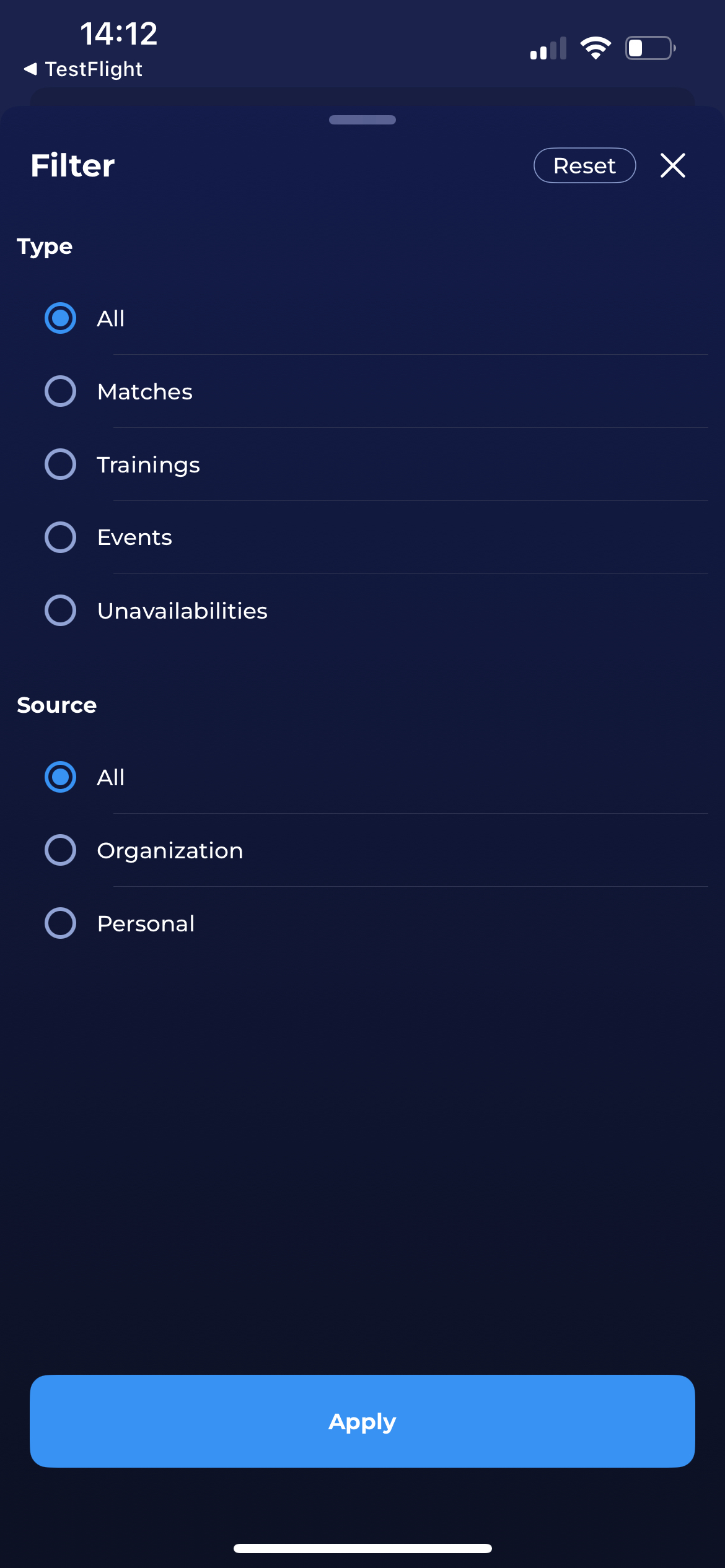
You can find more information about which specific events are presented to which user roles, the coloring of particular events, and other details in the Calendar Article related to the web (MyCOMET) version of the personal calendar. The logic of presenting events is identical on both the mobile and web versions of the personal calendar.