
The Referee Observer Report allows appointed observers to assess the performance of match officials after the match. The report is structured into several configurable sections covering different aspects of refereeing performance.
Observers complete the report in the Observer tab within the match site of MyCOMET. On this page is an example of a filling out an Observer Report for a Main Referee and VAR (Video Assistant Referee), using standard UEFA configuration.
The Observer Report can be flexibly configured by Superusers, including sections, situations, decisions, detailed evaluations, match events, general and specific grades, difficulty levels, etc. Therefore, the Observer Report can look very differently to the example presented in this article, depending on your Tenant’s specific configuration of the report.
Accessing the Observer Report
To open the observer report:
-
Open the match in MyCOMET.
-
Navigate to the Observer tab.
-
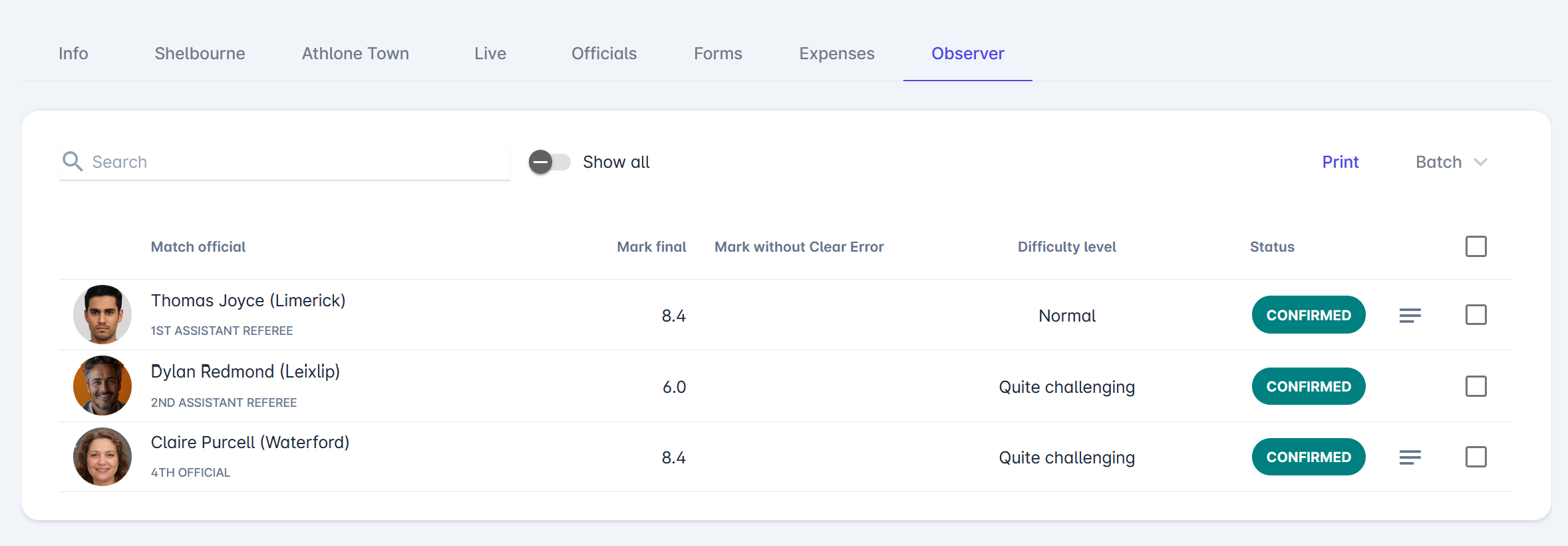
A list of all match officials will be displayed. The list shows:
-
Match official name and role
-
Final mark
-
Mark without a clear error
-
Difficulty level
-
Status of the report
Each official has a separate observer report item.
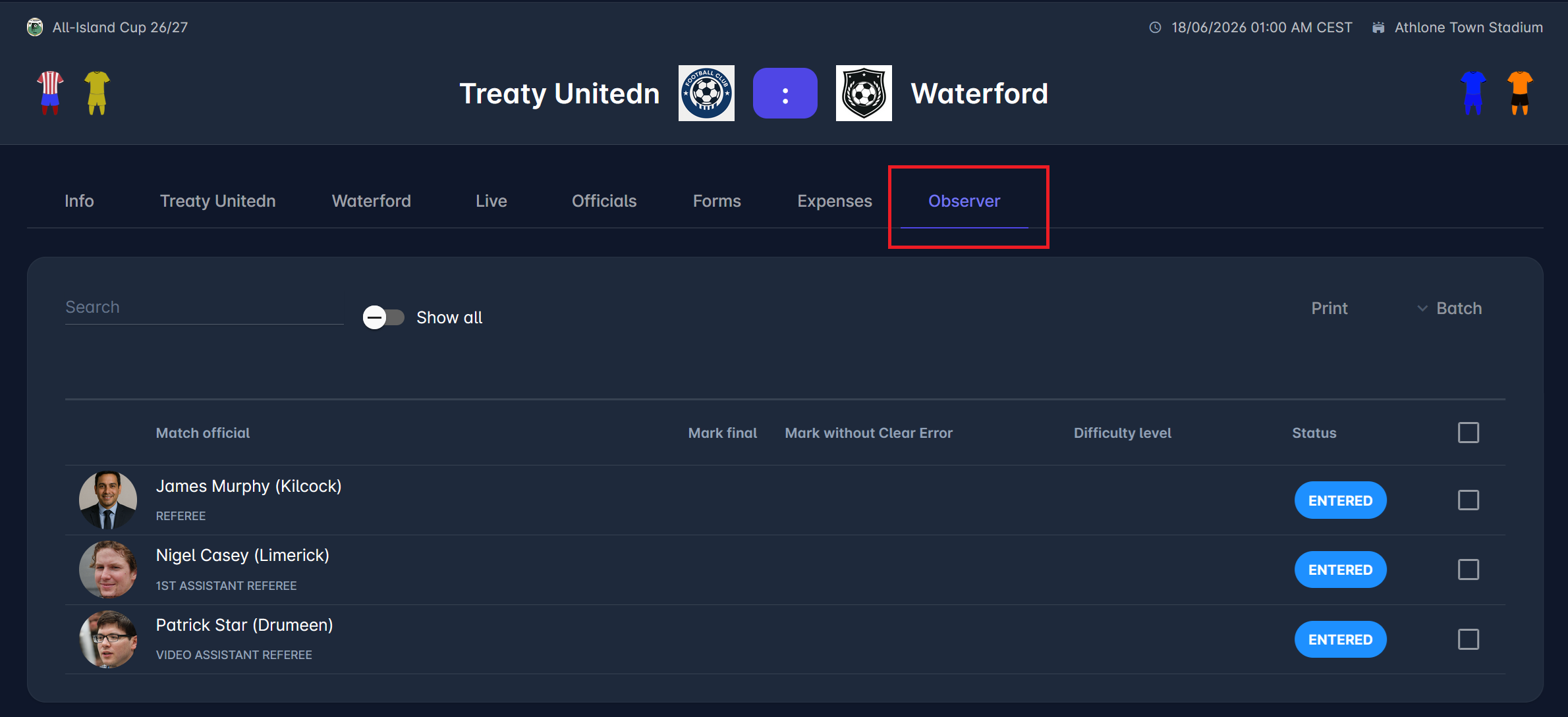
In order to access the assessment of any match official, just click on the row.
Example #1: Referee
This is an example of an observer report configuration for the Main Referee in Football. All sections/tabs (except General) can be flexibly configured in the Admin App.
General
The General tab contains the referee's overall evaluation.
Here, Referee Observers must enter:
-
Mark final – the final numerical score for the referee’s performance.
-
Mark without clear error – the numerical score for the referee’s performance, not considering clear errors commited
-
Difficulty level – the level of match difficulty for the referee
If defined, Referee Observers can also see the description of the rating scales by clicking on the 🗒️Note button.
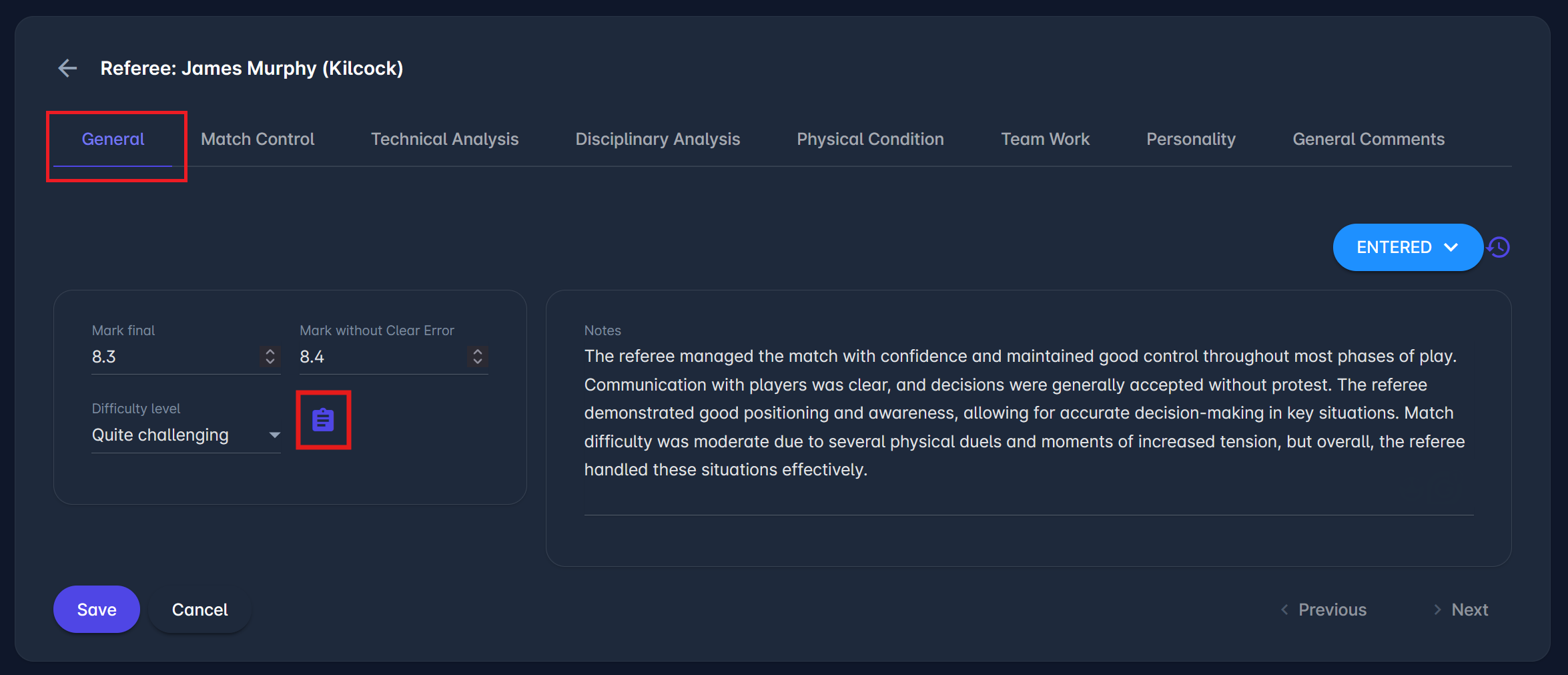
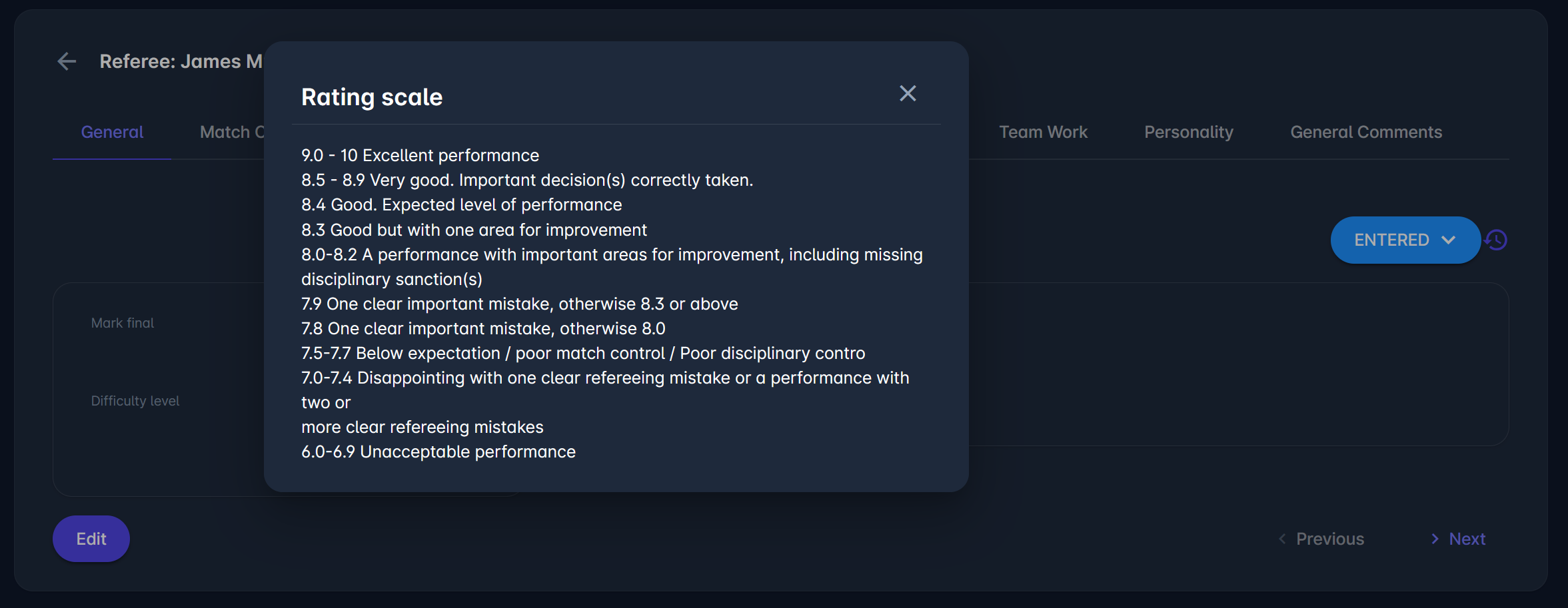
Observers can also enter general notes describing the referee’s overall performance and match management in the Notes field.
Once the information is entered, click the Save button to save changes.
Notes entered under the General tab are also visible on the list with all Observer Report items.
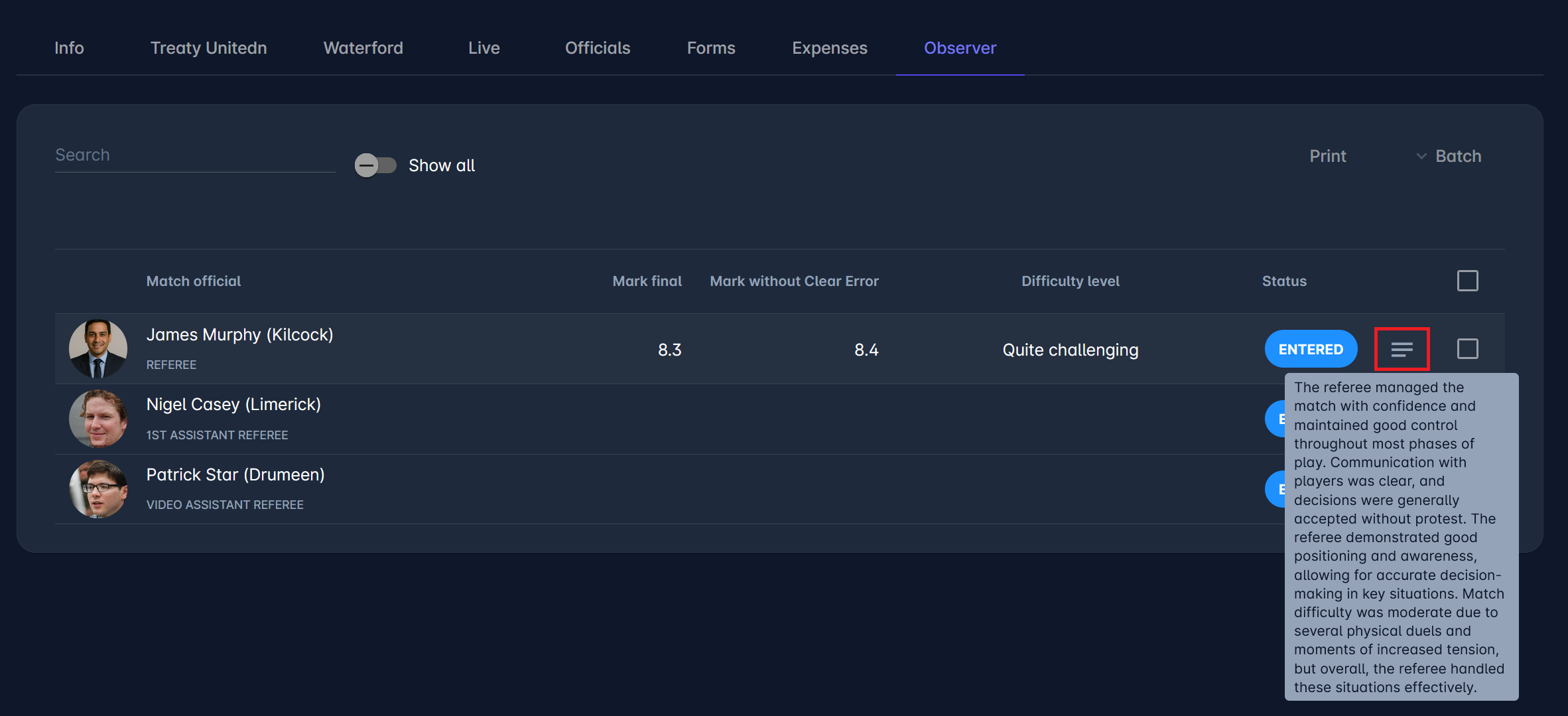
You can use the Previous and Next buttons to navigate to and edit the report for other match officials.
Match Control
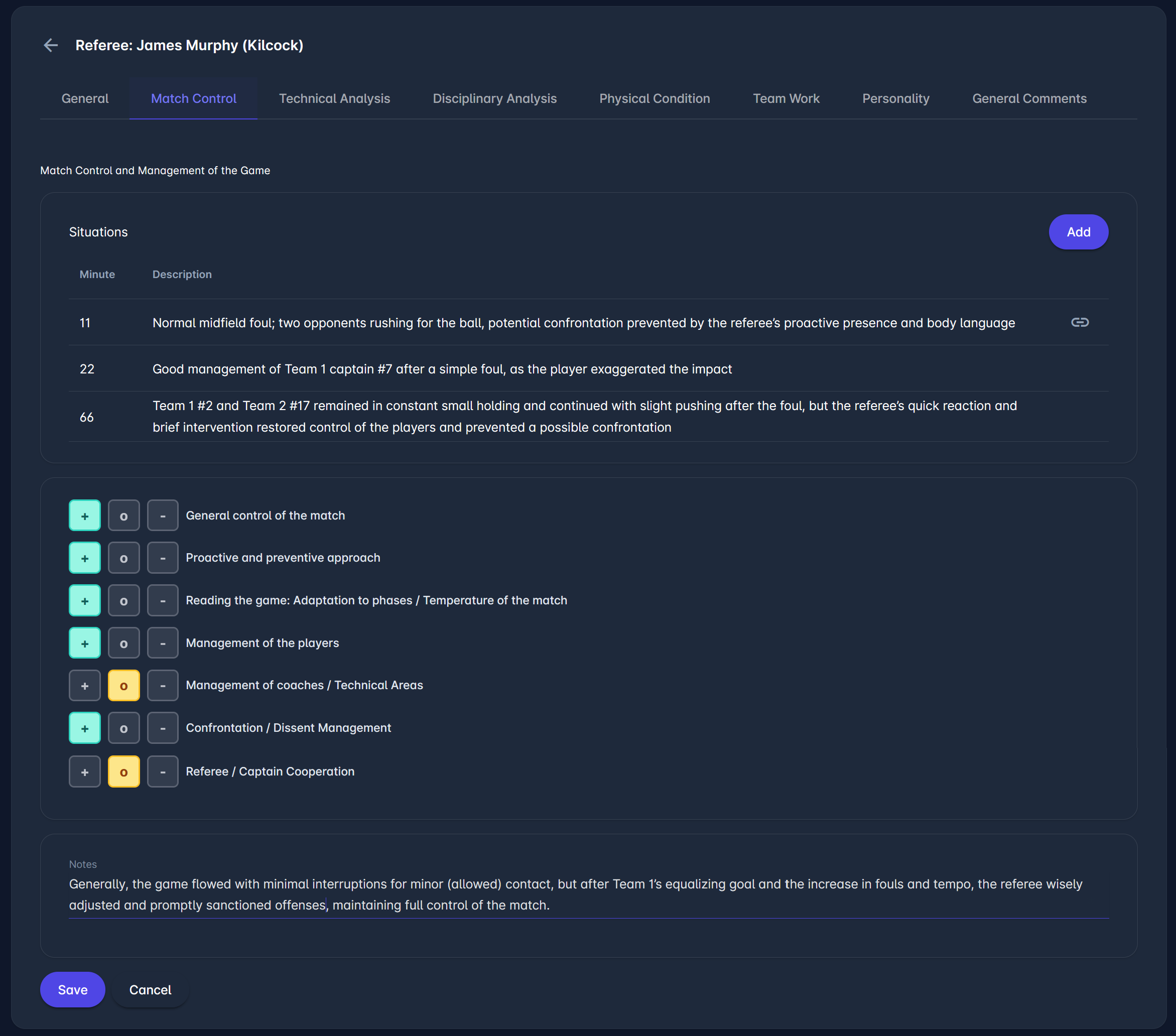
The Match Control section assesses how the referee managed the game in terms of flow, control, and interaction with players. The Situations area is intended for recording specific moments that illustrate the referee’s approach, such as handling of fouls, communication, or prevention of confrontations.
Below that, individual aspects of match control (e.g., general control, preventive approach, player management) can be rated to give a structured evaluation, using a standard scale with three options:
-
Above expectation (+)
-
Expected (o)
-
Below expectation (-)
The Notes field, also available on other evaluation tabs, is used for a short overall summary that highlights how the referee adapted to the match tempo and maintained control.
Technical Analysis
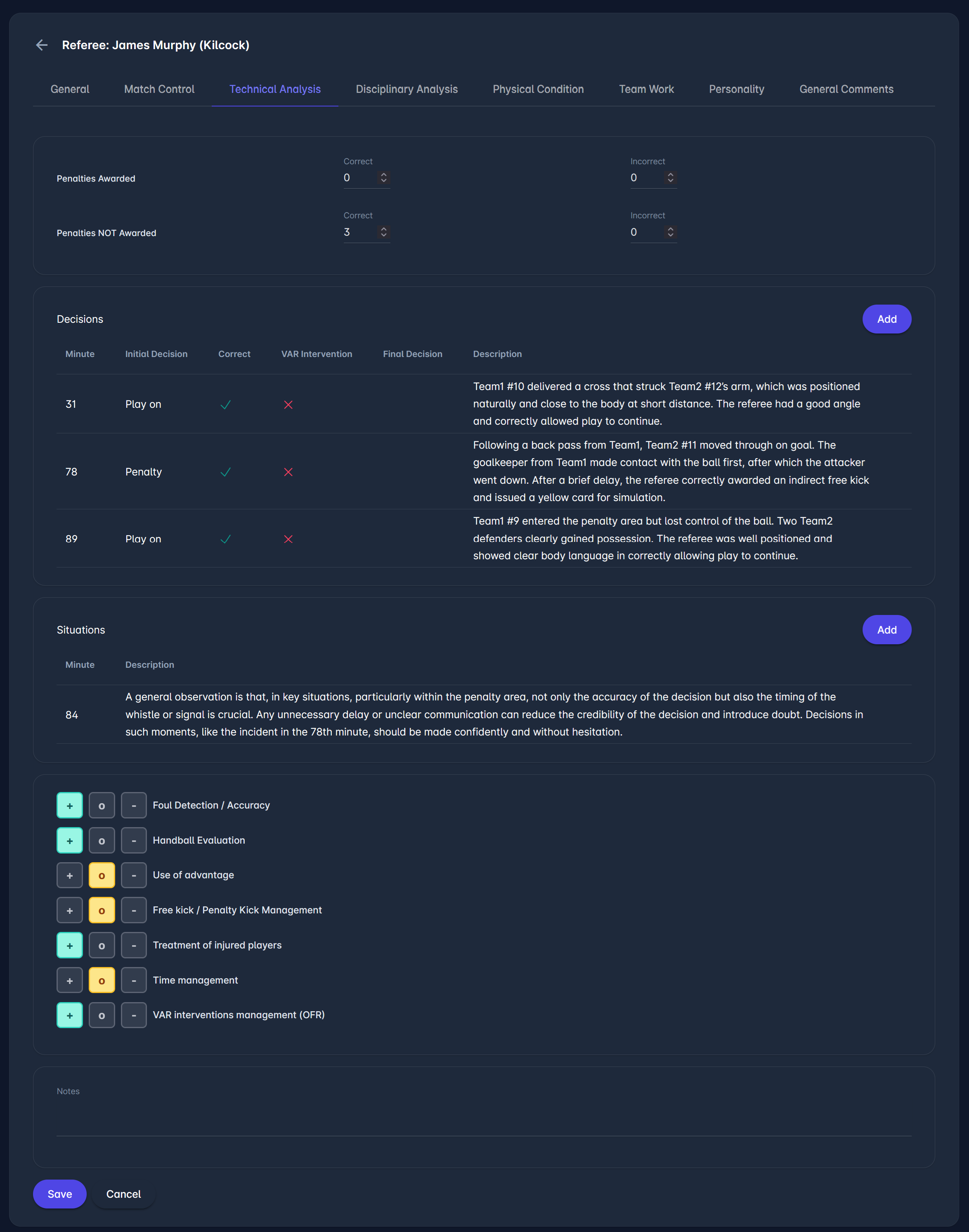
This section assesses the referee’s technical decision-making during the match, with emphasis on key incidents and overall consistency. It combines a structured overview of decisions with the ability to document specific situations in more detail.
Observers can record individual incidents by adding the minute and a short description. The section also includes inputs for tracking decisions (e.g., penalties awarded and not awarded).
Additional criteria, such as foul detection, handball evaluation, advantage, and time management, can be rated to give a more complete picture of the referee’s technical performance.
A Notes field is available for a brief summary, typically used to highlight overall consistency, accuracy, and areas for improvement.
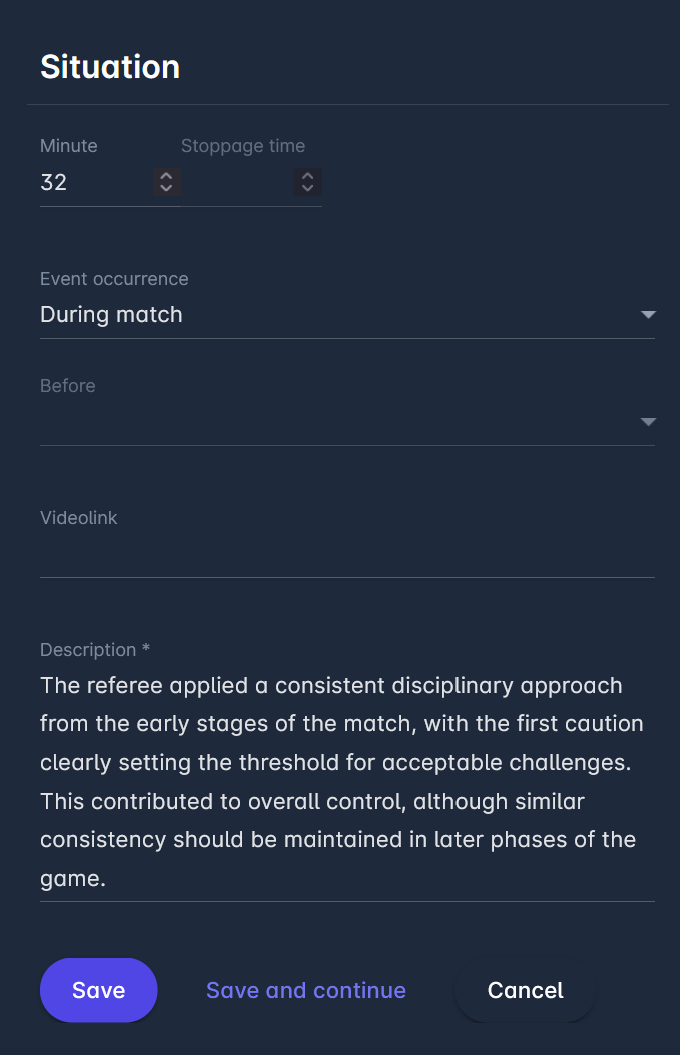
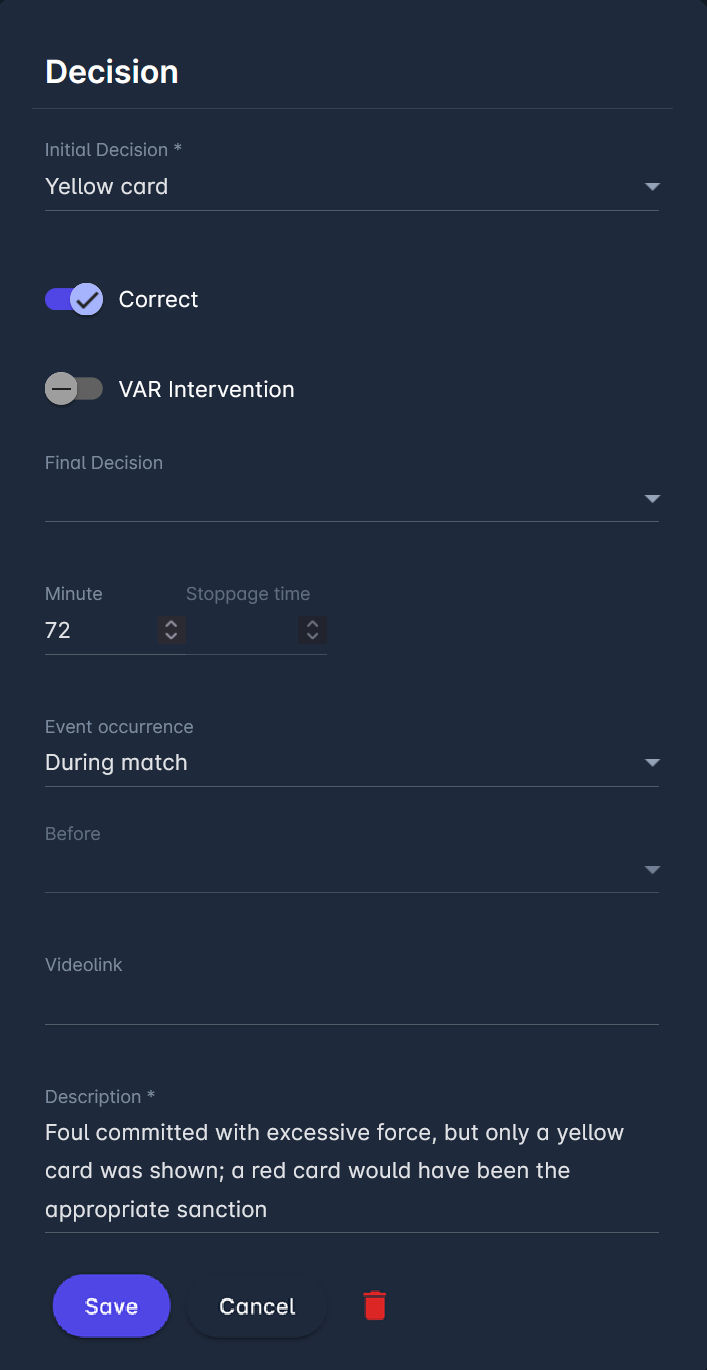
Dialogs for adding Decisions and Situations are the same throughout the sections of the ROR item. Examples of both dialogs are shown in the images below.
Decisions are available in sections configured with special situation types: Penalty Area Incidents and Disciplinary Decisions.
Disciplinary Analysis
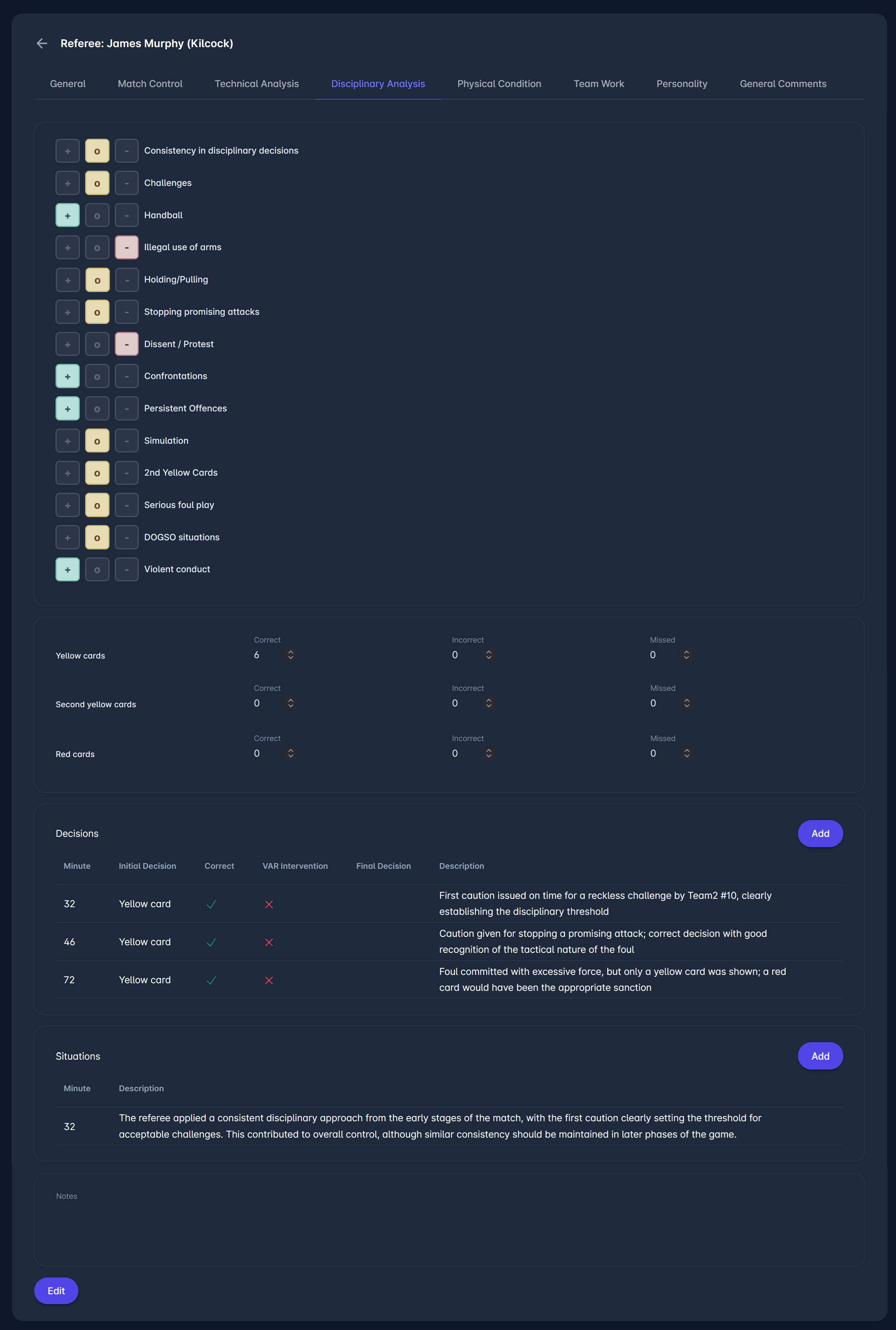
This section assesses how the referee managed disciplinary actions during the match, including the use of yellow and red cards, as well as overall control of player behavior.
At the top of the section, observers enter the numbers of correct, incorrect, and missed decisions for yellow cards, second yellow cards, and red cards, providing a clear statistical overview.
The Decisions section is used to record specific disciplinary incidents. For each case, the observer can add the minute, initial decision, correctness, VAR involvement, and a short description explaining the situation and the referee’s action.
The Situations section is intended for additional remarks, typically used to describe the referee’s general disciplinary approach, consistency, and control throughout the match.
Observers can also rate different aspects of disciplinary management (e.g., challenges, holding, dissent, confrontations, serious foul play), giving a structured evaluation of key areas. A Notes field can be used to summarize the overall disciplinary performance, including strengths and any areas for improvement.
Physical Condition
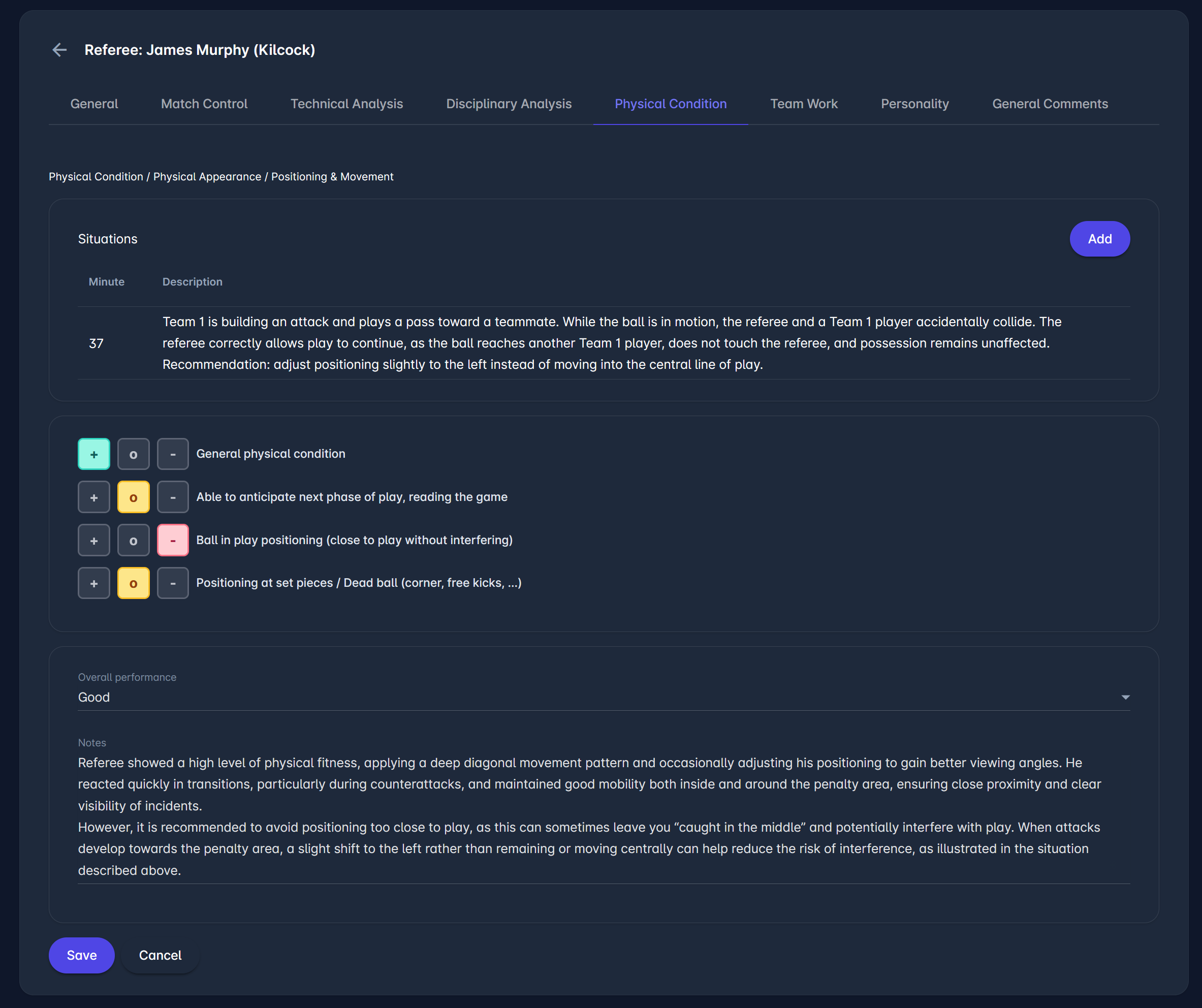
The Physical Condition section is used to evaluate the referee’s fitness, movement, and positioning throughout the match.
Observers can:
-
Record specific Situations related to positioning, movement, or physical involvement (e.g., proximity to play, collisions, positioning during attacks)
-
Add the minute of the situation and provide a short description
-
Rate different aspects of physical performance using predefined indicators (e.g., general physical condition, anticipation and reading of the game, positioning in open play, positioning at set pieces)
-
Select an overall performance rating
The rating indicators are used to assess how effectively the referee moves, anticipates play, and maintains optimal positioning without interfering with play.
Observers should also include notes describing:
-
Overall fitness and stamina
-
Movement pattern (e.g., diagonal system, transitions)
-
Ability to anticipate play
-
Proximity to play and risk of interference
-
Positioning in both open play and set-piece situations
The Notes field, also available on other evaluation tabs, is typically used to summarize the referee’s physical performance, highlighting both strengths and any areas for improvement.
Team Work
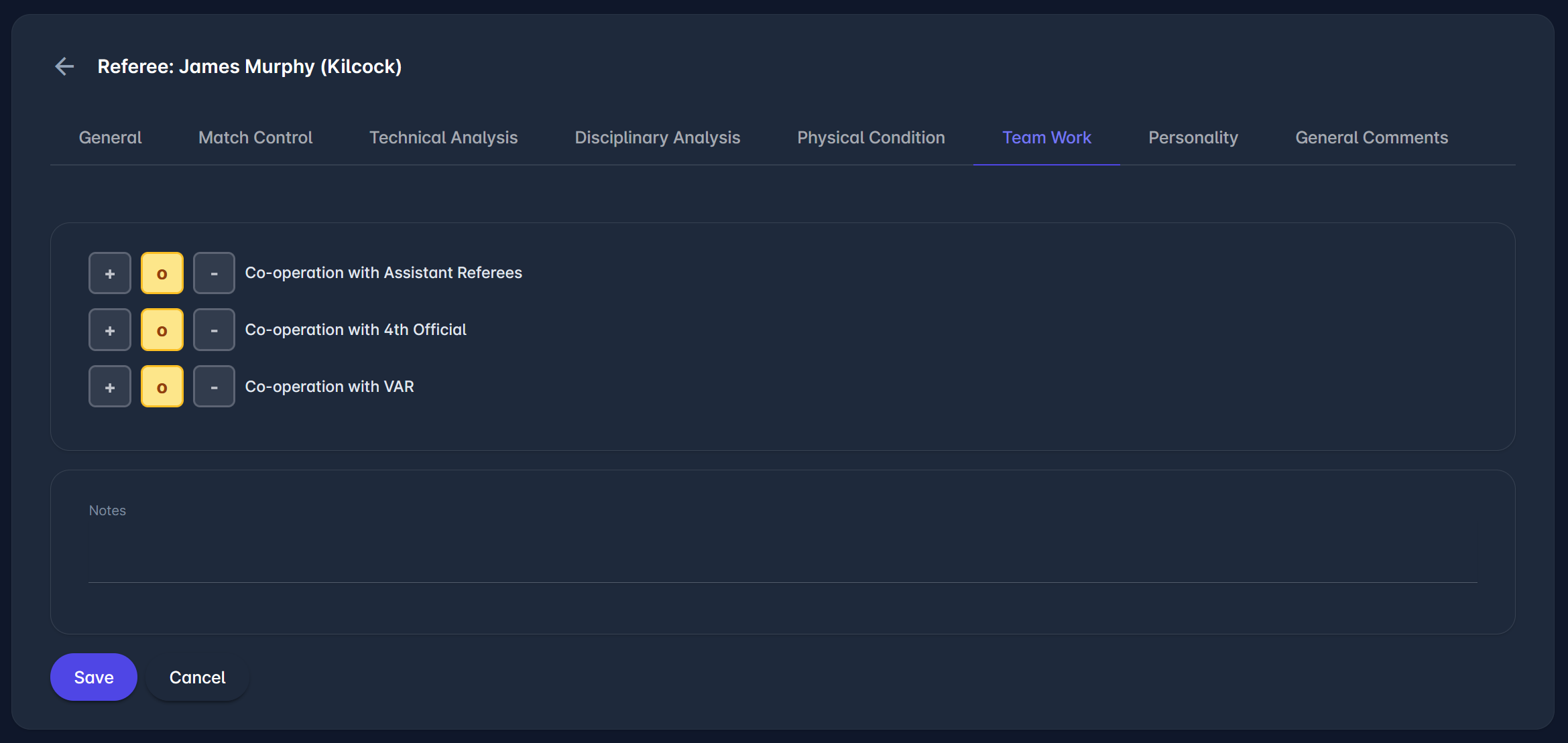
This section is used to evaluate how effectively the referee cooperated with other match officials during the match.
Observers assess the level of cooperation with:
-
Assistant referees
-
Fourth official
-
VAR team (if applicable)
Each area can be rated using the available indicators to reflect the overall quality of teamwork and coordination.
The evaluation should consider aspects such as communication, recognition, and trust in signals, and coordination in key situations (including cooperation during important match incidents, substitutions, and management of the technical areas).
A Notes field is available for additional comments, typically used to summarize how well the referee worked with the officiating team and to highlight any strengths or areas for improvement.
Personality
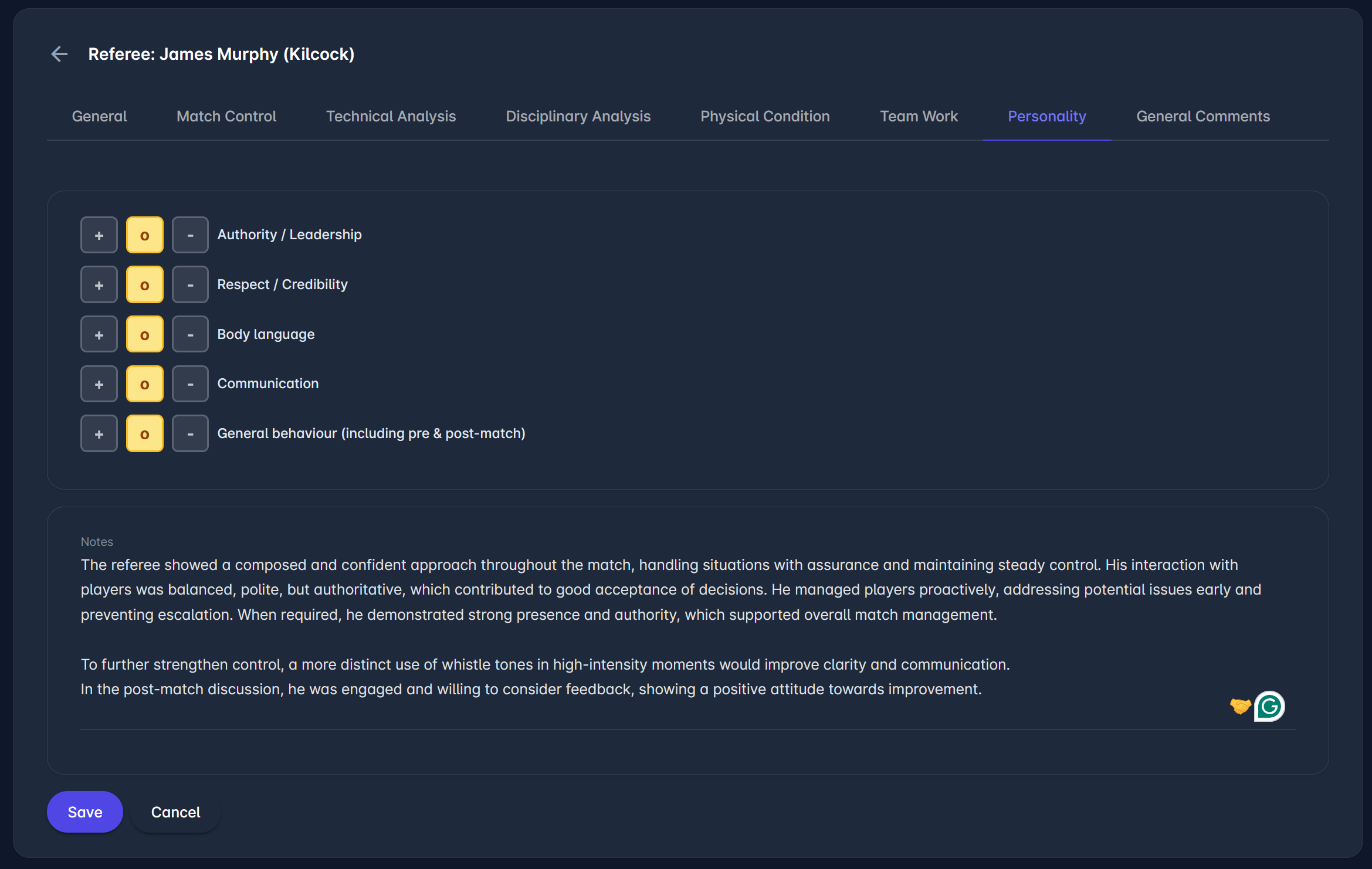
This section is used to assess the referee’s personal qualities and on-field presence, including how they interact with players and manage authority.
Observers can rate key aspects such as authority and leadership, respect and credibility, body language, communication, and overall behavior (including pre- and post-match conduct), evaluating how the referee presents themselves and how their personality impacts match control.
The assessment should consider clarity of communication, confidence in decision-making, consistency in behavior, and the ability to build respect while maintaining authority.
A Notes field is available for additional comments, typically used to describe the referee’s overall demeanor, interaction with participants, and any strengths or areas for improvement in their personal approach.
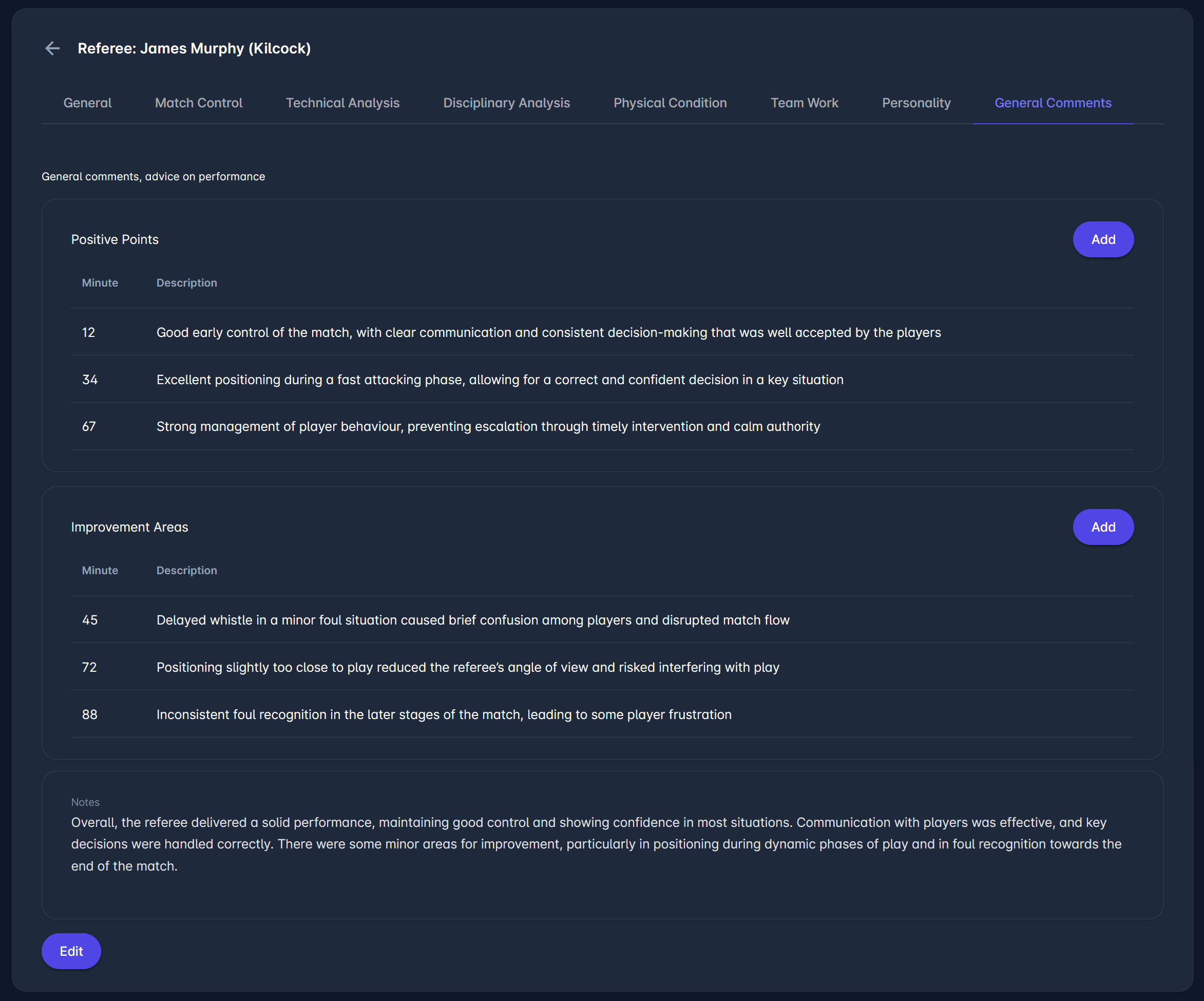
General Comments
This section provides an overall summary of the referee’s performance, highlighting both positive aspects and areas for improvement.
Observers can record key moments in two groups:
-
Positive – used to highlight well-managed situations, good decisions, and strengths shown during the match
-
Improvement Areas – used to identify situations where performance could be improved, including decision-making, positioning, or match control
For each entry, the observer can add the minute and a short description to clearly reference the situation.
The Notes field is used to give a final overall assessment, combining the main observations into a concise summary of the referee’s performance, including strengths and areas for further development.
Example #2: Video Assistant Referee (VAR)
This is an example of an observer report configuration for the Video Assistant Referee in Football. All sections/tabs (except General) can be flexibly configured in the Admin App.
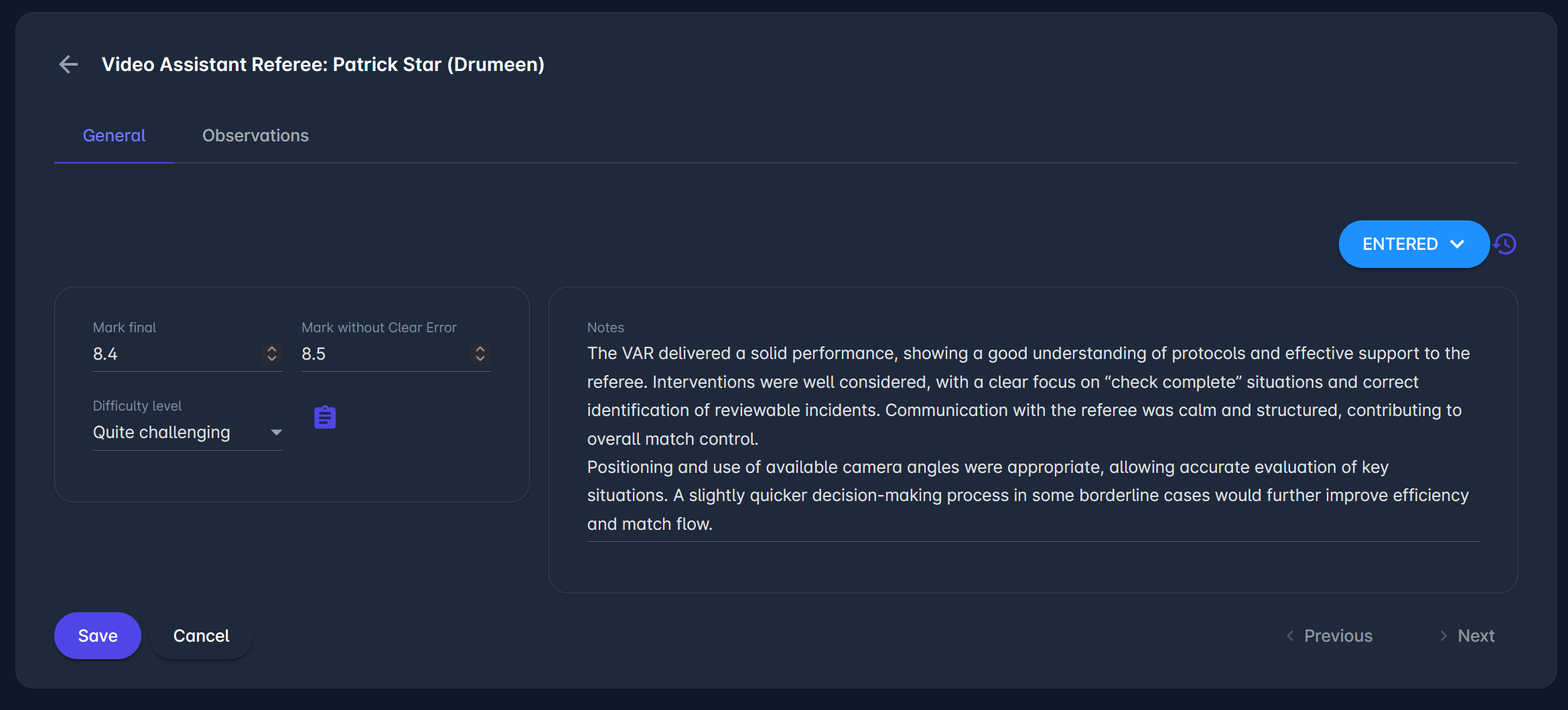
General
The General tab contains the referee's overall evaluation.
Here, Referee Observers must enter:
-
Mark final – the final numerical score for the referee’s performance.
-
Mark without clear error – the numerical score for the referee’s performance, not considering clear errors commited
-
Difficulty level – the level of match difficulty for the referee
If defined, Referee Observers can also see the description of the rating scales by clicking on the 🗒️Note button.
Observers can also enter general notes describing the VAR’s overall performance and match management in the Notes field. This field is also available under other evaluation tabs.
Once the information is entered, click the Save button to save changes.
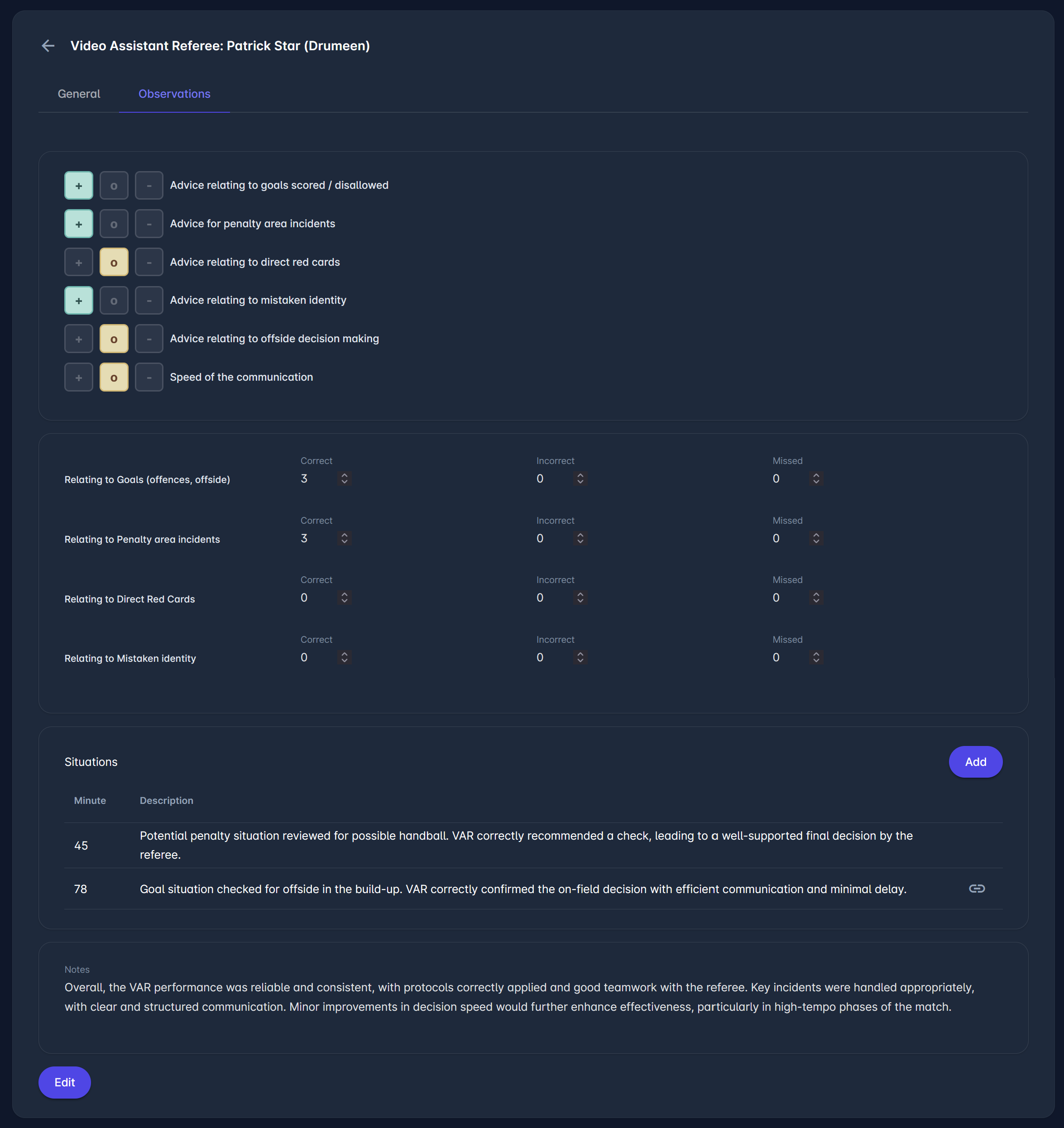
Observations
The VAR component is used to evaluate the accuracy of VAR-related decisions and the VAR's overall involvement in key match situations. It covers categories such as goals, penalty-area incidents, direct red cards, and mistaken identity, and provides fields to record the number of correct, incorrect, and missed decisions, without requiring detailed descriptions for each case.
Observers can document specific Situations by adding the minute and a short description, typically for incidents such as potential penalties, goals, or offside checks. The Situations section can also be used for general remarks on VAR performance, including observations on communication, the timing of interventions, and cooperation with the referee.
The Notes field is used to provide an overall summary of the VAR's performance, including consistency in protocol application, communication quality, teamwork with the referee, and any areas for improvement.
Submitting the Report and Workflow
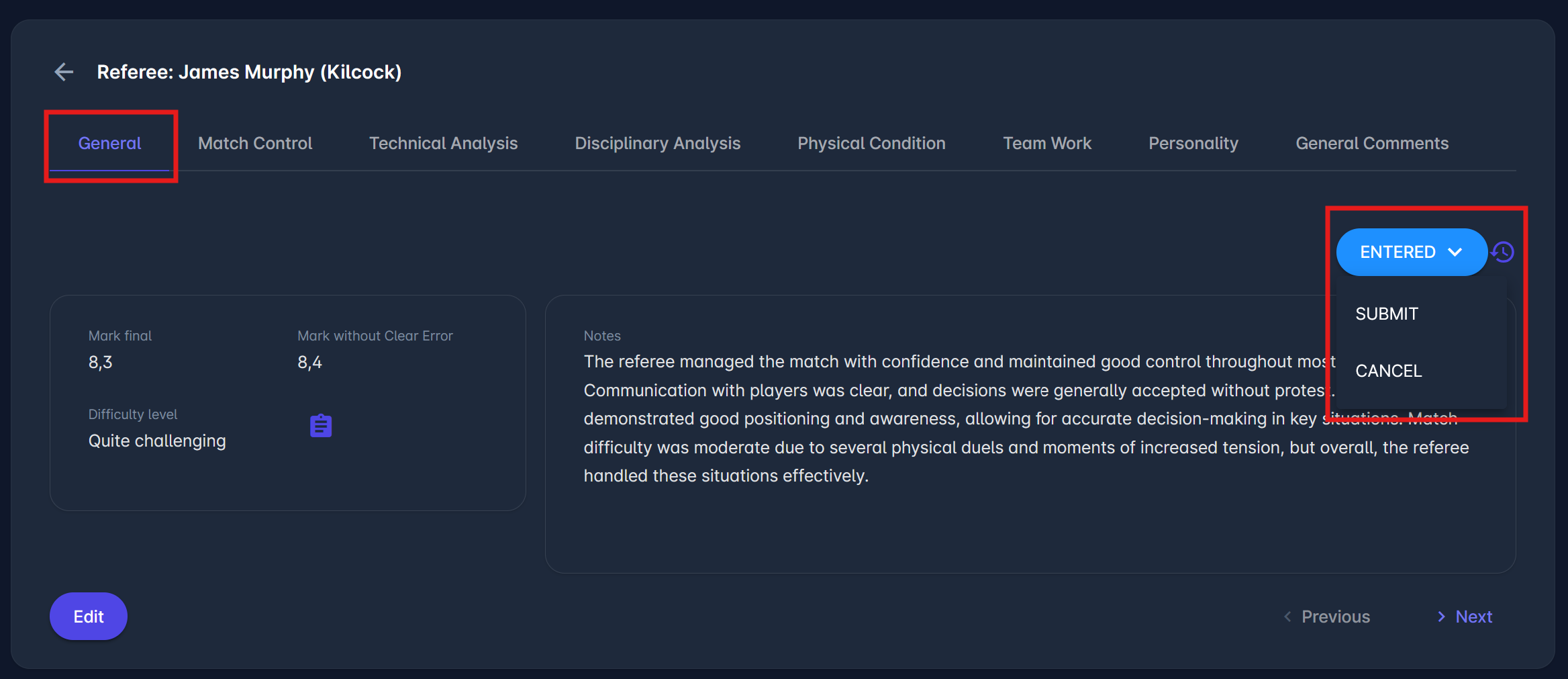
Once all sections have been completed, the appointed Observer needs to:
-
Return to the General tab.
-
Change the report status to Submit.
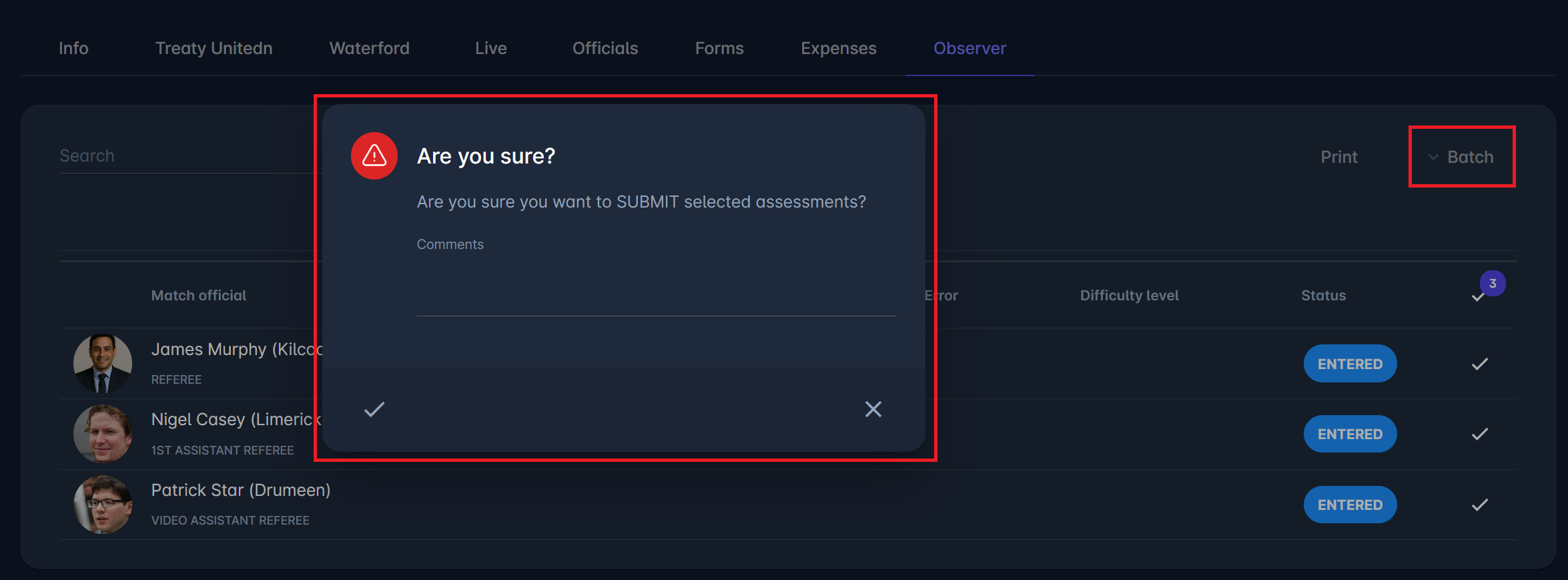
Batch actions allow reports for multiple officials to be submitted or confirmed at once. The Batch option is located on the Observer tab, above the list of all Observer items.
After submission, the report may be confirmed by Referee Managers appointed for this Competition or by Referee Administrators. The report may also be returned to the status 'Entered' for further editing by the Observer.
Once confirmed, the observer report becomes visible to the Assessed Official (e.g., Referee) and other Assessment Viewers defined in the Match Role configuration in the Admin App.
A click on the 🕐 Status log icon next to the current status of the item opens a window with all previous status changes of this item.
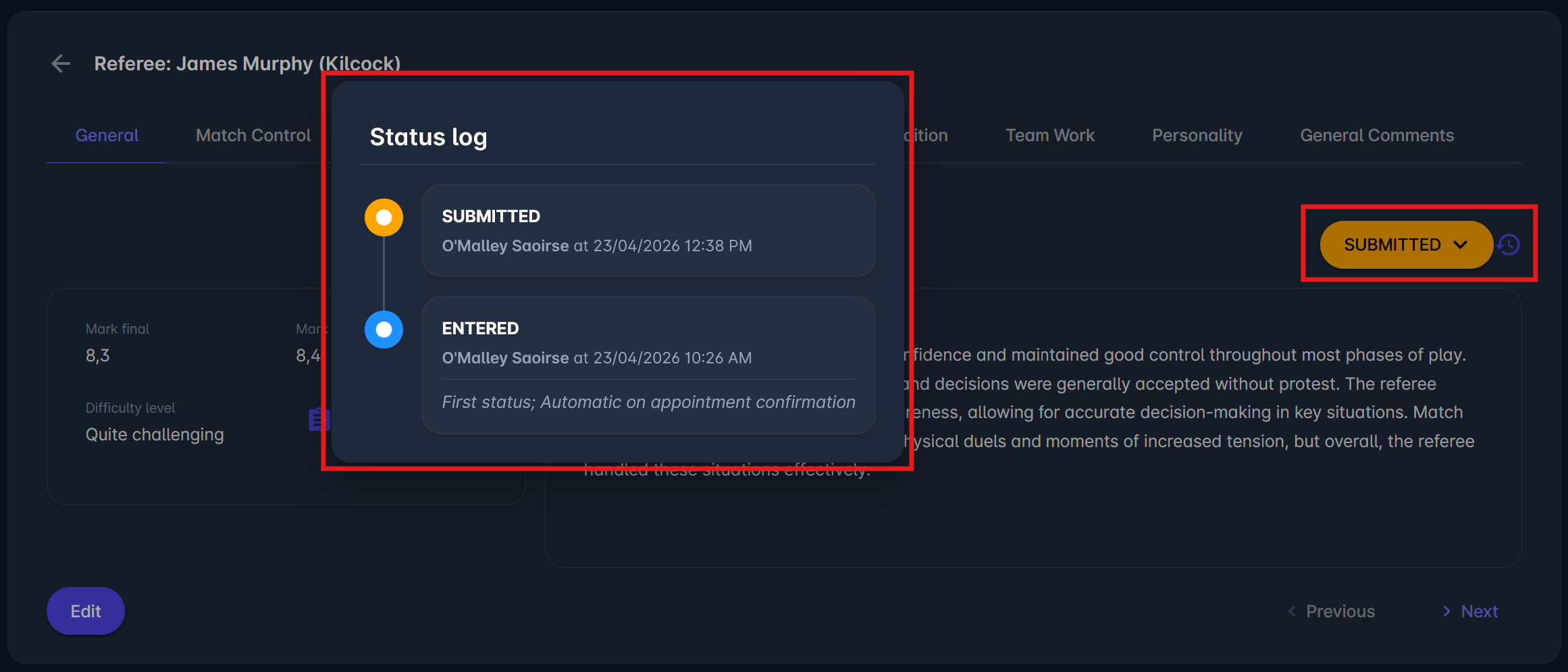
Batch Submit/Confirm
The Batch Submit/Confirm feature allows authorized users to submit/confirm multiple Observer Items simultaneously, rather than submitting/confirming each Item individually. This option is available on the Observer tab within the match details screen.
To Batch Submit/Confirm observer items:
-
Navigate to the Observer tab within a specific match.
-
Check the boxes next to the officials whose items you want to submit/confirm.
-
Only officials whose items are in the ENTERED/SUBMITTED status can be selected.
-
-
Click the Batch Submit/Confirm button in the top-right corner of the table.
-
A confirmation dialog will appear asking:
“Are you sure you want to SUBMIT/CONFIRM selected assessments?”
You can optionally add a comment before proceeding. -
Click ✔️ Confirm to finalize.
All selected records will now be updated to SUBMITTED/CONFIRMED status.
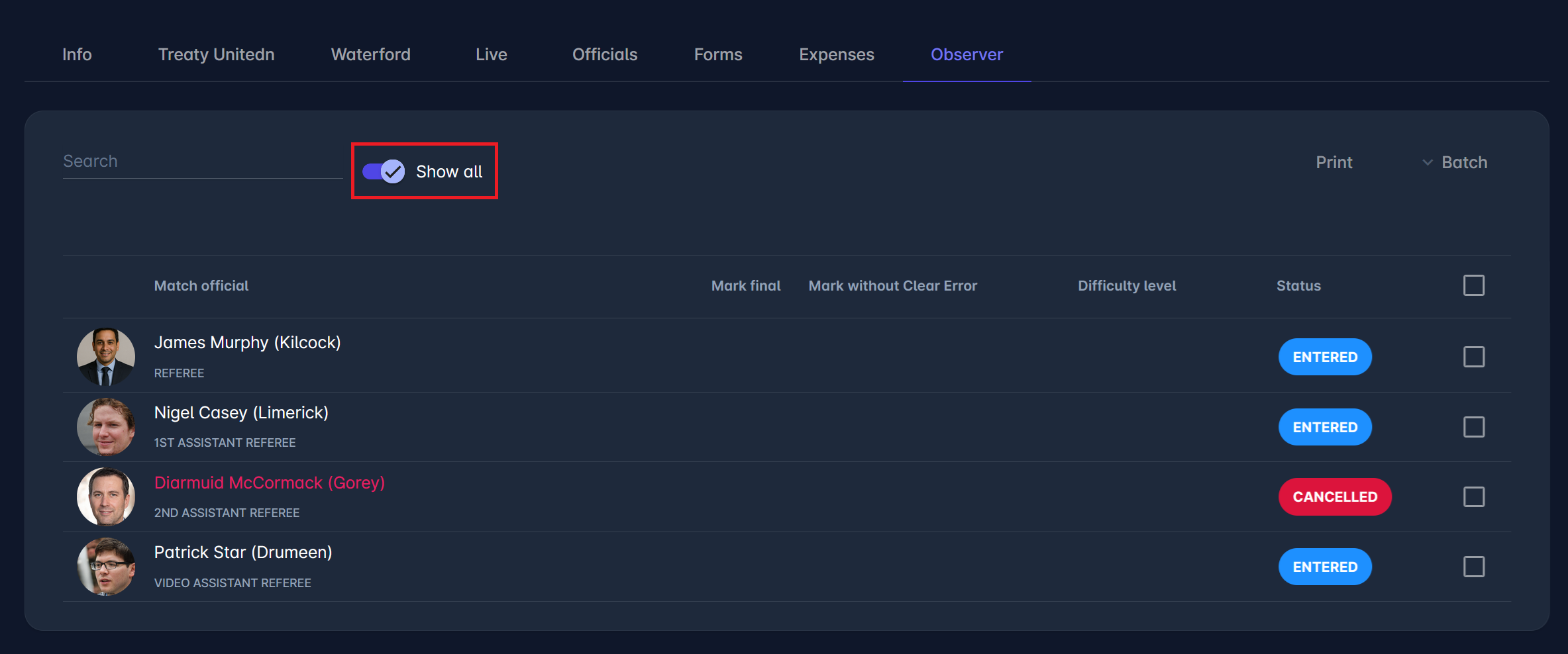
Show All
If one or more Observer Items have been set to CANCELLED, a new switch button, named Show all, appears above the list of Observer Items. The Show all switch allows users to view even CANCELLED items. This switch does not occur if there are no CANCELLED observer items or if the user lacks the authorization to see the option.
Print All/Individual Observer Items
Observer Reports can be exported as a PDF from two places: for a single match official's item, or for all officials assessed on the match at once. Both use the same report layout, header, and footer as other COMET print reports.
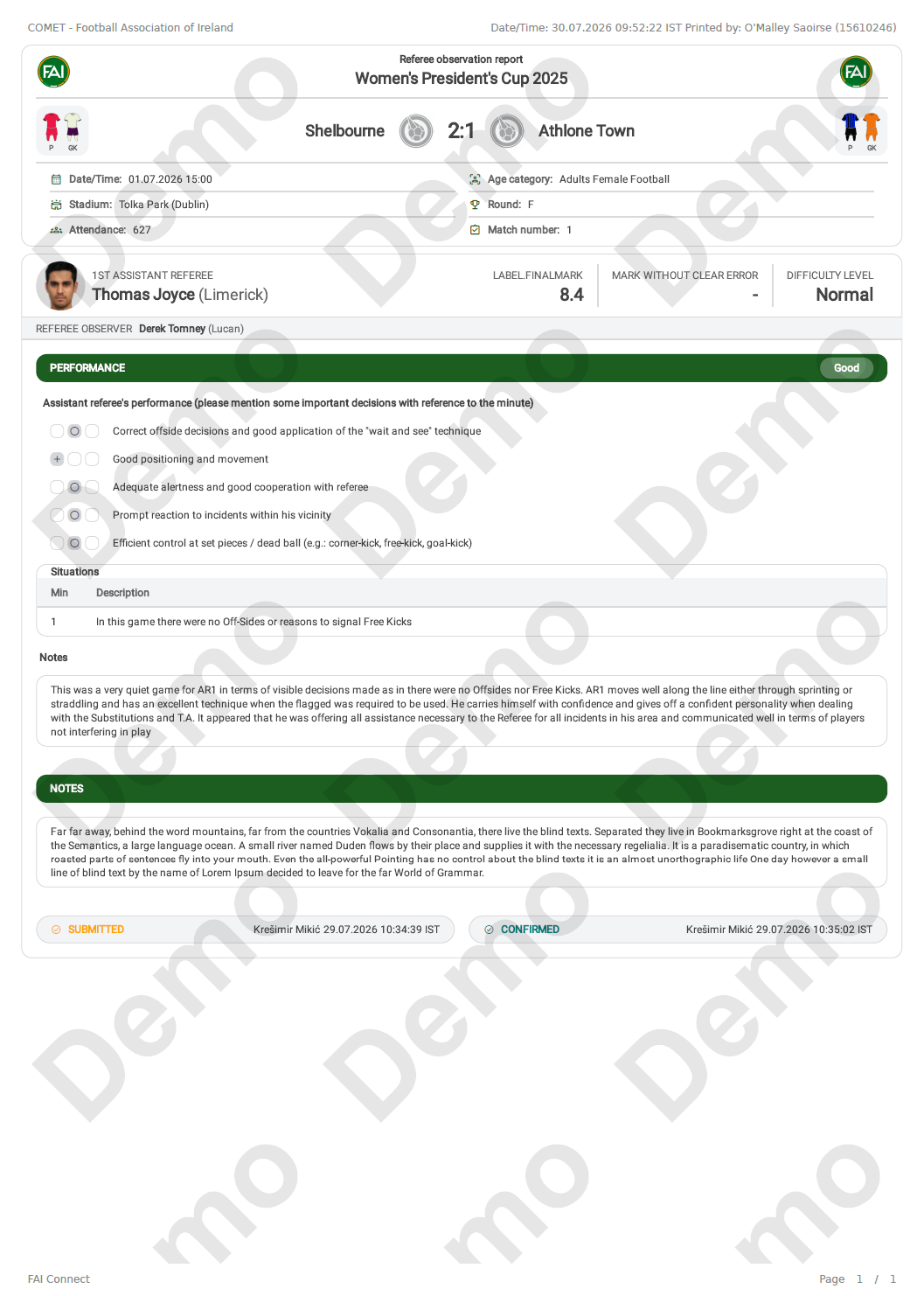
Individual Item: A 🖨️ Print icon appears next to the status, on each official's observer report item - similar to the Match Form. It becomes available once that specific item reaches status SUBMITTED or CONFIRMED, and generates a single PDF for that official only. It follows the same authorization as accessing that item, as described under Authorizations below.
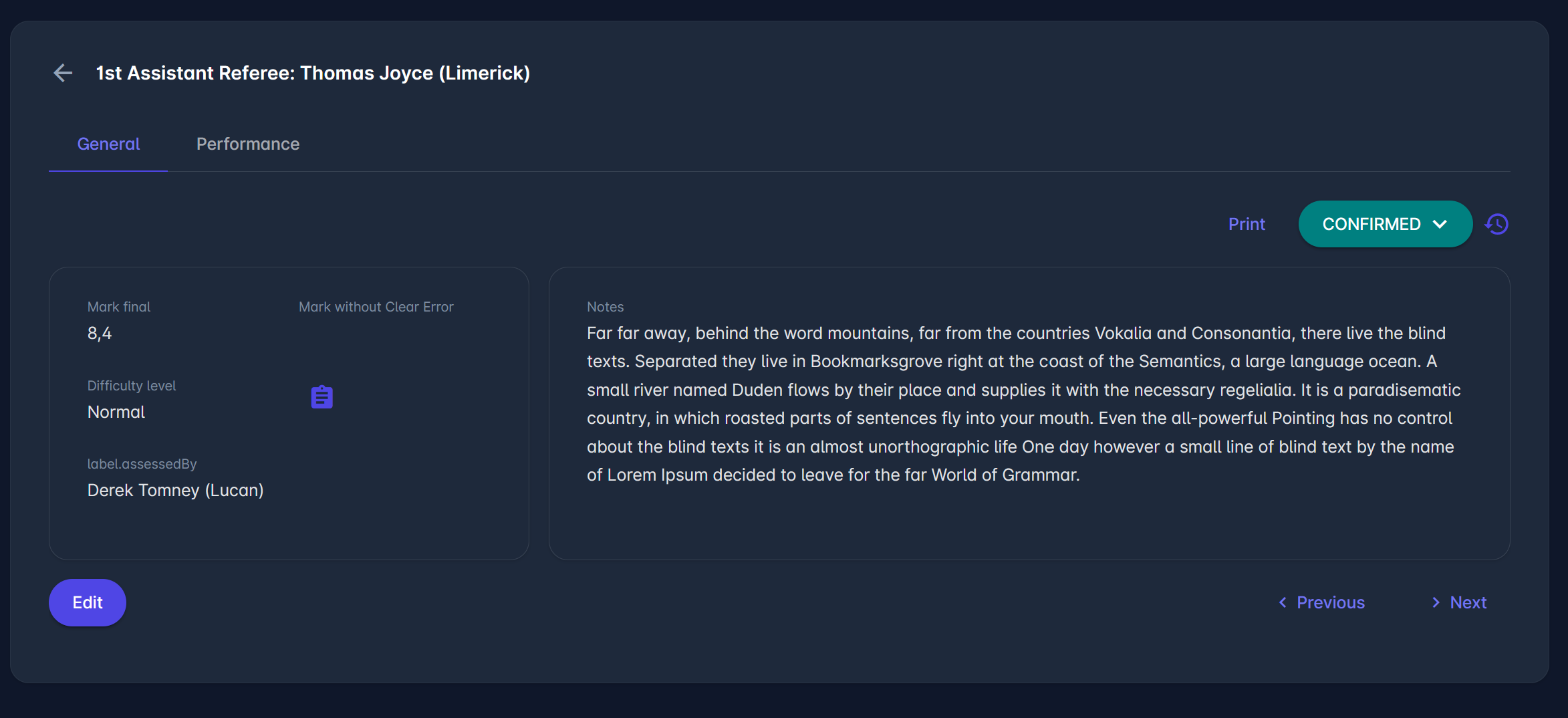
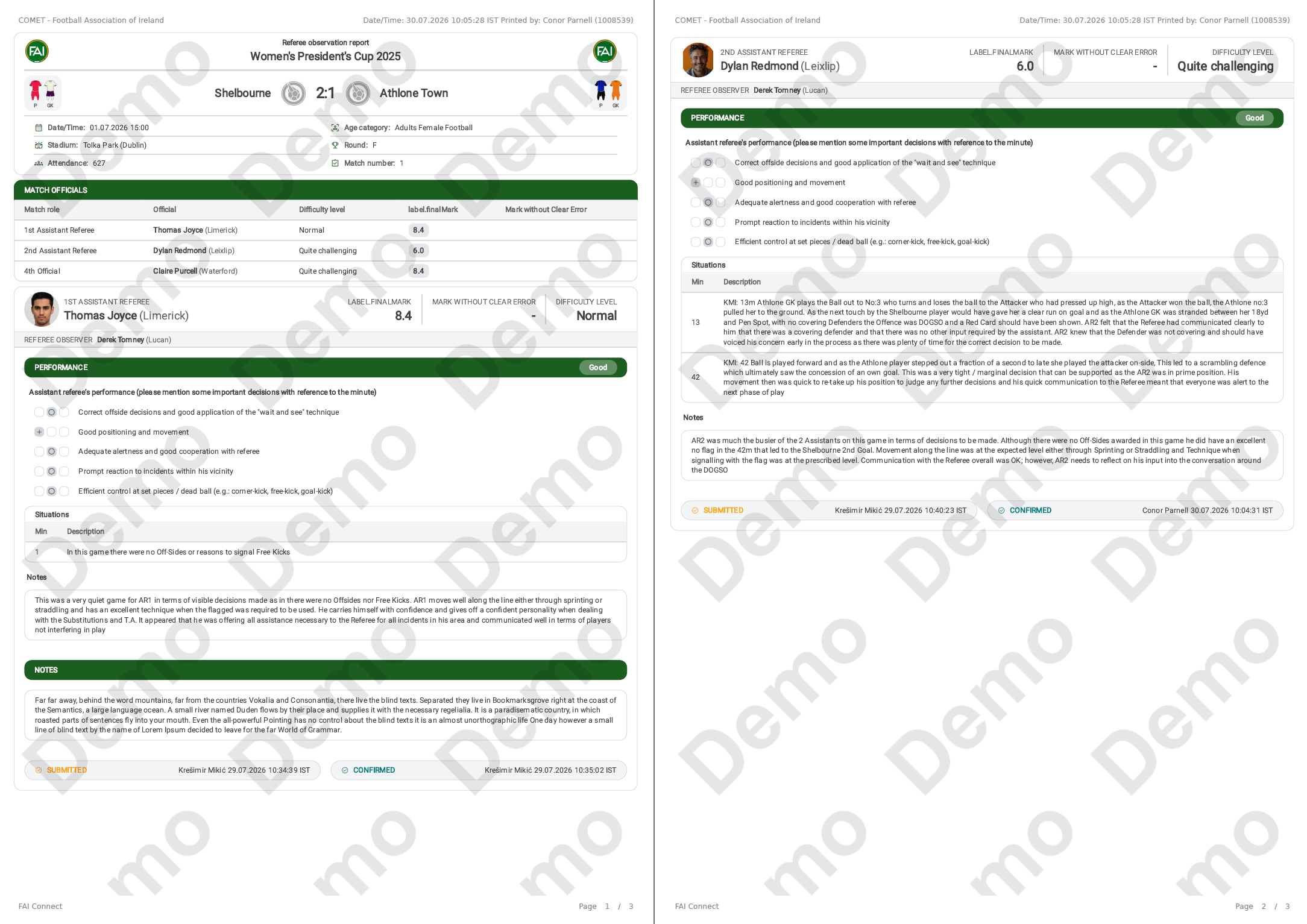
All Items: A Print button is available above the list of all Observer Items on the Observer tab. It generates a single, combined PDF with the reports of all officials on the match, but only once all items are in status SUBMITTED/CONFIRMED (similar to the Expense Report print). It is available to Referee Administrators, Referee Managers, and anyone with Viewer or Editor access to all items.
Authorizations
Authorizations for reading, editing, and administering the ROR (Referee Observer Report) items are described below:
Administration
The following roles can view and edit all ROR items in all statuses.
-
Superusers, for all competitions in their organization and below in the hierarchy
-
Referee Administrators, for all competitions in their organization and below in hierarchy
-
Referee Managers, for all competitions to which they are appointed
Assessment
Confirmed Referee Observers (Assessment Editors) can view and edit/submit those report items that they are responsible for, based on the Assessment Editors setting of the Match Role Configuration in the Admin App
Read-Only
Confirmed Match Officials can view (read-only) only CONFIRMED ROR items, where:
-
they are the assessed Match Official (their own assessment), or
-
they are authorized to view the item, based on the Assessment Viewers setting of the Match Role Configuration in the Admin App