
The diagram below provides a simplified illustration of the status workflow of a Match, from its initiation until completion, followed by a more detailed description of activities and authorizations in the match lifecycle.
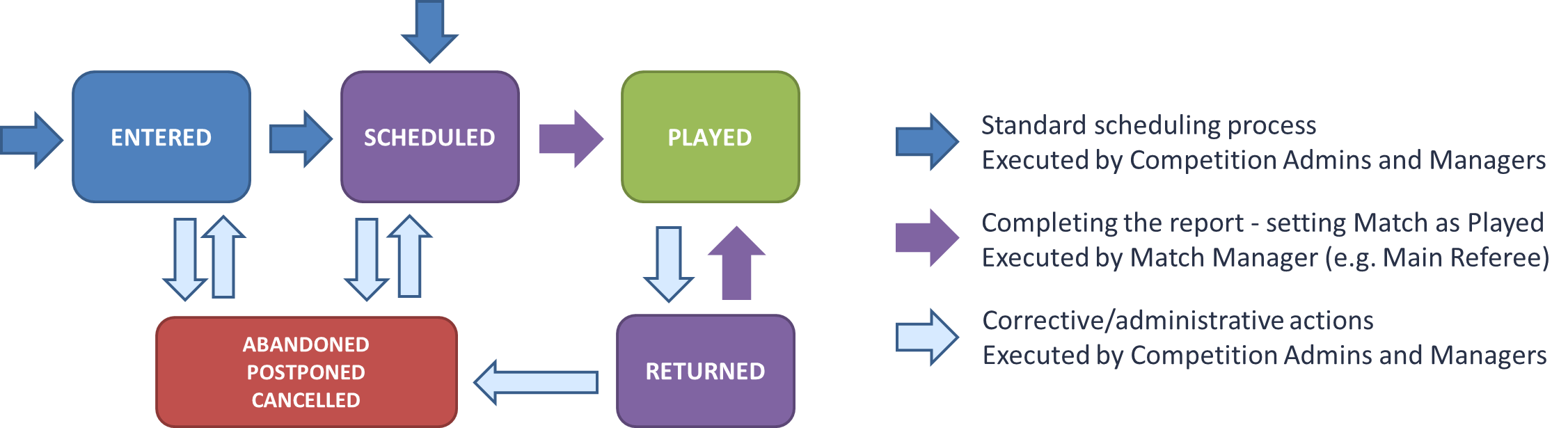
All transitions can be executed by Superusers, Competition Admins of the organization and above, as well as Competition Managers who have been appointed to that specific competition.
Transitions into statuses PLAYED and ABANDONED can be executed by Match Managers, i.e:
-
Appointed Officials (Referees, Match Officials, Delegates, Assessors) with the Match Manager checked on the Match Role Configuration
-
Club Referent or Lineup manager if Match Manager Permissions are selected on Competition Type Settings
Most commonly the Match Manager is the Referee. In some instances, especially in youth competitions, when there are no referees, the Home Club is configured to be the Match Manager (aka Club Manages Match).
Pre-Match Transitions - Scheduling
The Match is usually created automatically when a competition is setup and started. It can also be added manually through the Arrange Matches console.
The initial status of the Match is ENTERED. Once the date, time and place (Facility) of the Match are confirmed then status of the match should be updated to SCHEDULED.
If all scheduling details are known and confirmed before the start of the Competition, then the Initial Match Status in COmpetition Settings can be set to SCHEDULED. In this event all new matches will be created immediately in SCHEDULED status (and not ENTERED).
Depending on circumstances, multiple scenarios can happen before the match has even started:
-
Schedule Update: if the match is in status SCHEDULED and the time or place were updated either manually or as a result of a confirmed Match Update Request an update notification will be sent to match stakeholders. There is no need to update the match status in this scenario
-
Postponement: if the match has been postponed and the new schedule is not yet confirmed, then the match status should be set as POSTPONED. Once the new date and place are confirmed, the status can be set back to status SCHEDULED
-
Cancellation: if the match has been permanently cancelled and will not be contested, then the match status should be set as CANCELLED. This status is considered final.
In some Associations, the match status LINEUPS CONFIRMED was used to publish the lineups/make them available to other parties. This status is retired and replaced by the status CONFIRMED of the Team Lineups. Lineups become public/visible to other parties, once lineups of both teams are CONFIRMED and clubs cannot change them anymore.
Post-Match Transitions - Completion
After the match has finished, and all match events goals, cards, substitutions, etc. have been entered and reviewed, the Match Manager (e..g the Main Referee) finalizes/officializes the match report by setting the status of the match to PLAYED. This status is considered final, and matches in this status are considered for the official table of standings.
However, if a regularly scheduled match failed to start, or has started but was not regularly finished due to whatever reason (e.g. adverse weather, spectator incidents, etc), then the match status should be set as ABANDONED. Once the competition and disciplinary bodies make their decision, the status can be chnaged from ABANDONED to status:
-
SCHEDULED: if the match should be resumed and time/place is known
-
POSTPONED: if the match should be resumed and time/place is not yet known
-
CANCELLED: if the match is cancelled and will not be further contested
-
PLAYED: if the match will be considered as officially completed despite the interruption (e.g. if interruption occurred in 80th minute)
In some Associations instead of the term ABANDONED, the term previously used for this match status was SUSPENDED. These two terms refer to the same status.
If the match has been finalized and set to status PLAYED, but there were errors encountered in the match report (e.g. wrong minute or person on a match event, wrong reason of a yellow/red card, etc), then the Competition Administrator/Manager can decide to either:
-
just correct the issue using Admin credentials, without changing the status of the match, or
-
returni the Match Report back to the Match Manager (e.g. Main Referee), by updating the match status to RETURNED.
In status RETURNED, the Match Manager has exactly the same authorizations as in status SCHEDULED. After making corrections, the Match Manager should then set the match status back to PLAYED (or in rare cases to ABANDONED, when appropriate).
In some Associations instead of the term RETURNED, the term previously used for this match status was CORRECT. The term RETURNED will be used going forward.
Automated Action Triggers
Once the match status is transitioned from SCHEDULED to PLAYED, the system automatically:
-
Processes the match results and either updates the official table of standings (round robin/leagues) or promotes the winner to next round (elimination/cups)
-
Creates the disciplinary cases based on disicplinary match events (e.g. red cards) and the configuration of Default Sanctions and Accumulated Yellow Cards
-
Serves the Match Suspensions, reducing the remaining matches to be served for eligible players and team officials with an active Match Suspension sanction.
Once the match status is transitioned from PLAYED to RETURNED, the system automatically:
-
Updates the official table of standings, as the RETURNED match is not considered anymore
-
Reverts (Undo) the Serving of Match Suspensions, automatically carried out when match was set to PLAYED, increasing the remaining matches to be served for related players and team officials.
Once the match status is transitioned from RETURNED to PLAYED, the system automatically:
-
Processes the match results and updates the official table of standings (round robin/leagues)
-
Creates the disciplinary cases based on disicplinary match events (e.g. red cards) that do not have a disciplinary case yet. Match events that were processed in previous transitions to PLAYED, and already have a case, are skipped.
-
Serves the Match Suspensions, reducing the remaining matches to be served for eligible players and team officials with an active Match Suspension sanction.
Important notes:
-
the winner is promoted only if the match is transitioned from status SCHEDULED to PLAYED (and not from RETURNED). If the match is RETURNED this action is not undone automatically, so correction must be done manually.
-
if the match is PLAYED and a disciplinary case was automatically created for a match event (e.g. red card), that match event cannot be deleted until the disciplinary case is deleted.
Once the match status is transitioned from SCHEDULED/RETURNED/POSTPONED to ABANDONED/CANCELLED, the system automatically:
-
Creates the disciplinary cases based on disciplinary match events (e.g. red cards) that do not have a disciplinary case yet. Match events that were processed in previous transitions to PLAYED, and already have a case, are skipped.
Abandonment or Cancellation of a match does not pardon players and team officials from potential disciplinary measures related to that match.
Changing the Status of a Match
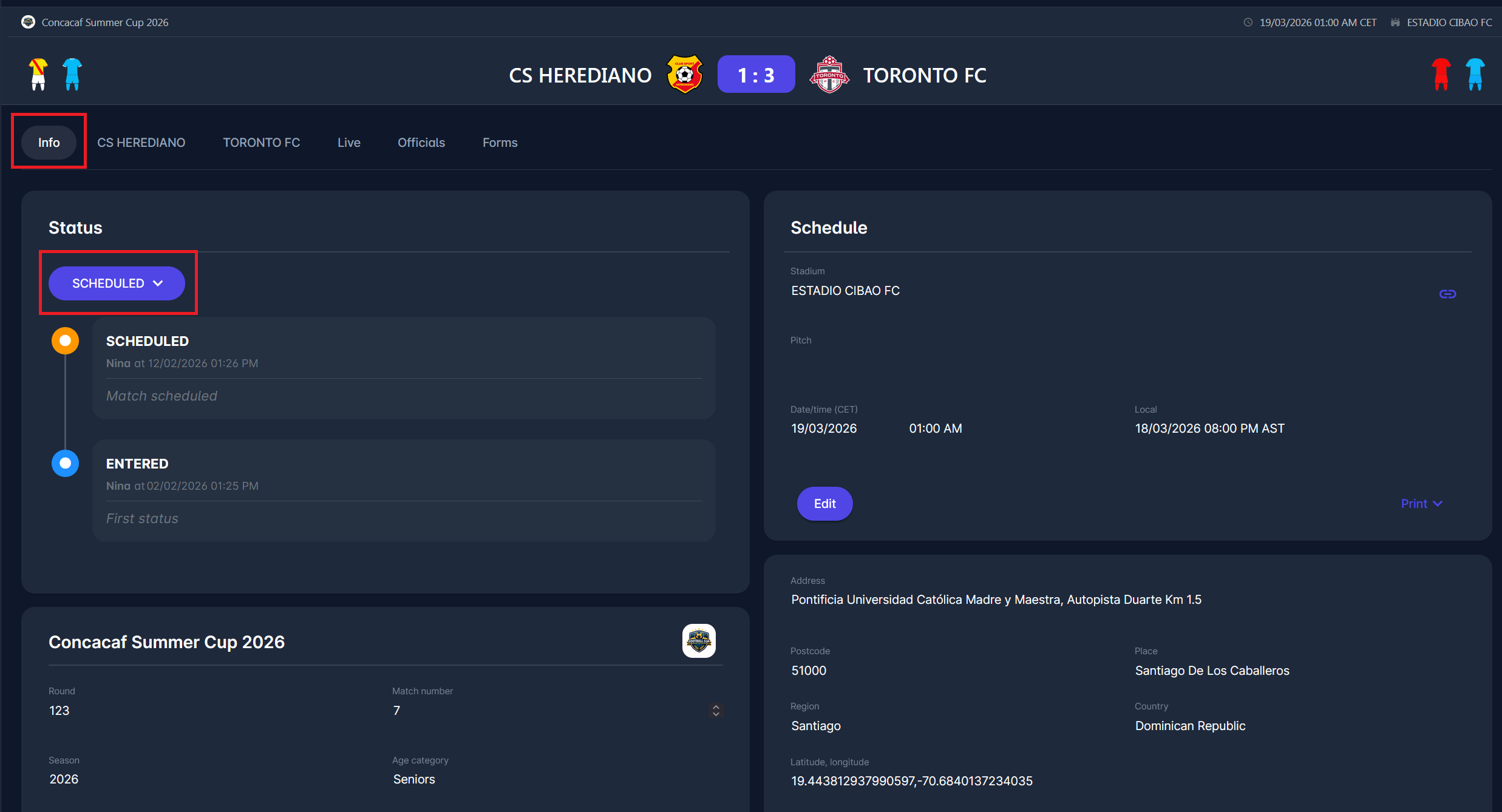
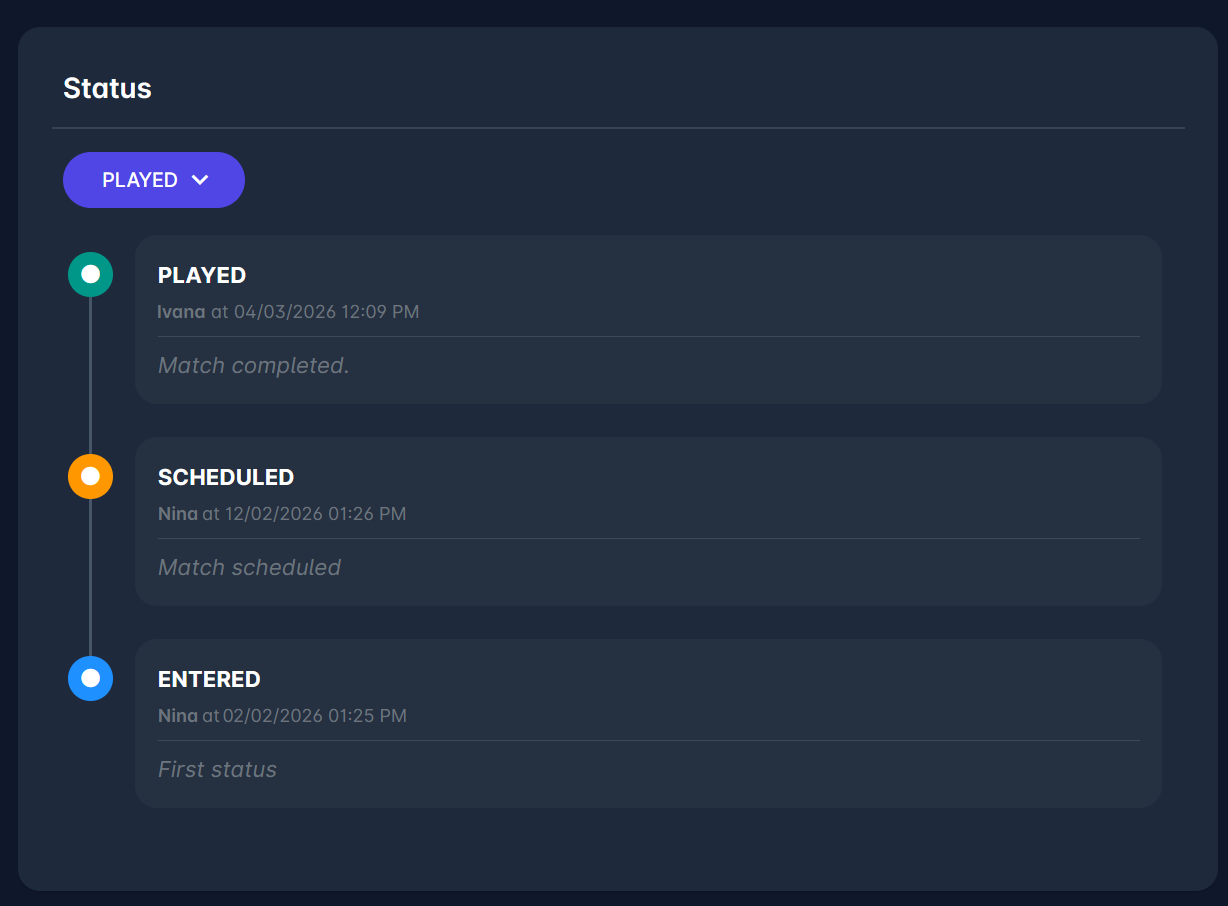
Changing the status of the match is executed on Info tab of the Match, in th the Status panel in the upper left side.
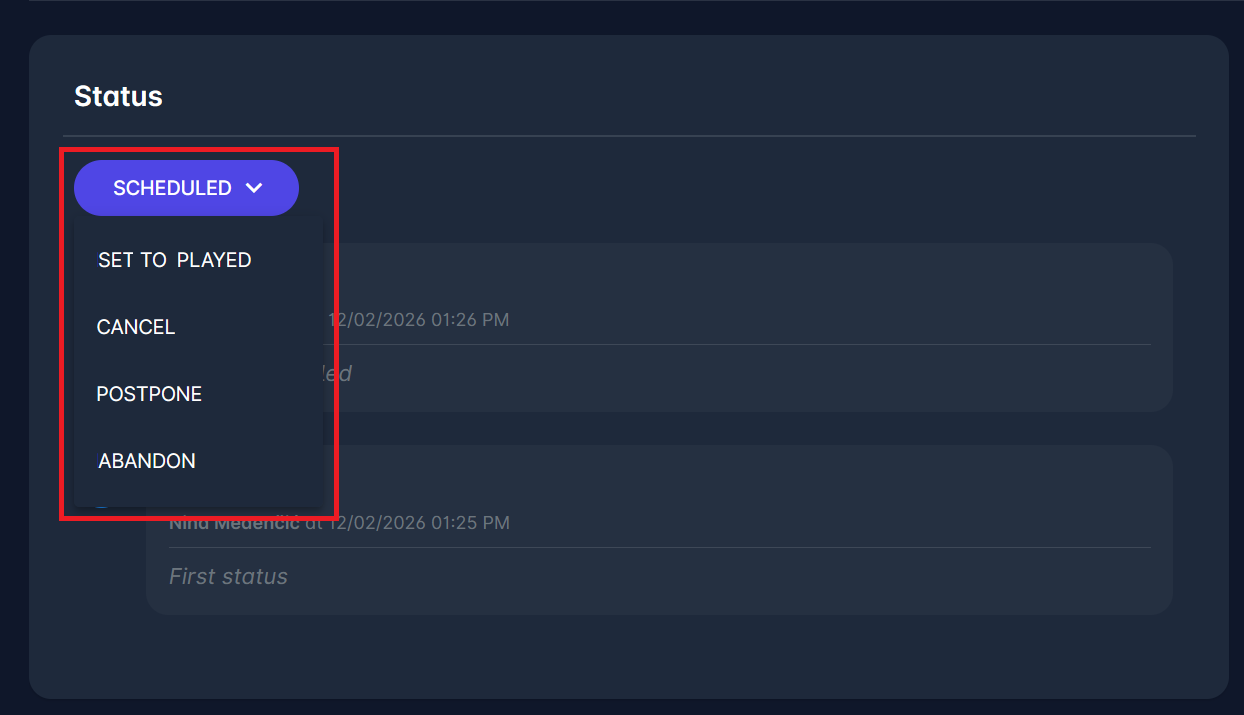
In the Status panel, open the status dropdown and select the desired status transition. When this option is selected, the system will ask for confirmation, and for additional comments. Additional comments are mandatory in exceptional transitions, such as e.g. cancelling a match.
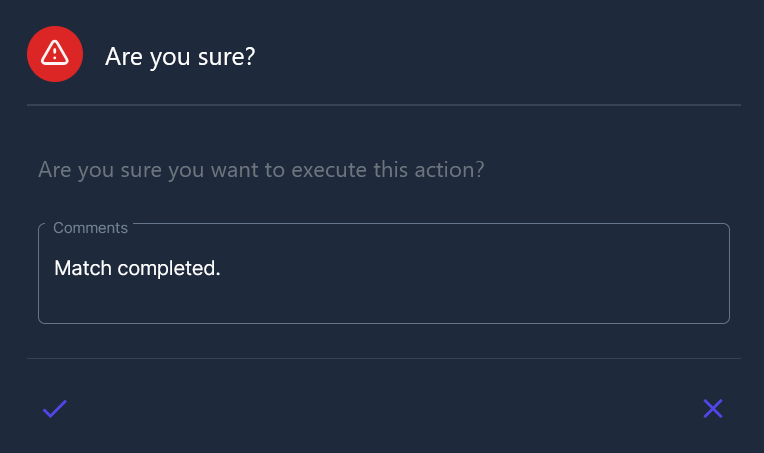
After confirming the action, the match status changes. The timeline will display the date and time of the change, along with the name of the user who performed the action.
Email Notifications
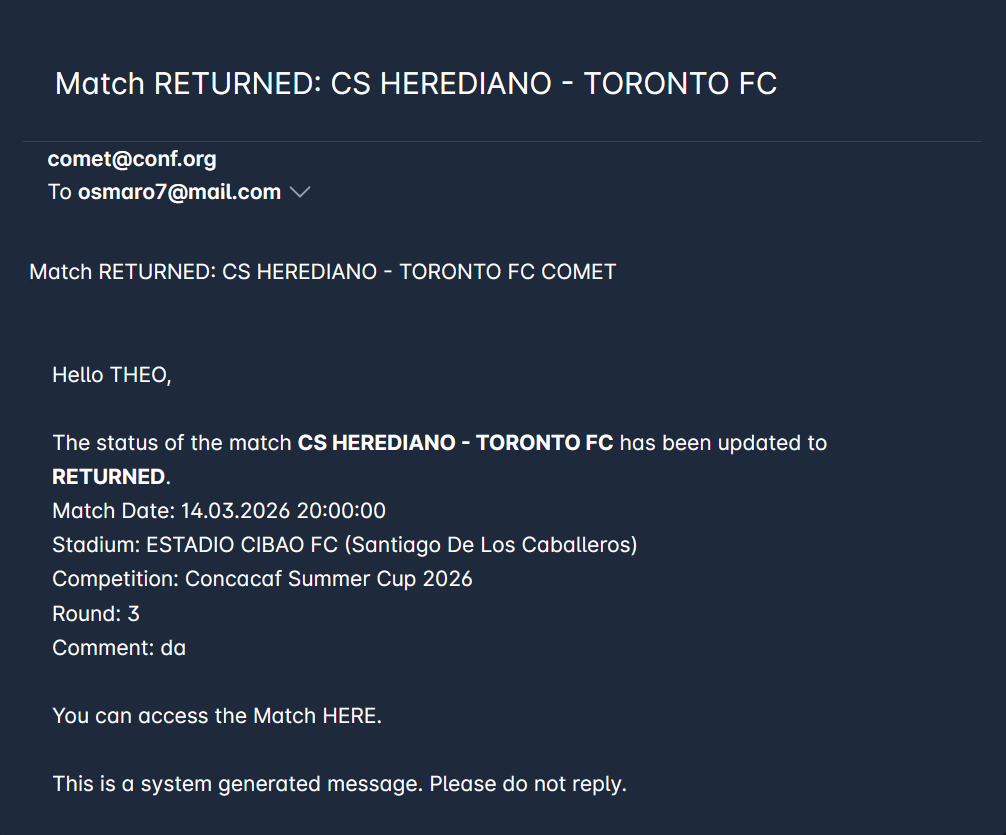
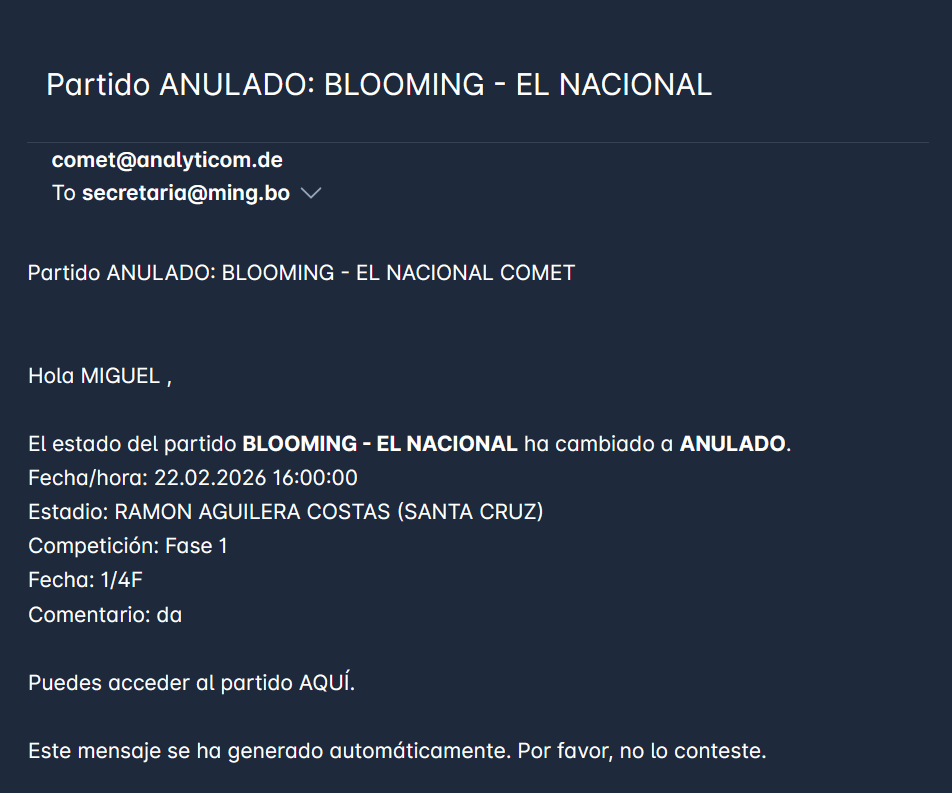
Upon a status or schedule change for the match, the relevant users are automatically notified via email. Users are informed of the change event and, if applicable, presented with further instructions for the next step.
Match Status Updated
Automatic email notifications are sent when the match status is updated. Spefication on statuses that trigger sending the notification and notification recipients can be found in the table below.
|
New match status |
Notification recipient |
|---|---|
|
Returned |
Only Main Referee |
|
Played |
Club Referent, Club Lineup Manager of both Teams Competition/Referee/Disciplinary Admins of the competition organization Competition/Referee/Disciplinary Managers appointed to the competition All Match Officials appointed to the match (in status CONFIRMED) |
|
Cancelled, Postponed, Abandoned, or Scheduled |
Club Referent, Club Lineup Manager All Match Officials appointed to the match (in status CONFIRMED) |
Match Schedule Updated
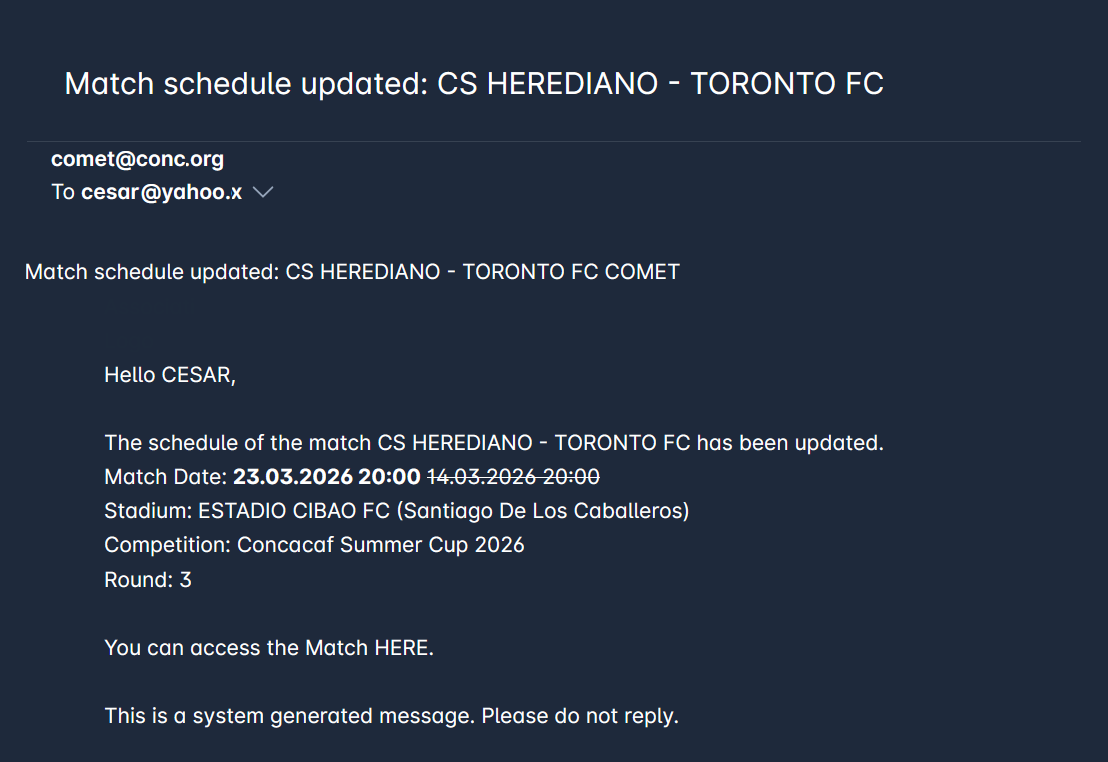
Similarly to the notifications sent after match status has been updated, email notifications are sent when there is a change in the match date or match stadium, if the match is in status SCHEDULED or RETURNED.
Previously defined dates and/or stadiums are indicated in the email with a strikethrough.
These email notifications are sent to:
-
Club Referent, Club Lineup Manager
-
All Match Officials appointed to the match (in status CONFIRMED)
Automatic email notifications are also sent for status updates on the Team Lineups.