
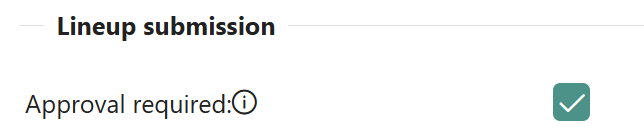
After the Club user has added all players and team officials, defined a formation, and assigned team kits, they must officially submit the lineups. After that point, the club won't be able to edit the lineups anymore. The workflow of the Lineups is primarily defined by the Competition Type attribute: Lineup Submission - Approval Required.
-
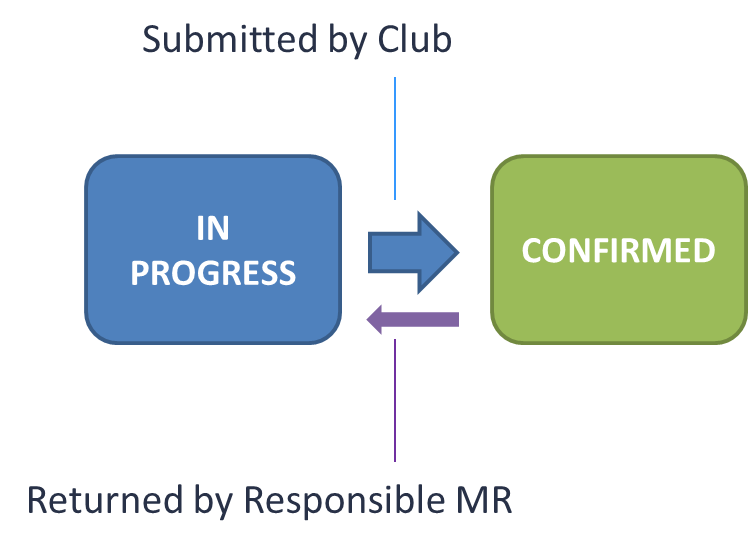
If this attribute is switched OFF, clubs submit their lineups, which are immediately confirmed without review/approval.
-
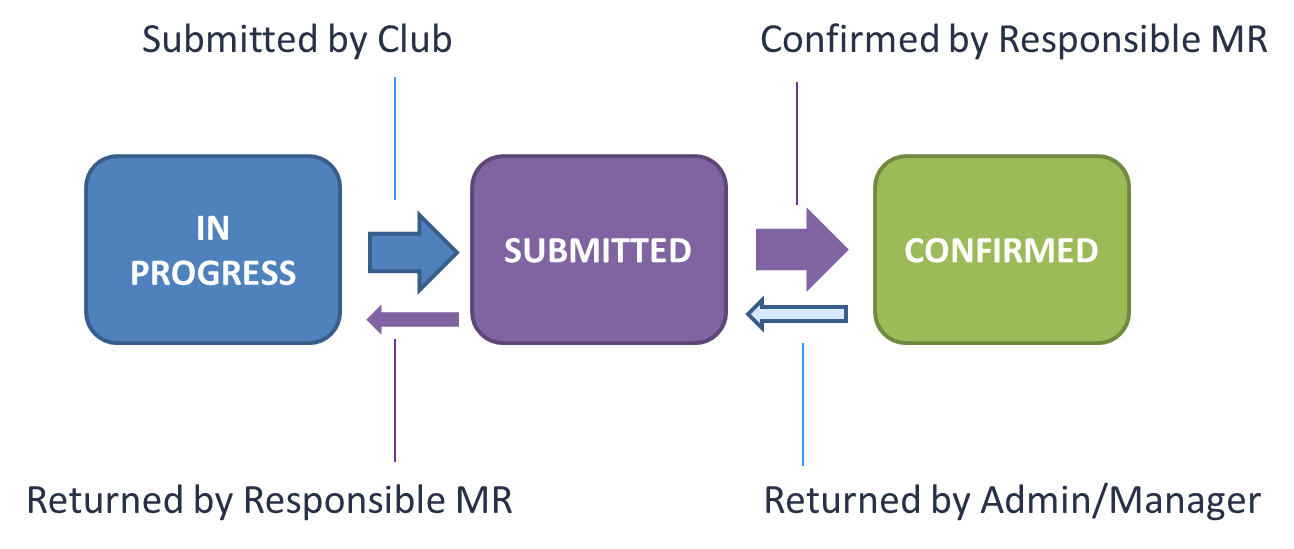
If this attribute is switched ON, clubs submit their lineups, which need to be reviewed and confirmed by the responsible Match Official or relevant Admins/Managers.
The Responsible Match Role for Lineups (Lineups Editor) is defined in the Match Roles Configuration in the Admin App. This Match Official role can confirm lineups if approval is required, and can also enter and submit lineups on behalf of the club.
Approval Not Required
The diagram below provides a simplified illustration of the status workflow of a Match Lineups when Approval is not required.
|
Lineups Status |
IN PROGRESS |
CONFIRMED |
|---|---|---|
|
Club Referent/Lineup Mgr (for own Team) |
Can edit. Can Confirm. |
NA |
|
Responsible Match Role for Lineups |
Can Edit. Can Confirm. |
Can edit. Can Confirm. Can return to In Progress (match must be Scheduled or Returned). |
|
Superusers, Relevant Admins* above in hierarchy. Relevant Managers* appointed to Competition |
Can Edit. Can Confirm. |
Can edit. Can Confirm. Can return to In Progress. |
* Relevant Admins and Managers are those who are administratively authorized for the responsible match role for lineups.
Approval Required
The diagram below provides a simplified illustration of the status workflow of a Match Lineups when Approval is required.
|
Lineups Status |
IN PROGRESS |
SUBMITTED |
CONFIRMED |
|---|---|---|---|
|
Club Referent/Lineup Mgr (for own Team) |
Can edit. Can Submit. |
Can return to In Progress (within lineup entry window). Cannot edit directly. |
NA |
|
Responsible Match Role for Lineups |
Can edit. Can Submit. |
Can Confirm. Can return to In Progress. Cannot edit directly — must return to In Progress first. |
Can return to Submitted (match must be Scheduled or Returned). |
|
Superusers, Relevant Admins* above in hierarchy. Relevant Managers* appointed to Competition |
Can edit. Can Submit. |
Can edit. Can Confirm. Can return to In Progress. |
Can Edit. Can Return to Submitted. |
* Relevant Admins and Managers are those who are administratively authorized for the responsible match role for lineups.
Irrespective of whether Approval is required, the lineups become public/visible to other parties once both teams' lineups are CONFIRMED, and clubs cannot change them thereafter. For more info on lineup view authorizations, please refer to Lineups Visibility.
Match Status Restriction
Lineups can only be entered, submitted, confirmed, or returned to a previous status when the match is in Scheduled or Returned status. Lineup actions are blocked for clubs and administrators alike if the match is in any other status, except for users with the roles of Superuser, Competition Administrator, or Competition Manager, who can still perform lineup actions regardless of match status.
|
Match Status |
Lineup Actions Available |
|---|---|
|
Scheduled |
✅ Enter, submit, confirm, return to previous status |
|
Returned |
✅ Enter, submit, confirm, return to previous status |
|
Played, Postponed, Abandoned, Canceled |
❌ All actions blocked |
This restriction applies to all users other than Superusers, Competition Administrators, and Competition Managers. It follows the same logic as Match Events.
If you are unable to edit or submit a lineup, check the match status first. A match that has been postponed or played will block all lineup actions.
Starting Lineup Completeness Validation
A club is not required to fill the Starting Lineup up to the maximum number of players (e.g., 11 for standard football, or fewer if a lower minimum is configured on the Age Category). However, the Starting Lineup must be filled with all available players before any of them can be listed as substitutes.
In other words, a team cannot submit a partially filled Starting Lineup while keeping other players on the bench as substitutes. If there are fewer players than the maximum, all of them must be placed in the Starting Lineup; none can be held back as substitutes.
Example: a competition allows a Starting Lineup of up to 11 players. A club has only 10 available players. All 10 must be placed in the Starting Lineup - none of them can be entered as a substitute instead. Submitting or confirming the lineup will be blocked with an error message if this condition is not met.
Suspension Validation on Submission and Confirmation
When a lineup is submitted or confirmed, the system automatically checks whether any player or team official in the lineup is eligible to appear in the match. The check covers active match-blocking sanctions, accumulated card thresholds (where configured), and missing medical exams.
The system looks for active sanctions with Block Restriction Level that meet all three of the following conditions:
-
The sanction is active on the match date
-
The match is inside the Suspension Scope of the Sanction Competition
-
The sanction applies to the person's role in the lineup, or is set to Apply to All Roles
If a blocked person is found, the submission or confirmation is prevented, and an error message is displayed for each blocked person. The lineup status remains unchanged.

The same validation applies to clubs submitting and administrators confirming - neither can proceed while a blocked person remains in the lineup.
To resolve the block, remove the person from the lineup before resubmitting, or close the sanction that is blocking the appearance of the person.
Changing the Status of the Lineup
The lineup status is updated in the upper-right corner of the Team Tab. In the example below, the Club user has added all players and team officials, set the formation, and now needs to submit the lineup. When the Submit button is clicked, the system will ask for additional comments. Additional comments are mandatory only in exceptional transitions (when lineups are returned for correction).
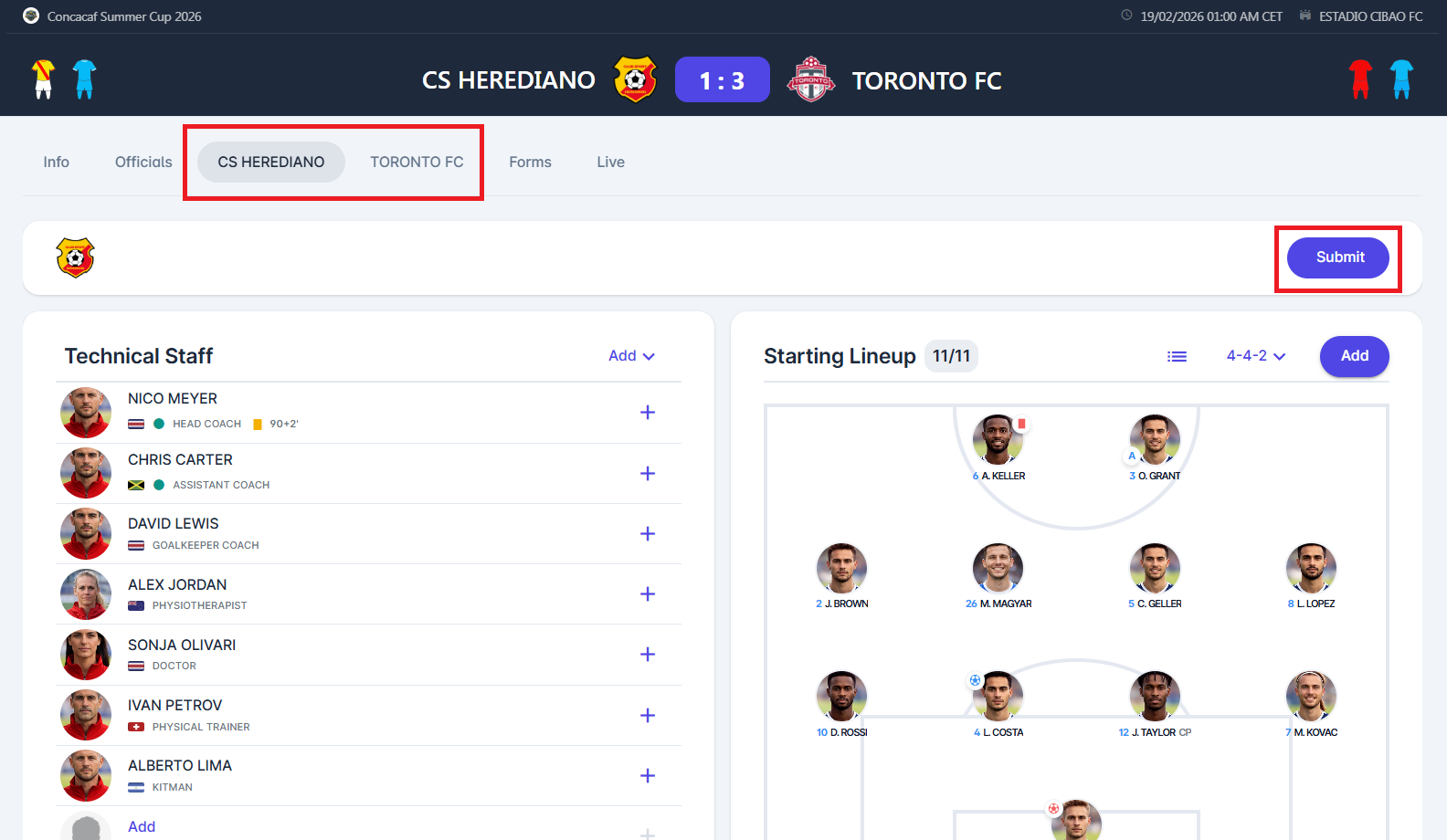
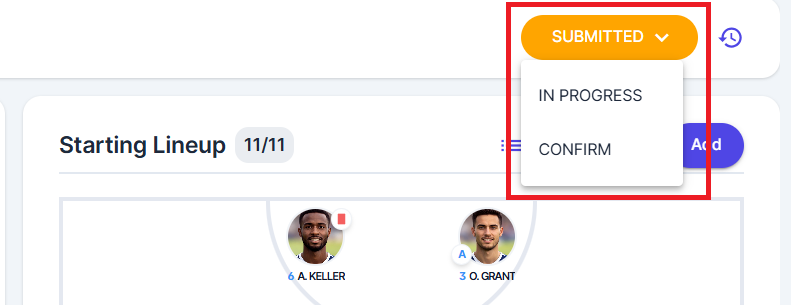
When more than one transition is available, e.g. when the responsible match role reviews the lineups, (can either confirm the lineup or return it to the club for correction), there is a Status dropdown instead of a simple button. Click on the dropdown and select the desired status transition.
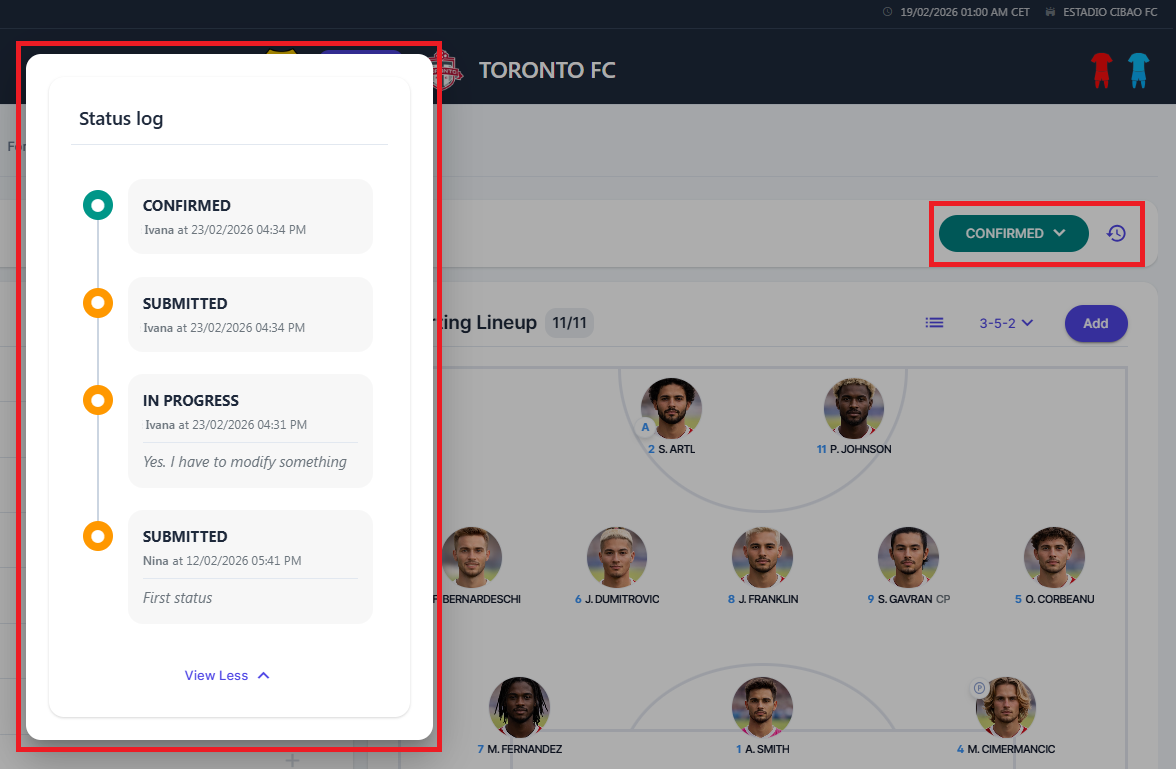
A status badge is visible in the top-right corner, showing the history of all past transitions, including timestamps, users, and comments.
Email Notifications
When the lineup status changes, relevant users are automatically notified. Email notifications align with the status transitions in the lineup process, ensuring that users are informed after each transition and, when applicable, provided with instructions for the next step.
Lineup Submitted or Returned
Automatic email notifications are sent when the lineup status is updated.
When a club submits a lineup, the responsible Role for Lineups, appointed/confirmed on this Match, receives an email notification.
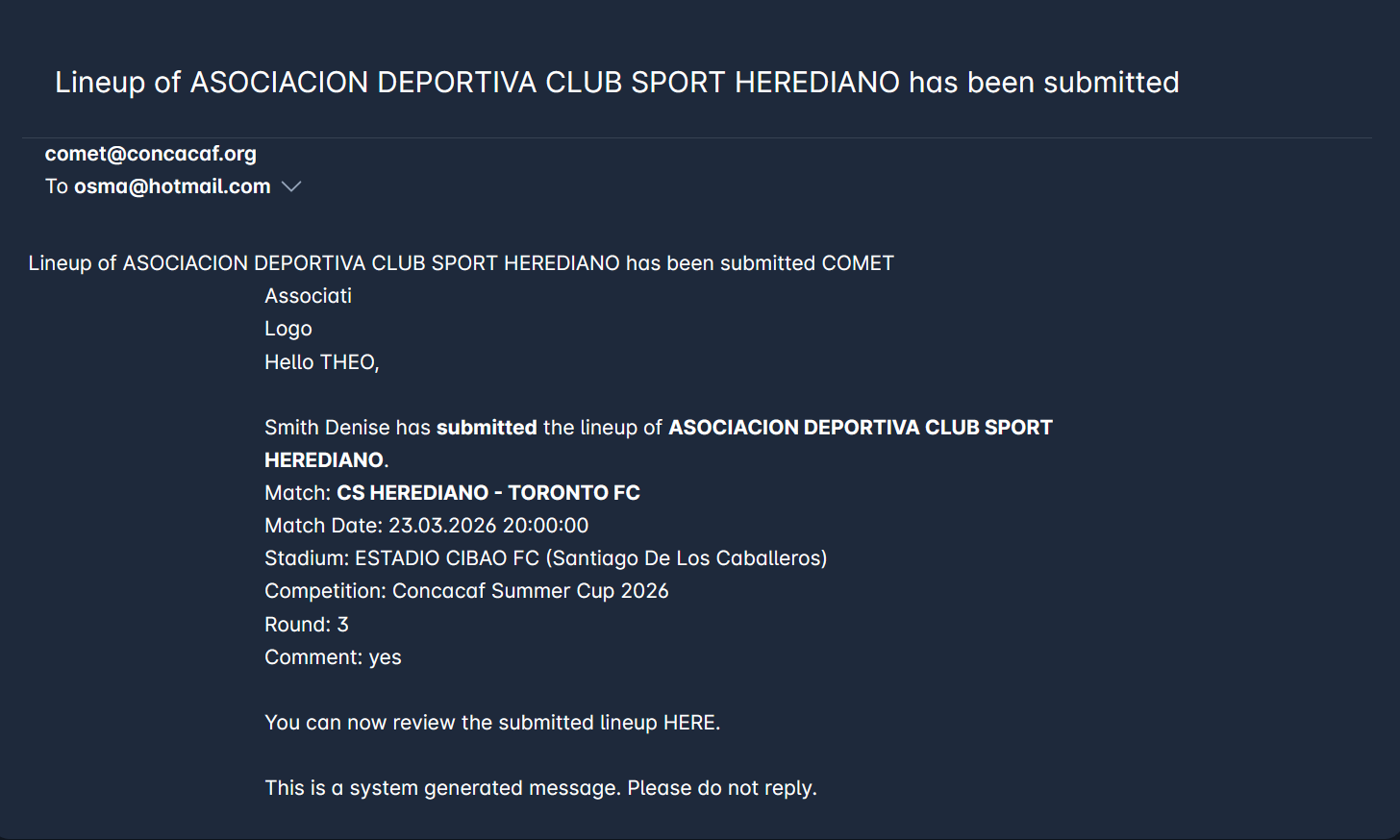
When a club's lineup has been returned, the recipient team's Club Referent and Club Lineup Manager receive an email notification.
Both Lineups Confirmed
After both clubs have confirmed their lineup, an email notification is sent to the following recipients:
-
Club Referent, Club Lineup Manager of both Teams (under Organization)
-
Competition/Referee/Delegate Admins of competition org (not below or above)
-
Competition/Referee/Delegate Managers appointed to the competition
-
All Match Officials appointed to the match (in status CONFIRMED)
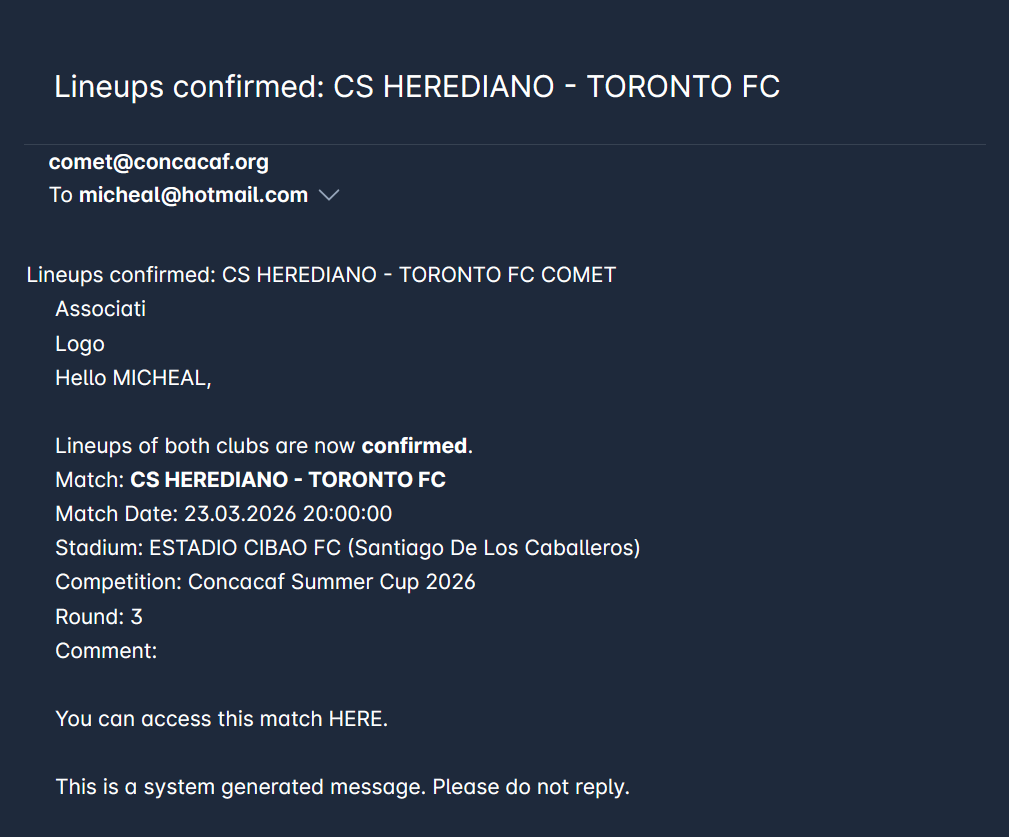
Automatic email notifications are also sent for updates in the Match Status or Match Schedule.