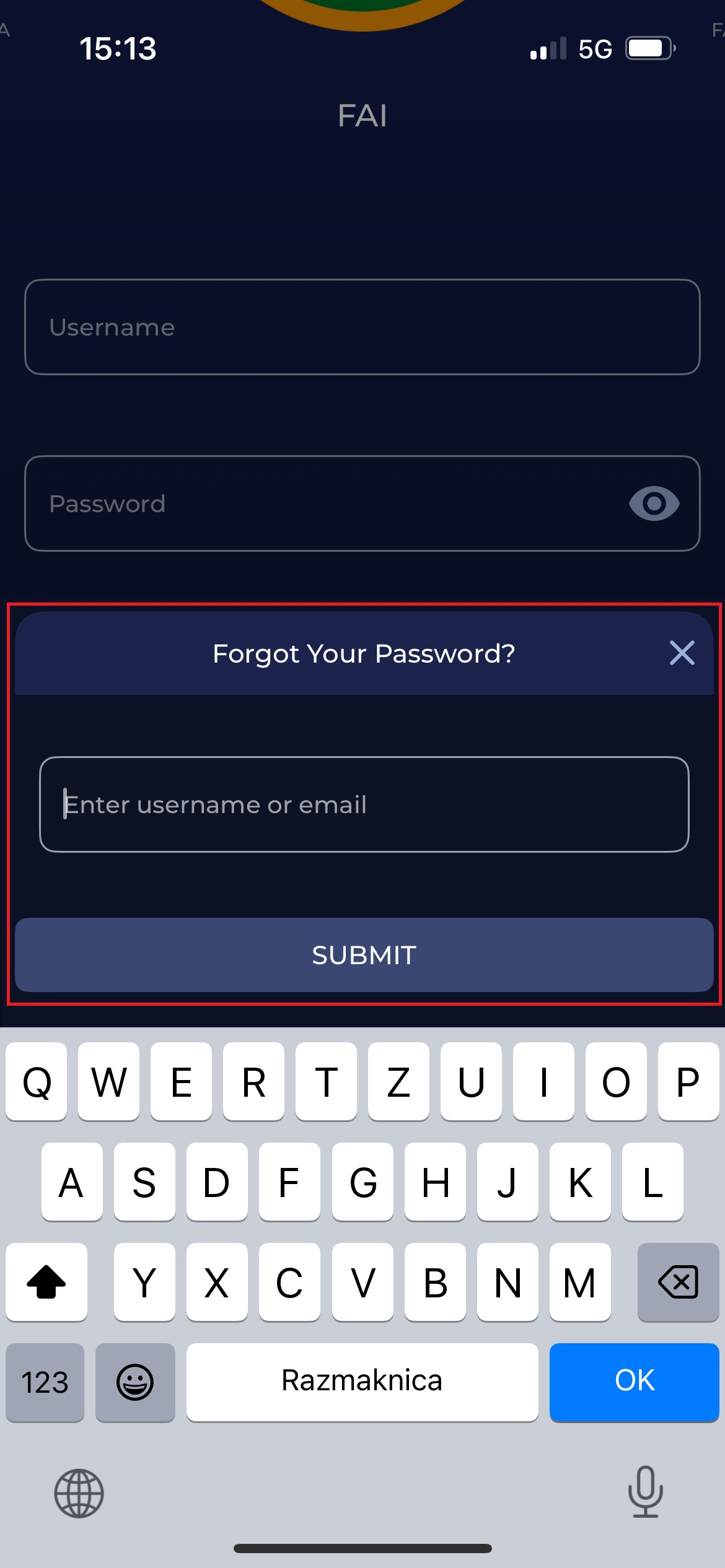
The Forgot Password functionality is also available in the COMET Football apps. In case you have lost/forgotten your login credentials (or you want to change your password), without the need to access the COMET Web App.
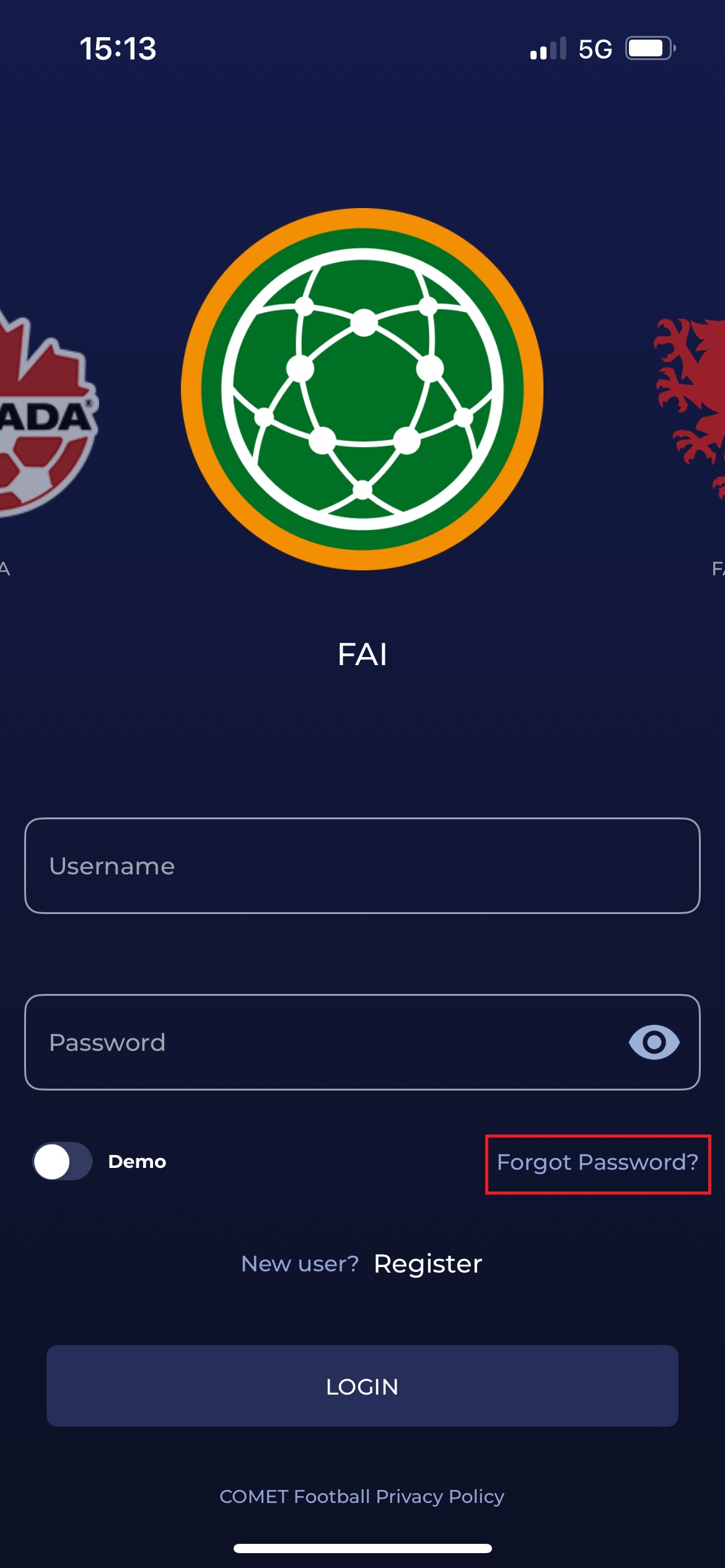
To change your password:
-
Click the Forgot Password button on the login page.
-
Enter the username/email address that is associated with your account.
-
Click the SUBMIT button
-
A password reset email will be sent to the email address associated with your account.