
As a Competition/Referee Admin or Manager, you can appoint your respective Match Officials individually on each specific match, or in matrix form using the Search Matches console.
Enter Appointments
In order to enter appointments for a specific match on MyCOMET Match Form, please refer to the following article.
You can also appoint Match Officials to multiple matches at once in a matrix view using the Search matches console:
-
Select Competitions → 🔎 Search matches on the left nav-bar
-
The screen, similar to the New match form, will appear on the screen with the list of all filters
-
Once you select all the necessary filters, click 🔎 the Search button
-
Once the list with the search results appears, click 🔧 the Edit button above the table.
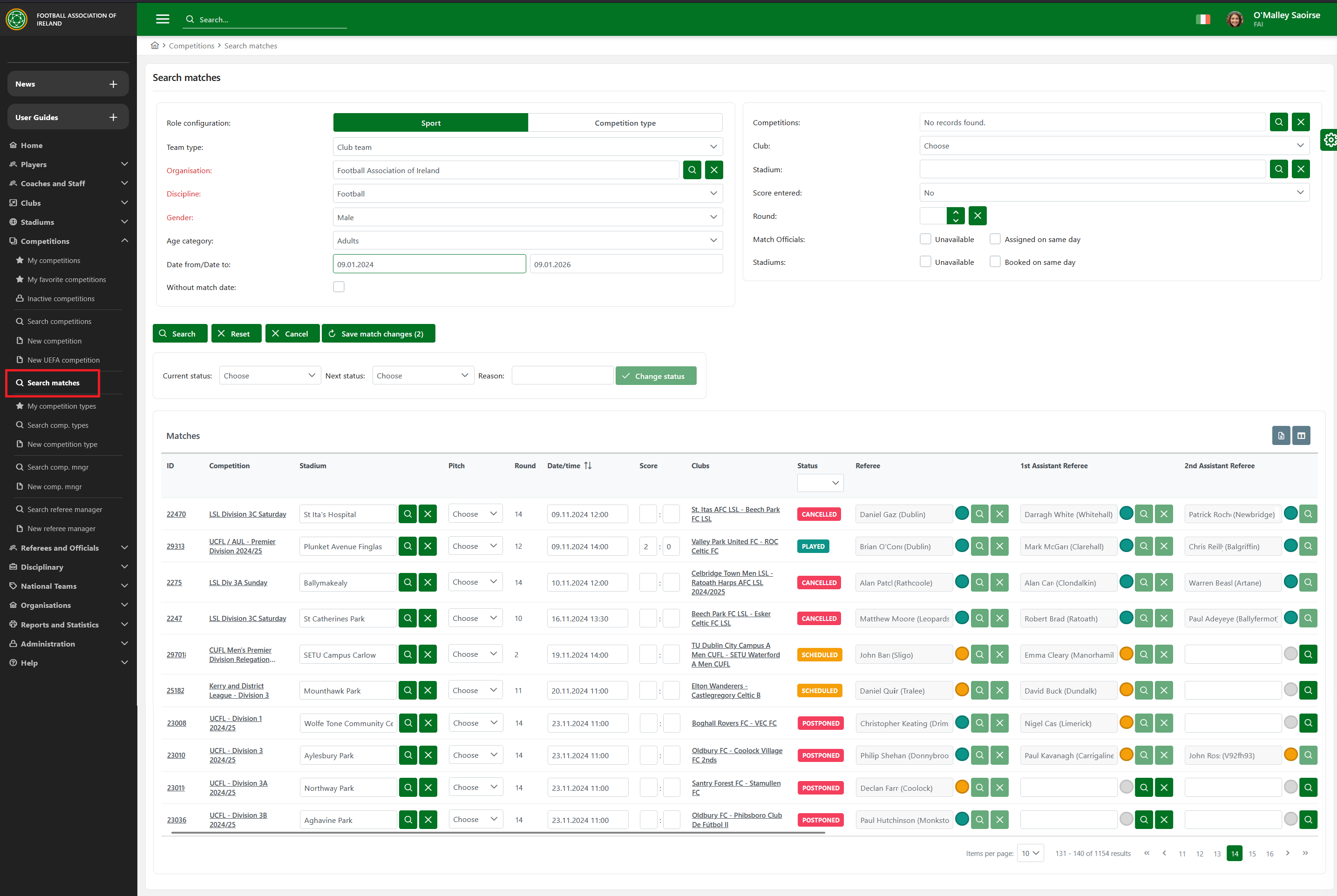
This functionality is helpful if you need to assign Match Officials for more Matches as you do not have to open a match-by-match and designate an official by official on respective match forms.
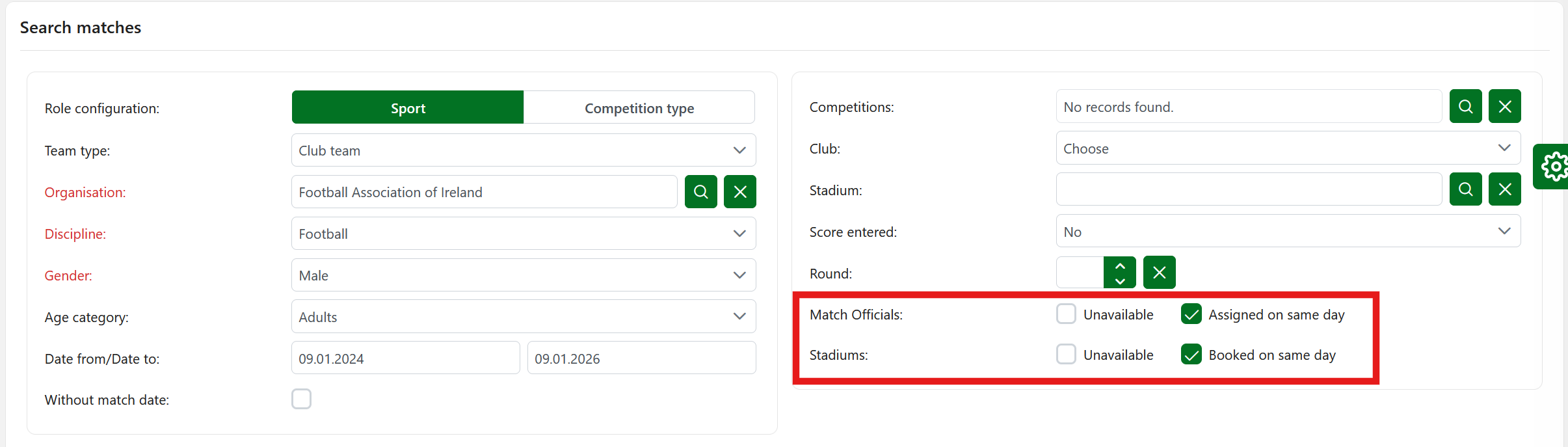
You can also tick the box to get the information about officials who are Unavailable or Assigned on the same day, as well as the Stadiums:
If you need to submit/confirm Match Officials for more matches ate the same time please follow the Search Matches | Batch Update of Appointments procedure
This is particularly valuable when sending appointment notifications for an entire round in one step. As mentioned above, appointments become visible to match officials once their status is set to “Submitted” (if a response is required) or “Confirmed” (otherwise).
For more details on Admin users authorized to confirm or reject appointments, please refer to the article on Match Role Authorizations.
Appointment Approval
The Appointment Approval Competition Type parameter defines whether the response from match official is required of not. If response required, next status after ENTERED is SUBMITTED (pending response/approval form match official), and otherwise it goes to CONFIRMED.
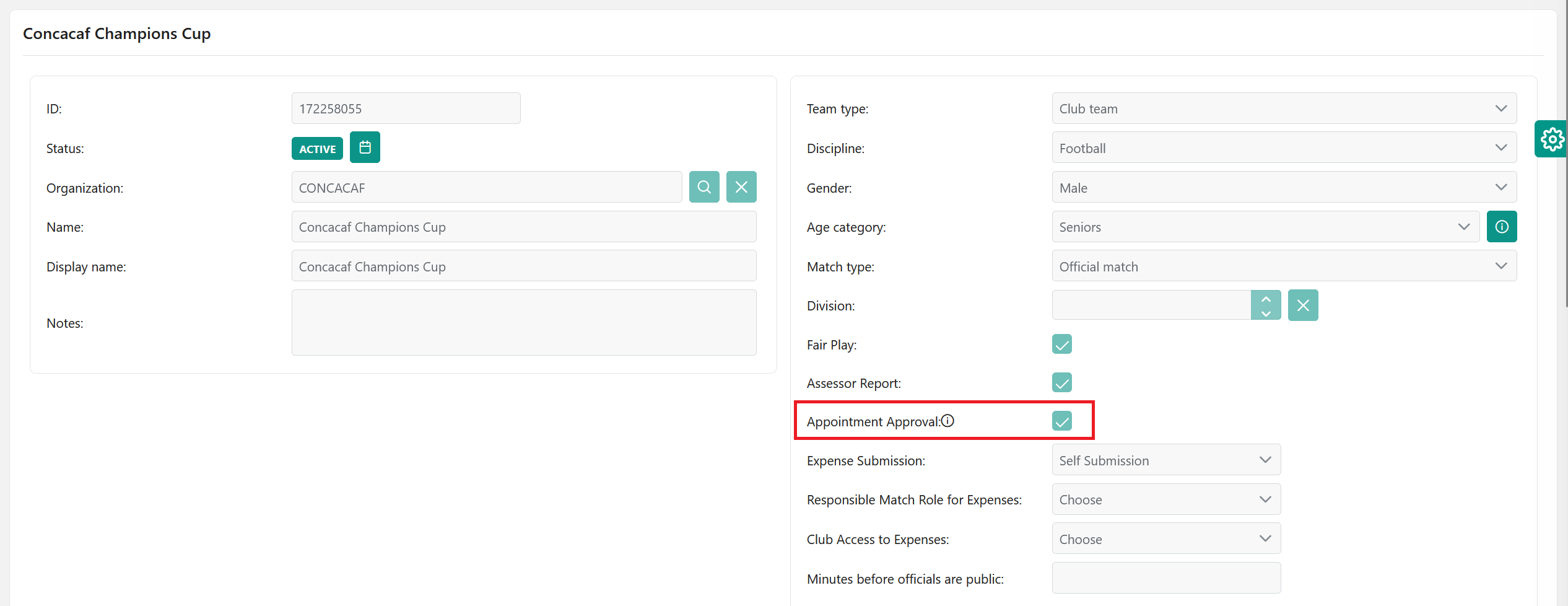
If Appointment Approval is enabled, then all appointments must be submitted before they are confirmed: after ENTERED, the match appointment status is set to 🟠 SUBMITTED, and all Referees/Match officials assigned to a match must provide a response by which they either confirm or reject their appointment, which also triggers back a notification for the relevant administrators and managers.
If not enabled, all appointments are directly confirmed: after ENTERED, the match appointment status is set to 🟢 CONFIRMED, and all Referees/Match Officials are expected to be available for the Match by default.