
Once the appointment has been SUBMITTED, the match officials can respond to the administrator from within the system. Whether an answer is required or not depends on the Appointment Approval parameter.
If the Appointment Approval parameter is enabled, and Referees and Match Officials are appointed in status 🟠 SUBMITTED, they are notified and requested to either confirm or reject their match appointment.
Match Official Response
In order respond to appointments On MyCOMET Match Form, please refer to the following article.
You can also respond from MyCOMET → My Matches by clicking on three vertical dots next to the Roles status button
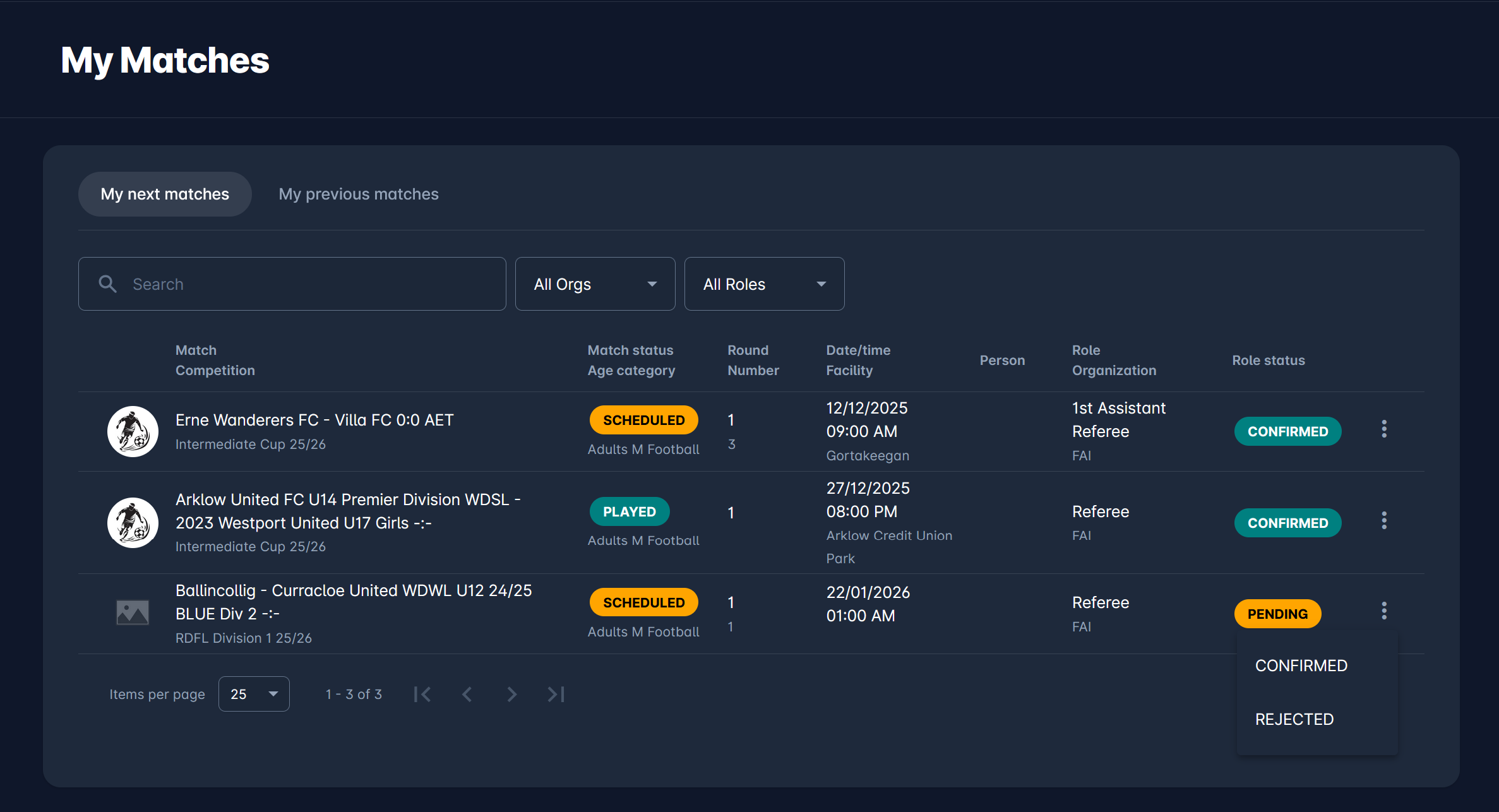
After that, the status and color are updated on all screens.
If circumstances change after confirmation, the Match Officials can later update match appointment status from Confirmed to Rejected (or even back to SUBMITTED ), and the administrators will be notified immediately about that update.
Admin Confirmation
If the Appointment Approval parameter is NOT enabled, all Referees and Match Officials are saved by Admins in status 🟢 CONFIRMED. They are confirmed right away, and are not be required to respond.
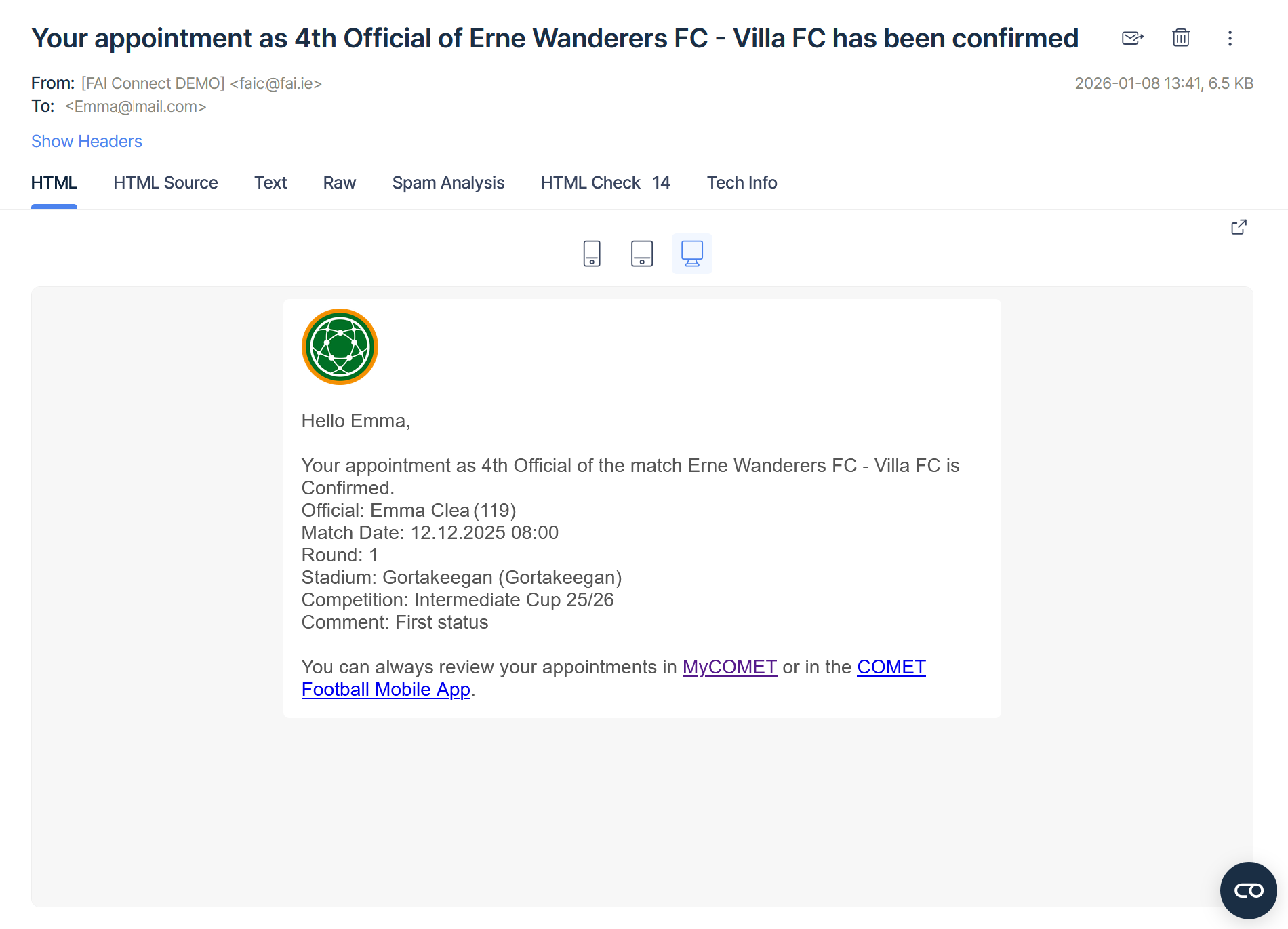
Upon appointment, the Match official receives an email notification, intended primarily for informational purposes and requiring no further action.
Nevertheless, the Match Officials can update the match appointment status from Confirmed to Rejected (or even back to SUBMITTED ), and the administrators will be notified immediately about that update. They can do it in the same way as providing response to a SUBMITTED appointment, e.g. in the Match Officials section of a Match.
Admin Transitions
On top of entering the appointments onto the match, Administrators and Managers can also:
-
Execute all status transitions on behalf of their Match Officials, e.g., they can confirm a submitted appointment if the match official is prevented for any reason
-
They can cancel any submitted or confirmed match appointment. In this case (or if the match official rejects the appointment), a new match official can be appointed to that role.
They can execute these status transitions either in the Match Officials section of a Match, or on Search matches console.