
Substitutions of players are managed in matches of regular Football competitions, whereas they are not available in Futsal competitions, nor in Football competitions specifically configured with flying (rolling) substitutions.
Add Substitution Event
If a substitute player enters the field, proceed with the following steps either on the Live tab or on that player's Team tab:
-
Click on the specific player in the Substitution panel (select the player entering the field)
-
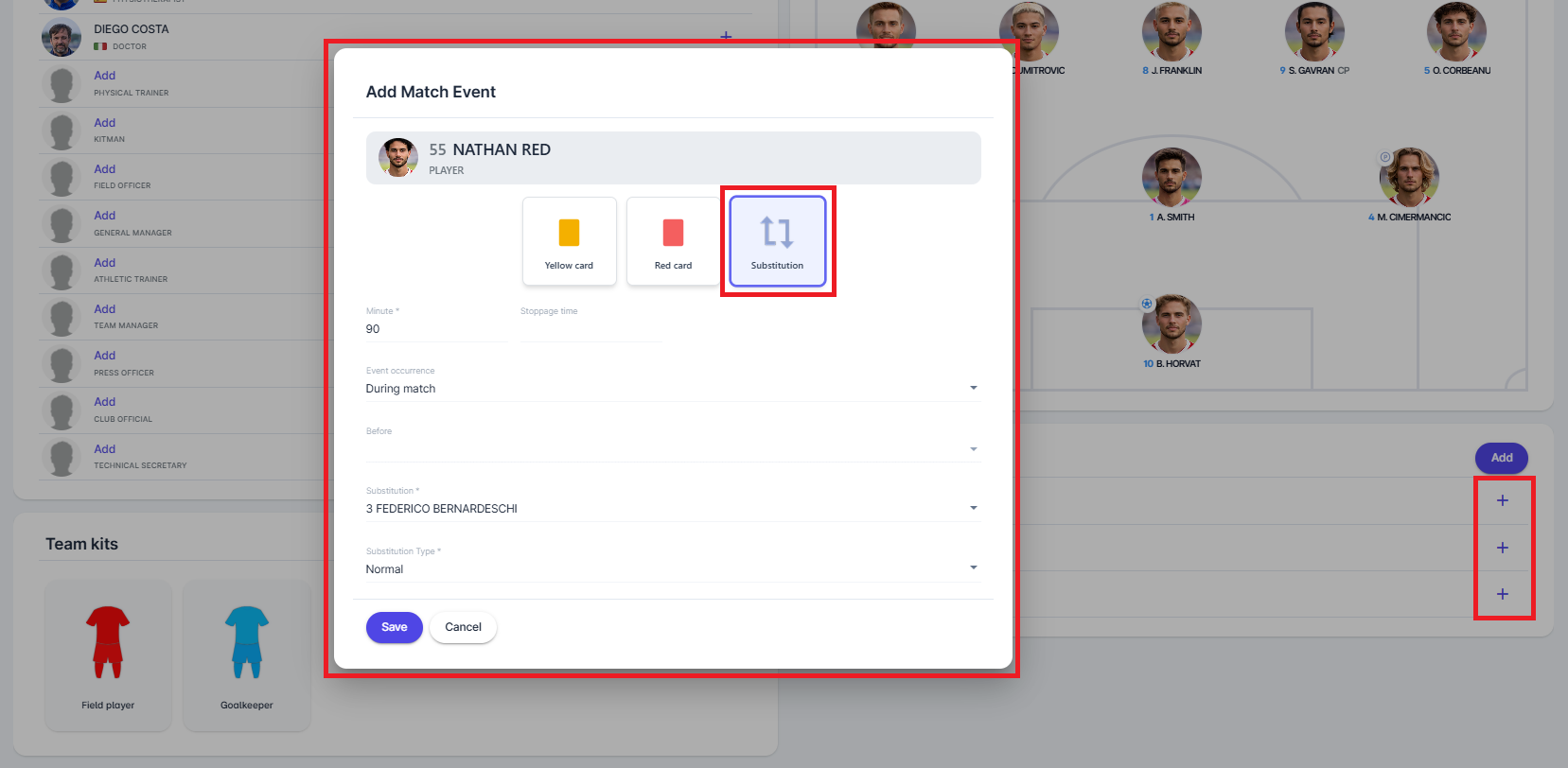
In the pop-up, mark the event as Substitution by selecting the respective button, and enter:
-
minute of the substitution
-
event occurrence - select when the substitution took place; in case of During Break, the Before field will need to be enteres become available and mandatory
-
select a player leaving the field from the drop-down
-
select substitution type: Normal, Additional, or Concussion Substitution
-
Click the Save button to save changes
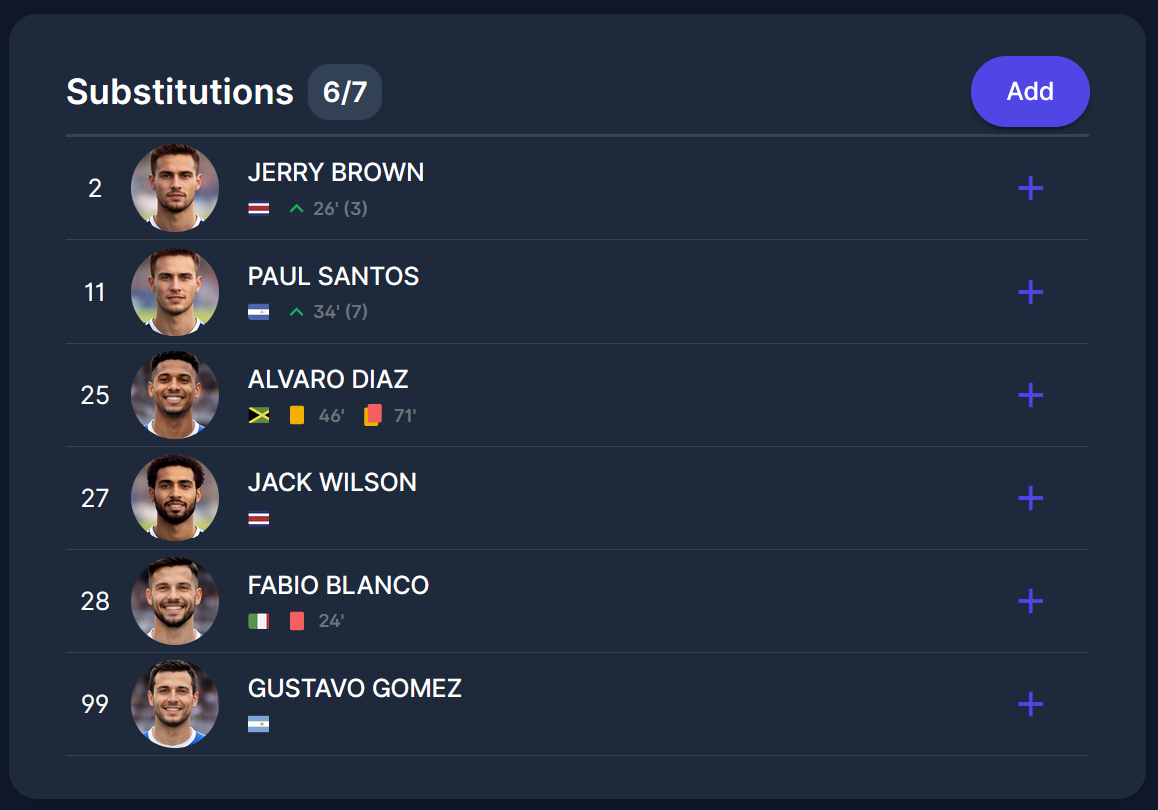
After that, a green arrow will show next to the player who entered the field, and it will be possible to add more event type related to that player (goals, penalties, etc)
Concussion Substitutions
In accordance with the Laws of the Game, there is an option to enter Concussion Substitutions in instances where a concussion occurs or is suspected, and which do not count towards the limit of substitutions per team in a game.
Whenever a team exercises the Concussion Substitution, the opposing team is entitled to a discretionary Additional Substitution. The maximum number of concussion substitutions per team per match has been set to 1, as directed by the Laws of the Game. However, Competition Administrators can edit this number for each specific competition.
When adding a new substitution, the user must select the type of substitution:
-
Normal → It will be available if the he maximum number of available substitutions (most commonly 5) including those for extra time, if applicable (most commonly 1) has not been reached.
-
Concussion → It will be available if the maximum number of concussion substitutions (most commonly 1) has not been reached, and the substitution minute must be less than or equal to the minute of the opposing team's last additional substitution.
-
Additional → The opposing team has used fewer concussion substitutions than this team’s additional substitutions. The substitution minute must be greater than or equal to the minute of the opposing team's first concussion substitution.
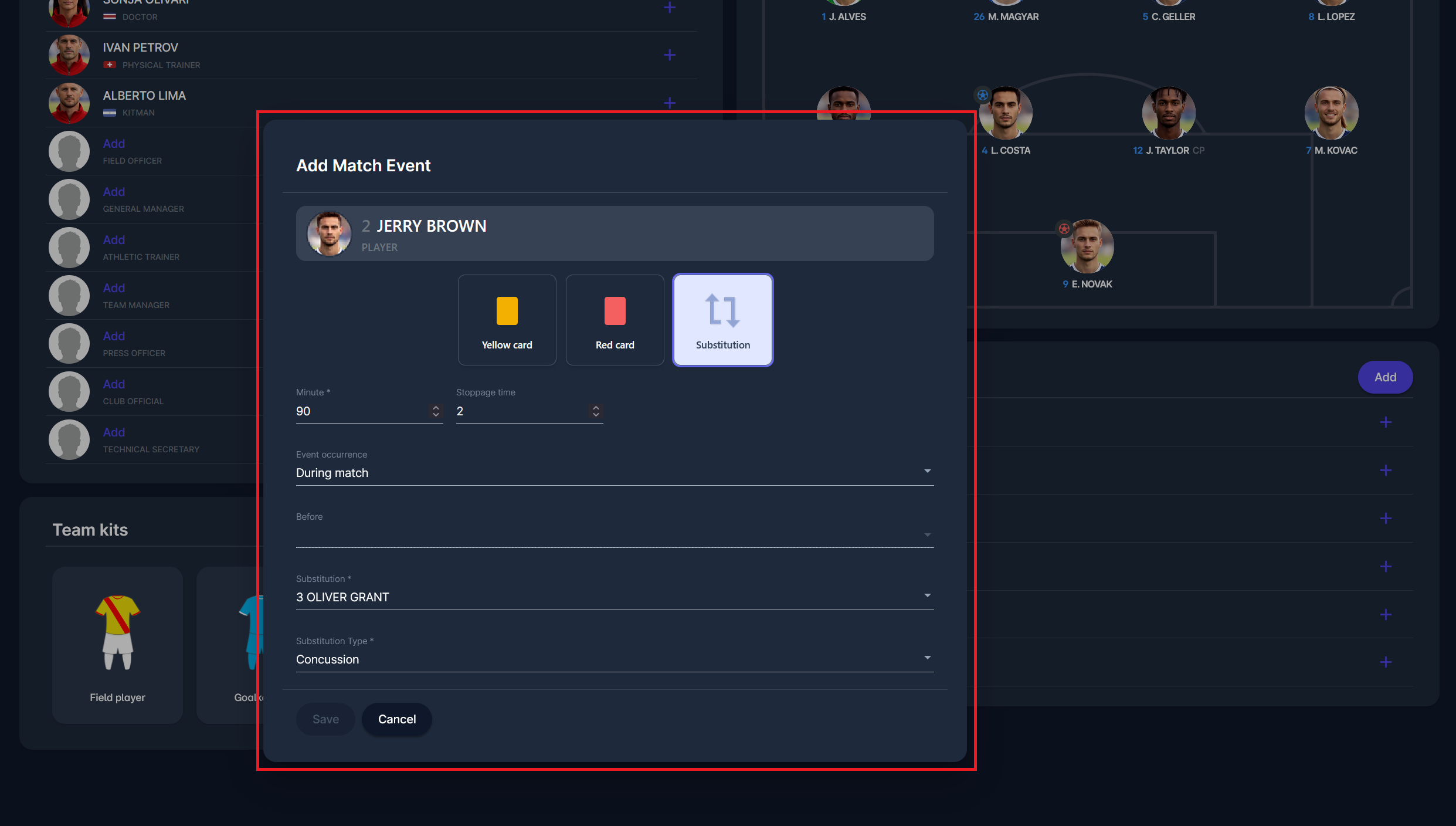
To add a concussion substitution:
-
Click on the specific player from the Substitution panel (select the player entering the field)
-
In the pop-up, mark the event as "Substitution" by selecting the respective button
-
Insert the:
-
minute of the entry
-
event occurrence - select when the substitution took place; depending on your selection, the “Before” field may become available and mandatory
-
select a player leaving the field from the drop-down
-
select substitution type: Normal, Concussion Substitution, or Additional
-
-
Click the Save button to save changes
Substitution Opportunities
Competition rules commonly permit a maximum of 5 substitutes per team per match. However, each team only has 3 substitution opportunities, i.e., events during which changes are made. If a team substitutes two players at the same time (in the same minute in COMET), this counts as only one used substitution opportunity.
Furthermore, substitutions during breaks (e.g., halftime) do not count towards used substitution opportunities, as the team did not interrupt the game.
The system will not prevent them from exceeding the maximum number of substitution opportunities. However, if the limit is exceeded, the user will be prompted to confirm their action. If confirmed, a warning will be displayed on the match club page (under incidents).