
In futsal matches, event entry follows the same workflow as in standard football, with adjustments specific to futsal rules and event types. When adding a match event, select the player or team official and click the ➕ Add button to open the event dialog. The system will display only the event types applicable to futsal.
Team Events
Team Events are a specific type of match events available only in futsal matches. Unlike standard match events (e.g., goals, cards), these events are assigned to a team rather than an individual player or official. They are used to record futsal-specific actions such as accumulated fouls and time-outs.
Accessing Team Events
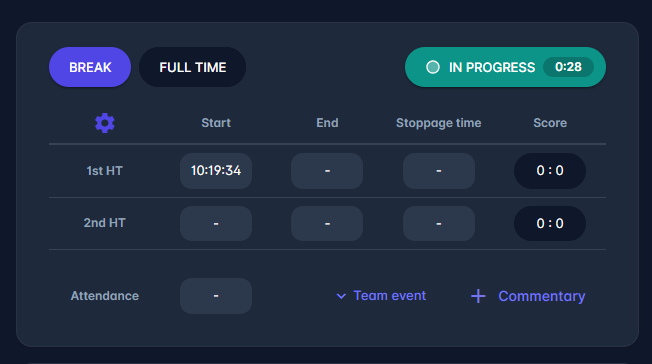
Team Events can be added from the Live tab via the Team event dropdown, located next to the ➕ Commentary option. This option is available only in futsal matches
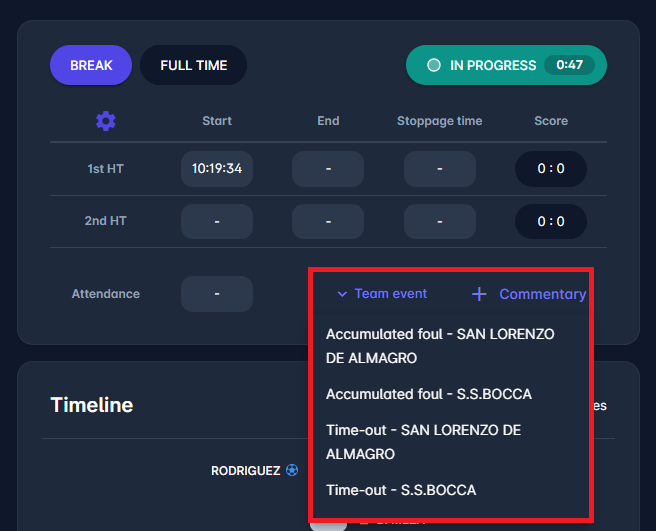
The Team Event dropdown contains four options:
-
Accumulated foul – Home Team
-
Accumulated foul – Away Team
-
Time-out – Home Team
-
Time-out – Away Team
The team is identified by its name, displayed directly in the dropdown.
Adding a Team Event
To add a Team Event:
-
Open the Team event dropdown
-
Select the desired event type (e.g., Accumulated foul – Home Team)
-
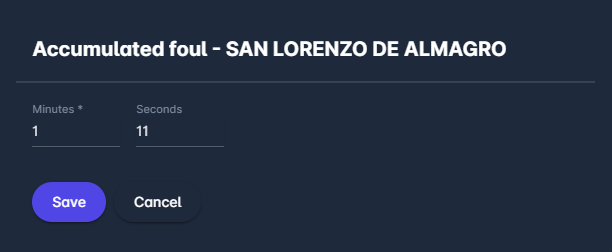
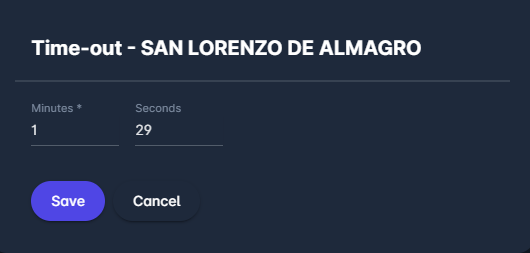
A dialog window will appear
-
Enter:
-
Minutes
-
Seconds (not mandatory)
-
-
Click Save
The dialog includes:
-
the event type name in the title
-
the team logo and name
-
input fields for precise time entry (minute + second)
Display of Team Events
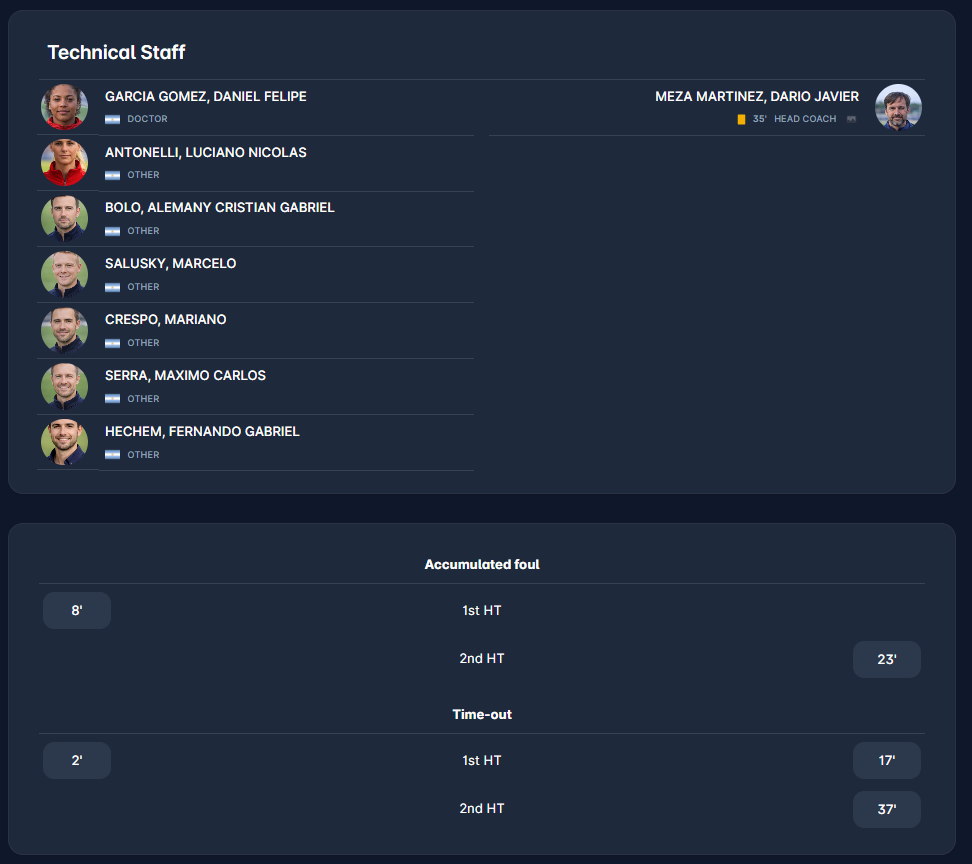
Added Team Events are displayed below the Technical Staff section, grouped by event type:
-
Accumulated fouls
-
Time-outs
Events are organized by match phase (e.g., 1st Half-Time, 2nd Half-Time) and shown separately for each team; each event is displayed with a recorded time and a clear alignment to the corresponding team, below the Technical Staff panel in the Live tab.
Editing Team Events
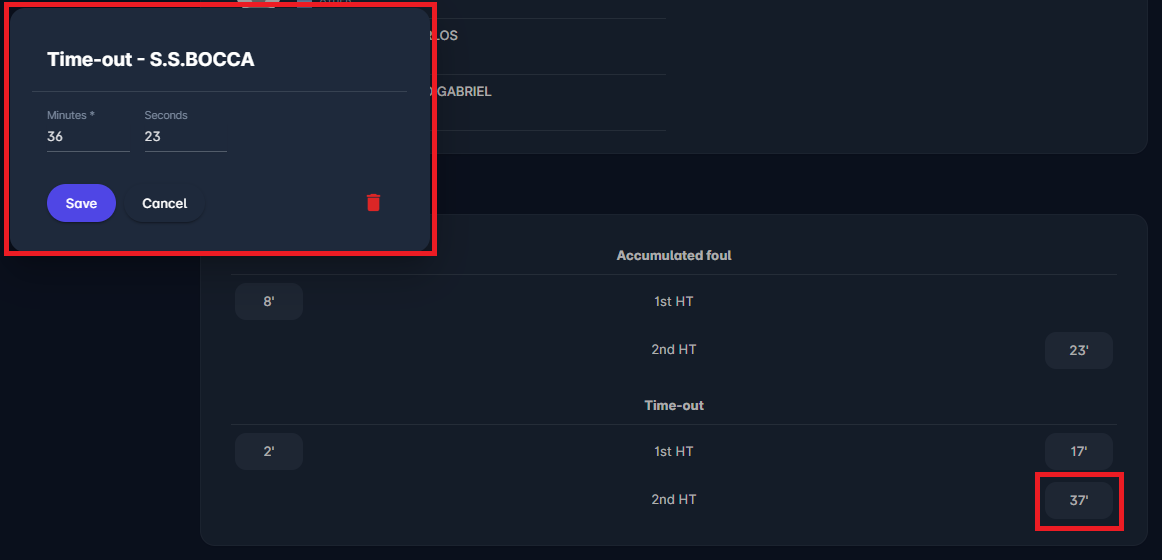
Team Events can be edited directly from the display section or from the Timeline section.
To edit or delete a team event, click on the minute of the event. This opens the Edit dialog. From here, users can update the time or modify the event details.
Specific Player Events
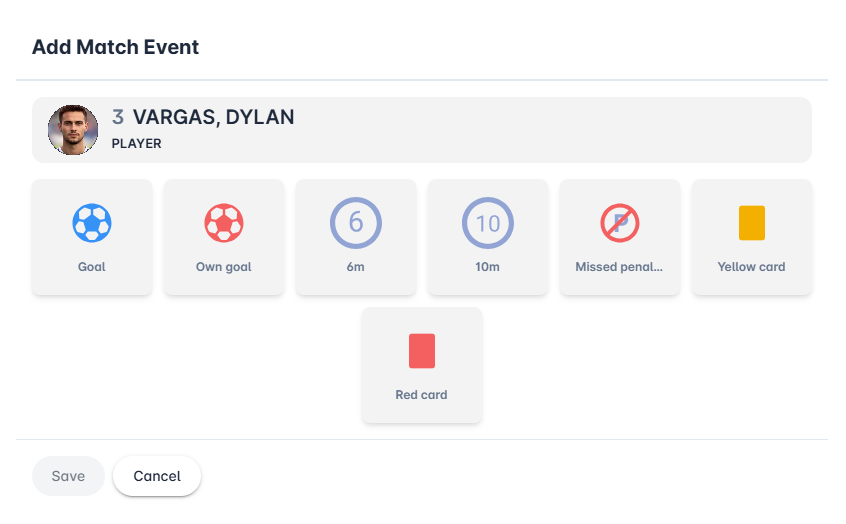
In addition to standard goals and cards event, in futsal matches there are two types of penalty kicks. Below is the list of all player events for players in the starting lineup:
-
Goal
-
Own goal
-
6m penalty (penalty kick)
-
10m penalty (accumulated fouls penalty)
-
Missed penalty
-
Yellow card - also applicable to team officials
-
Red card - also applicable to team officials
The Played event in futsal records a player’s participation in a match, typically indicating that the player has entered the game (e.g., via substitution). It is especially relevant in futsal, given the high frequency of rolling substitutions, allowing for accurate tracking of player involvement.
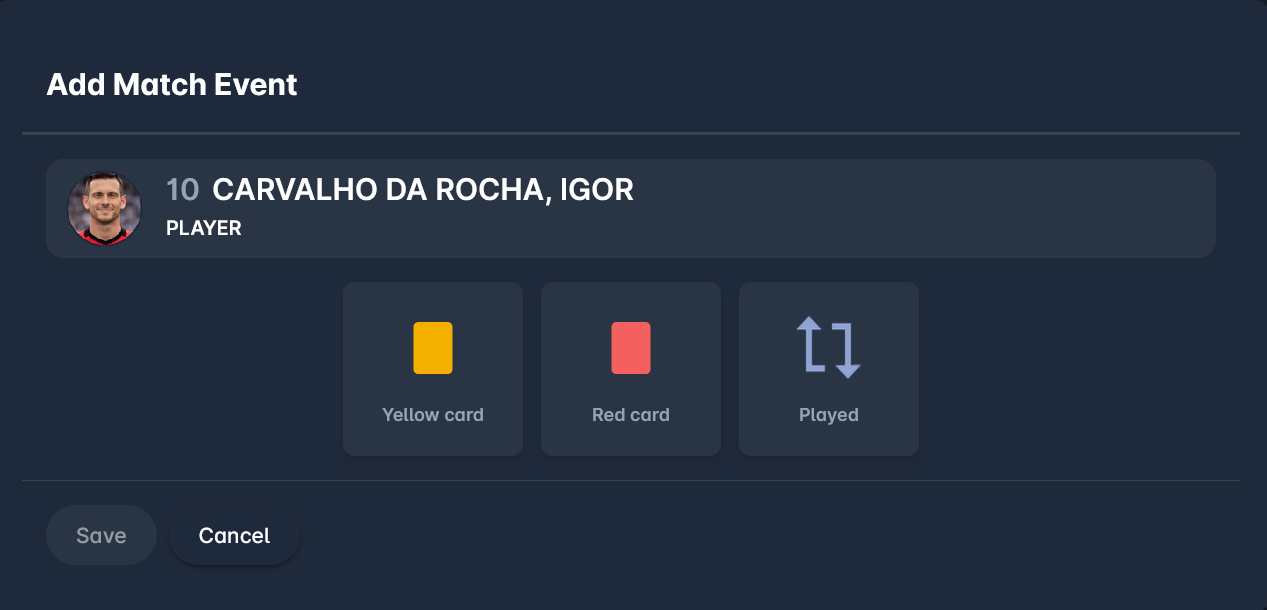
If flying substitutions are used and the Played event needs to be entered after the lineups are confirmed (i.e., in real time), please use the MyCOMET Match Form or the COMET Football Mobile Apps.
Player and Team Official match events in futsal are added and edited in the same manner as match events in Football.