
The Disciplinary Case Detail shows all information about a disciplinary case and its sanctions in read-only mode. To open it, click a sanction row on the Discipline tab of the Registration Detail.
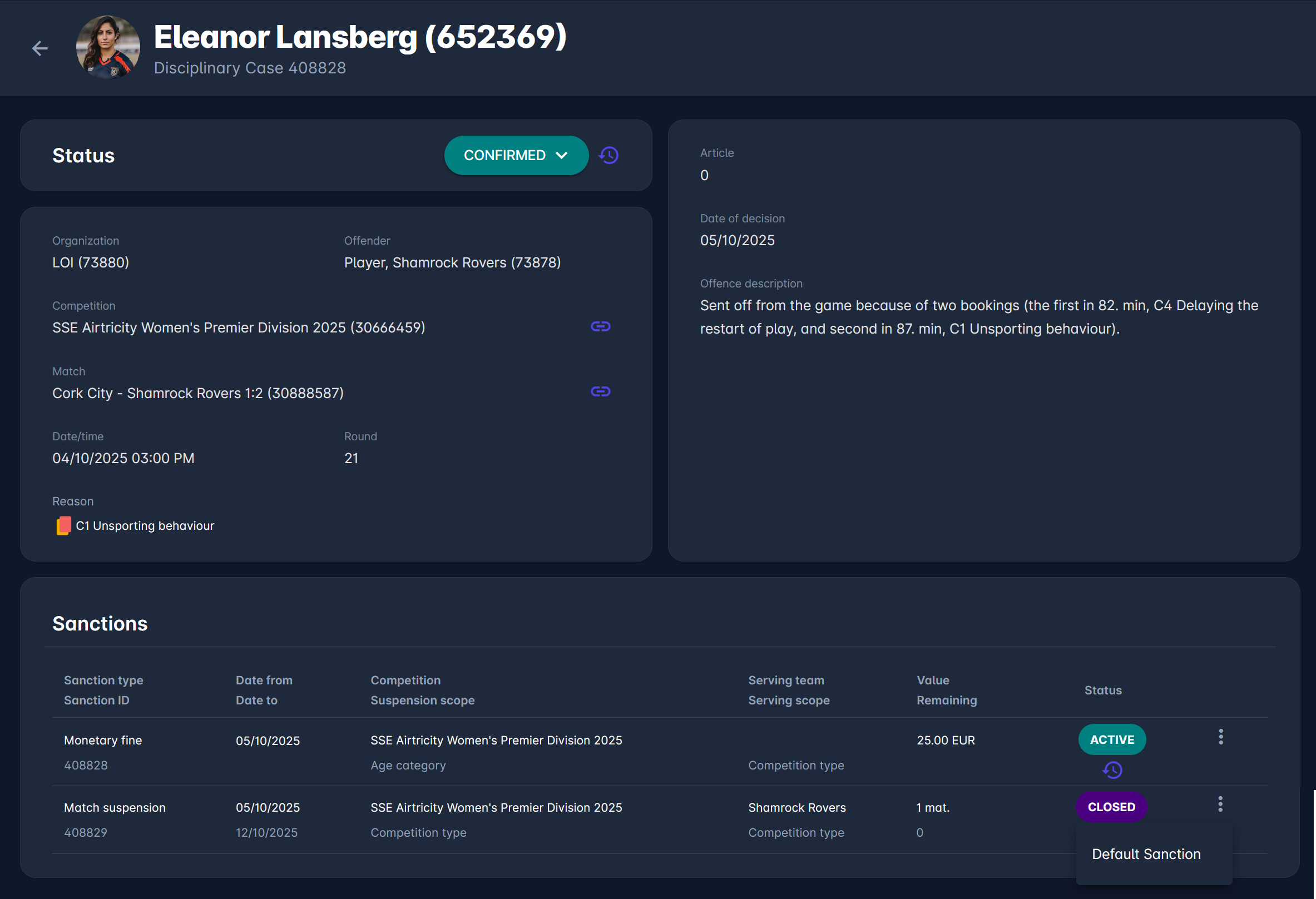
The header shows the offender's photo (or the organization logo if the offender is a club), the offender's name and ID, and the disciplinary case number.
Status
The Status panel shows the current case status, e.g., CONFIRMED. Click the history icon next to it to see all status changes of the case.
Case Details
-
Organization - the organization that handles the case
-
Offender - the offender type, club, and club ID, e.g., Player, Shamrock Rovers (73878)
-
Competition and Match - where the offense happened; click the link icon to open the competition or match
-
Date/time and Round - of the match
-
Reason - the card and reason for the case
-
Article - the article of the disciplinary code applied
-
Date of decision
-
Offence description
Sanctions
The Sanctions panel lists all sanctions in the case:
-
Sanction type and Sanction ID
-
Date from and Date to
-
Competition and Suspension scope - see Suspension Scope
-
Serving team and Serving scope - only for match suspensions, see Match Suspension Serving
-
Value and Remaining - e.g., the number of matches still to be served
-
Status - e.g., ACTIVE or CLOSED, and whether the sanction applies to all roles
If the sanction has a note, a notes icon is shown - hover over it to read the note. Sanction notes are separate from the case's offence description.
Status Log
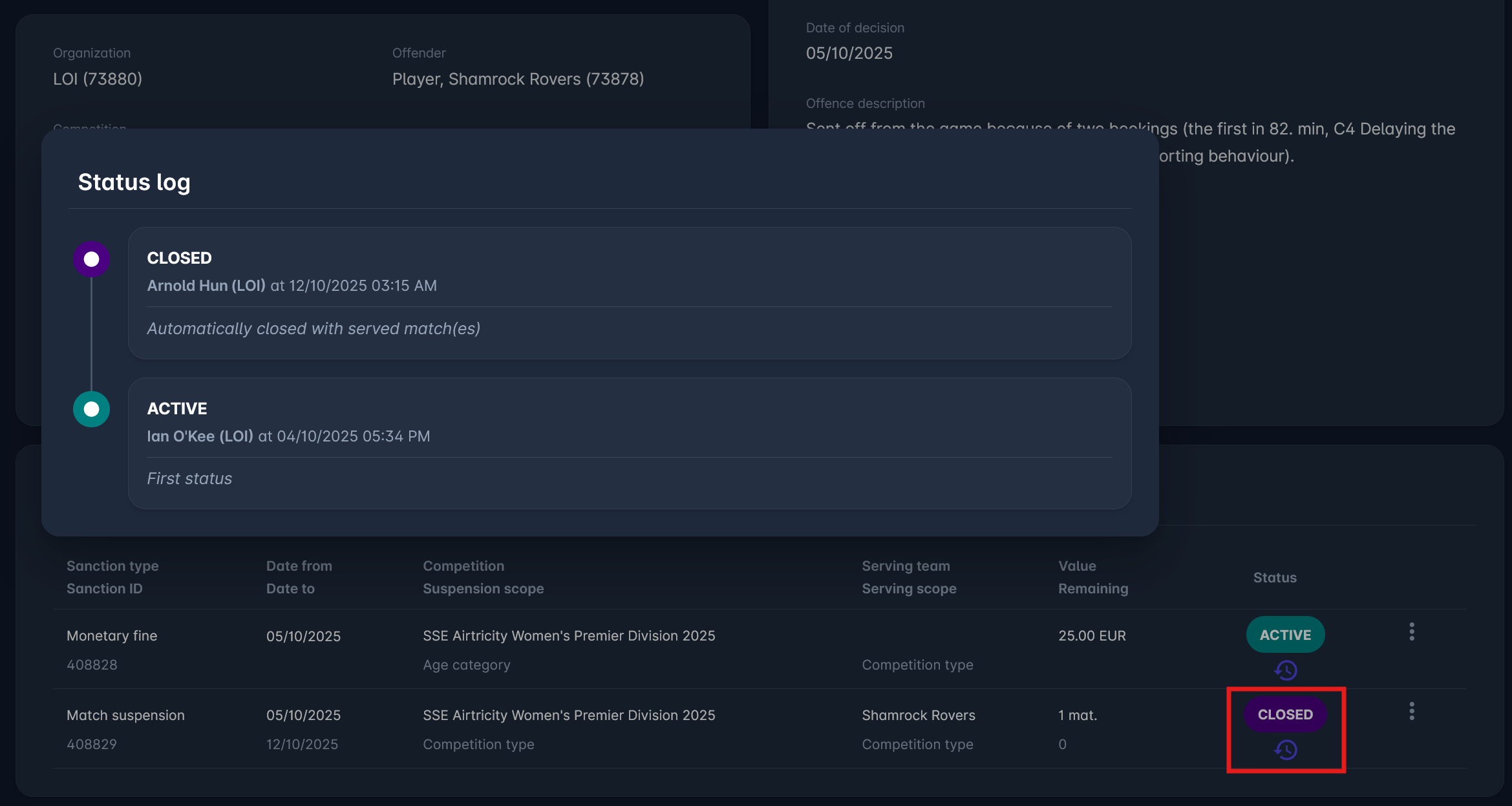
Click the history icon below the sanction status to open the Status log. Each entry shows the status, the user and organization that made the change, the date and time, and a comment. When all matches of a match suspension are served, the sanction is closed automatically with the comment Automatically closed with served match(es).
Sanction Actions
Click the three-dot menu on a sanction row to see the available actions. Each action is shown only if it applies to that sanction.
Default Sanction
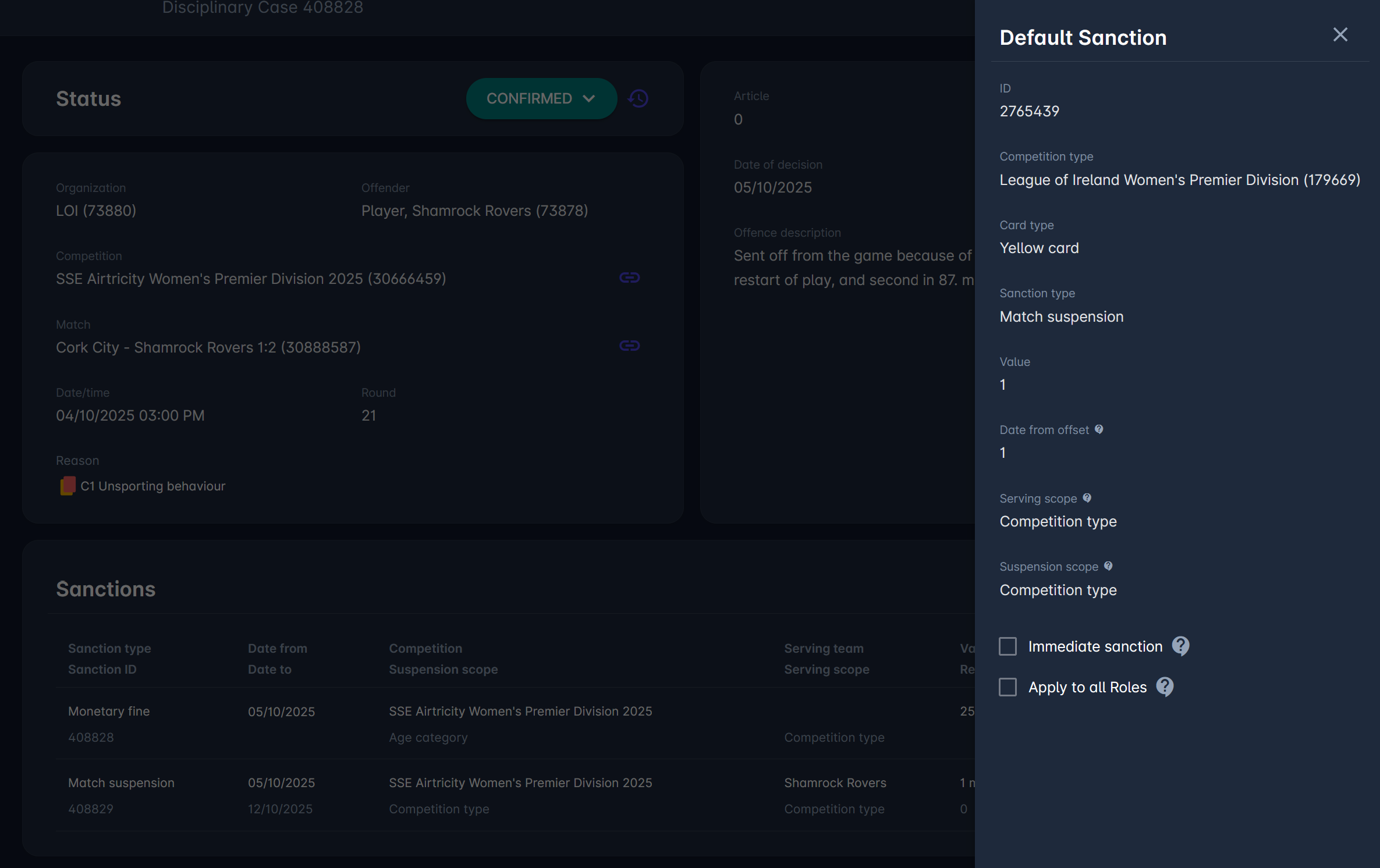
Available if the sanction was created automatically from a Default Sanction. It opens a read-only panel on the right with the Default Sanction configuration that was applied, e.g., competition type, card type, sanction type, value, date from offset, serving and suspension scope, Immediate sanction, and Apply to all Roles. For field descriptions, see Default Sanctions.
Authorizations
You can view the Disciplinary Case Detail if you are:
-
a Superuser, Competition Administrator or Disciplinary Administrator in the case organization or an organization above it
-
a Disciplinary Manager or Competition Manager appointed to the case competition or the sanction competition
-
a Club Manager or Club Lineup Manager of the case club or the sanction serving team
-
the offender
If you do not have access, a message is shown instead of the case.