
Self-registration is only available if COMET PLAY is enabled in your Association.
To conduct self-registration on the available Registration Profile:
-
Open the My Registrations Menu
-
Select the Register tab
-
You will be automatically transferred to Step 1: Choose Registration Profile
-
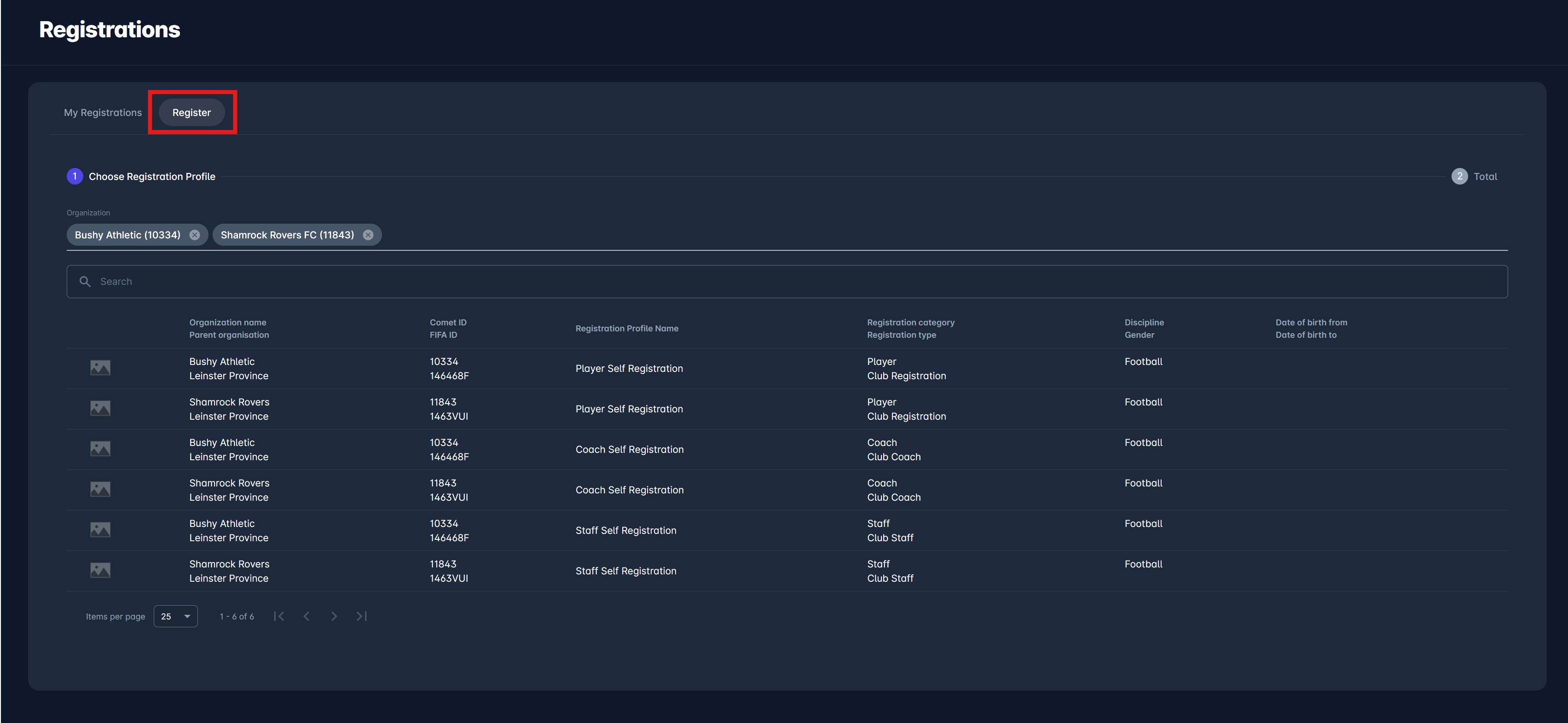
The list of all Registrations that are available for application will be listed with the following details:
-
Club Filter → Take into account that the club filter is preselected based on your last registration. You can remove that prefilled club or add more clubs to this filter.
-
Logo
-
Organization name/ Parent Organization
-
COMET ID/ FIFA ID
-
Registration profile name
-
Registration category/ Registration type
-
Discipline/ Gender
-
DOB From/ DOB to
-
The search box (use the search box to search through Registrations that are available for application)
-
-
Choose a Registration from the list by clicking on it
-
This will redirect you to the next step of the application → “Choose Team Registration Profile” menu
-
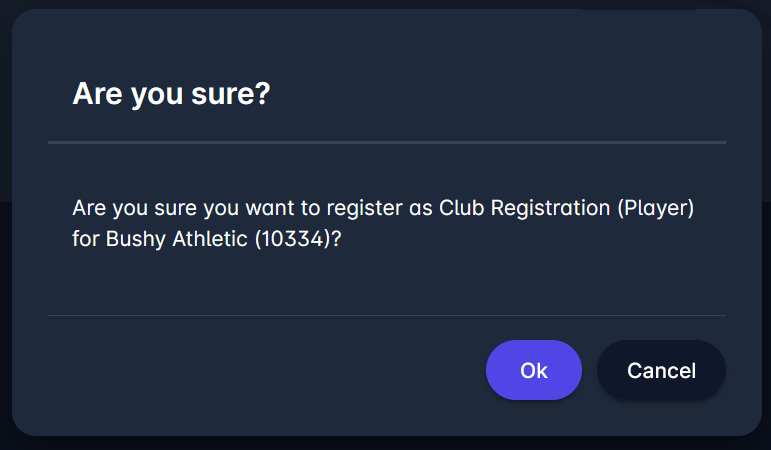
In case the Registration is free and does not require payments, hit the Register button
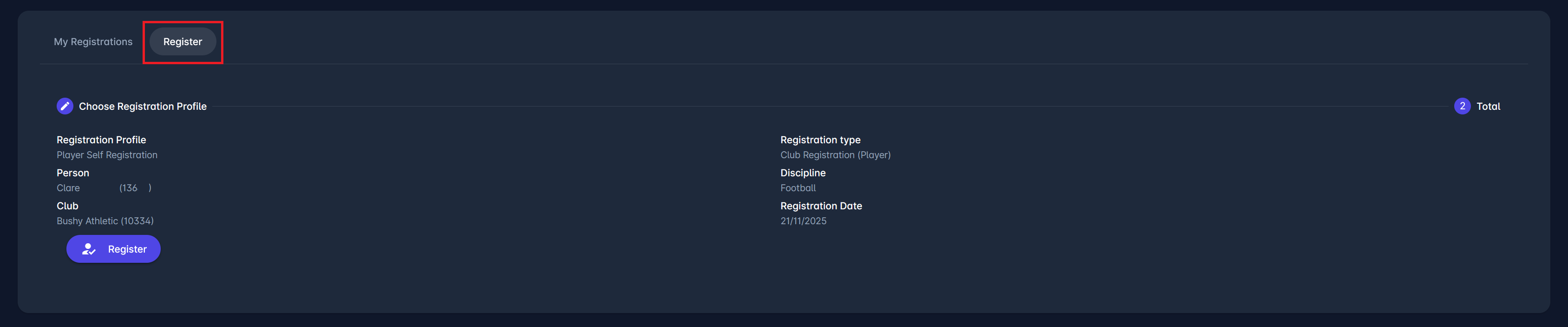
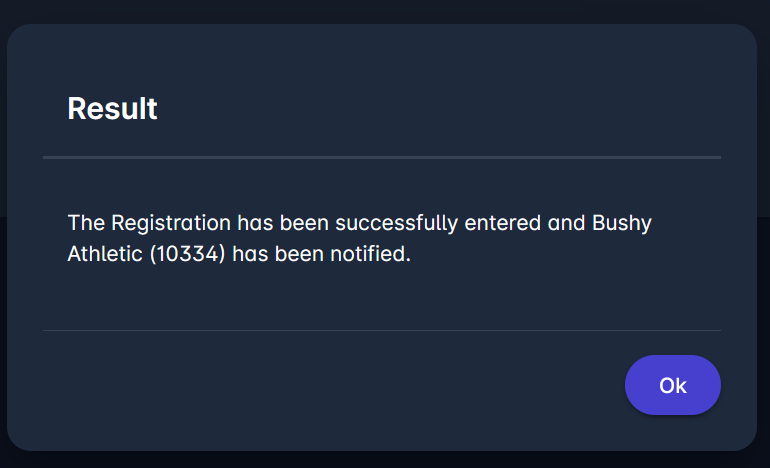
The registration will be set to status ENTERED, and the club will be notified to proceed.
-
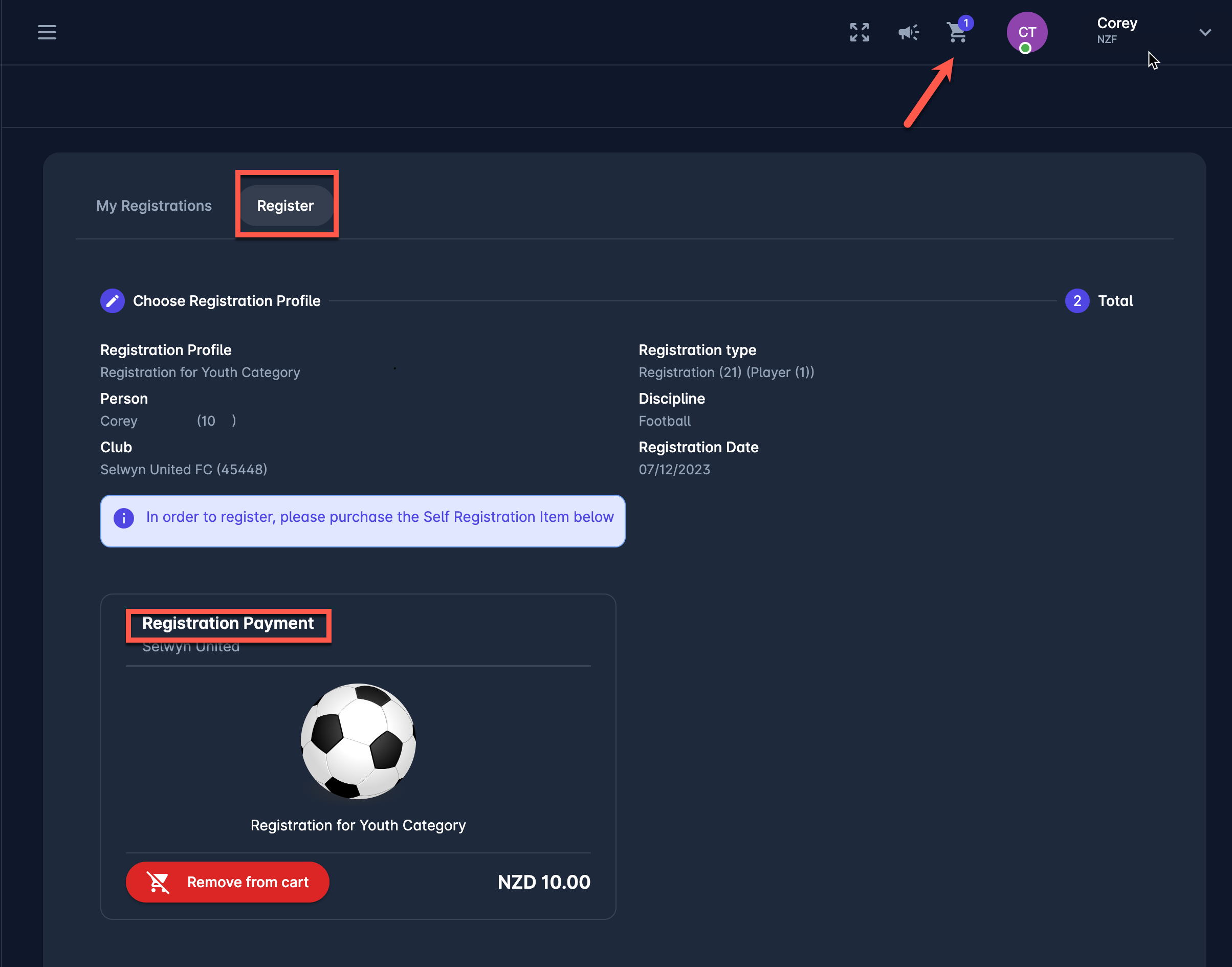
In case the Registration requires payments, the Registration Payment Item will be displayed.
-
To register, please purchase the Self Registration Item
-
To complete the Registration, hit the 🛒 Add to Cart button at the bottom of the item window to add the item to the cart
-
In case there is an Item Survey linked to the item, fill out the item survey and click the 🛒 Add to Cart button
-
In case you want to reverse this action from this menu (not from the cart), click on the Remove from cart button, and the item will be removed
-
-
To complete the registration, access the Cart and complete the purchase
After the Item is purchased, the registration will be set to status ENTERED, and the club will be notified to proceed.
Please note that you are not officially registered with the organization until the club submits your registration and the registration is CONFIRMED by an authorized user.