
There are two typical situations of involvement of intermediaries in certain transactions:
-
The first one is during negotiations between the club and the player on the contract
-
The second one is during negotiations regarding a player's transfer from one club to another.
Add Intermediary to a Contract with a Club
If an intermediary participates in contract negotiations between a player and a club, the information on intermediaries and their remuneration is included as part of the new contract.
To add or modify the contract with a club:
-
Press the Active Contracts tab,
-
Click on the Edit button of the selected contract
-
Click the + Intermediary button to enable the entry of the intermediary
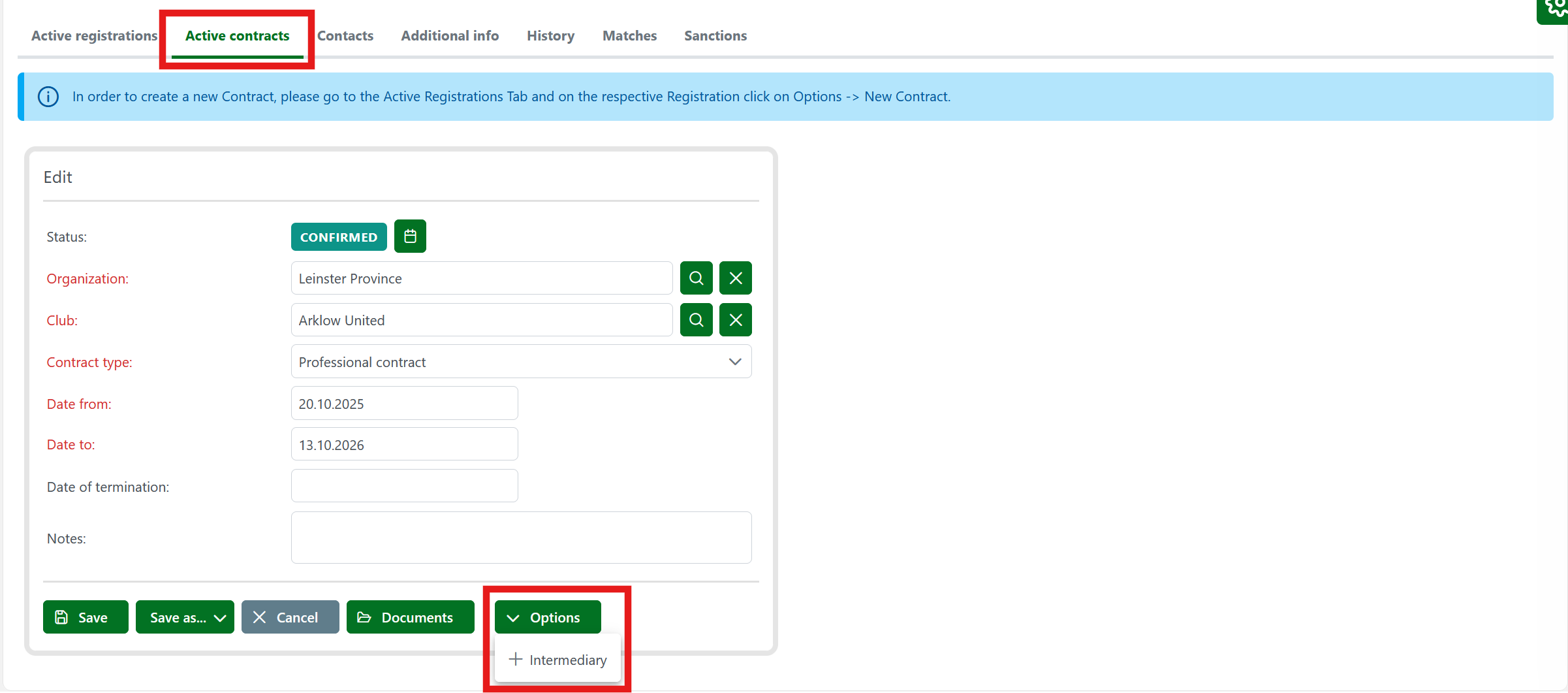
Clicking the + Intermediary button opens a screen for selecting the contracting and contracted parties.
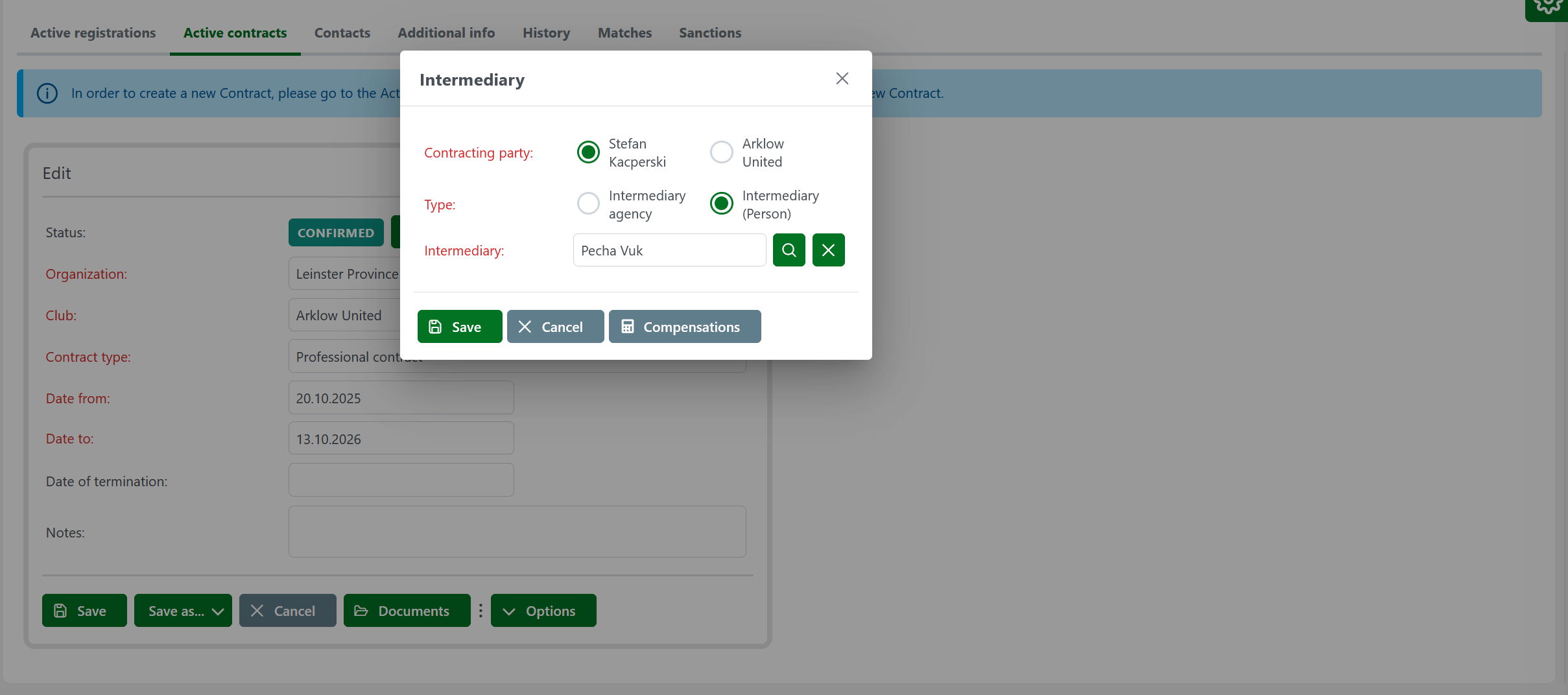
If a Contract is concluded between a player and a club, they are the parties of the Contract.
By selecting the contracting party, the system will find all intermediaries that have active representation contracts with that party.
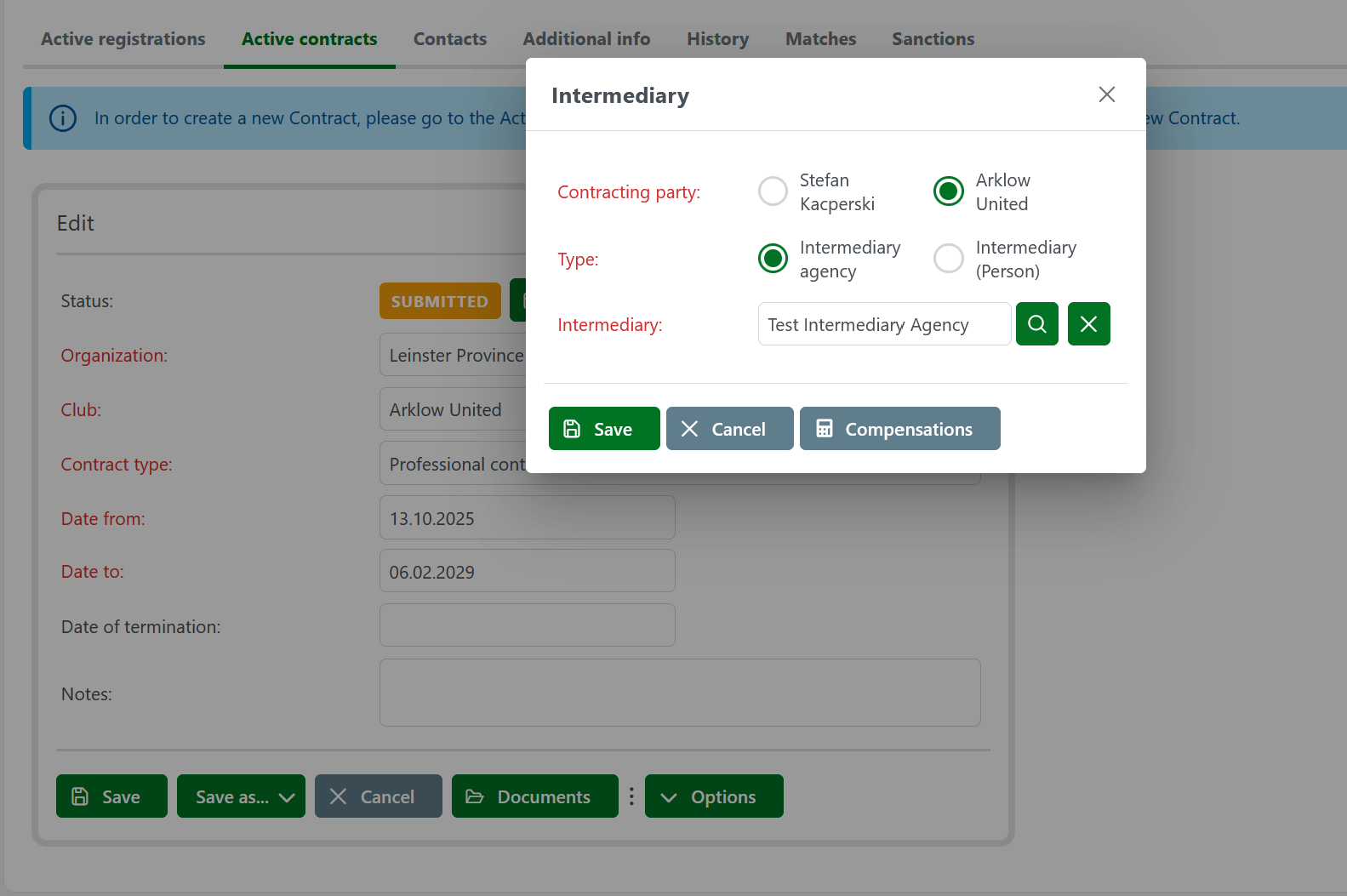
If the system finds only one intermediary, it will automatically complete the "Type" and the "intermediary" fields.
If there are more intermediaries, you must select the desired type and the intermediary. After choosing the type of intermediary, the system will enable the functionality that allows you to select the intermediary.
If there are no active intermediaries with player/club representation contracts, the list for selecting intermediaries will be empty, and you won't be able to enter an intermediary as long as he/she is not previously entered into the system.
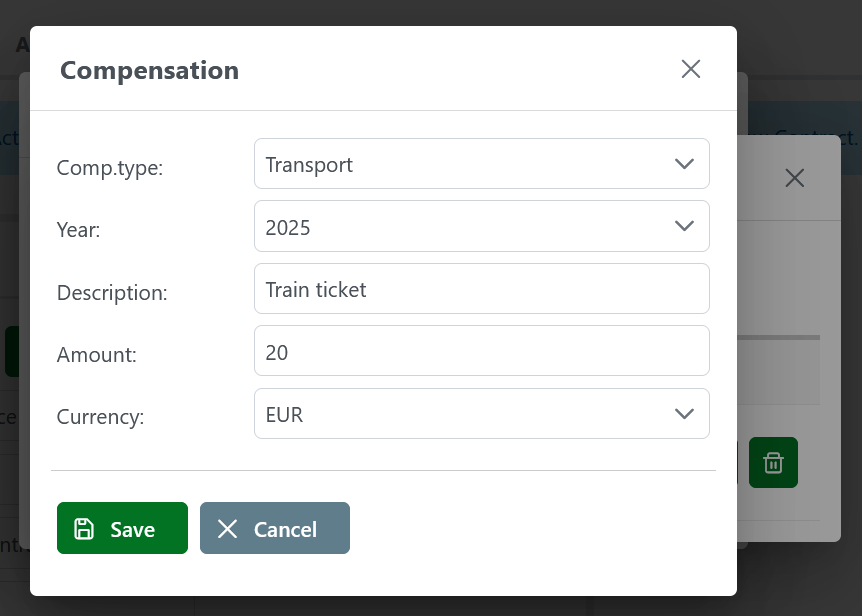
Also, on the same screen, the system allows you to enter intermediary compensations in different currencies. To do this, press the Compensations button on the previously described screen.
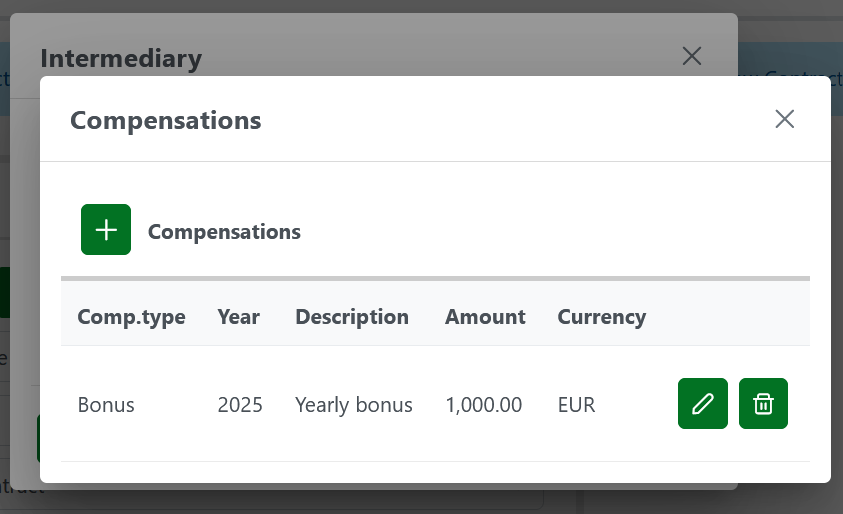
Clicking on the Compensations button opens the screen to view and enter compensations.
To enter new compensation:
-
Press the + New Compensation button
-
Enter a type of compensation, a year, a description, and select the currency of compensation.
-
After entering all the mandatory data, press the Save button.
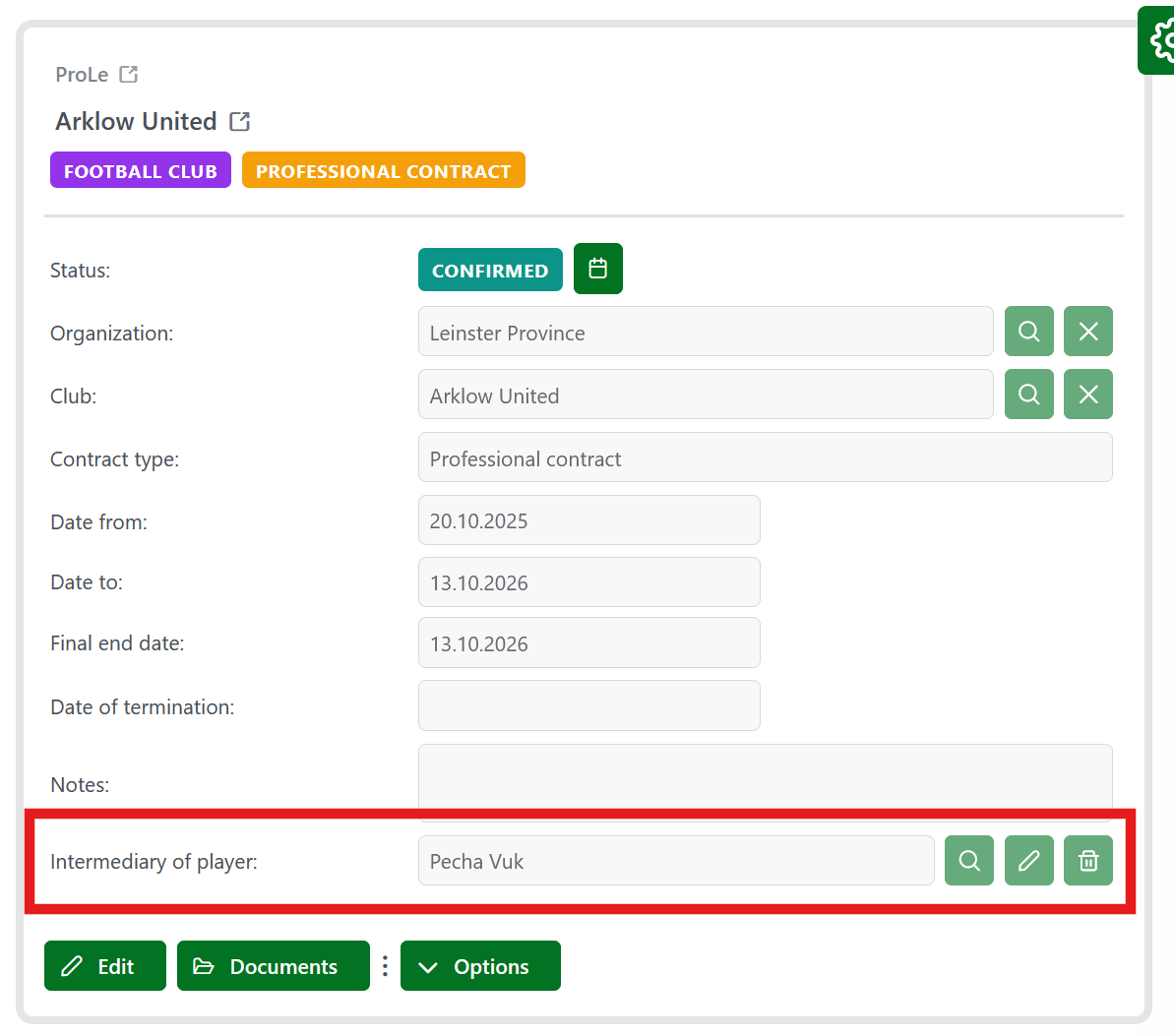
After adding intermediaries to a contract with a club, they will appear in new fields on the screen: the "Intermediary of player" and the "Intermediary of club" fields.
To successfully add an intermediary to a contract, you have to save the entire contract by pressing the Save button. If the contract is not successfully saved, the intermediaries won't be stored in the system, and you will have to add them once again to the contract.
Once the contract has been successfully saved, the intermediary data will appear on the screen, and the Search, Edit, and Delete buttons will be disabled.
Add Intermediary to a Player Transfer
To add an intermediary to a transfer between two clubs:
-
Change the player registration for the destination club
-
Click the ➕ Intermediary button to add an intermediary.
The Intermediary button appears only if a club of origin also exists, that is, if there is a previous player registration for a club of the same type or the same discipline.
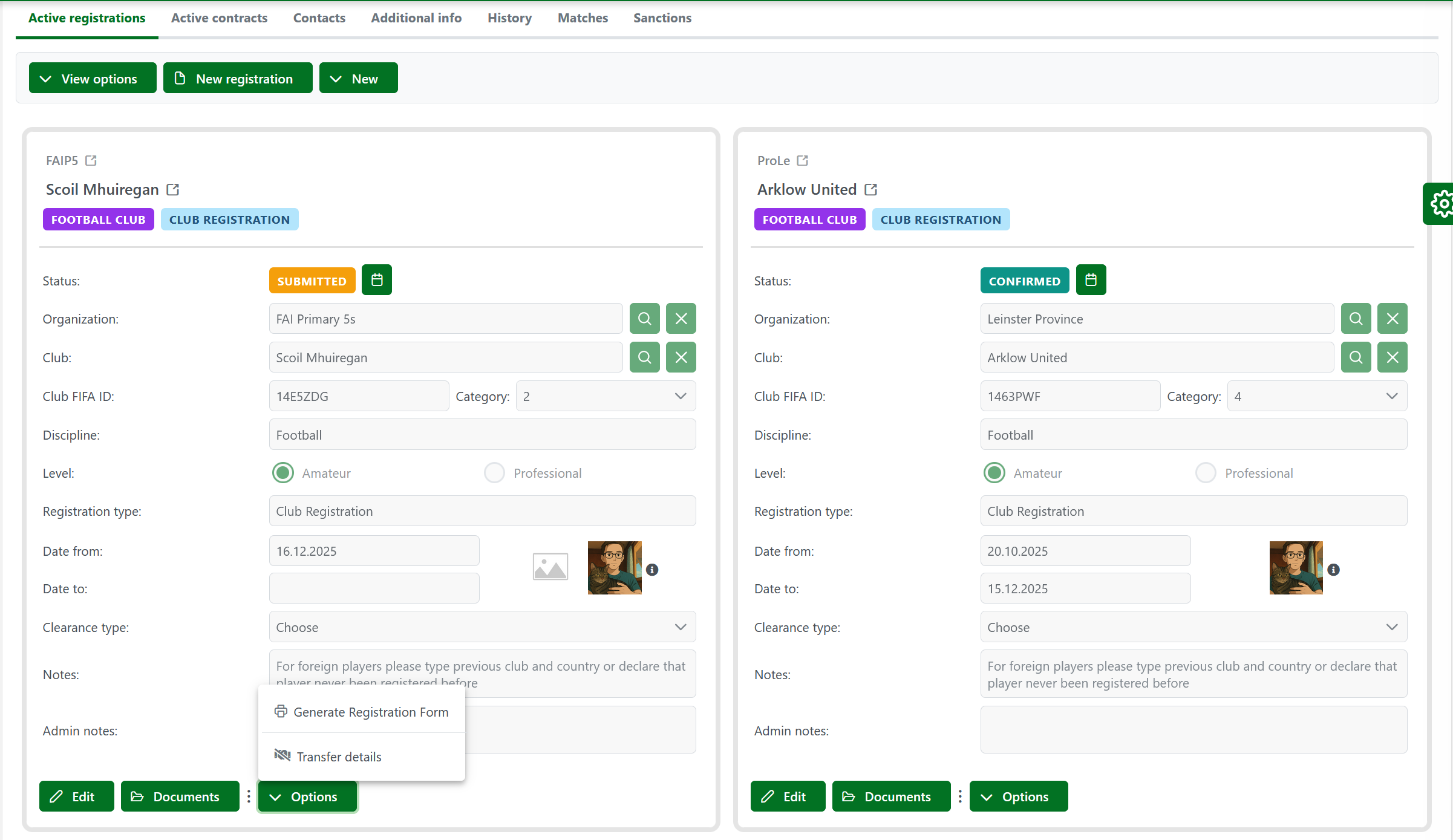
Click the ➕ Intermediary button opens the screen for selecting the contracting and the contracted parties.
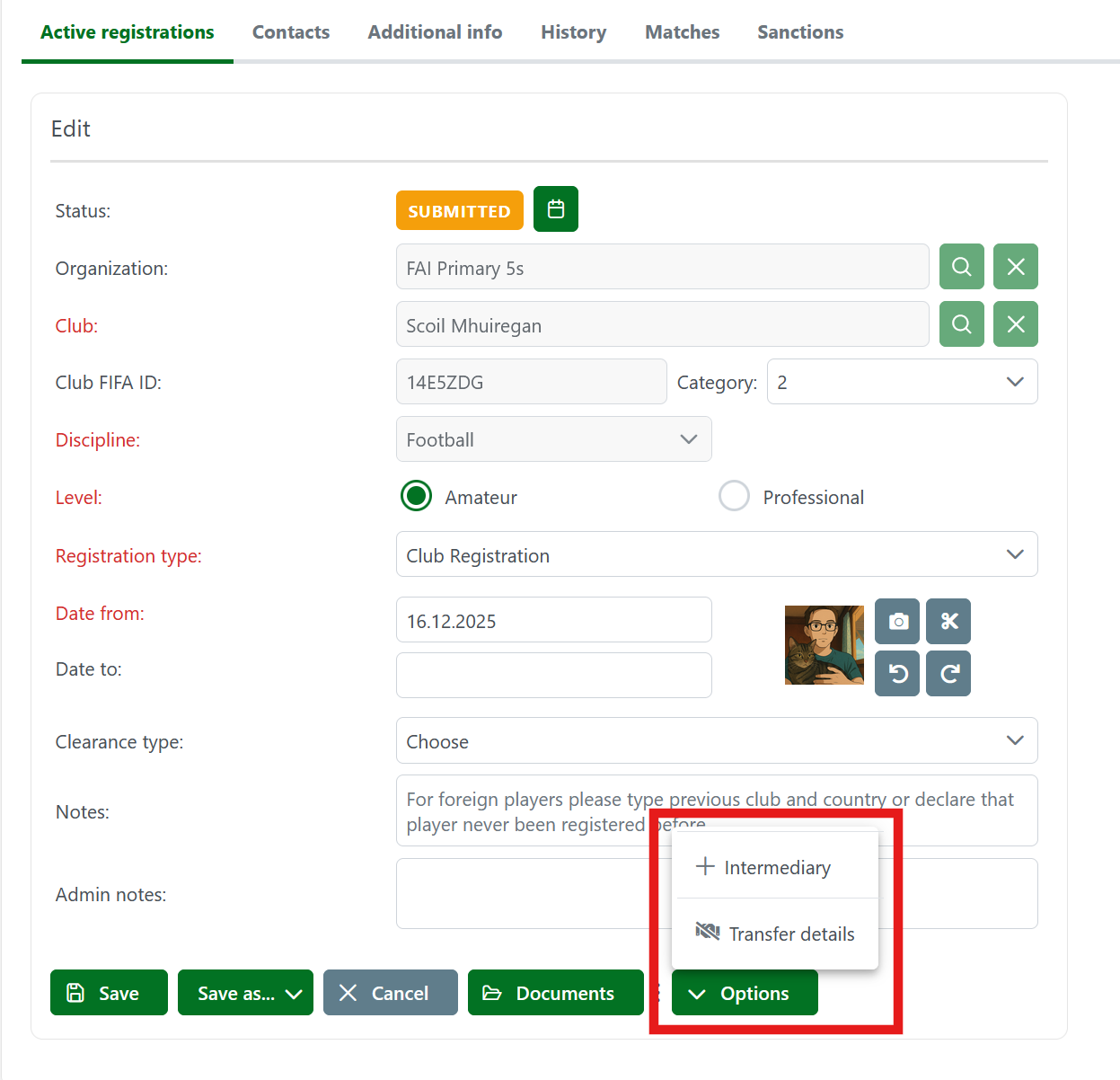
The workflow is the same as that of entering a contract between a player and a club, with the only difference that in the case of transfers, the involved parties are the Club of origin and the Destination club.
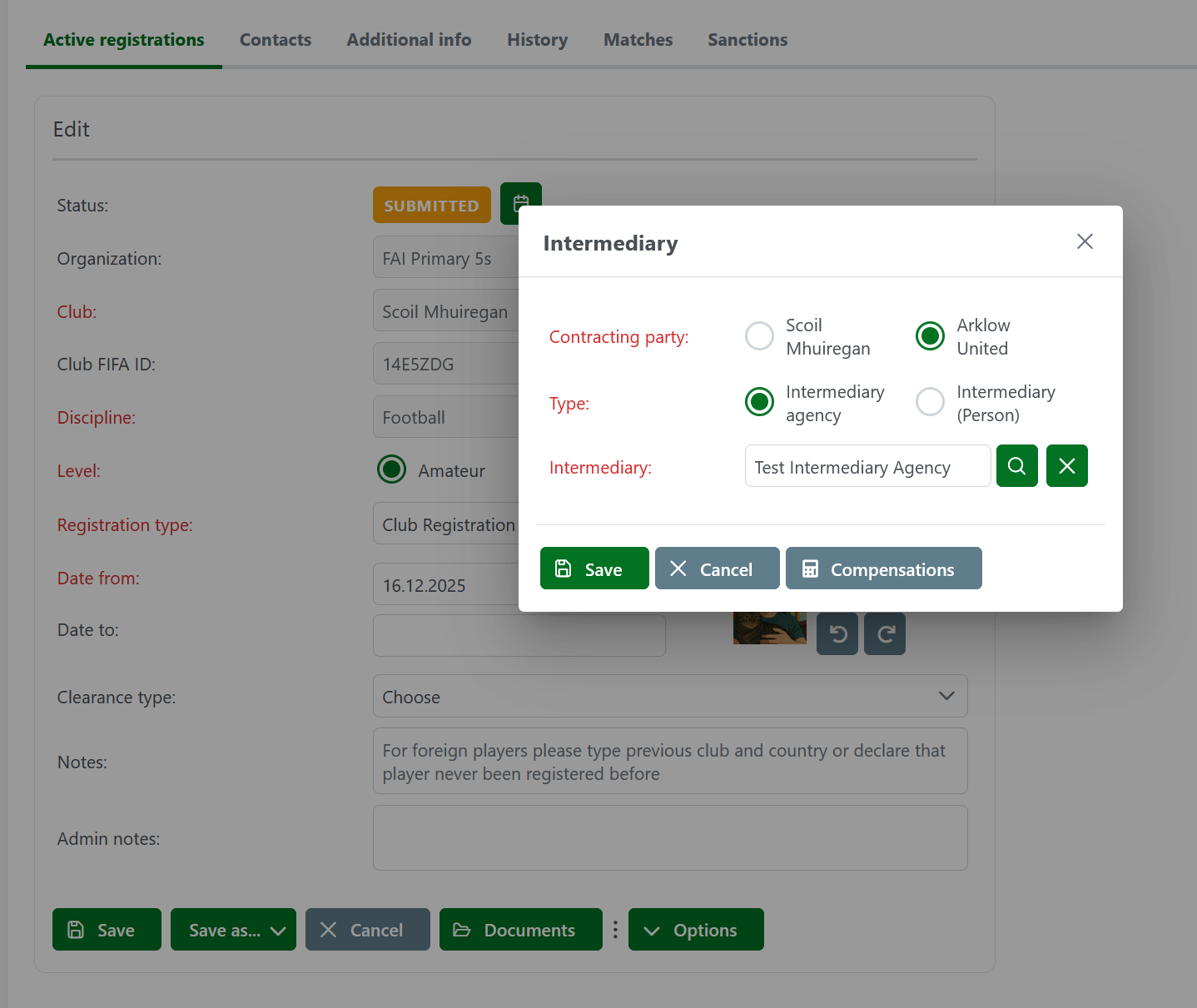
Once you have added intermediaries to a transfer, save the Player registration by pressing the 💾 Save button to store the intermediary data successfully in the system.