
Person Search lets Tenant Superusers and Administrators of Persons find any person in their tenant directly from MyCOMET and open their Person Profile.
The Person Search icon is shown only to:
-
Tenant Superusers
-
Administrators of Persons at the Tenant level
Person Search is available on tenants that use Standard Club Registration in MyCOMET.
Open Person Search
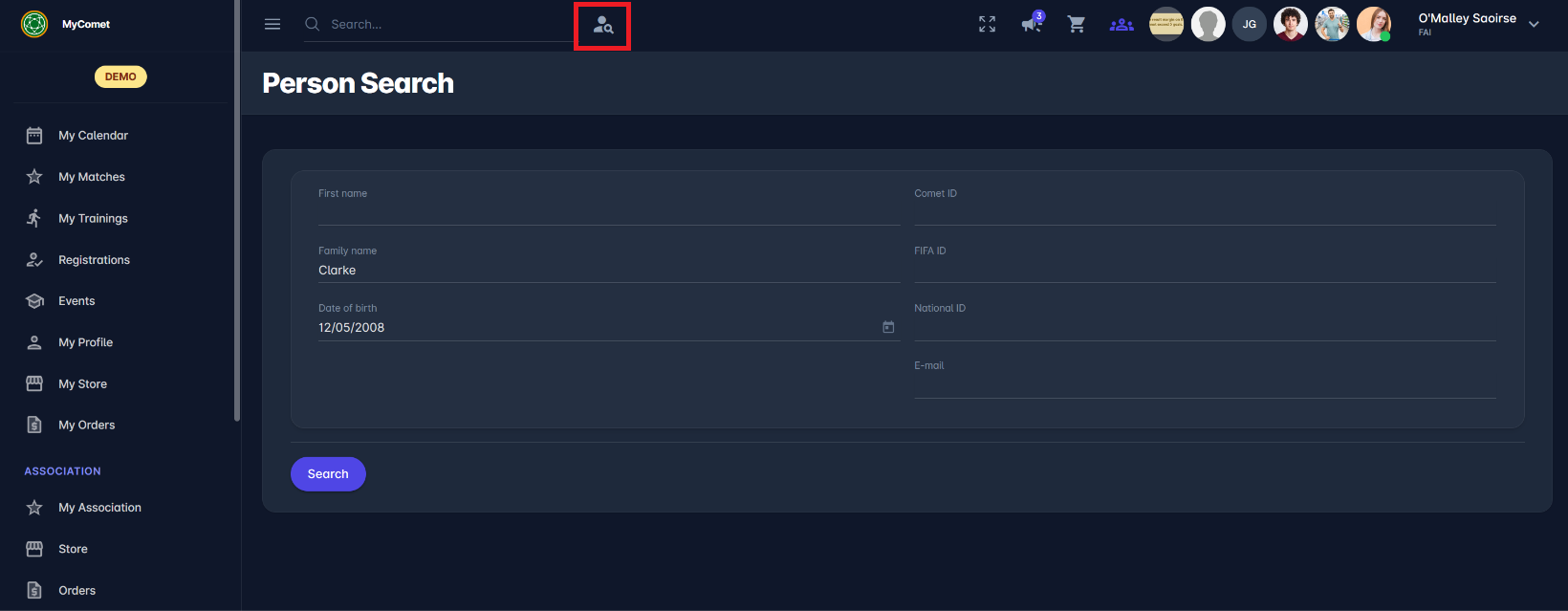
Click the Person Search icon in the MyCOMET header, next to the Quick Search.
Search for a Person
The search form is the same as in Step 1 of the Registration Wizard, and the same search rules apply.
-
Enter at least two data points:
-
Last Name, and at least one of: Date of Birth, National ID, COMET ID, FIFA ID, or
-
Date of Birth, and at least one of: Last Name, National ID, COMET ID, FIFA ID.
-
-
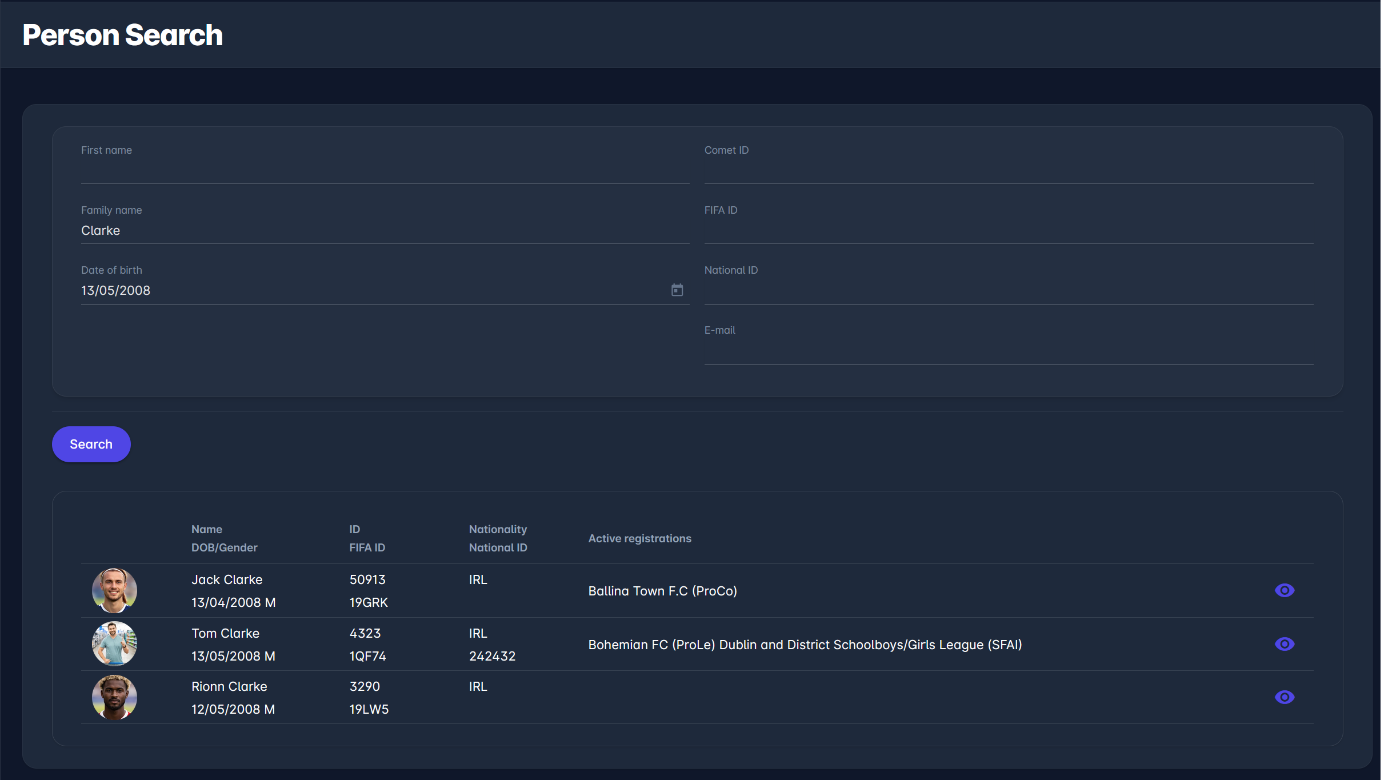
Click Search. The system performs a fuzzy search and returns up to 25 close matches.
-
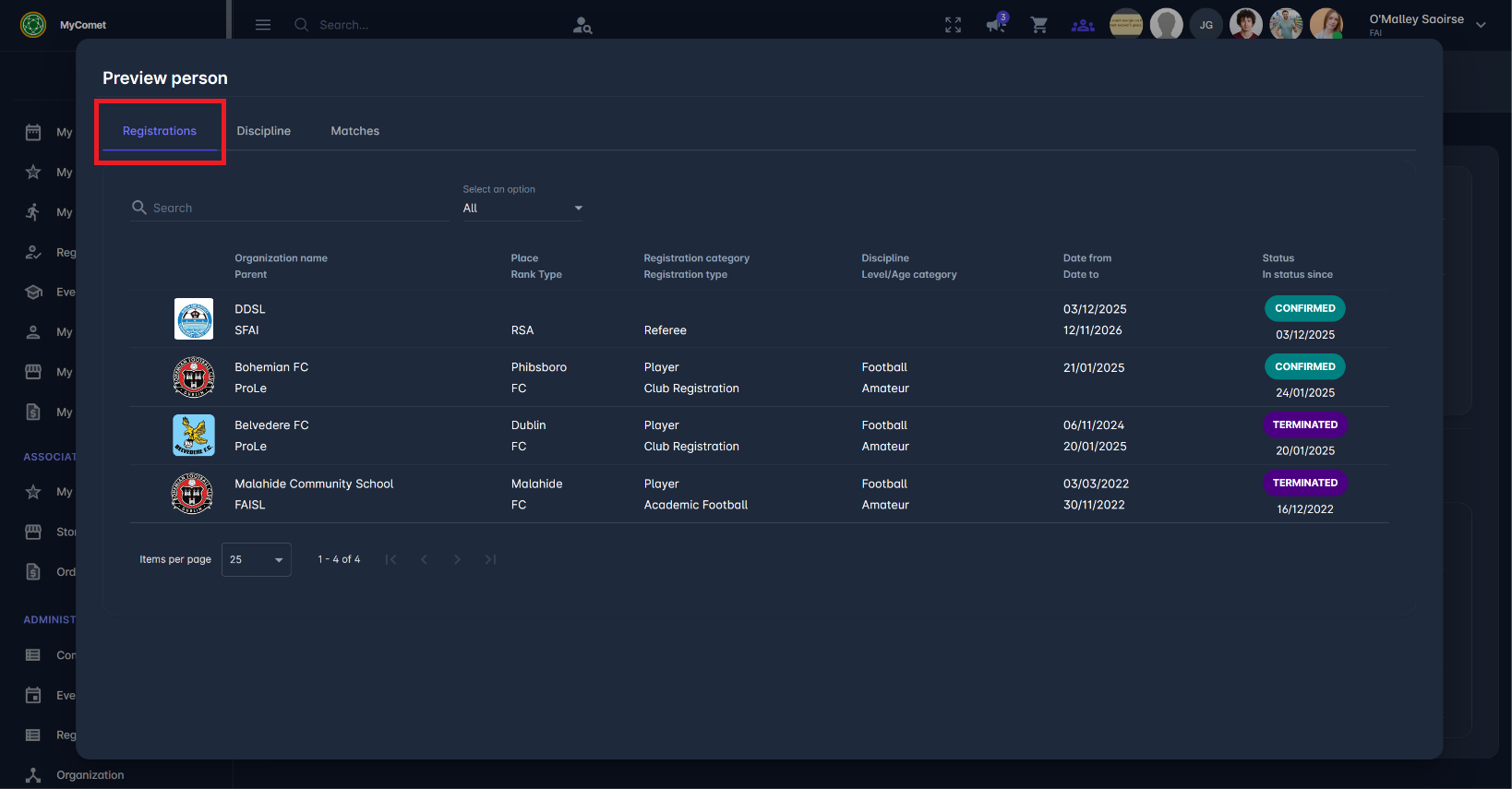
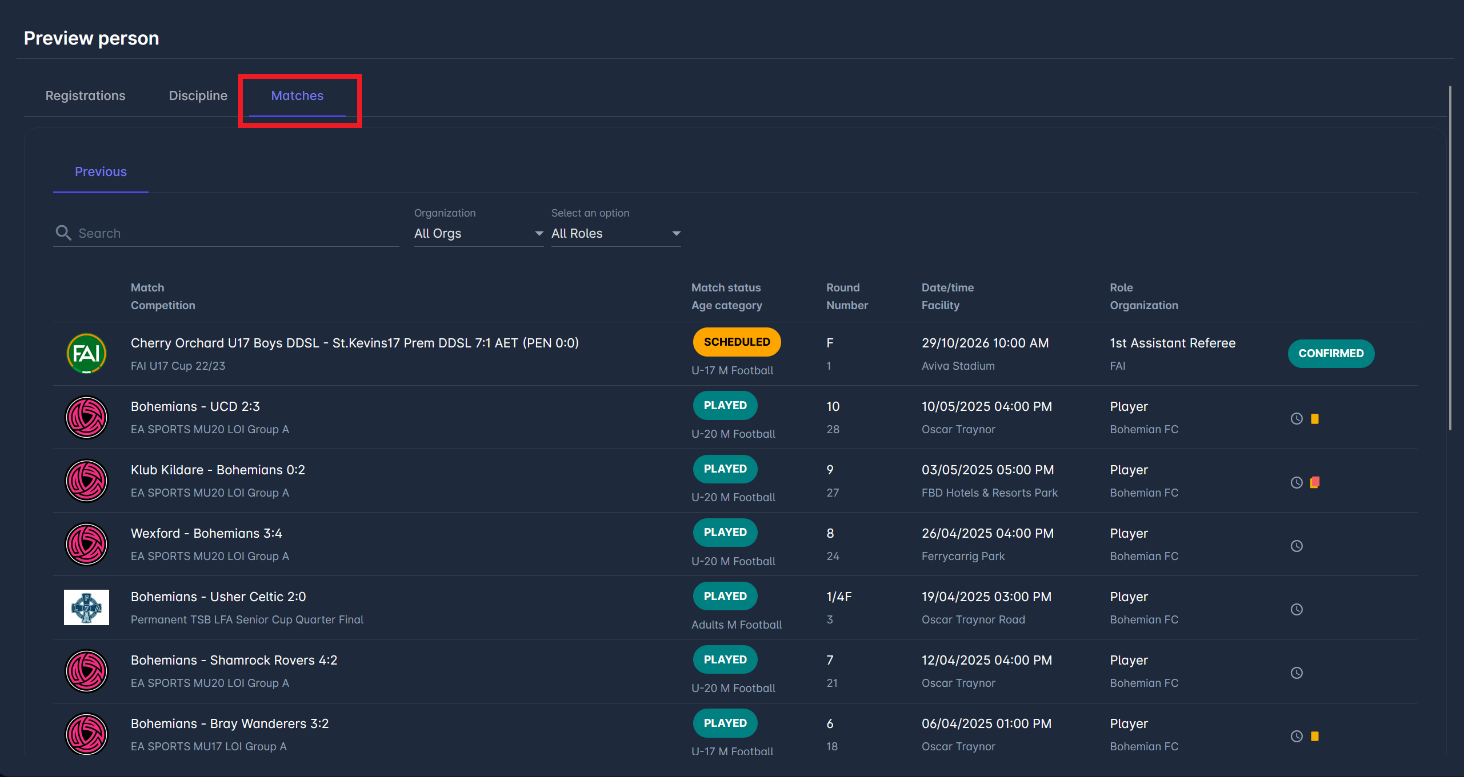
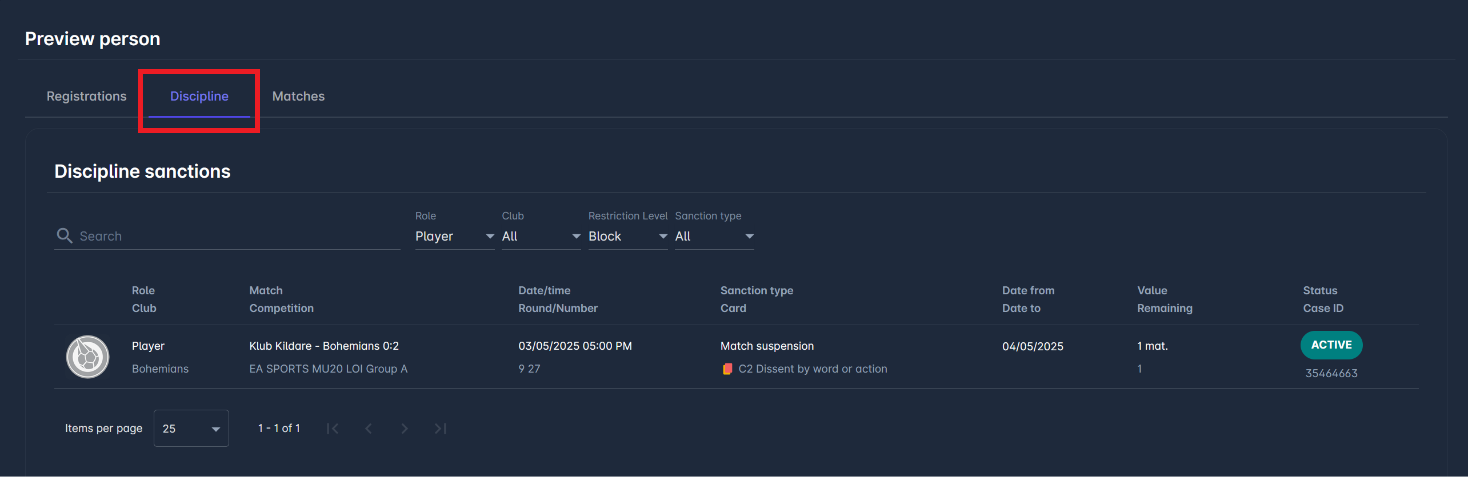
To check a person's registrations, matches, and active sanctions without opening the full profile, click the Eye icon next to a result. See Person Preview.
-
Click a result to open the person's Person Profile.
Unlike the Registration Wizard, Person Search does not have a Create New Person option. It is used only to find existing persons.
Every search is recorded in the Views Audit Log.
Person Profile
The Person Profile shows the person's data across all their registrations. Besides the person's details, it includes the following tabs, which work the same as on the Registration Detail:
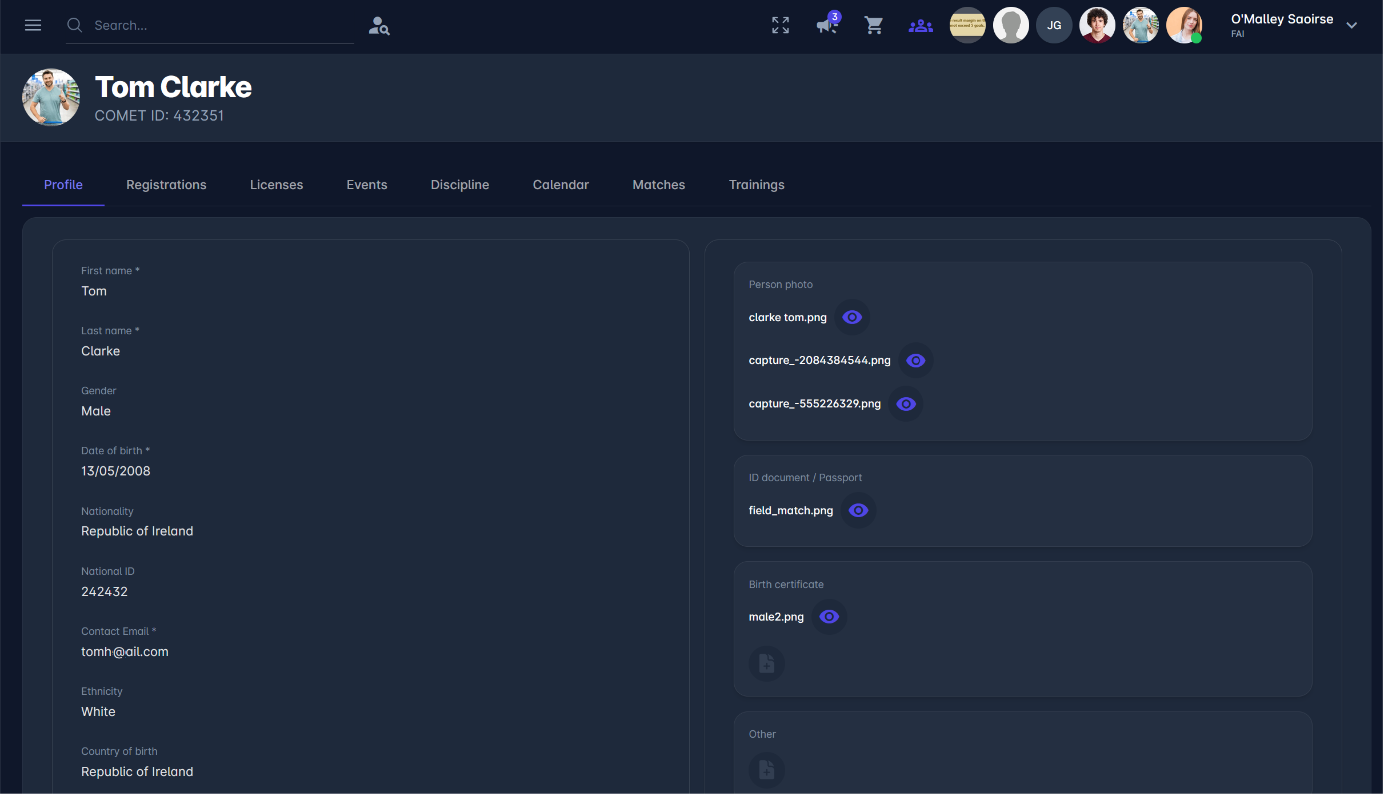
The Competitions tab is not shown on the Person Profile because competition participation is linked to a specific registration. It is available on the Registration Detail.
Authorizations
Because the Person Profile contains personal data from all of a person's registrations, access is limited to:
-
the person themselves (their own profile)
-
Tenant Superusers and Administrators of Persons at the Tenant level
On multi-tenant instances, Tenant Superusers and Administrators of Persons can open the Person Profile only if the person has a user account, a registration, or an event participation under their tenant.
Other users cannot open the Person Profile. Depending on their role, they can see a person's data on the Registration Detail | Access and Permissions.