
In addition to club or team kits, which are defined on the club/team form, it is also possible to define and select referee kits and substitute bibs. This can be particularly helpful when comparing kits of all parties involved in the match and ensuring that the colors do not conflict.
This option allows you to select all kits in one place, on the main match tab, enabling administrators or managers to easily compare them and make a final decision on the kits for referees and field players/goalkeepers of both teams.
Configuring Referee Kits
The first step is to configure a new referee kit at the Organizational level, which can be done by a Superuser and/or Referee Administrator of that organization (or any organization above in the hierarchy).
Once this is done, that kit will be available for selection in competitions and matches organized by that organization.
To configure a new referee kit:
-
navigate to the page of the organization (competition organizer) in the MyCOMET system
-
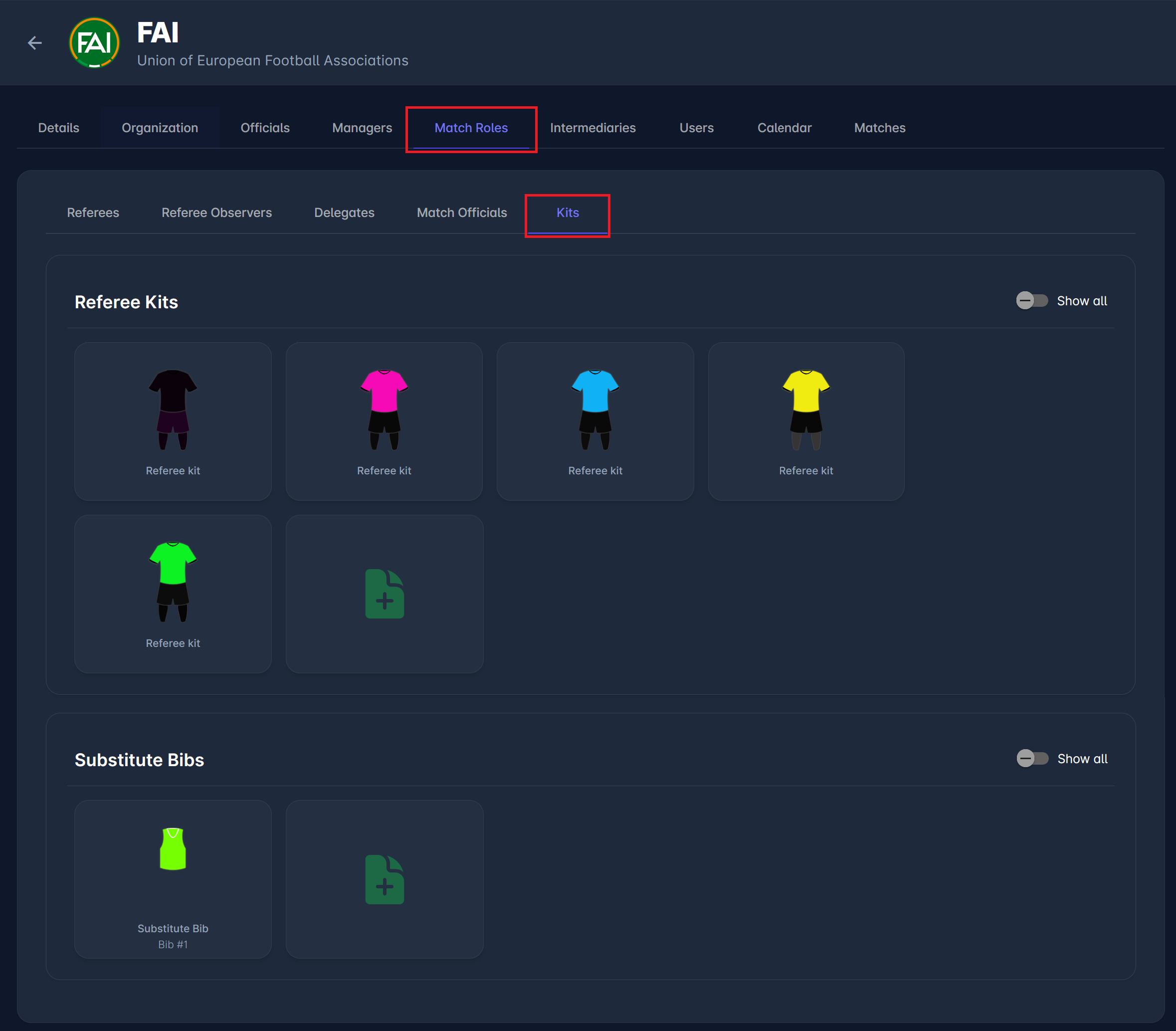
navigate to the Match Roles → Kits tab
-
in the Referee kits section, click on the 📄 New referee kit button
-
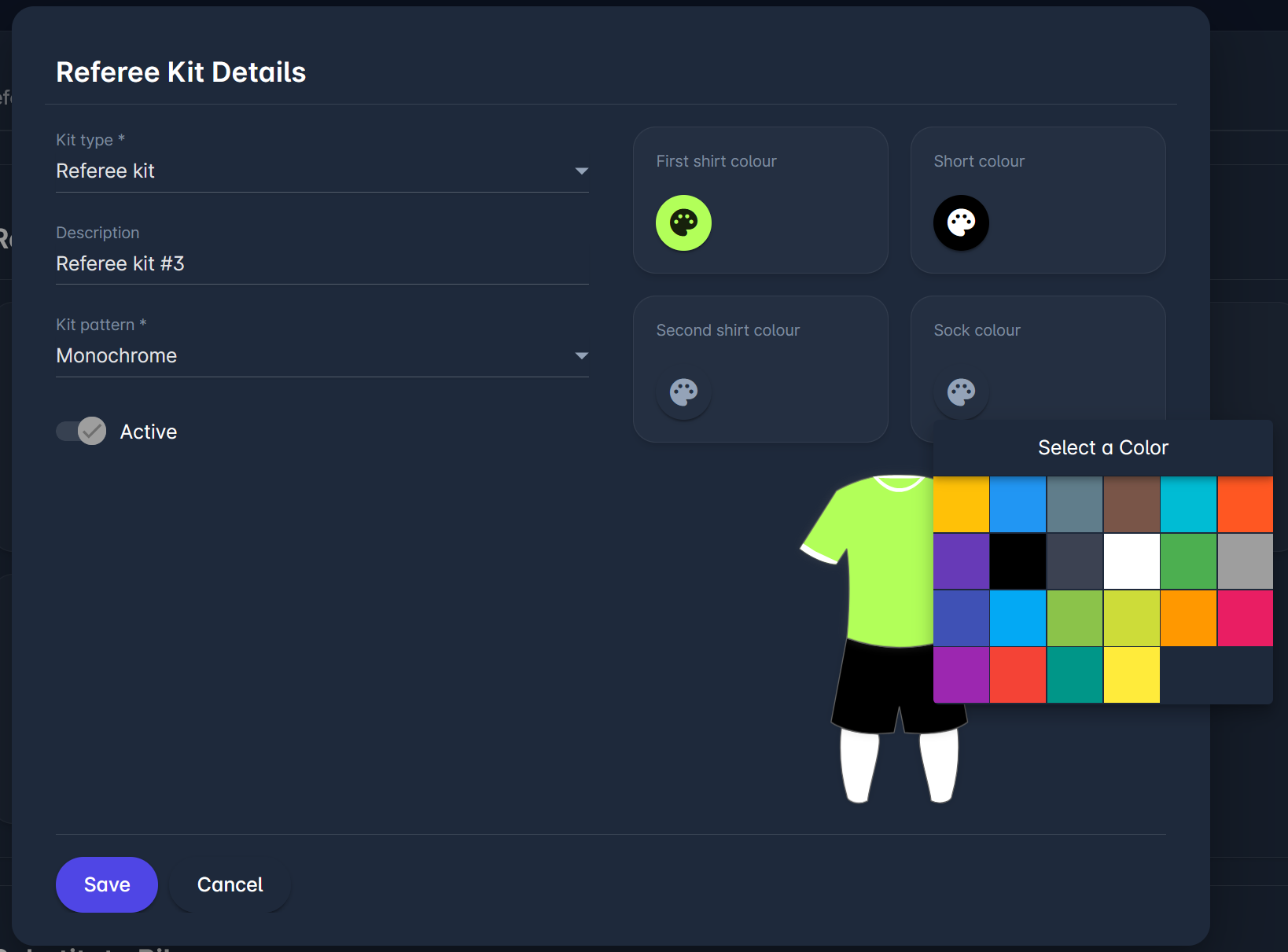
By clicking that button, a new dialog appears, enabling you to design the kit
-
Specify the kit by selecting from the options of:
-
Kit type - choose from a dropdown
-
Description - an optional field enabling you to add a description for your kit
-
Kit pattern - select a pattern from the dropdown; you can choose between options like horizontal/vertical stripes, monochrome, chequers…
-
First shirt color - select one or more colors for the shirt, shorts, and socks
-
Second shirt color
-
Shorts color
-
Sock color
-
Upload an image of a referee kit
-
-
Click on the 💾 Save button to save your changes
All available kits will now be displayed under the Kits tab, as shown in the image below.
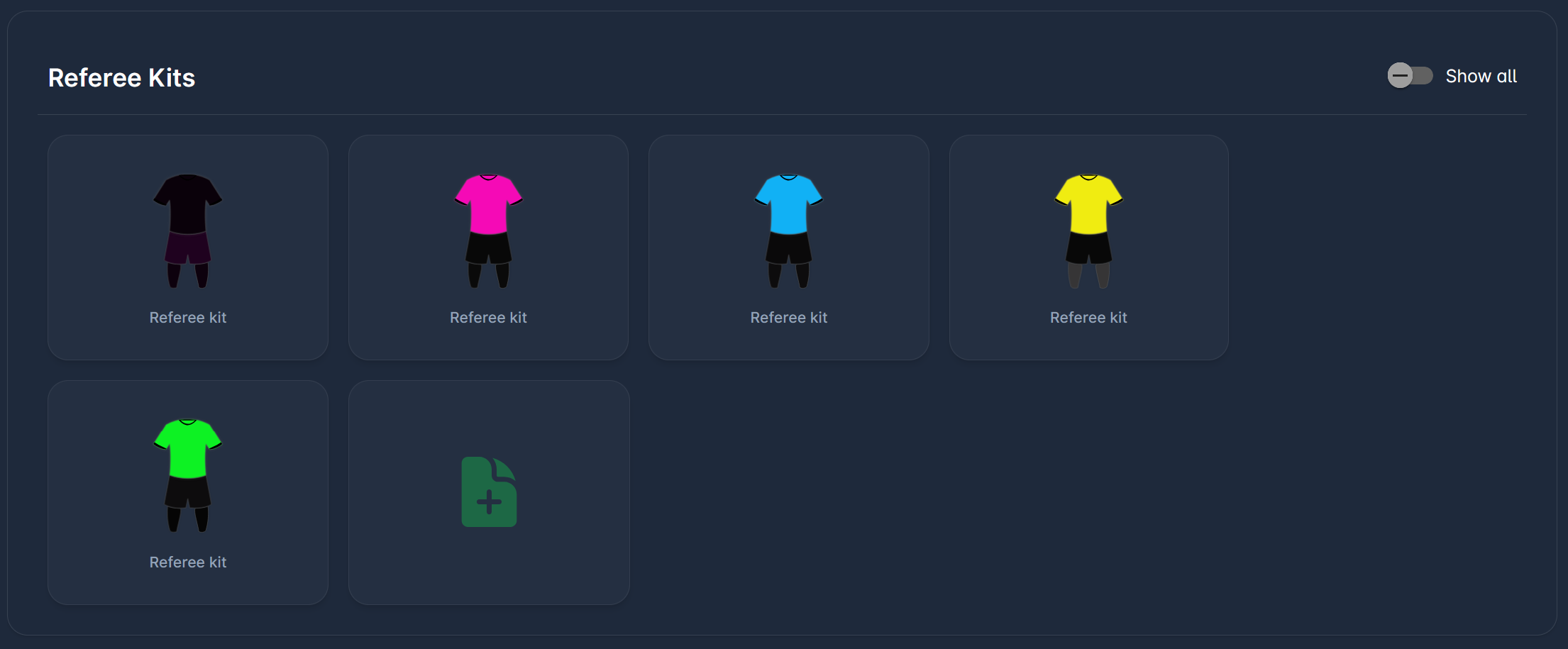
You can edit an existing kit by clicking on each designed kit.
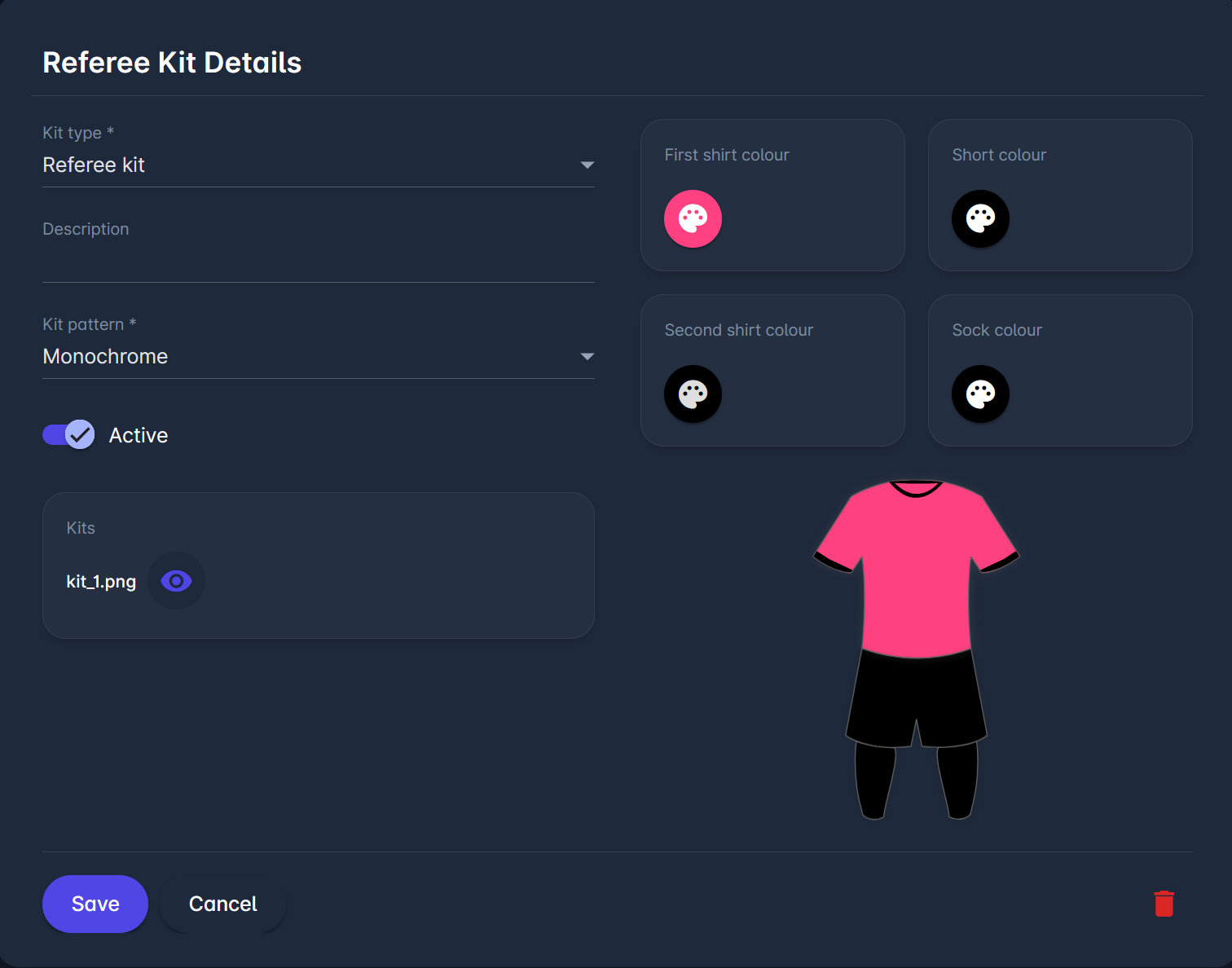
From here, you can edit the design of your kit, set it to active/inactive, delete it, or upload an image of the referee kit.
Once a kit has been used in a competition or match, it cannot be updated or deleted. It can only be deactivated, so that it is no longer available for use.
Substitute Bibs
To configure a new substitute bib:
-
navigate to the page of the organization (competition organizer) in the MyCOMET system
-
navigate to the Match Roles → Kits tab
-
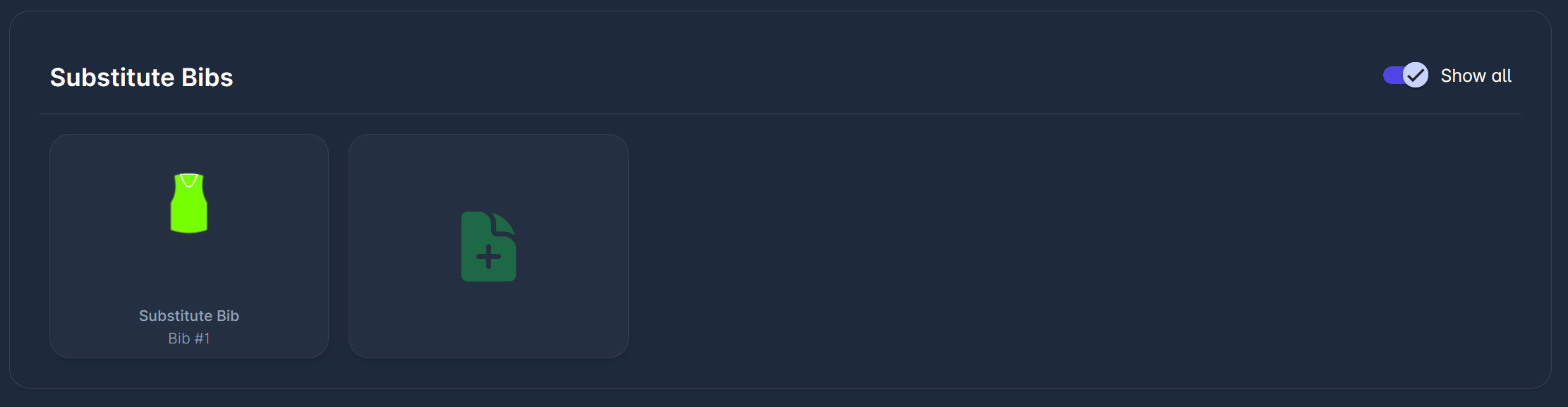
in the Substitute Bib section, click on the 📄 New substitute bib button
-
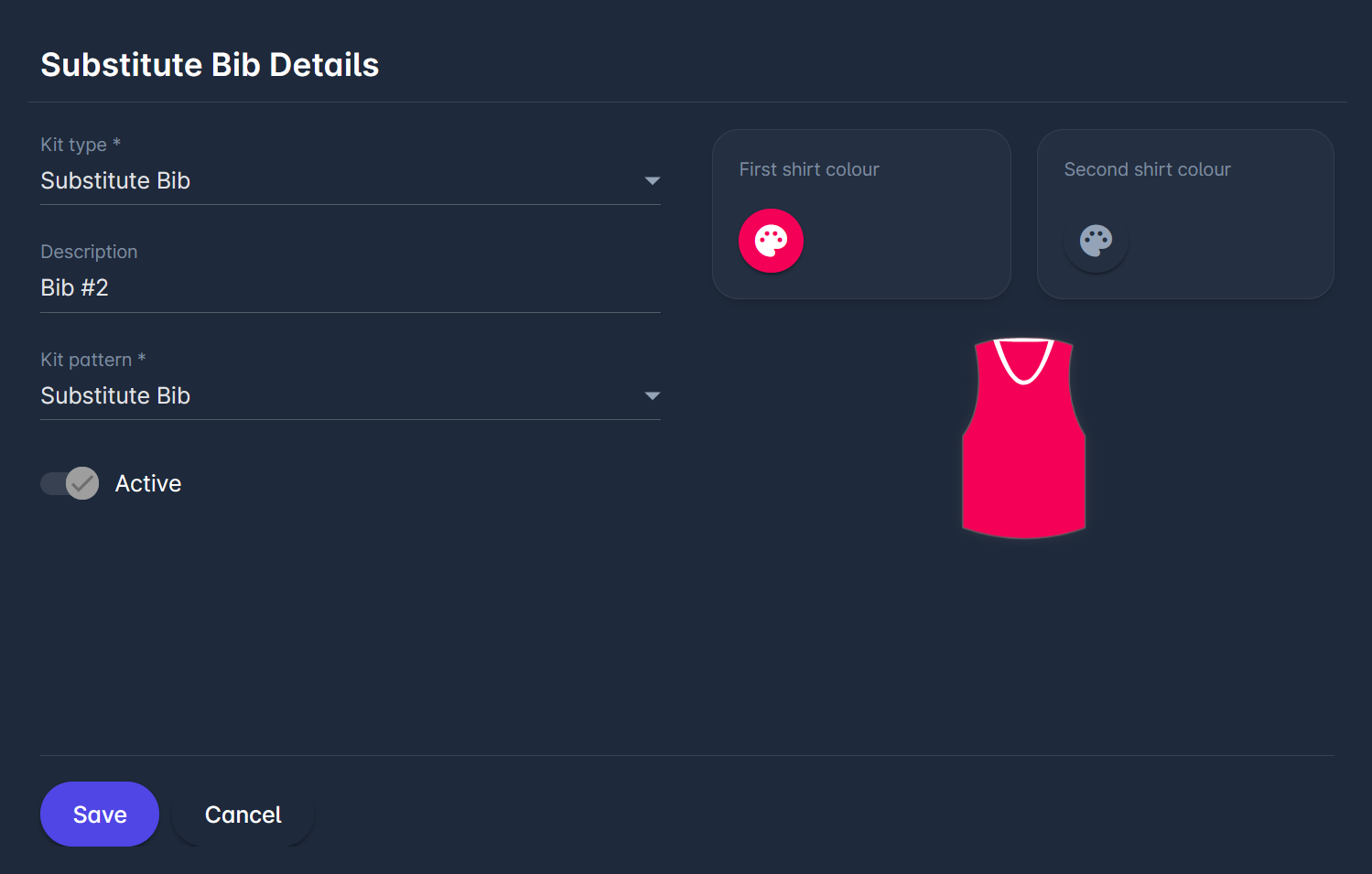
By clicking that button, a new dialog appears, enabling you to design the bib
-
Specify the bib by selecting from the options of:
-
Kit type - choose from a dropdown
-
Description - an optional field enabling you to add a description for your kit
-
Bib pattern - select a pattern from the dropdown
-
First shirt color - select one or more colors
-
Second shirt color
-
Upload an image of a substitute bib
-
-
Click on the 💾 Save button to save your changes
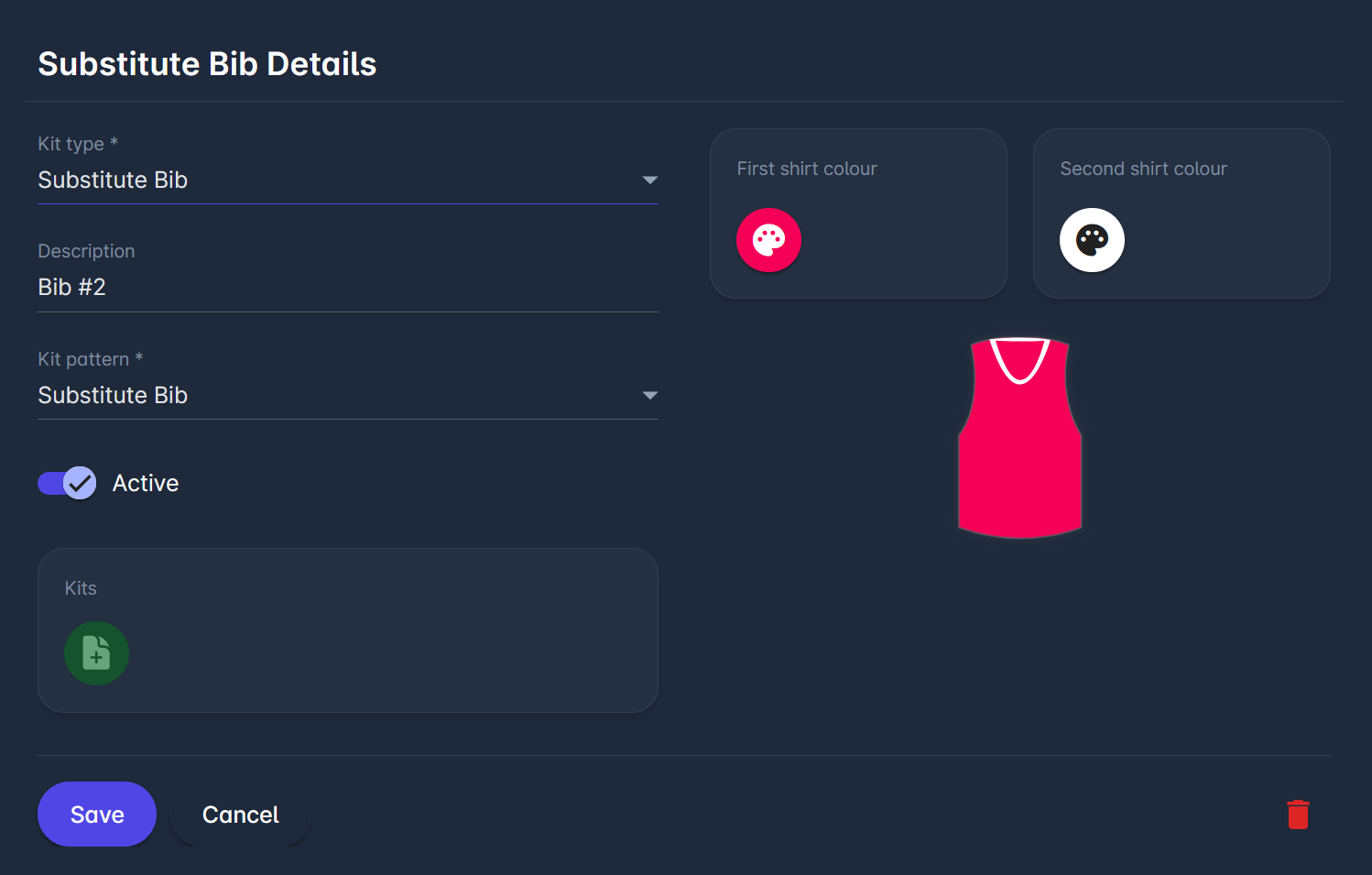
Similarly to editing an existing referee kit, you can edit an existing bib by clicking on each bib item.
Add Kit to Competition
Competition Type Settings
For Competition Type, three Kit and Bib-related parameters are available: Player Kits, Goalkeeper Kits, and Substitute Bibs, each with dropdowns offering 2 or 3 options.
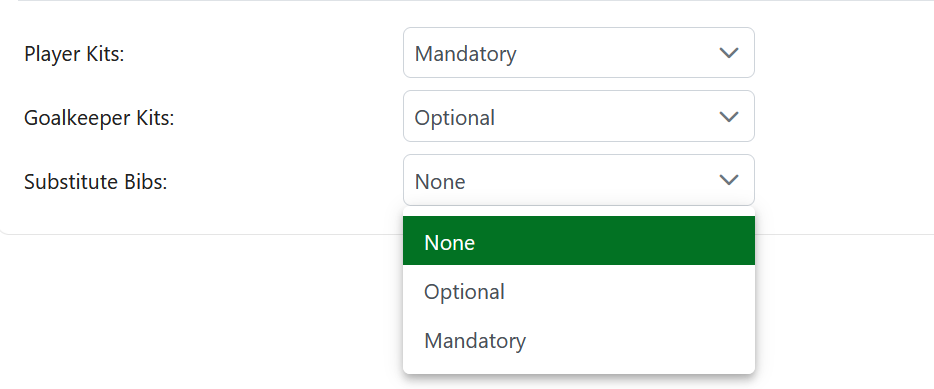
For Players, choose between Optional and Mandatory. If Optional is selected, the Kit is displayed but not required for some matches. If Mandatory is selected, the Kit must be added to confirm the lineup.
For Goalkeeper Kit and Substitute Bib, there is a third option: None. If None is selected, that kit is not displayed in the competition.
Add Kit to a Competition
To add an existing kit to a competition, click on the Kits button on the main tab of the Competition.
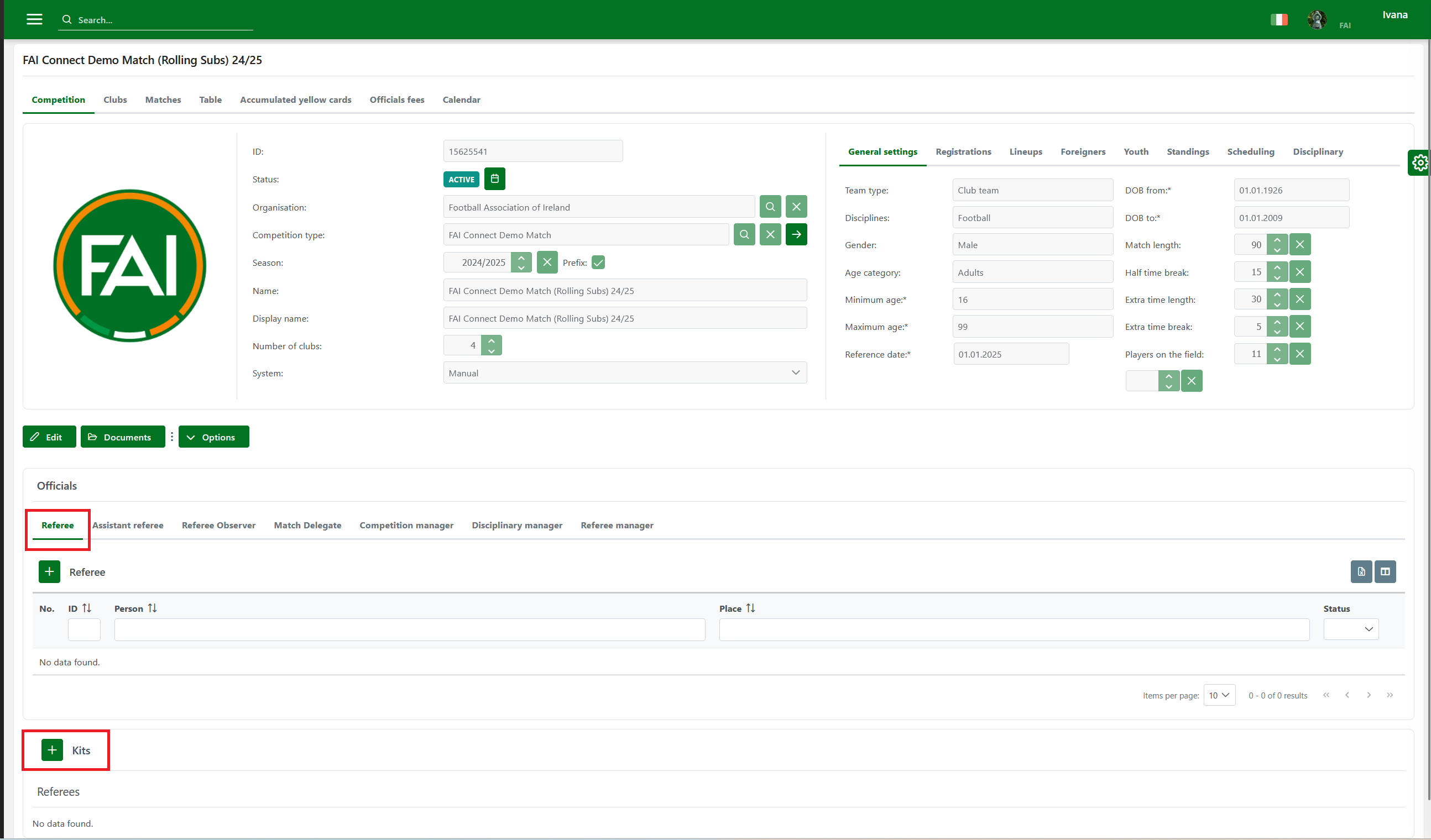
Select one of the kits from the drop-down. You can add more kit options by clicking the Kits button.
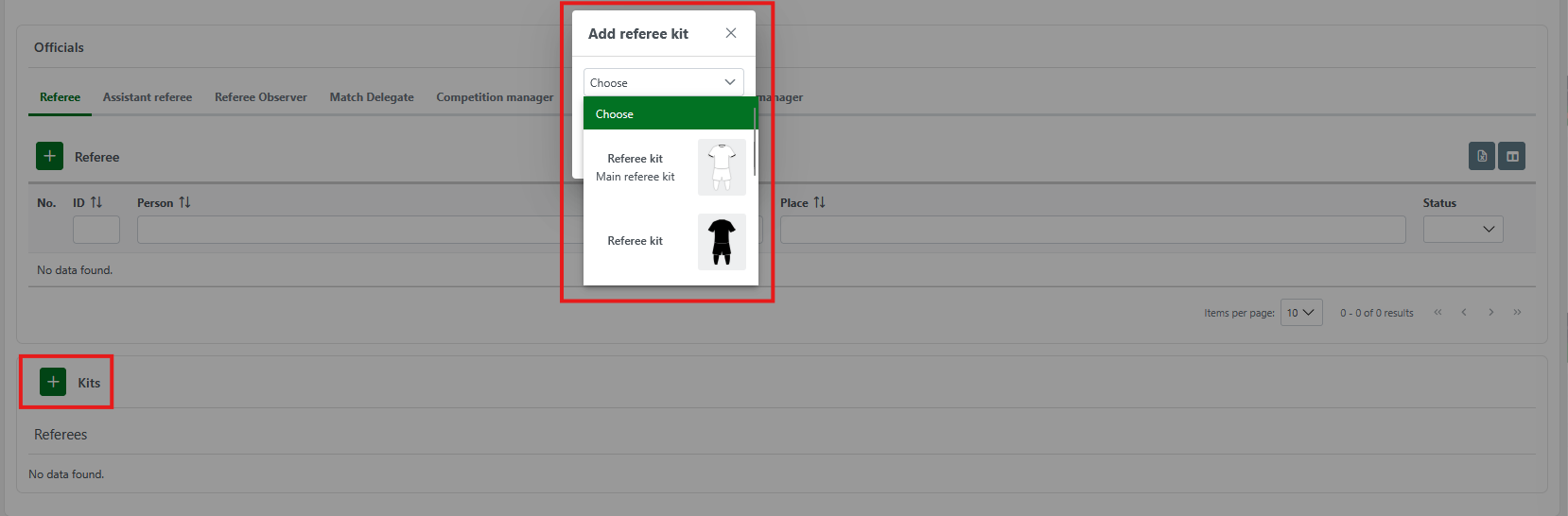
The referee kits added here will be available for selection in all matches of that competition.
You can remove a kit from a competition by clicking on the Bin icon under the selected kit.
Add Kit to Match
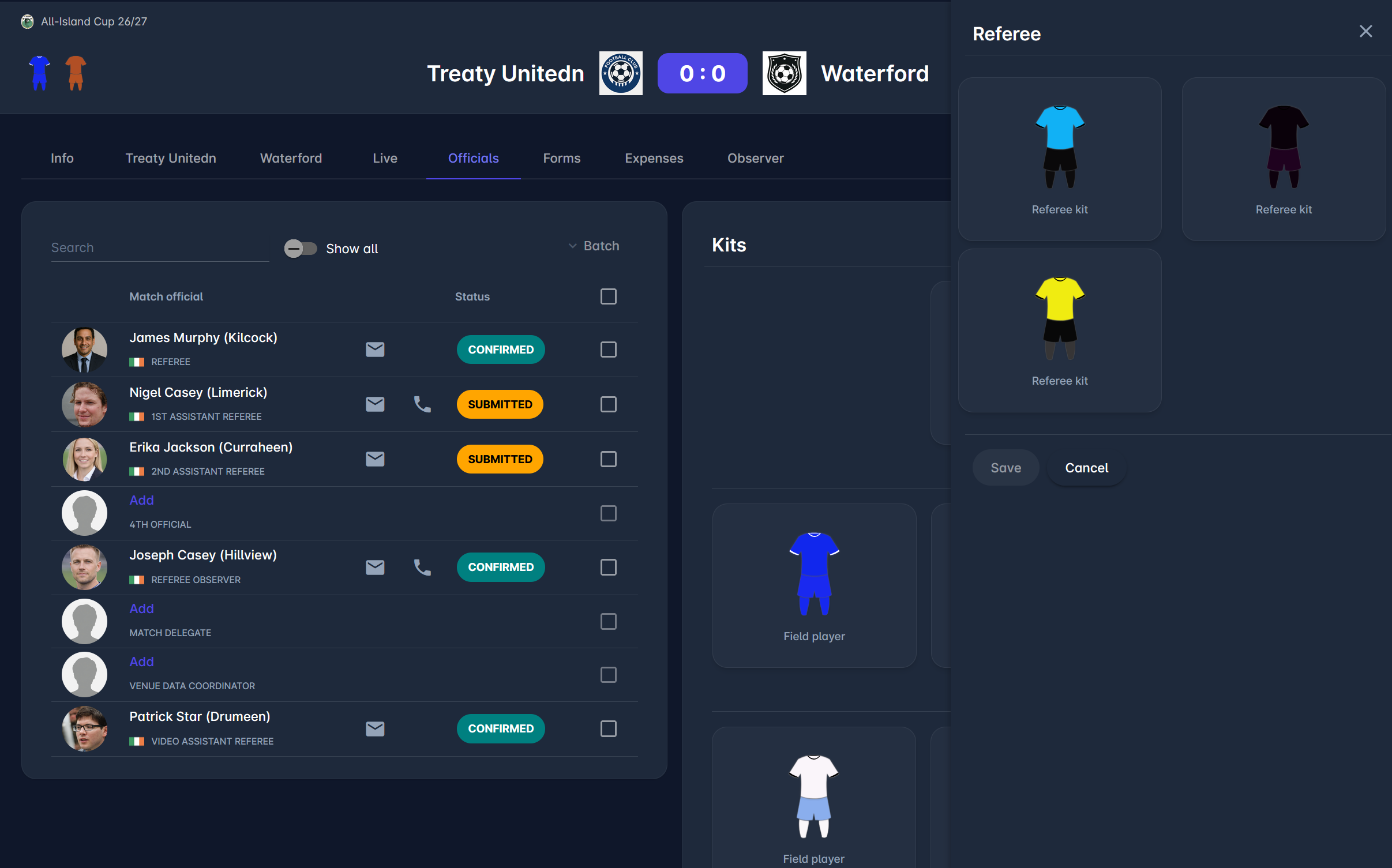
To add a kit to a match, go to the Officials tab on a Match site in MyCOMET and navigate to the Kits section. From here, you can select a referee kit and compare it to previously selected team kits, as shown in the images below.
The kits panel also contains selected Team kits, enabling you to easily compare the color and design of a Referee and Club kits.
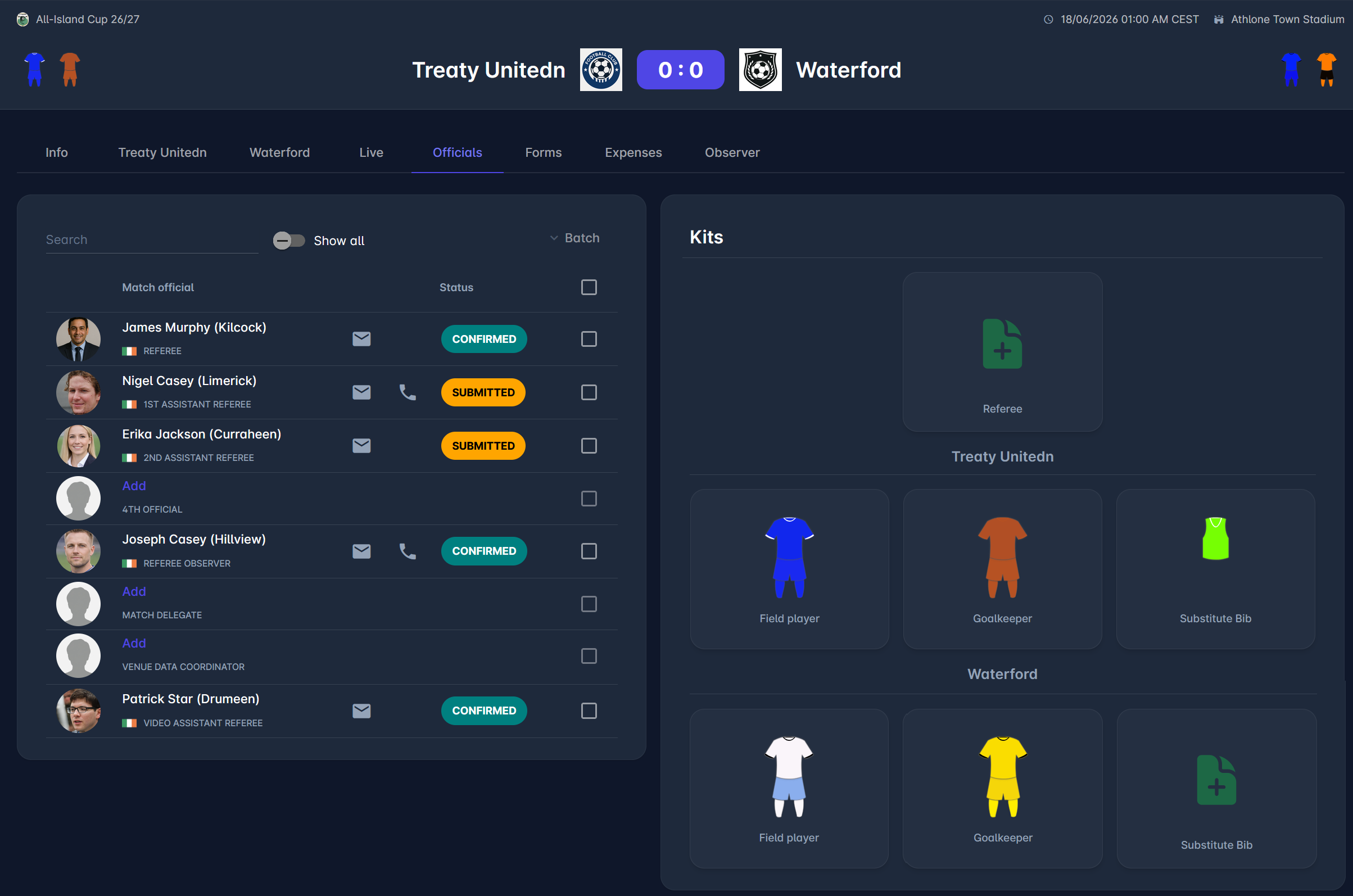
Team kits are by default defined on the Team tab of the match, but can also be edited on the Officials tab. If it was configured in the competition type settings, the “Add” icon for substitute bibs appears; clicking it displays all available substitute bibs in a right-side dialog. Selecting a bib and saving assigns it to a club.
Substitute bibs are added to the match club panel and the officials panel.
For more on adding club kits on COMET Football mobile apps, please refer to the following article: Team Kits Entry.